I have an ODT file I use to track my monthly bills with LibreOffice Writer. I decided to try to open it with Word-Craft, and the results were abysmal. Fortunately, I had created a backup copy before experimenting because the file got corrupted somehow - I’m unsure if the corruption was caused by Word-Craft or simply incidental.
Next I decided to copy/paste the contents of my ODT file into Word-Craft with equally abysmal results, so I entered the text manually in Word-Craft, including Text-color, formatting, etc. My result was OK, but not perfect, and after creating my test document and saving it to disk as a DOCX file, when I tried saving it as an ODT file, the formatting left much to be desired, mostly regarding font and text background coloring when I opened it in Writer. The font color pallet was less vibrant and with encoded color values (RGB? such as FFFF00 for Yellow) instead of names like Yellow, Light Yellow1 thru 4, etc. While I can relate RGB values to color names, this practice is not user friendly.
All in all Word-Craft is excellent considering that it’s such an early alpha release, and I look forward to its v1.0 release when it comes. It loads surprisingly fast, is very responsive in use, and the fact that if I adopt it as my go-to, I won’t be required to install an entire Office suite to use it is very appealing, so while I’ll continue to use LibreOffice Writer as my go-to word processor for now, I’ll have to wait for the finished product before making more concrete decisions.
If you ask me, one of the best things about It’sFOSS is that if you look around, you may find something others are already discussing when some new software or event goes mainstream/viral … and you’re welcome! It’s gratifying when others contribute to a discussion I’ve initiated
I have a computer club meeting once a month and the agenda is created in LibreOffice odt and distributed as a pdf. It has a page of text and a section of links for topics of discussions. It also has some pages of picture of Wyoming included in it. Not very complicated. It opened in odt with no problems and the links worked and the pictures were properly positioned on the pages one or two to the page. I exported it as a pdf and there were no differences between the pdf and the odt. The only thing that bothered me was that it made itself the default for odt files.
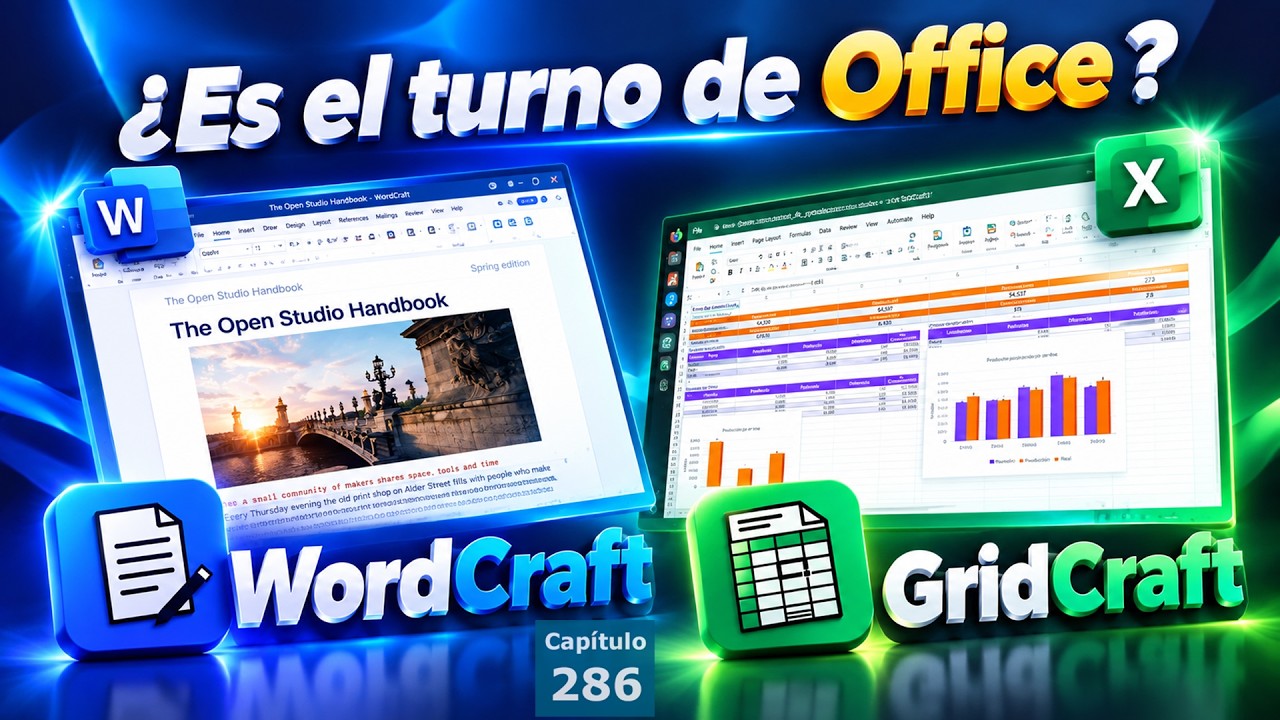
LibreOffice is an excellent office suit. I use it here, but for the most part I use writer, their word processor. My only issue with it s that it takes so long to load, at times, more than a minute. For that reason I’m experimenting with WordCraft from ArtCraft, the developers who are producing open source, functional clones of thirteen apps from Microsoft Office and Adobes Photoshop.
I agree, and it’s under active development. Following installation a few days ago, I’ve received two updates. I get update notifications when I open the ArtCraft launcher, then after updating it I can update the apps I’ve installed, currently PDFCraft, a clone of Adobes PDF Editor, PhotoCraft, a clone of Adobes PhotoShop, and WordCraft, the Microsoft Word clone.
Agree on that, but I see a possible phenomenon here.
LibreOffice Writer is far away from being 100% compatible with MS Word.
Wordcraft Wordcraft aims to be 100% compatible (didn’t test myself so no idea how far it is).
I assume, it will succeed doing that, and becomes 100% MS Word compatible, that also means LibreOffice will show the same discrepancies regarding compatibility towards Wordcraft, as it show towards MS Word now.
Unless Wordcraft implement an option to tick:
(x) Save LO compatible files
( ) Save MS compatible files
Perhaps, it could be as simple as a Save as option. When ODF is selected, the current LO functionality is adopted, and when DOCX file format is selected, the functionality from Word Craft is adopted. Then, the only thing LO would need to address would be their load speed.
Does that mean the functions that don’t work correctly in ms office also don’t work correctly in this product
Compatible is fine but if it’s just a clone with a different badge what do you gain apart from cost.
Personal I will stay with libre office at home but on holiday I drop into Google docs on my tablet and phone does enough for me
It’s a clone in the sense that it’s designed to look and function like Word, but the code’s mostly generated by AI, and moderated by the developers at ArtCraft, as I understand it, so I suspect that it may even get right what Word doesn’t … and when I view a document I created in WordCraft, it renders correctly in the cloud version of Word (just checked)
I meant formatting, page rendering differences, which sometimes turns a document in LO a mess…
These are not obvious looking at a 2 page document with only simple text having only one style.
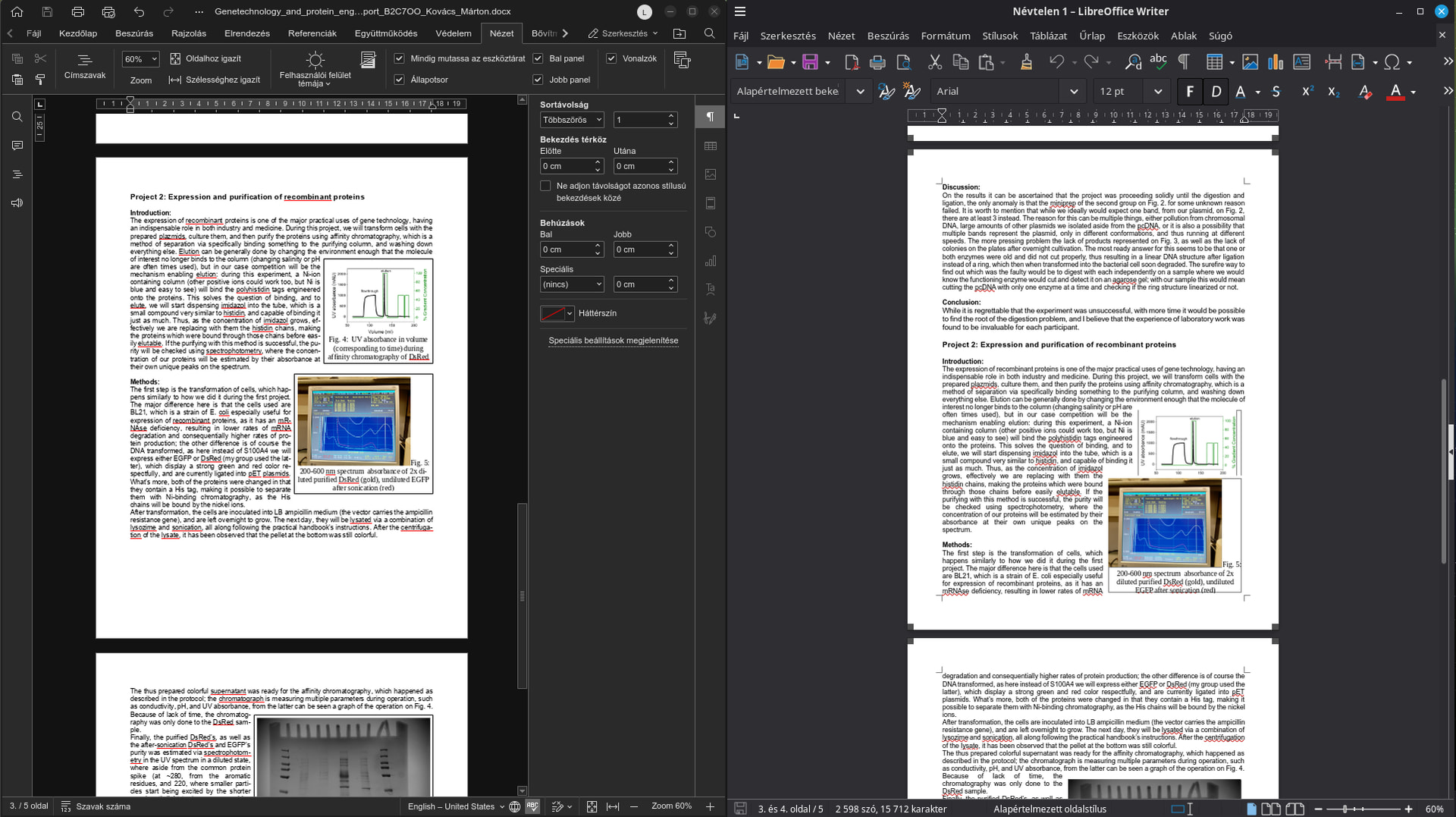
But take a look at this:
On the Left side OnlyOffice, renders the document identical as MS Word would do.
On the right side LO Writer…
I guess, the image explains itself well.
Hence, we prefer OnlyOffice, as it has way much better compatibility, I’d say nowadays it is the best (for sure among the MS alternatives which also “speak” hungarian).
As I already told, OnlyOffice is just too good (for us here) to replace soon…
Anyway, I see Wordcraft a nice initiative, and I’ll keep an eye on it.
Still continue to use OO.
Usually it’s is as you show tables, images that move
But also fonts page size headers footers margins left and right pages gutters
Can be a real dog’s dinner
No longer effects me as I only use libre office for work documents the Google docs is just on the go
If you export it or print to a pdf file does that stay consistent as that has shown problems in the past.
Sure it does.
Problem begins, if someone (using Linux and alternative software solutions) has to cooperate with someone using Windows and MSOffice. They have to exchange editable documents (pdf isn’t like that).
Compatibility in this case is vital. LibreOffice fails on this.
Using LO only alone is another story, in that case compatibility is not an issue.
Key point.
there are too many options for what format to use for exchange.
The problem is worse if a Latex user wants to work with Word user. … there is no exchangable format. The only solution is for one person to do all the editing.
IF they are.
Honestly, I have zero influence on what the prof and other students use at the university. And they use MS Office on Windows regardless of my liking