Probably need to resize .png file before I post!!! About the only thing I want from Alpine is a package list for LFS!!!
I always put the text in separately… directly into the discourse edit window.
You want to make LFS like alpine… busybox and all?
Apk will do you a package list… be careful with package names… they vary across distros.
I did your test.
cp MyAlpine.iso MyAlpinehybrid.iso
isohybrid MyAlpinehybrid.iso
file MyAlpinehybrid.iso
MyAlpinehybrid.iso: ISO 9660 CD-ROM filesystem data (DOS/MBR boot sector) 'MyAlpine.iso' (bootable)
So MyAlpinehybrid.iso now has the (DOS/MBR boot sector)
I copied each to a USB drive
- MyAlpine.iso will not boot
- MyAlpinehybrid.iso will boot
Either will boot if put on a CD, or if used with a virtual CDROM in qemu or virt-manager.
SUMMARY (for those who may be trying to follow this arcane discussion)
- If you make an .iso file with mkisofs (or Xorriso) without the -b and -c parameters it will be a data iso file and will not boot
- If you make an .iso file with mkisofs (or Xorriso) with the -b and -c parameters it will be bootable if you copy it to a CD/DVD or if you boot it in a VM with a virtual CD drive., but it will not be bootable if copied to a USB drive.
- If you use
isohybridon the .iso file from 2. it will acquire an MBR boot sector. It will then be bootable either from a CD or from an USB drive.
The type of .iso file obtained in 3. is called a hybrid .iso. file.
Most Linux distros come as a hybrid .iso file. Windows comes as non-hybrid .iso file.( or at least it used to when I last looked)
The way to tell what type of .iso file you have is to use the file statement
 $ file *.iso
alpine-standard-3.22.1-x86_64.iso:       ISO 9660 CD-ROM filesystem data (DOS/MBR boot sector) 'alpine-std 3.22.1 x86_64' (bootable)
MyAlpinehybrid.iso:                      ISO 9660 CD-ROM filesystem data (DOS/MBR boot sector) 'MyAlpine.iso' (bootable)
MyAlpine.iso:                            ISO 9660 CD-ROM filesystem data 'MyAlpine.iso' (bootable)
void-live-x86_64-musl-20250202-xfce.iso: ISO 9660 CD-ROM filesystem data (DOS/MBR boot sector) 'VOID_LIVE' (bootable)
You can see they are all hybrid .isos, except MyAlpine.iso.
No, Alpine and LFS and even your Void are close relatives!!! LFS expects “glibc” while Alpine is built with “musl” and your Void can be built with either one, perhaps you can explain!!!
Not necessarily the package list, but on how Alpine builds a target package, and this same approach can be used to build LFS. For instance: “xorg-server” It had “something like” 99 packages to build, 98 packages were built as dependencies, before the target package “xorg-server”. Just one more thing I am learning about how to build LFS!!!
Not even VirtualBox will boot from a thumb drive but will boot from a cd, do not ask me why!!!
You mean glibc versus musl. ?
There is not much difference , to be honest. They are both libraries for compiling C programs. Musl is supposed to be modern and better for minimal distros.
I have both varieties of Void at the moment and I do not notice any difference as a user.
I see…because LFS does not have a package system , you have to make all sorts of compile decisions yourself.,
You mean Vbox will not boot an iso file from a thumb drive?
It will boot from an iso file on disk… and a tbumb drive is just another disk… so why not?.. I think virt-manager would do it as long as the thumb drive were mounted… no, hang on, it would have to be a data thumb drive so vbox could see the .iso file as a file… not a thumb drive made with dd. which only contains the contents of the iso file, not the file itself.
An iso file is like a qcow2 file… a filesystem stored within a file… that is why I used a loop mount to get at the contents.
Vbox will mount a thumb drive, if you download and install the extension pack, but you either boot from the ISO or from a CD!!!
Use boot from an iso
but
make a data usb drive, ie format it to ext, and copy the iso to it with cp.
Then Vbox will see the iso file on the mounted usb drive , the same way it sees it on your hard disk.
You could cp several iso files to that usb drive… just like Ventoy… they would all be bootable by Vbox… but they would not boot as a live USB.
@Daniel_Phillips
I have solved that ny installing Xfce4 in NetBSD.
When I run qemu in NetBSD with the following arguments
 qemu-system-x86_64 -m 512 -nic user  \
  -display sdl,gl=on -boot d \
  -hda alpinevm.qcow2 \
  -cdrom /mnt/share/MyAlpine.iso
I get a large qemu window, but it can be resized to look like this
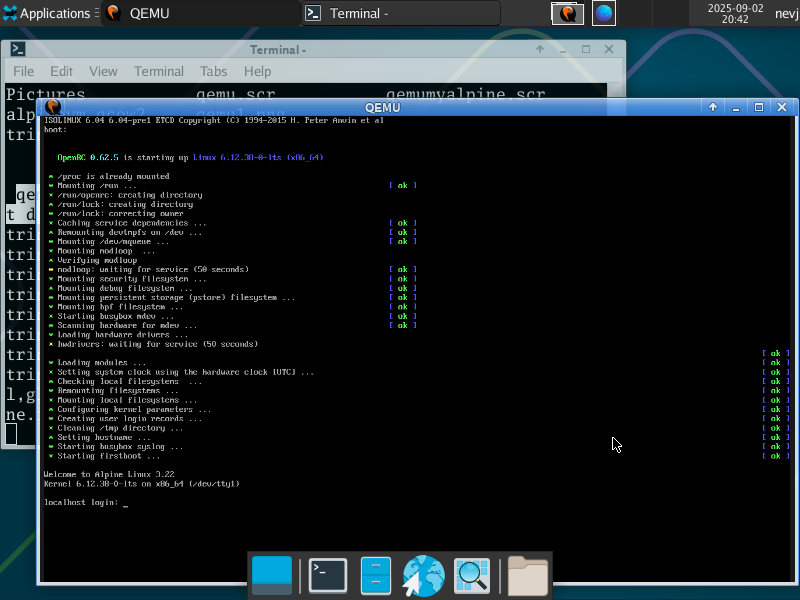
The text is a tad small, but it is workable.
It is showing the alpine boot.
That will do me. … I can get on with configuring the Alpine VM.
Yep, you can now run “setup alpine”!!! You can input configs or just use defaults!!! I had to use the VBOX “Nat” setting to get Alpine to recognize my dhcp lease. My text was small also!!!
The login for Alpine is “root”!!!
We need to start a new Alpine thread and get away from your solution thread!!! There are some that might benefit, from using Alpine!! Do you want me to start the conversation?
It must be Alpine doing that.
I have made another discovery
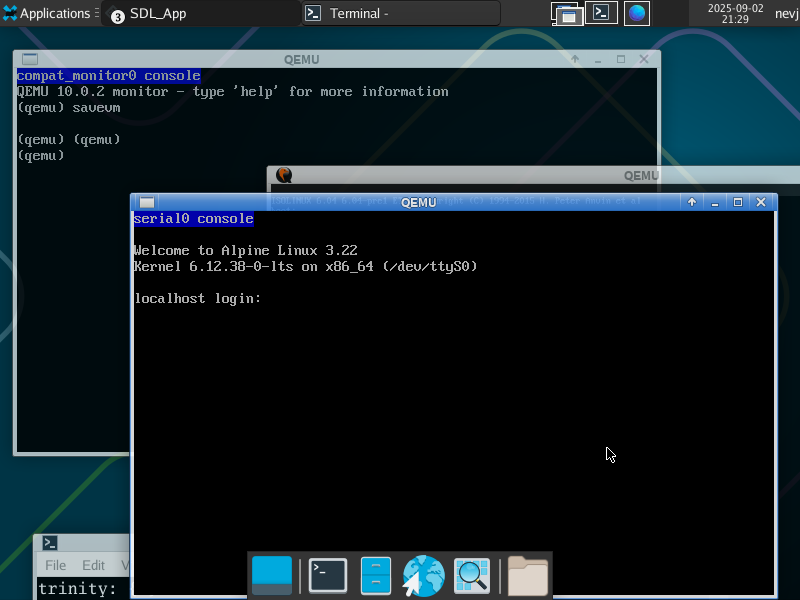
ctrl alt 3 gives me a serial console in another window… with decent sized text
So I can work there. I dont really need graphics.
also
ctrl alt 2 gives me a ‘monitor’ console in yet another window. I has a (qemu) prompt where I can type commands to qemu… like telling it to save the VM… useful, I wondered how one would save
Will get a picture tomorrow.
This is looking good now… almost as easy as Vbox or Virt-manager
That is well, but since I am working from W11, VirtualBox is my go-to-app!!! I still think we need to start a alpine thread!!!
Well yes, but I want to finish my netbsd task first. Alpine is just a tool for me at moment… a helper to make netbsd do things.
I hit something similar yesterday in kvm / virt-manager / qemu…
I was trying to create and boot an i386 Q4OS (debian 12)… And I set the CPU to Pentium III and i440FX chipset… and I got some message / error about APIC!
I resolved it by setting CPU back to default (passthrough)… i.e. I don’t need to emulate 32 bit x86 as x86_64 can already to that…
Purpose? I saw someone post on Social Media or maybe Reddit - running Debian 12 (they were actually running Q4OS) i386 (PAE) on an Atom powered Netbook… And I have a Netbook (Samsung N150)… and despite these Atoms being “technically” x86_64 - 64 bit O/S run like shit on them… and I wanted to check out a more recent i386 distro to evaluate… Just in case I manage to find the crate I’ve got the Samsung N150 stashed away in).
I do qemu on arm64 on my MacBooks - via “UTM” - but - it makes me lazy as it has an online library of existing VMs you can run… it’s a lot trickier to get things right in QEMU when tweaking via virt-manager…
Which reminds me - some years ago (5ish?) I found an article about using QEMU on FreeBSD to emulate PowerPC to run AIX (IBM’s “big iron” UNIX)… I might have to dig that out… (I have ISO images of several releases of AIX for purely archival purposes! But I do have one IBM PPC - an ancient RS/6000 - so ancient, it has MCA bus!). Some time ago (15+?) there was a project to emulate PowerPC on x86 - but that was purely to run the PPC version of OS X (not AIX).
I got that message when NetBSD was the host for qemu. I did not get it when I had a Void host. So I assumed that the NetBSD kernel was not supporting APIC.
Now you tell me the choice of emulated processor affects getting an AP I C message… so that means it is a matter of whether the guest processor asks for APIC.
I thought an emulated environment was supposed to be isolated?
Maybe I should try qemu in NetBSD with a differeng processor?
I think that’s the whole point - i.e. if you’re using QEMU to emulate a different processor - it’s isolated isn’t it? So the emulated CPU I arch I was trying to run didn’t have APIC… Message went away when I chose passthrough (basically the CPU arch of the host).
You should have seen the ugly messages I got when I tried to emulate aarch64 (arm64) and a Pi3B and boot up Raspbian… Not APIC - but a whole bunch of unhappiness - so I gave up and blew it away 
I’d like to learn more about CPU emulation with QEMU… e.g. emulate completely foreign instruction sets like RISC CPU : sparc, ppc, arm, mips, alpha (even RISCV)… but not right at this moment of time
I have only ever used X86_64.
So my apic problem in NetBSD is not choice of CPU, it is something about the NetBSD version of qemu.
I’d like to learn more about CPU emulation with QEMU… e.g. emulate completely foreign instruction sets like RISC CPU
Yeah, I would like to at least understand that.
I think one needs to load more packages for particular architectures. Plus , of course, one needs a Linux iso for the chosen arch.
I know nothing.