The Lumina Desktop in antiX
The Lumina Desktop Environment was developed in the BSD Unix world, and was used in PC-BSD and TrueOS . It is portable and has been available in various Linux distros.
It used to be available in Antix, but that has been discontinued. However the source code is still available
and a quick inspection of tha github repo reveals that it has not been actively developed for some years.
What Lumina offers is a very configurable desktop, that is portable and does not depend on systemd or DBus or Polkit. It can be configured to look like Xfce or Windows anything you prefer.
itsfoss.community/t/lumina-desktop-environment/9034
I decided that a configurable desktop with a small footprint might be useful in Antix so I so I attempted to compile and install just the core desktop code. I thought the lumina utilities code was not worth compiling… the utilities are only partly developed and there are better alternatives.
Compiling Lumina
I am using antiX25-beta1 release with dinit init system.
I forked the source code
to my own github site , then pulled it to a local working directory.
The build instructions are in the README.md file on the above site.
- Lumina uses Qt5. It contains Qt project files ( which are like Makefiles). So the first step is to run
qmake
that creates a normal Unix Makefile.
- Then run
make >&make.out
to compile and save the output.
That is when the fun starts. There are dependencies not present in antiX. I get messages like
Project ERROR: Unknown module(s) in QT: core gui network widgets x11extras multimedia multimediawidgets concurrent svg quick qml
Antix has some Qt5 packages installed , but not enough to compile Lumina. The following packages had to be installed
libegl-dev libglu1-mesa-dev libgstreamer-gl1.0-0 libqt5multimediagsttools5
  libqt5sql5t64 libqt5test5t64 libxext-dev qtbase5-dev qtbase5-dev-tools

 libqt5quickparticles5 libqt5quickshapes5

 qml-module-qt-labs-folderlistmodel qml-module-qtmultimedia
  qml-module-qtquick2

  girepository-tools libblkid-dev libffi-dev libgio-2.0-dev libgio-2.0-dev-bin
  libgirepository-2.0-0 libglib2.0-dev libglib2.0-dev-bin libmount-dev
  libpcre2-32-0 libpcre2-dev libpcre2-posix3 libselinux1-dev libsepol-dev
  libsysprof-capture-4-dev native-architecture python3-packaging uuid-dev
  zlib1g-dev
Then the build seems to be happy with Qt, and I now get messages like
In file included from ../libLumina/LuminaX11.cpp:7:
../libLumina/LuminaX11.h:26:10: fatal error: xcb/xcb_ewmh.h: No such file or directory
   26 | #include <xcb/xcb_ewmh.h>
      |          ^~~~~~~~~~~~~~~~
compilation terminated.
which indicates that there is a missing file xcb_ewmh.h.
Finding which package will supply this file is not easy. There are 2 ways
- use AI
- install and use the
apt-findcommand
After about 16 make attempts, the list of packages I had to install to supply missing .h files is
libxcb-ewmh-dev libxcd-ewmh2
libxcb-util0 libxcb-util-dev
libxcb-icccm4-dev
libxcb-image0-dev
libxcb-smh0-dev
libxcb-composite0 libxcb-composite0-dev
libxcb-render0-dev libxcb-shape0-dev libxcb-xfixes0-dev
libxcb-damage0-dev
libxcb-dpms0 libxcb-dpms0-dev
libxdamage-dev
libxfixes-dev
libqt5waylandclient5
qtdxcb-plugin
gir1.2-gudev-1.0 libbrotli-dev libbz2-dev libevdev-dev libexpat1-dev
  libfontconfig-dev libfreetype-dev libgudev-1.0-dev libinput-dev libmtdev-dev
  libpng-dev libwacom-dev libxkbcommon-dev qtbase5-private-dev
libcursor-dev libxrender-dev
libdbusextended-qt5-1 libdbusextended-qt5-dev libdbusmenu-qt5-2
  libdbusmenu-qt5-dev
libpam0g-dev
The packages whose names end in ‘-dev’ are the ones that supply ‘.h’ files.
The corresponding package must also be present.
Now, there is one final compile message
lthemeengineplatformtheme.cpp: In member function ‘virtual QPlatformSystemTrayIcon* lthemeenginePlatformTheme::createPlatformSystemTrayIcon() const’:
lthemeengineplatformtheme.cpp:83:32: error: ‘class QDBusMenuConnection’ has no member named ‘isStatusNotifierHostRegistered’
   83 |     m_dbusTrayAvailable = conn.isStatusNotifierHostRegistered();
      |                                ^~~~~~~~~~~~~~~~~~~~~~~~~~~~~~
make[4]: *** [Makefile:527: .build/obj/lthemeengineplatformtheme.o] Error 1
It would seem that the qt5 function conn.isStatusNotifierHostRegistered() is not defined. This is because qt5 has been updated and Lumina has not kept up with qt5 updates.
Some browsing of the lumina C++ source code located this line 83 in file lthemeengineplatformtheme.cpp,
#if !defined(QT_NO_DBUS) && !defined(QT_NO_SYSTEMTRAYICON)
QPlatformSystemTrayIcon *lthemeenginePlatformTheme::createPlatformSystemTrayIcon() const{
  if(m_checkDBusTray){
    QDBusMenuConnection conn;
        //    m_dbusTrayAvailable = conn.isStatusNotifierHostRegistered(); //
    m_dbusTrayAvailable = true;
    m_checkDBusTray = false;
    //qCDebug(llthemeengine) << "D-Bus system tray:" << (m_dbusTrayAvailable ? "yes" : "no");
    }
  return (m_dbusTrayAvailable ? new QDBusTrayIcon() : nullptr);
}
#endif
and you can see I have commented out line 83 and replaced it with a statement setting m_dbusTrayAvailable to ‘true’.
That may not be perfectly correct, but it will now compile successfully. It makes binaries lumina-desktop and start-lumina-desktop as well as core utilities lumina-config, lumina-search, and lumina-xconfig, and a few other things.
The install is simple
make install
It copies the binaries to /usr/bin .
Testing Lumina
Now will the lumina-desktop binary run
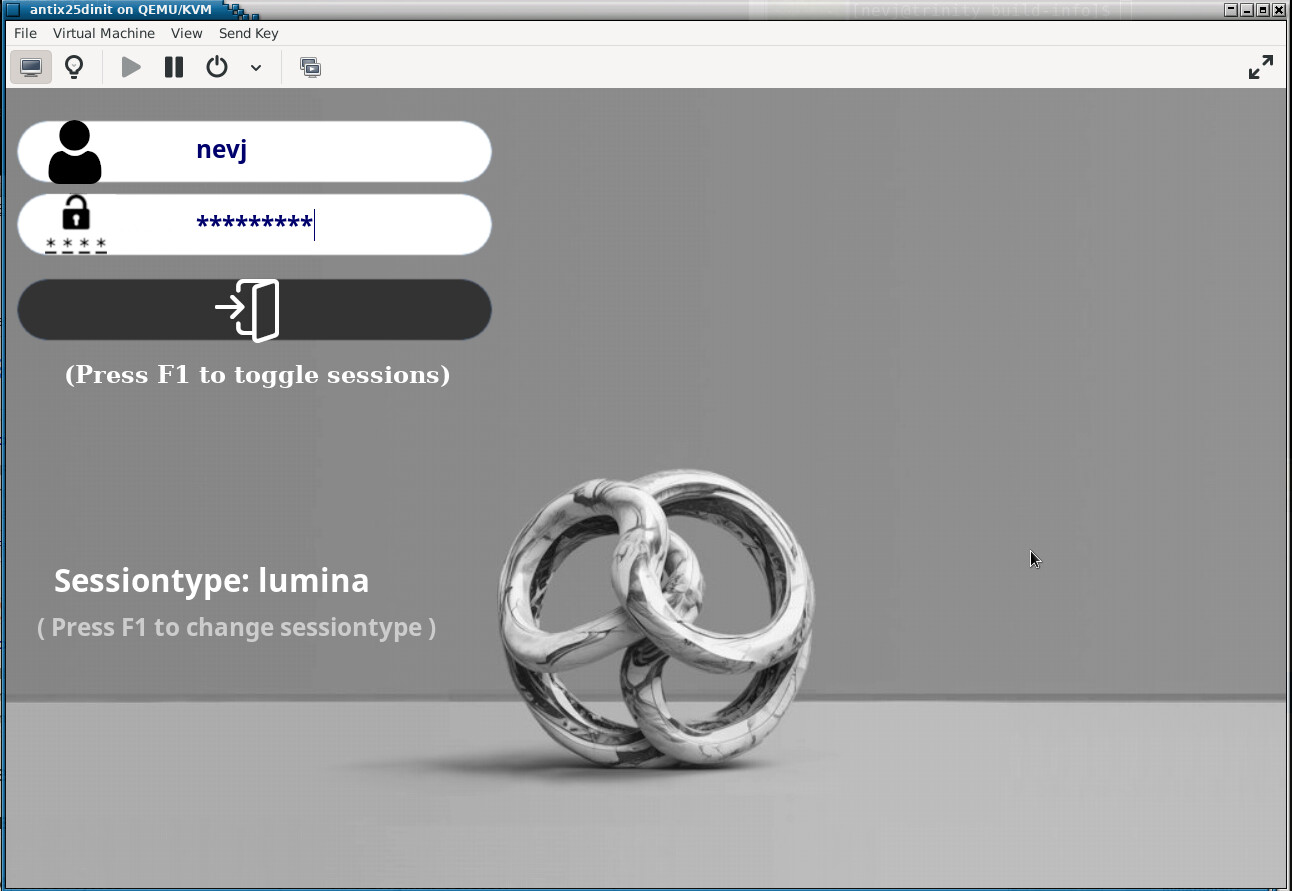
I first rebooted and looked at the desktops available on the slimski Login Manager screen. There was no lumina-desktop. So slimski' is not detecting the presence of the linina-desktopbinary. Maybe this is because I installed lumina withmake, whereas other desktops such asxfcewere installed withapt` as packages. ?
So I disabled `slimski’ and let antiX boot to a login console prompt.
Logged in a nevj and tried to start lumina

It can not connect to the X server. The server does not seem to be running
OK, I will deal with that later… lets start it as root
su
start-lumina-desktop
It now starts lumina

and if I open a Roxterm and check, the X server (xorg) is now running. So the startup binary (start-lumina-desktop) must check if xorg is running and if not start it.
So the problem starting lumina as nevj may be a permissions issue?
Now , while it is not ideal running a DE as root, that proves that the compile of lumina was successful.
We might have a brief look at one of Lumina’s important features … configuration.
There is an extensive config menu


You can see the extensive set of config options tha took 2 screenshots to display.
You can make it look like your favorite DE. There is even an icon to bring up the config menu.
The applications button in the lowe left corner brings this menu up

and if you explore the submenus you find that it discovers and lists all the packages you have installed in antiX. So that menu looks just like you get with Xfce or IceWM.
THe only thing I miss there is the workspaces… I need to look into that.
I have deliberately not installed any of the Lumina apps… they are not well developed.
To Do
- find out why slimski does not detect lumina
- find out why I cant start lumina as nevj
- get workspaces
- try some demonstration configurations
Conclusion
Lumina-desktop is at least as usable as the WM’s which come with antiX, and could be made as usable as Xfce. There are no binaries available in antiX, it needs to be compiled and installed manually, ie outside of the apt system. One could shortcut some of the compile work by using the code in my forked repo.
and one could compile lumina in other distros.
The point of doing it in antiX is that it fits in with the small footprint WM’s found in antiX be default.