I have a hard install of antiX-26-rc1_x64-full.iso.
It boots very slowly.
It needs the kernel cmdline parameter intel_iommu=off
I edit /etc/default grub as follows
# If you change this file or any /etc/default/grub.d/*.cfg file,
# run 'update-grub' afterwards to update /boot/grub/grub.cfg.
# For full documentation of the options in these files, see:
#   info -f grub -n 'Simple configuration'

GRUB_DEFAULT=0
GRUB_TIMEOUT=5
GRUB_DISTRIBUTOR=`( . /etc/os-release && echo ${NAME} )`
GRUB_CMDLINE_LINUX_DEFAULT="quiet selinux=0"
GRUB_CMLINE_LINUX="intel_iommu=off"
....
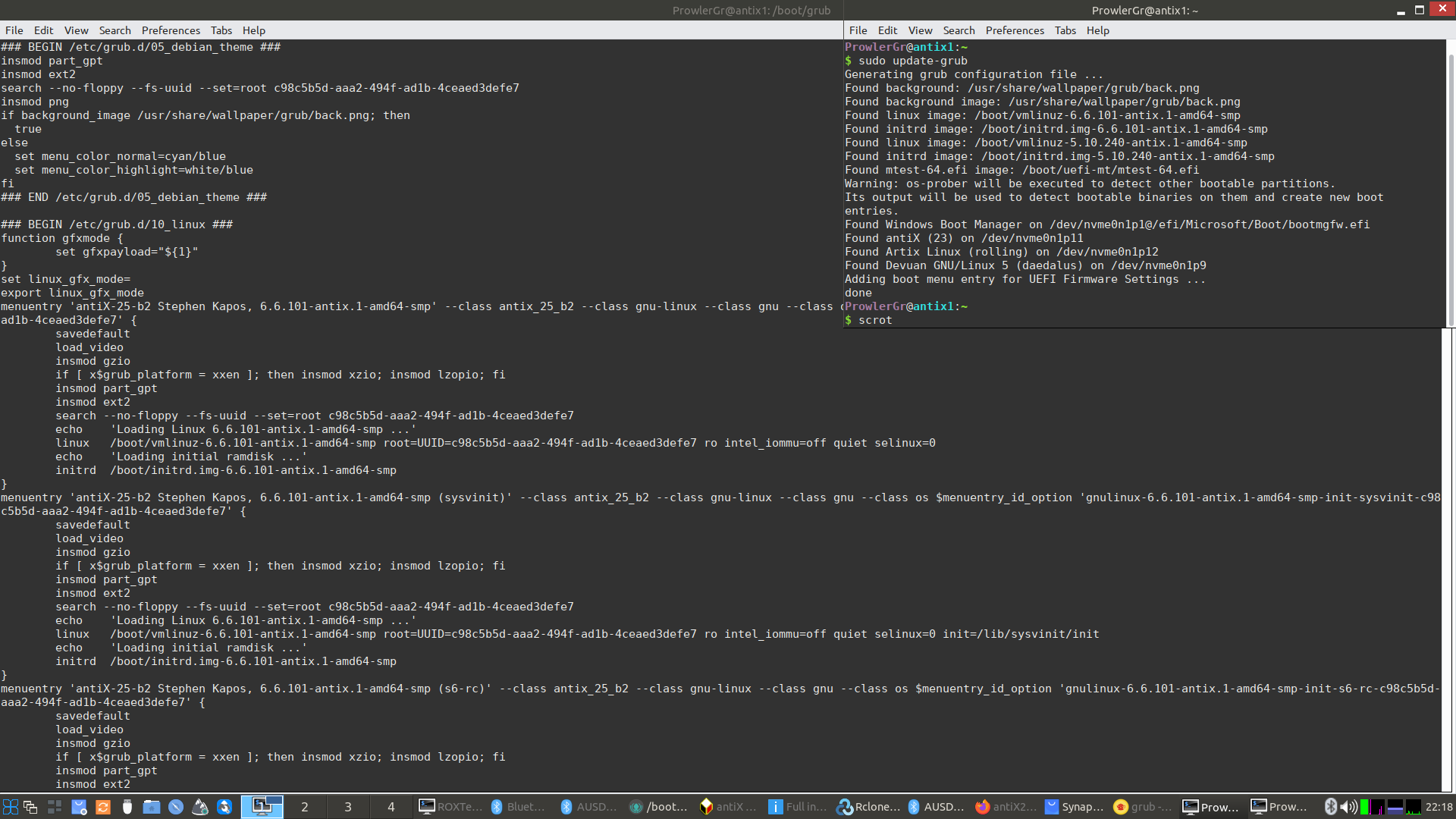
Then I do update-grub in antiX
root@trinity:/boot/grub# update-grub
Generating grub configuration file ...
Found background: /usr/share/wallpaper/grub/back.png
Found linux image: /boot/vmlinuz-6.6.119-antix.1-amd64-smp
Found initrd image: /boot/initrd.img-6.6.119-antix.1-amd64-smp
Found linux image: /boot/vmlinuz-5.10.240-antix.1-amd64-smp
Found initrd image: /boot/initrd.img-5.10.240-antix.1-amd64-smp
Warning: os-prober will be executed to detect other bootable partitions.
Its output will be used to detect bootable binaries on them and create new boot entries.
qFound Void Linux on /dev/sda1
Found MX 25.1 Infinity (25.1) on /dev/sdb13
Found MX 23.6 Libretto (23.6) on /dev/sdb3
Found Void Linux on /dev/sdb5
Found Devuan GNU/Linux 5 (daedalus) on /dev/sdb7
Found Artix Linux (rolling) on /dev/sdc6
Adding boot menu entry for UEFI Firmware Settings ...
done
Then I check /boot/grub/grub.cfg in antiX
menuentry 'antiX-26 Stephen Kapos, 6.6.119-antix.1-amd64-smp' --class antix_26 --class gnu-linux --class gnu --class os $menuentry_id_option 'gnulinux-6.6.119-antix.1-amd64-smp-advanced-937413ff-d124-49e2-ae13-857ea12a668d' {
        savedefault
        load_video
        insmod gzio
        if [ x$grub_platform = xxen ]; then insmod xzio; insmod lzopio; fi
        insmod part_gpt
        insmod ext2
        set root='hd2,gpt5'
        if [ x$feature_platform_search_hint = xy ]; then
          search --no-floppy --fs-uuid --set=root --hint-bios=hd2,gpt5 --hint-efi=hd2,gpt5 --hint-baremetal=ahci2,gpt5  937413ff-d124-49e2-ae13-857ea12a668d
        else
          search --no-floppy --fs-uuid --set=root 937413ff-d124-49e2-ae13-857ea12a668d
        fi
        echo    'Loading Linux 6.6.119-antix.1-amd64-smp ...'
        linux   /boot/vmlinuz-6.6.119-antix.1-amd64-smp root=UUID=937413ff-d124-49e2-ae13-857ea12a668d ro  quiet selinux=0
        echo    'Loading initial ramdisk ...'
        initrd  /boot/initrd.img-6.6.119-antix.1-amd64-smp
}
There is the menuentry for the antiXdinit default
It does not contain the option intel_iommu=off
Neither do any of the other antiX entries.
I check the date on the grub.cfg file
root@trinity:/boot/grub# ls -l grub.cfg
-rw------- 1 root root 78582 Mar  9 21:19 grub.cfg
That is 5 minutes ago … ie the grub.cfg file was written by update-grub, but it did not include the intel_iommu=off parameter.
I suspect that the grub mods to incorporate init diversity may have interfered with the incorporation of user cmdline options.
With intel_iommu=off properly added to the command line, antiX26 boots in 14 secs from grub menu to login line, and 2 sec from login to zzz-icewm window manager.
That is with dinit and from an HDD. In a VM it boots in about 10 secs.
Dinit is fast.
I notivce that we now have under Service in the Control Centre , the ability to choose dinit startup services in a gui.
There is no Conky ? The menu toggle does not work?
I can start it at the CLI as root
root@trinity:/home/nevj# conky
Conky: desktop window (c000a2) is subwindow of root window (3a0)
Conky: window type - desktop
Conky: drawing to created window (0x1600001)
Conky: drawing to single buffer
The Applications Menu seems to be empty or inaccessible?
It seems to be using a lot of ram
root@trinity:/home/nevj# free -m
               total        used        free      shared  buff/cache   available
Mem:           64282        1798       62331          20         769       62484
Conky says 1.2GiB
One of our forum members is interested in its ram usage. That seems a bit large for a raw install doing nothing.
It need TERM=gnome-256color in ROXTerm
I added some lines to /etc/fstab to mount swap partitions and my data partition. Reboot fails with
dinit: Service mount-all command failed with exit code 64
What I put into fstab was copied from MX , where it works fine.
Maybe dinit has special requirements for /etc/fstab?.. but I had no trouble in Artix/dinit.
It seems to not like mounting 2 swap partitions.
I should be reading the antiX forum.
I will try a few things, maybe even a fresh install.
I did not preserve an old home directory.
Yes it seems like a dinit issue. It will only mount one swap partition at boot.
I can mount both with swapon after boot…
Dimit is the newest init system … we can expect a few minor issues.
Have you deliberately disabled the applications menu?