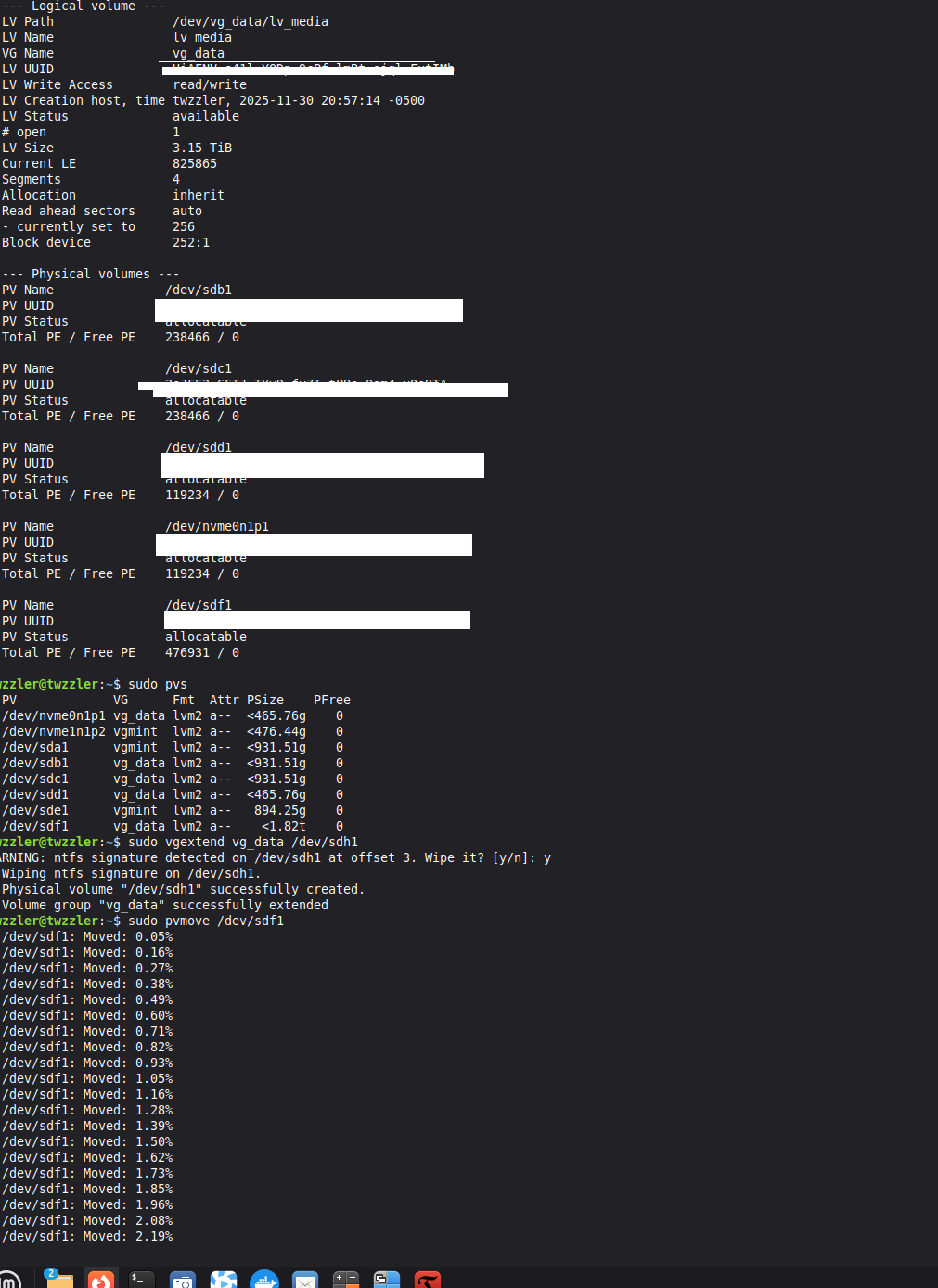
I am now in the process of the swap, this is a live view of the switch over, I will have more, I will show the 2tb that has 47 or more bad sectors and replacing with the 4 tb nes in my lvm. The 2tb is going to fail soon. I will give full lesson how to do this job without loosing a single file or lvm data
Yep, it works well! The only hiccup is that I used my USB disk rather than the new NAS drive, so I have now made the IronWolf drive part of the LVM and am moving the files from the mistakenly configured USB LVM.
Honestly, it’s actually pretty funny because I’m getting a truly hands-on, learn-by-doing experience creating LVM /mnt/data volumes in a huge data storage array across many drives. Who needs a test environment when you have live production, right?
Tomorrow, the 1TB NVMe drive goes into the Orico expansion board, and I’ll add that extra space to the root volume.
Interesting topic - I use lvm at least every week…
and most of it via muscle memory - I do it so often…
Mostly in VMware Linux VMs - I always use fdisk to create the partition and set type to “8e”… There’ve been 1 or 2 occasions where the disk was too big for fdisk and I think I had to use gfdsisk and create a GPT partition… but that’s rare…
I did not know about “pvmove” command - I might have to try and remember that…
Sometimes I’d rather just add the extra VHD in Vmware - move everything to it - then remove the first VHD - instead of ending up with an lvm volume / vg comprised of multiple odd sized VHD files…
You live in a different world to us home users.
Why do commercial sites need to fiddle with their disks so often? Is it bad planning?
I never saw that sort of thing on scientific sites … maybe it was too long ago.
e.g. this week - an Oracle Linux 8 server - running Oracle RDBMS… Customer wanted to clone an existing DB, but there wasn’t enough room in $ORACLE_HOME (e.g. /u02) so I had to grow it - easy peasy - the most difficult part of the whole process was having to sit through the Change Advisory Board meeting (CAB) - and - this customer has a Pre-CAB, then two days later actual CAB… That’s two hours of meetings, to undertake 20-30 minutes of work!
In the old CSIRO it was like this… if you wanted to raise anything with the Chief, you went to morning tea… sat thru all the politics and current affairs, then when tea was over the Chief just sat there. You could raise anything, but it had to be in public. The Divisions budget could change by a million dollars between tea and lunch. Come lunchtime, the Chief went off to his Chess, then after lunch he disappeared into his research lab. He ran the whole Division from the tea room. No meetings. Written report once a year. People actually had time to do something, even the Chief insisted on his research time after lunch.
It all changed in the 1980’s when they brought in program budgeting… after that Chiefs no longer had any say, money had the say, which meant all research was decided by beurocrats in head office or the minister or private funding.
I managed to successfully merge my external USB drive’s capacity into my main IronWolf drive, making it part of my LVM /mnt/media family. I used the pvmove command in the terminal to seamlessly migrate all the data while the system was running.
The migration worked, but it took all night and stopped at 99.99% completion, which tipped me off that the USB drive was failing! I’m now running a deep scan to confirm its health (or lack thereof) before retiring it. It was a good lesson in why we always check drive health thoroughly!
All my drives are old so I know this was going to happen, before doing what I did with lvm. I said this is a good time to learn what to do in failure, more importantly taught me, running regular scans withlog reports is almost necessary, So I will setup backup, scan disk before backup.
Neds post tipped the post and cursed my disk. This was a few post ago.