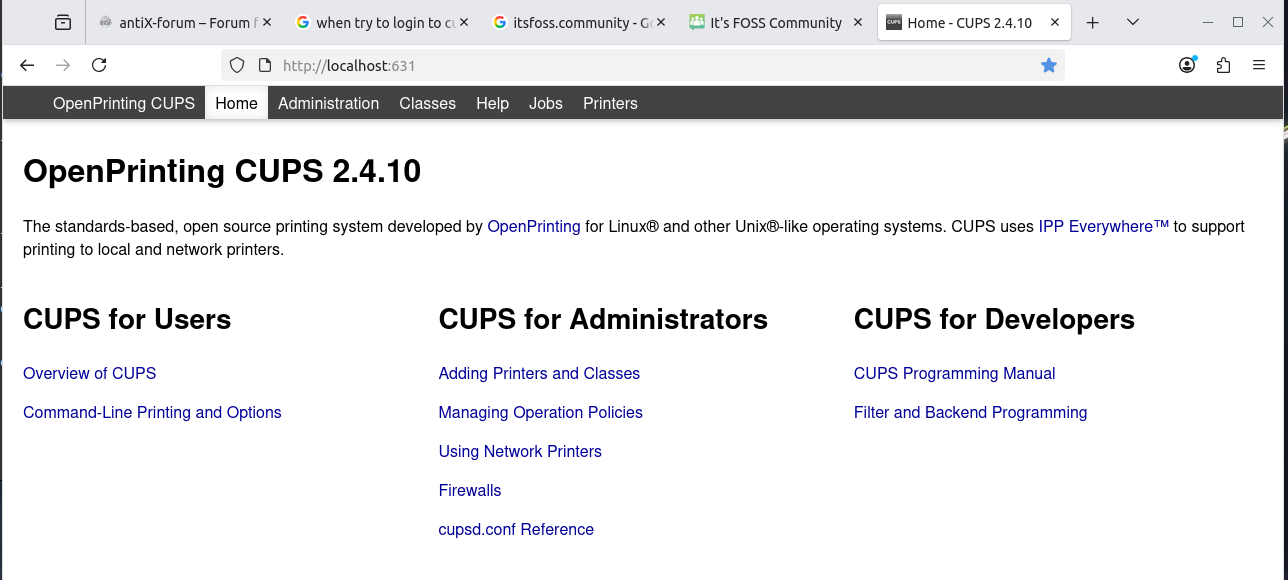
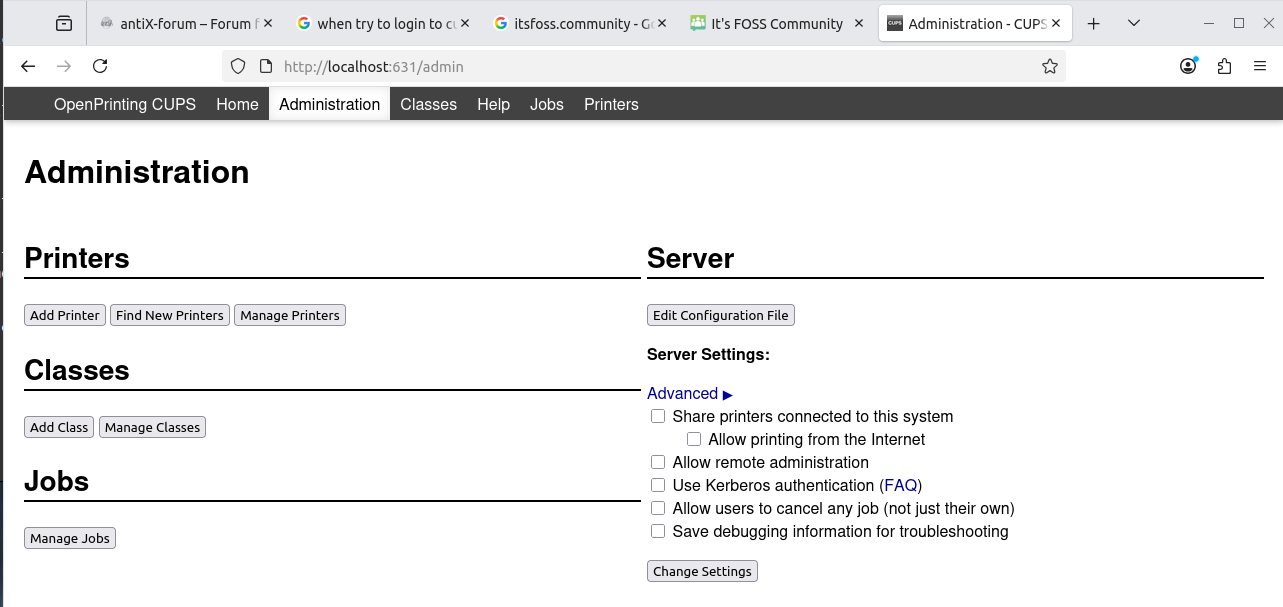
Not a very informative error message.
I looked at /etc/cupsd.conf … it has not been touched
I am operating as root … ie when CUPS asks for a login I use root
I have nevj in the lpadmin group
I tried firejail --private firefox to get a fresh new browser … same result
I removed and reinstalled cups
So, that is fine , I can fix my printer
but
What on earth could go wrong that is not either the cupsd.conf file or the browser?
We need to understand this CUPS beast so we treat it with the right sort of kid-gloves.
Some times when I read questions on the site I wonder if you like making work for yourself (no offence) when i add a printer I simply connect it to the netword route usually by the wps key then a few mins later mint just says hey want to use that new printer …..
If that fails or I have a couple of printers then into the control panel and add printers, where I may choose my défaut like plain paper and have a second for headed paper so the client can choose that if needed.
But i dont know your version of linux or your printer make model.
But perhaps your does not work like mint or you enjoy cups (for me my cups are for coffee !)
That is a wireless printer. My 2 printers are ethernet connected network printers.
CUPS will automatically discover them. One uses a foomatic driver, the other needs a Brother driver installed from a .deb file. All that was OK. I had one working with a test page, then I decided to alter the config and suddenly CUPS would not let me into the Admin section?
antiX has a printer control panel. I usually avoid such and use CUPS directly.
Every distro has a different printer control panel, but CUPS is the same everywhere. Void worked this out… its printer control button brings up CUPS…
Occams razor at work.
The only thing I can think of is, I may have saved an incorrect user and password when I first logged into Admin.
Why one needs a separate login for CUPS is a good question. Surely being root is enough privilege to setup a printer? This tendency to multiply logins is a serious source of frustration and error. We get it with disk mounts too… useless additional layers of security.
Yes, if that means doing things by the most direct approach. … but its not work, it is an adventure.
BTW CUPS is cross-platform… works in Linux, BSD and Mac
It’s horrible… by default it blocks access and only allows localhost… WTF?
Note : I support CUPS for some of my customers… one of those has a bunch of Brother printers (MFC)… On Red Hat 9 - there’s no driver for these specific models… There’s no driver for my specific model of Brother printer either.
I did some testing of my own, installed RHEL 9 (in a KVM VM)… Then ran CUPS admin (had to use the GUI in the VM and http://localhost:631 - as the GHASTLY /etc/cupsd.conf is too obtuse to decipher with human eyes to allow other IP / networks) and added a printer (had to use “root”) with a similar model number as my own Brother printer - sent a test print - and IT WORKED!
Brother ONLY supplies i386 drivers as RPM for RPM based distros like Oracle or Red Hat or Fedora… Recipe for trouble I reckon (installing i386 shite on x86_64)… Note : when I was supporting CUPS running on OEL7, I was unable to patch, I had to disable the libi386 shit - patch, reboot, then re-enable the i386 libraries…
Note: cupsd.conf is sorta like an Apache web server config - but - worse… i.e. longer and obtuse… And has mutliple stanzas for shit that looks the same… THERE’S TOO MANY OPTIONS!
Yes , same for Debian … they supply i386 driversas .deb files.
I thought I had everything right… but NO… I try a test page on both printers and they sit in the spool queue forever ???
Try a reboot with printers powered on before I boot … no difference
Try power off and on printer … no difference
Try Pause and Resume each printer in turn … that works … the test page jobs spool.
So what does Pause & Resume do ?? … it must mean pause and resume the spooling … not the printer itself ?? … if it needs that how come a reboot did not have the same effect?
There are lots of things about the way CUPS works that are fuzzy knowledge.
There are cups CLI commands (eg cupsenable, cuppsdisable, cupsctl) … I might try to learn those. Are Enable and Disable the same as Pause and Resume? The man page says cupsdisable stops the printer??? It does no such thing … the printer does not power off. I think they mean it stops the spooling for that printer??? In that case Stop seems to mean the same as Pause ???
It seems we have an excess of vocabulary combined with a lack of meaning.
There is also lpadmin … it configures printer queues … just like the localhost:631 interface.
Then there are the GUI printer tools that distros provide. They hide the fuzz.
I “swear” by them… Best printers I’ve used at home… And I’ve used Canon, Epson, HP and Samsung (at home), and my first printer was a “Star” dot-matrix (horrible horrible horrible [and running out of horribles])…
I’ve been using Brother Laser printers since circa 1994 ?
And my Ubuntu systems just find the printer on my LAN and install the driver, in the background, without me doing anything…
Where I swear at them…….. funny different experiances. Where I only ever say buy epson. Never sold a printer in my life and never worked for any printer supplier.
For the last 20-25 years, I can only remember having HP printers. Never really had a problem with them except once. Went form one release of Win to the next and there was not a driver for the new Win release.
BSD is way behind with printer drivers. That was why I moved from Freebsd to Linux 20years ago.
Print spooling has forever been a problem area, even before CUPS. With lpd, one was always restarting the daemon and clearing the spool filesystem. CUPS does not solve spooling weaknesses… it just adds a graphic control interface.
I’ve always LOATHED the printing subsystem in UNIX…
I’d much rather use the CUPS interface and/or Web UI than remember obtuse config files and config file settings…
One of the systems I support is an ERP (kinda like SAP) and it only supports UNIX printing, through CUPS…
In the mid / late noughties (i.e. 2008-ish) I supported Solaris systems that were used for stuff like geological surveys or mapping surveys, i.e. a “GIS” system - thankfully - ALL the Solaris systems and applications were configured to spool to Windows shared printers, even the plottters - it all worked…
Kinda ironic, how much I detest MS Windows, but printing is generally easier to manage on Windows…
That’s one of the main reasons I dropped HP… No drivers for Windows 7! WTF? How hard would it be for them to do that? This was a networked colour Laserjet - not some bargain basement consumer grade inkjet… Also - the toner carts were prohibitively expensive… Piece of crap… I also LOATHE Hewlett Packard’s business practices and ethics (they pretty much don’t have any).
I think that was a postscript printer ( or maybe PCL)
Does not need drivers, you cat the postscript file directly to the device.
Maybe that is why MS did not include drivers in Win7
Back then I, and all my family, were mostly using Windows (I was dual booting)… And I’m the only IT propellor head in the house, I’m not about to explain how to cat a postscript file to a device…
And it was HP who refused to release updated drivers for Windows, not necessarily Microsoft… If it had been an older “legacy” monochrome HP laser printer - Windows might have had built-in drivers…
I think that was it. I had this nice HP printer with 2 trays. It fed the paper form the bottom tray and spit out the printed page on the top try. I really liked that printer that turn into a boat anchor.
Yeah - actually - I think it could do duplex… But lack of drivers turned it into a boat anchor…
It actually worked sorta okay from Linux… Not Windows… Tried a bunch of things - like installing the 32 bit XP driver (HP never made a 64 bit Windows XP driver [yes - there was a 64 bit Windows XP - I used it for a bit])… I think it basically would print solid BLACK on all the white areas of a document - probably BY DESIGN from HP to make me go and buy more toner carts… HP is one of the companies Google was probably using as and example “not to be” with their “don’t be evil” motto (which they’ve mostly given up and have become yet another “Evil Corp.”).
I hardly ever print from Linux anyway - I’m a firm believer in the “Paperless Office” (HA! I can remember hearing someone use that term in 1985!!!). If I don’t need a hard copy - I’ll just save to my cloud storage - or - if I can’t save it - I’ll print to PDF and save on my cloud storage. I REALLY hate it when someone sends me a PDF that I need to fill out - but it won’t allow online data input to fields… Have to print it out - use a biro or a pencil, write in the boxes, then scan it and email it back - that is SO TWENTIETH CENTURY!
HP used to be a highly respected laboratory equipment manufacturer. I remember HP scintillation counters and lab power supplies and programmable calculators. I still have a working HP65.
There is something exceptionally difficult about printers? All companies keep making occasional lemons.
Yep, we have a broken tractor at moment. Last year it did an injector pump. Now the 3PL will not lift … hydraulic issues. It is 61 years old, maybe that is its limit. We are looking for another secondhand tractor, hopefully made this century.
That is not the whole issue. Spoolers dont seem to be able to deal
with externel events. I cant see what is so difficult about maintaining a queue, but linux seems to make a hash of it?
Good opportunity for some programmer to redesign print spooling.