I did a quick search and it looks like the original should be here:
/usr/share/base-files/sources.list
Understood, let me confirm it. BTW What is your name?
Neville
Use a live usb drive. Copy its sources.list to your internal drive.
Has sense, I am assuming is possible mount the SSD into the “Live”, Am I correct? Is is always safe? If it would have any kind of risk I would use the LAN to send the copy of the file
For example if you move a linux to another partition, it will not boot. You need to edit /etc/fstab and change the uuid’s. You also may need to edit /etc/grub.cfg
It is also fairly common for people to edit /etc/fstab and get it wrong. The way to fix it is to boot another linux, mount the root filesystem of the dud linux, and fix fstab.
People used to use knoppix for this… but any live distro will do.
On most later distros - you can boot what we’d call in Solaris “Single User Mode” - or “Rescue” mode, from GRUB… and in the rescue environment, you setup a chroot, mount “/” and edit e.g. vi /mnt/chroot/etc/fstab ). Not going to cover setting up a chroot here - anyone interested can google/duckduck/copilot/bing it…
I ALWAYS make a backup of /etc/fstab if I’m going to manually edit it… it’s so easy :
Back then - you’d have had to use backticks to quote an executable in a variable anyway
cp /etc/fstab /etc/fstab.bkup.`date '+%Y%m%d'`
Never mind “chaining” commands in braces with a comma…
And probably not even sudo - just plain old root … My only experience with such systems was Solaris - using a serial terminal multiplexer as system console - and yeah - vi was pretty much unusable…
For example if you move a linux to another partition, it will not boot. You need to edit /etc/fstab and change the uuid’s. You also may need to edit /etc/grub.cfg
Thanks to do mention for this scenario … now, why is need do that?.
It is also fairly common for people to edit /etc/fstab and get it wrong. The way to fix it is to boot another linux, mount the root filesystem of the dud linux, and fix fstab.
Understood
People used to use knoppix for this… but any live distro will do.
I ALWAYS make a backup of /etc/fstab if I’m going to manually edit it… it’s so easy :
sudo cp /etc/fstab /etc/fstab.bkup.(date '+%Y%m%d')
and an even more efficient single command :
sudo cp /etc/fstab{,.bkup.(date ‘+%Y%m%d’)}
I have a vague memory - circa 10+ years ago of having a “hosed” (garbage) /etc/apt/sources.list file on a Debian Jessie system…
I did a fairly basic google search and got a “Generic” sorta “default” Debian Jessie sources.list file… They’re out there… Which solved that issue…
They’d only vary if e.g. you edited yours to use a closer mirror - which makes sense, but there-in lies the danger - one wrong edit and you’re stuffed, up sh!t creek in a barbed wire canoe!
I’ve also seen (experienced “first hand”) issues where Debian refused to update - and I ended up editing the sources.list file - instead of double-checking DNS…
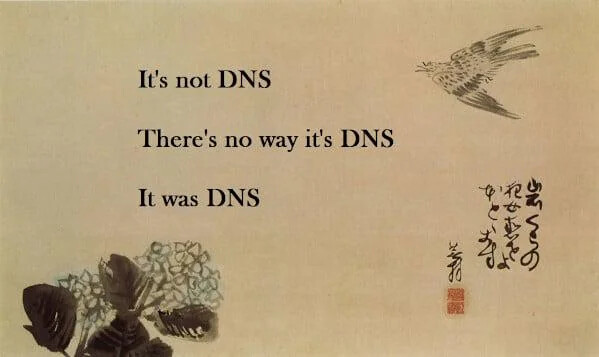
Yeah - it was a DNS issue… It’s nearly always DNS :