Discourse upload can not see my files?

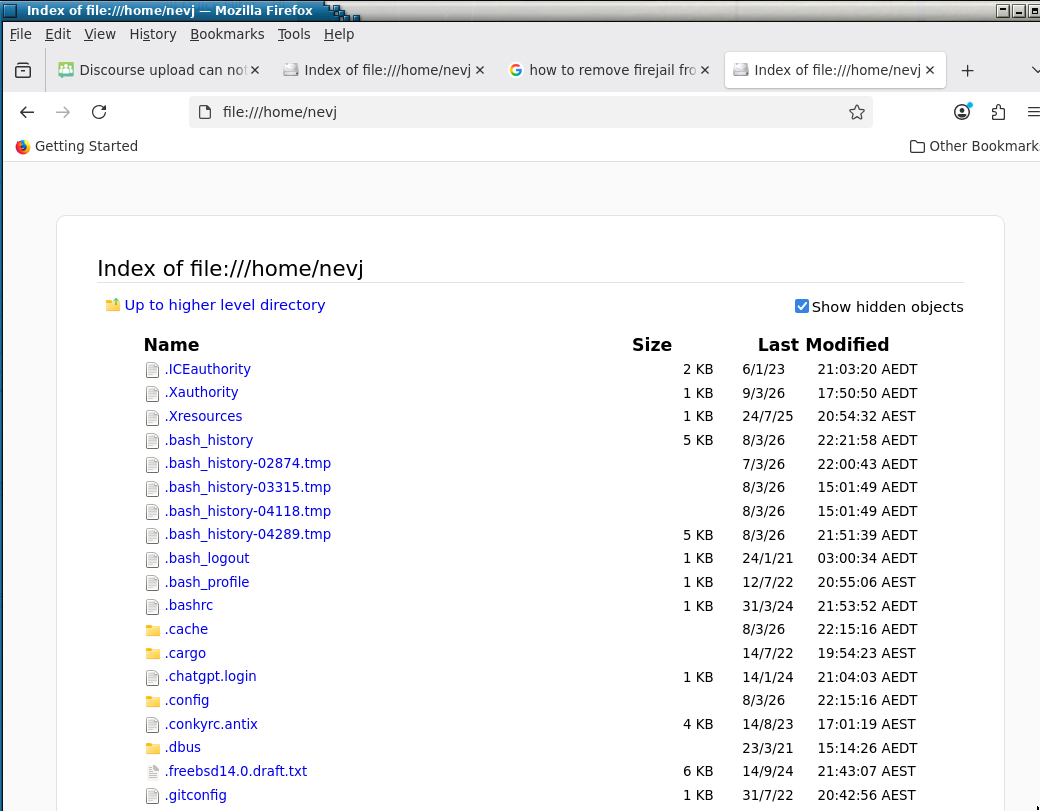
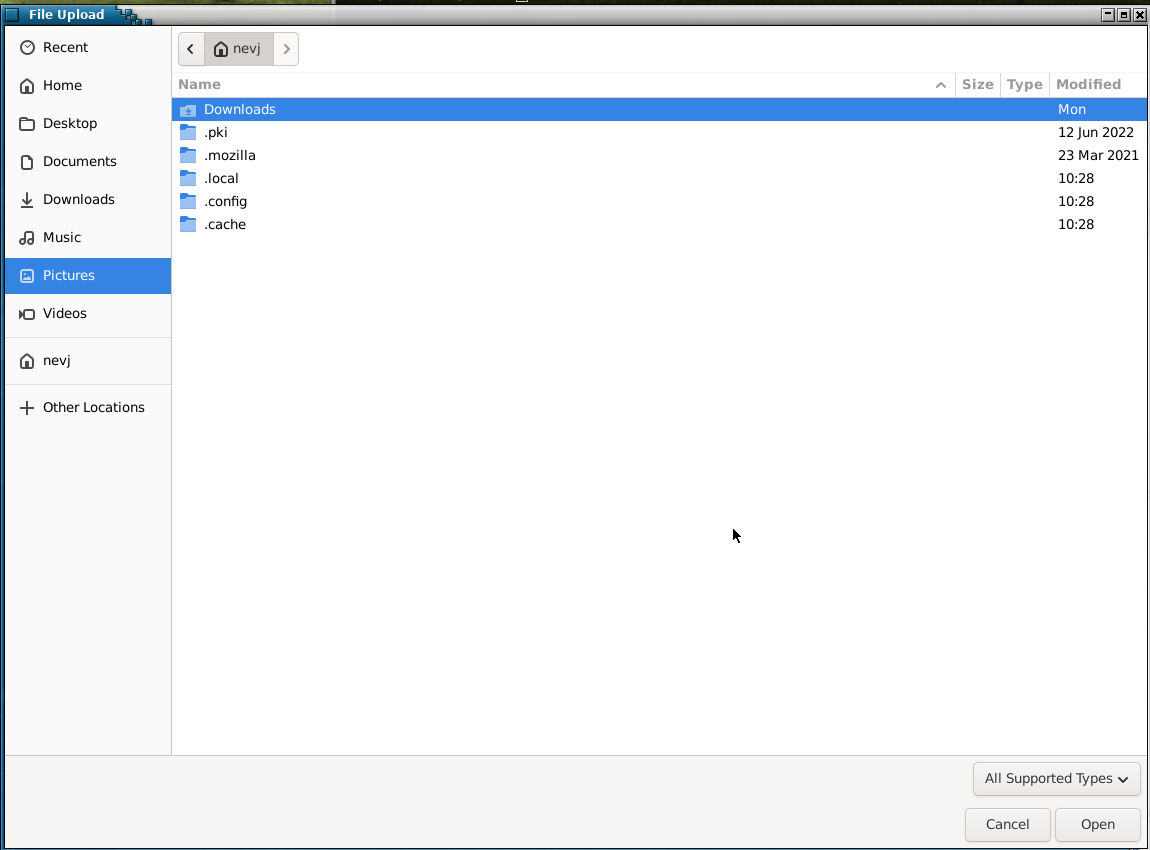
When I try to upload an image to the forum in Void linux ( glibc version) it displays a selection window that only shows a small number of the files in my home directory.

You can see it detects the directory Downloads and a few dot files, but nothing else.
I had to copy the above image to the Downloads directory in order to be able to upload it.

The problem does not exist in MX or in Void with musl, only in Void with glibc., so it is not a discourse problem.

I tried all the options on the File Upload window… no difference.

I am beginning to wonder if there is something wrong with my home directory … discourse can see all other filesystems. Maybe a bad filename or too many files?

The screenshot program has no trouble finding ~/Pictures directory… but discourse can not find it?

Any suggestions welcome.

I

Strange this scenario …

if you put some .png and .jpg files at the same level as .local, .cache, etc directories. Do the Figures appear when you try to upload?

My unique explanation is that appears “known” directories y files extensions (about Figures) … even if I am correct, the reason is unknown

BTW the File (directories) permissions is the same for all the directories?

HTH

Perhaps it’s an issue with your software stack? Many browsers use the DE’s default file picker.

Tried that… it can not see them
If I try to enter the Picture directory it does nothing… it can not see the Picture directory..
It refuses to look past Downloads in alphabetical order.

Yes, I looked at permissions… all normal

I can test that. I will try operating in Void , and try to upload a file in MX’s home directory.
If that fails too it is software, if that works it is the Void home directory filesystem

I did not know there was a default for ‘file picker’
It is Xfce. How do I find what my file picker is?

If it’s xfce, then your file picker is the gtk+ one. I don’t know whether xfce uses gtk3 or 4 these days.

The test failed. Discourse in Void does not have permissions to read files from my MX home directory (which is mounted)?
But I can read it as nevj?
I wonder what user discourse operated under when it looked for a file?

The reverse operation … use discourse in MX26 and upload a file from the Void home directory ( which is mounted) works !! So it may be some sort of permission issue?

Another attempt:
I did the following

disable session saving
rm -r ~/.cache/sessions
reboot

It had no effect … still have the problem. It is not a session saving issue.

Another attempt:

root@trinity:/home/nevj# fsck /dev/sdb5
fsck from util-linux 2.41
e2fsck 1.47.2 (1-Jan-2025)
rootVoid: clean, 939693/28803072 files, 49468852/115200000 blocks

Home is in the root filesystem in my Void. It looks clean

Another attempt:
Thunar can happily see all the files in /home/nevj … it is only the discourse upload that can not see them ?

Another attempt:
The problem is in firefox… it can not see all my files.


So discourse must use firefox to do its file search.
I have to fix firefox?
Anyone know about finding local files in firefox?

It seems that my firefox in Void is running inside a sandbox

[nevj@trinity firejail]$ firejail --list
31405:nevj::/usr/bin/firejail 

Right, nothing is sandboxed
Then I start firefox and repeat

[nevj@trinity firejail]$ firejail --list
26344:nevj::/usr/bin/firejail /usr/bin/firefox 
31405:nevj::/usr/bin/firejail 

It says that firefox is sandboxed by firejail .
I never did that?
All I ever did with firejail is use @Rosika 's script to do firejail --private firefox with a few parameters, when I need a secure browser. But that is temporary.?
How is it that my firefox is permanently firejailed?

I downloaded Epiphany browser. There is no problem there. It is explicitely a firefox problem and is due to firefox being mysteriously sandboxed by firejail?
Hi Neville, :waving_hand:

It depends on the parameters you were referring to.

  • firejail --private firefox. Yes, that´s temporary and ephemeral. With every new start of it you get a fresh (empty) home directory with no access to the real existing one.

  • firejail --private=/media/rosika/f14a27c2-0b49-4607-94ea-2e56bbf76fe1/DATEN-PARTITION/Dokumente/prov_work/ --dns=1.1.1.1 --dns=9.9.9.9 firefox -no-remote …
    … is something different. Here I define a private work directory prov_work which doesn´t get deleted when I close firejailed firefox.
    It´s still completely detached from your real home though.
    Everything you put in there should be available by firejailed firefox.

Hope it helps.

Many greetings from Rosika :slightly_smiling_face:

Hi Rosika,
Thank you for that.
I seem to remember trying that. … so I may have unknowingly permanently sandboxed my firejail .
To undo it, I should look for a private work directory, and delete it. Correct?

Regards
Neville

I cant find where I tried that. ?
I can only find uses of --private

OK I shall try and clean up

# firecfg --list 
/usr/local/bin/gnome-keyring
/usr/local/bin/transmission-cli
/usr/local/bin/xfburn
/usr/local/bin/sha224sum
/usr/local/bin/gnome-keyring-3
/usr/local/bin/gnome-keyring-daemon
/usr/local/bin/xfce4-screenshooter
/usr/local/bin/ddgr
/usr/local/bin/transmission-remote
/usr/local/bin/img2txt
/usr/local/bin/pavucontrol
/usr/local/bin/enchant-lsmod-2
/usr/local/bin/ssh
/usr/local/bin/meld
/usr/local/bin/wget
/usr/local/bin/ffprobe
/usr/local/bin/orage
/usr/local/bin/sha1sum
/usr/local/bin/display
/usr/local/bin/sum
/usr/local/bin/gapplication
/usr/local/bin/sha384sum
/usr/local/bin/parole
/usr/local/bin/firefox
/usr/local/bin/ffplay
/usr/local/bin/pdftotext
/usr/local/bin/gthumb
/usr/local/bin/transmission-edit
/usr/local/bin/sqlitebrowser
/usr/local/bin/ping
/usr/local/bin/b2sum
/usr/local/bin/evince-previewer
/usr/local/bin/font-manager
/usr/local/bin/redshift
/usr/local/bin/ffmpegthumbnailer
/usr/local/bin/secret-tool
/usr/local/bin/firefox-wayland
/usr/local/bin/marker
/usr/local/bin/transmission-create
/usr/local/bin/patch
/usr/local/bin/transmission-gtk
/usr/local/bin/sha256sum
/usr/local/bin/strings
/usr/local/bin/ristretto
/usr/local/bin/evince-thumbnailer
/usr/local/bin/enchant-2
/usr/local/bin/thunderbird
/usr/local/bin/conky
/usr/local/bin/man
/usr/local/bin/evince
/usr/local/bin/sha512sum
/usr/local/bin/cksum
/usr/local/bin/transmission-show
/usr/local/bin/transmission-daemon
/usr/local/bin/gimp
/usr/local/bin/md5sum
/usr/local/bin/ftp
# firecfg --clean
Removing all firejail symlinks from /usr/local/bin

# firecfg --list
# 

It seems to have been sandboxing a whole heap of things?
Restart firefox, and now it can see my home directory

Now it can see my home directory, and I could upload the saved image.

I could have just manually removed /usr/local/bin/firefox …and left the others. They are links.
Now when I look for firefox I get

[nevj@trinity ~]$ which firefox
/usr/bin/firefox

Before , it found /usr/local/bin/firefox because /usr/local/bin is before /usr/bin in my PATH.

There remains the question of how did I, ( or maybe the system) come to firejail almost every command?
and
@Rosika … you dont need to worry, I found how to clear it.

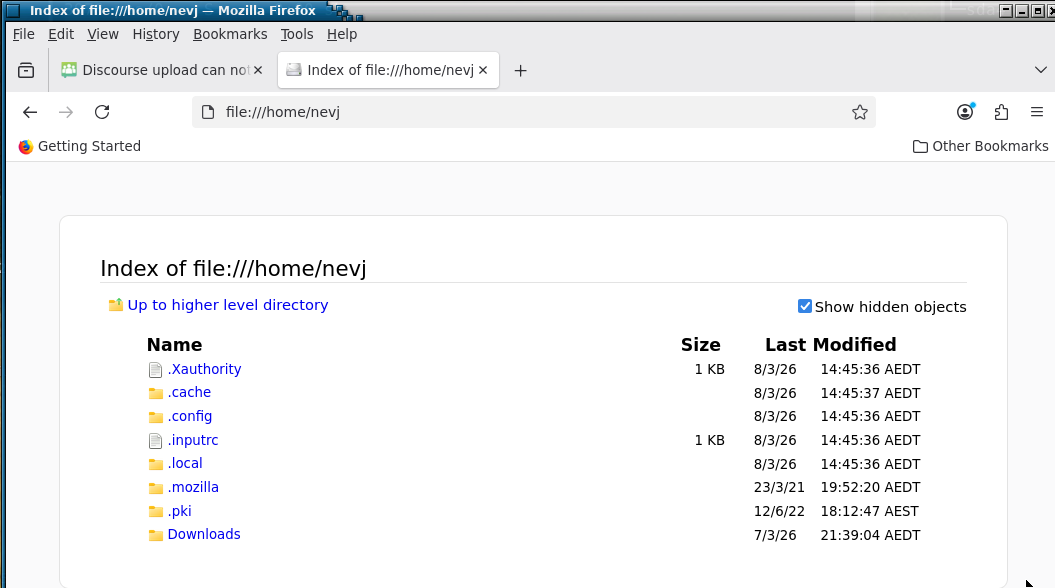
It should be obvious now… the reason firefox could not see my home directory files was that it was operating in a sandbox which had its own private homedirectoy which only contained necessary files like .Xauthority, …
and
the reason discourse could not see my home directory was that firefox could not see it.

Hi Neville, :waving_hand:

You´re trying to undo the creation if the work directory created with firejail´s --private= option, right?
Yes, just delete the respective directory.
On the next run …
… all dot files and directories will be created afresh:

ls -la
total 36
drwxrwxr-x  5 rosika rosika 4096 Mär  9 15:59 .
drwxrwxrwx 79 rosika rosika 4096 Mär  9 15:58 ..
-rw-------  1 rosika rosika  124 Mär  9 15:59 .asoundrc
-rw-r--r--  1 rosika rosika 1026 Mär  9 15:59 .bashrc
drwx------  3 rosika rosika 4096 Mär  9 15:59 .cache
drwx------  5 rosika rosika 4096 Mär  9 15:59 .config
-rw-r--r--  1 rosika rosika   26 Mär  9 15:59 .inputrc
drwx------  3 rosika rosika 4096 Mär  9 15:59 .pki
-rw-------  1 rosika rosika  114 Mär  9 15:59 .Xauthority

Great. Thanks for the feedback.

Yes, you´d have to put everything you want firefox to see in the newly created work directory. The aim of firejailing it with the --private=[PATH-TO-WORK-DIRECTORY] option is to deny firefox access to your real home directory.

Many greetings from Rosika :slightly_smiling_face:

Hi Rosika,
It seems what I have done to firejail firefox was

firecfg

That takes every command which has a .profile for firejail and makes a symbolic link in /usr/local/bin which forces the command to run inside firejail.
I may have happened some time ago … but I cant be sure.
It is possible that Void did it during an update?

Regards
Neville

Hi Neville, :waving_hand:

Oh, that may very well be the case.
man-pages say:

DESCRIPTION
Firecfg is the desktop integration utility for Firejail sandbox. It
allows the user to sandbox applications automatically by clicking on
desktop manager icons and menus.

   The integration covers:

          -  programs  started  in  a terminal - typing "firefox" would be
          enough to start a sandboxed Firefox browser

          - programs started by clicking on desktop manager  menus  -  all
          major desktop managers are supported

          -  programs  started by clicking on file icons in file manager -
          only Cinnamon, KDE, LXDE/LXQT, MATE and  XFCE  desktop  managers
          are supported in this moment

To be honest, I never did anything with firecfg.
But your reasoning seems right.

A good deal of the applications I need to sandbox are present in the firetools GUI. A double click on any icon within that GUI is sufficient for starting an app the sandboxed way.

For others I use the terminal (with fish as my default shell).

Hmm, I have no idea, but that would be an unusual behaviour, it seems. :thinking:

Sorry, I don´t seem to be of much help.

Many greetings from Rosika :slightly_smiling_face:

Hi Rosika,
I think I may have followed some guide that suggested using firecfg after installing firejail
It automates sandboxing really well, but I am like you… I want to do it by hand as needed.
Regards
Neville