Do you have experience with Void Linux?

Hello Friends

Was confirmed in the official forum at SourceForge of PeppermintOS the drop support of the OS itself for 32 bits

I know that Void Linux has support for 32 bits

Therefore in general (for 64 and 32 bits)

Question

  • Do you have experience with Void Linux?

Thanks in advance

Yes I have used Void Linux, 64 bit glibc version for continuously for at least 5 years now. It is my favourite distro.
I did use the 32bit version of Void in an old laptop, but the laptop has now a hardware fault.
I am also currently using Void 64 bit musl version for a special project that I wanted to isolate.
I have also Void minimal version as a base for a docker image.

Void is rolling release but conservatively managed. I have only had one update issue in 5 years and it was easily overcome. The xbps package system is like apt , but faster and more reliable.
Void uses the runit init system. It is a short learning curve.

Void is increasing in popularity. I have seen it go from over 100 on distrowatch to the current position 20.

Void supports 5 architectures, glibc or musl, and has base or Xfce releases. You can install othe DE’s.

I have used Void earlier. It’s great and almost unbreakable.

I had it on one of my old spare laptops which I didn’t use for anything. It was just collecting dust for five + months and when I tried to make a system update it just updated the system. No issues! That’s crazy.. try the same with Arch (or any rolling release distro)!

I am using Void Linux 32bit on my old laptop and nettop :slight_smile:

See post

This was in May… So i wouldn’t say that I have experience. But it works perfectly for my needs and I am happy with the stability and speed.

Can’t say I have much experience of using Void but I have installed it as a VM.
I just use it occasionally, it’s very fast to open any application.

I find their xbps package manager is a bit lacking in choice of what they have compared to synaptic. Not really a problem though.

I’m using the xfce glibc version.
It’s never given me any trouble in nearly 2 years of occasional use, rock solid distro in my opinion.

Long may it continue.

Huge thanks to all for the replies

Neville

Yes I have used Void Linux, 64 bit glibc version for continuously for at least 5 years now. It is my favourite distro.

A good amount of time … Can I know why is your favorite distro? What DE do you use for that distro?

I did use the 32bit version of Void in an old laptop, but the laptop has now a hardware fault.

Oh, I hope you can fix it o change the damaged part

I am also currently using Void 64 bit musl version for a special project that I wanted to isolate.

Ok, now I must know the difference between gcc and musl. I remember 2 or 4 options for that distro 2 of them are the already mentioned

I have also Void minimal version as a base for a docker image.

good to know that :slight_smile:

Void is rolling release but conservatively managed. I have only had one update issue in 5 years and it was easily overcome.

Again, good to know that!

The xbps package system is like apt , but faster and more reliable.

Very interesting!

Void uses the runit init system. It is a short learning curve.

Oh the previous option than systemd. wooh

Void is increasing in popularity. I have seen it go from over 100 on distrowatch to the current position 20.

Its reputation is solid then

Void supports 5 architectures, glibc or musl, and has base or Xfce releases. You can install othe DE’s.

Sounds great! Can you share the official link of base? Is it a DE, right?
It does not appear at

ihasama

I have used Void earlier. It’s great and almost unbreakable.

Sounds great!

I had it on one of my old spare laptops which I didn’t use for anything. It was just collecting dust for five + months and when I tried to make a system update it just updated the system. No issues! That’s crazy.. try the same with Arch (or any rolling release distro)!

A nice experience!

Pedro

I am using Void Linux 32bit on my old laptop and nettop

It is my same goal, for an old Acer Aspire with 2GB of RAM and Atlon processor :slight_smile:

Thanks for the link provided

This was in May… So i wouldn’t say that I have experience. But it works perfectly for my needs and I am happy with the stability and speed.

Do not worry and thanks for your feedback!

Gary

Can’t say I have much experience of using Void but I have installed it as a VM.
I just use it occasionally, it’s very fast to open any application.

I must learn it through VirtualBox too

I find their xbps package manager is a bit lacking in choice of what they have compared to synaptic. Not really a problem though.

Pls, could you expand the idea?

I’m using the xfce glibc version.

Understood

It’s never given me any trouble in nearly 2 years of occasional use, rock solid distro in my opinion.

Good to know that!

Long may it continue.

So you have the intention to use it

To all

Now I must learn how to install it. It because its process is not common as other distros …
Some months ago I watched some videos in YouTube and it does not have neither GUI nor TUI as Debian to install

Thanks again to all!
I use Xfce.

It is similar to BSD in some ways, but has a Linux filesystem and drivers.
It is a minimalist distro … kernel plus utilities in base release, kernel plus utilities plus Xfce in full release. Very few apps .
I like xbps better than apt
I like using cli.
I like runit.

Base is no DE … just a CLI.
So if you dont like Xfce, you install base, then add some othe DE. They are all available.

Huge thanks for you feedback!!!

There’s also iso images. No need to install the hard way any more. You’ll get a DE with the install which you can change to another if you prefer.

From their page: Enter the void - Downloads

In addition to the plain command line image, there is a graphical flavor with the XFCE desktop environment. Other graphical environments are fully supported by Void Linux, but are not offered as demonstration/installation images, in order to decrease the overhead involved with testing.

Installable live images support a local installation (with the included packages) or a network installation (packages are downloaded from official repository).

You can log into these images as anon or root, and the password is voidlinux.

To start the installer, execute the void-installer utility with appropriate permissions (i.e., sudo void-installer).

There’s also iso images. No need to install the hard way any more. You’ll get a DE with the install which you can change to another if you prefer.

Very interesting

Thanks to let me know that!

Void install is not all that difficult. About half an hour.

For a person who hasn’t installed a distro from chroot it is hard. You’ve done it so it’s not a big deal. I’m not sure I could do a full Void install in half an hour. Maybe get it to boot to tty without Wayland/Xorg and DE it’s possible.

Anyways now it’s easier with .iso

There is a user friendly Void derivative called Agarimos

I have not tested it, but I imagine it may be an easier install.

Void only requires a chroot if you use the Arch manual install method . If you use the standard Void install method ( void-installer) there is no chroot. … it is no more difficult than installing Debian. We dont want to scare people off.

Yes, the installer is preferred. When I used Void it was like Arch/Gentoo install.

I cant remember whether I ever did that
If you want an install challenge … try Chimera

I did install it to VM. Now the fun begins!

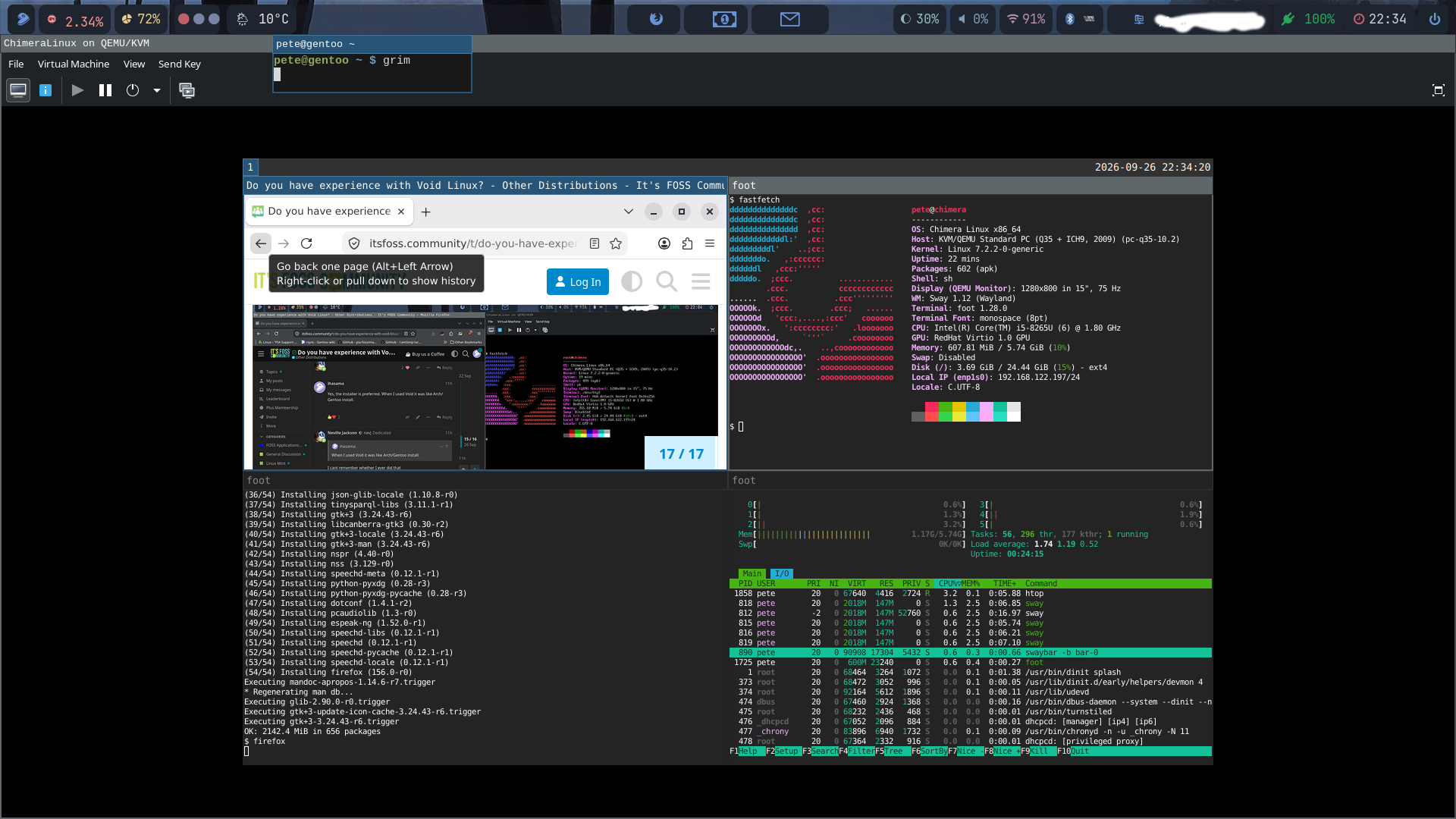
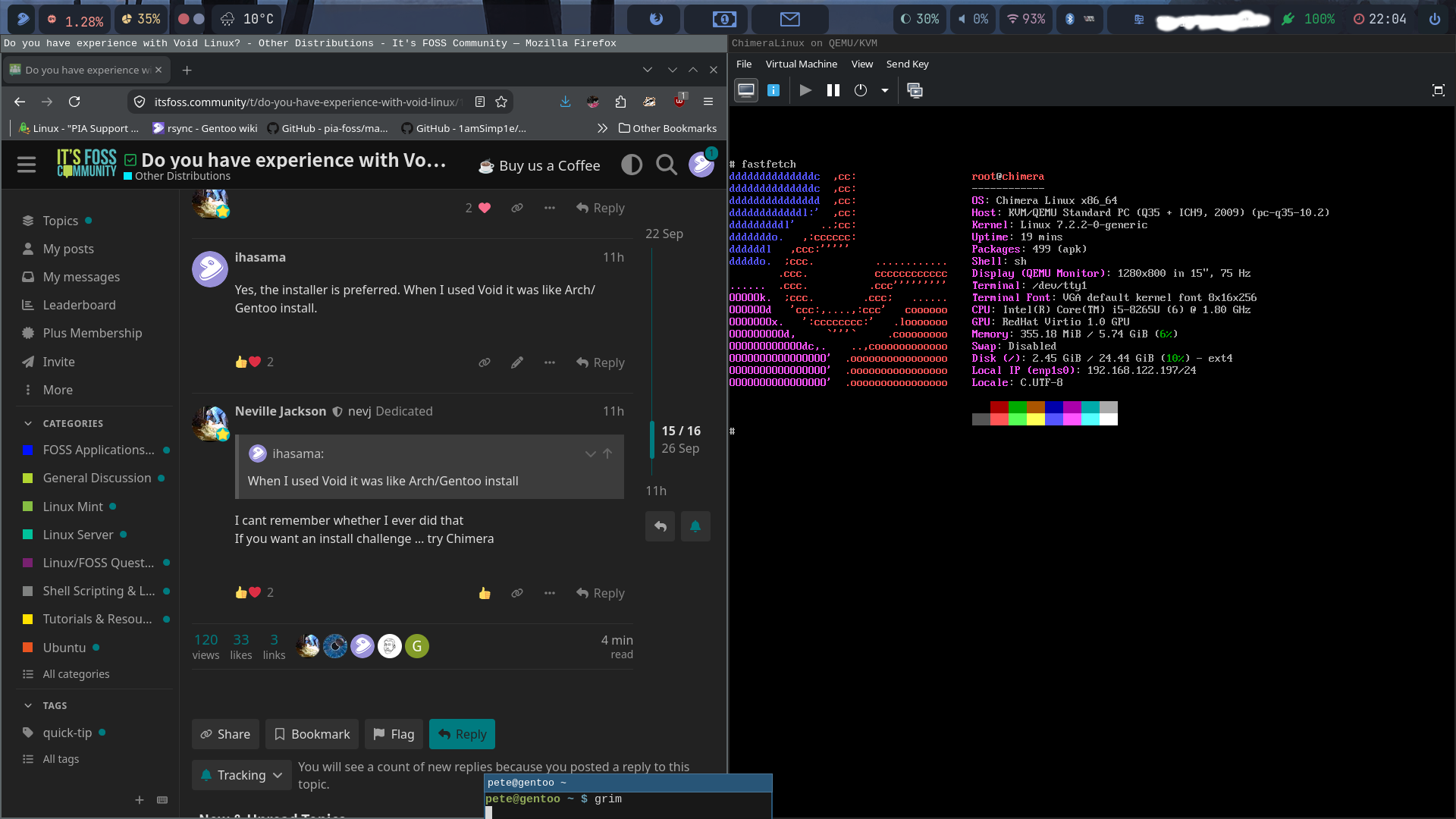
this is so nice! Now I have Sway and Firefox running.

Interesting the grim command

There is always something new to learn

Yeah. I personally would prefer to press PrtSc on my keyboard but with Sway grim is one option to take a screenshot

Should I assume it is a command only available through Sway?