GNOME themes are not applying correctly on Ubuntu 24.04.1 LTS!

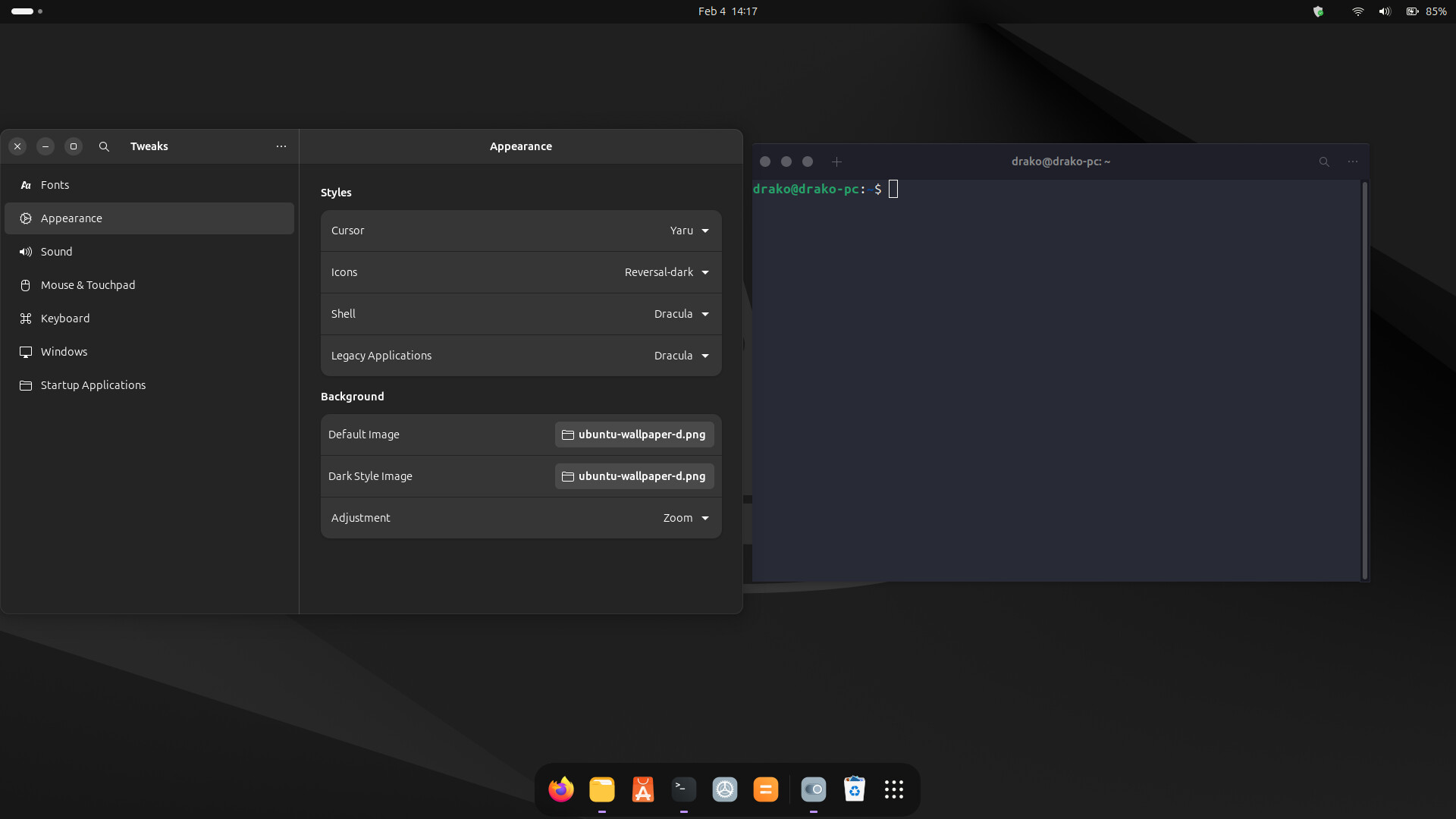
I tried to apply dracula gtk theme and placed the theme in .themes folder but when i apply it from the gnome tweaks then i found that the theme is not working fully in the system only the terminal is changed everything else unchanged.

OS: Ubuntu 24.04.1 LTS x86_64
Kernel: 6.8.0-52-generic
DE: GNOME 46.0
WM: Mutter

3 Likes

Mention other details like which distro, what GNOME version, and so on. This will help people have a better look at your situation.

1 Like

I have mentioned the details now

1 Like

It’s probably a libadwaita problem.

5 Likes

I also think its a libadwaita problem…

4 Likes

One of the problems of installing themes in Linux, is if the theme is too far out of date, it will not display properly. Even though there are billions of themes out there, a majority of them are not kept up to date. Wayland has a lot to answer for, as to why things don’t look right too. Try logging in with X11 instead of Wayland, to see if it displays properly? Wayland still is not there yet, loads of apps still has to migrate over to it too. I give it thirty years.

3 Likes

I’m not sure @Froz1x will agree on that :smiley:

2 Likes

x11 is dead.

1 Like

Ave Caesar, morituri te salutant

3 Likes

Wayland still relies on X11, hence X Wayland. I’m actually going to try Wayland in Zorin OS, now that I have upgraded my Graphic Card to AMD RX 9060 XT with 16GB of VRAM. This is on my spare gaming PC, which is currently going to be used to try out new Linux, as got fed up with 24.04 not recognising my NVIDIA 4060 TI 16GB VRAM card, leaving me no choice but to display in safe graphic mode all the time, but with AMD, straight to the OS. I’m not a fan of Wayland, as OBS-Studio and other software does not play ball with it, or at least it was the last time I tried Wayland. I’m old school, love things to work out of the bag.

5 Likes

I changed from nvidia to amd for the same reason.
Most distros now have amdgpu driver and matching firmware.
One exception I found is NetBSD.

Wayland is only half a system , compared to X11.

3 Likes

Every iteration of Gnome - I get the same thing - less and less ā€œfeaturesā€ from a theme work - i.e. only work on some apps…

As mentioned by others - it’s a libadwaita thing…

I have a MacOS ā€œWhiteSur-Darkā€ GTK theme - it works in Gnome Terminal :
Screenshot from 2025-11-11 07-25-12

But not Gnome Files (Nautilus) :
Screenshot from 2025-11-11 07-25-01
that’s libadwaita…

But at least the Gnome-Tweaks option to put controls on the left works consistently.

Some apps 100% ignore nearly everything - e.g. Brave (but still puts ā€œX_ ā€ on the left. Steam ignores everything…

Another Gnome Extension I use ā€œRounded Cornersā€ works for everything - even Steam… (Note this one is called ā€œRounded Window Corners Rebornā€)

I was checking out Red Hat 10 recently (in KVM / virt-manager) - it has Gnome 47 (and defaults to Wayland) - so I went looking for Gnome Tweaks - found it ā€œnowhereā€ā€¦ Went to a RHEL 10 page - and they said something like "you no longer need gnome tweaks - everything is in the settings applet " - MY ARSE IT IS! How pathetic! Wasn’t about to try and find it elsewhere (e.g. RPMFusion, EPEL) so gave up… Last time I ran Fedora - I could install gnome-tweaks from the default repo…

You kinda need Gnome Tweaks (in my experience - Gnome is practically useless without it - it should be included by default!) just to do some basic stuff - e.g. allow user themes in $HOME (e.g. ~/.themes, ~/.icons)..

1 Like

Why should an app pay attantion to DE rules. I thought an app should be DE-Agnostic?
It is surely the DE’s responsibility to apply its themes across the board.

1 Like

No idea mate - I’ve seen similar in XFCE too - i.e. apply a GTK theme - and not everything ā€œhonoursā€ the look and feel…

But it’s kinda worse with latest gnome versions (e.g. 42, 43 and later) - some apps will only theme (i.e. draw an application window) with Adwaita…

1 Like

Because the DE makers are lazy . They do not tailor each app to their DE, or make their DE do it automatically.
Some distros try and make all the apps and the DE follow a distro ā€˜look’… others like Gentoo do nothing and every app has its own vanilla look.

I really do not know where the responsibility lies?

1 Like

I use my own theme in Xfce, took me three or so years to find a dedicated theme, to cover GTK2 and 3, let alone GTK4 that Linux is adopting now. Orchis-Grey-Dark with Sardi-Ghost-Flexible Icons, coloured grey and slightly bevelled, which I done in GIMP. Sardi-Ghost-Flexible Icons can change the colour around, with inbuilt scripts.

I delete all the themes in Linux Mint Xfce and their icon themes, add my Orchis and Sardi themes, update the Papirus-Icons to 2025 version and I get proper arrows for back and forward buttons in Nemo, that I use in Xfce. Sardi and Papirus icons collaborate great together. I get rid of Yaru Icon Theme as well, otherwise left with nasty looking half triangular back and forward buttons in Nemo.

I hate Linux Mint’s themes, as they have nasty undershoot lines. Linux is all about making it your own and not being tied to how the Devs want you to use it. Gnome is a funny creature, very locked down and having to install shell-extensions all the time to change it’s appearance or to get something to work properly, seems weird to me. Zorin OS 24.04 has loads of different layouts. I paid for the pro version of Zorin OS and they have Linux Mint’s appearance, right down to the menu.

Again though, these are either extensions, or they are what the Zorin OS team made up themselves??

The ISO download of the pro version was 8.1GB, that is with X11 and Wayland built in, plus Snapd, GIMP, LibreOffice, all sorts of other software for creators and artists. I installed the minimal version, as only got 1TB M.2 drive on my spare PC.

I have noticed that LibAdwaita changes the theme looks too in Apps. Celluloid has the option to go back to normal, if only other Apps would do the same, then there would not be all this mismatch all the time.
3 Likes