Instead of raising a new topic- I’m looking for a MarkDown editor that’s cross platform - and can maybe run as a portable app on MS Windows (e.g. in a Virtual Desktop via RDP etc)…
Portable as in I grab an exe file from somewhere - plonk it on my remote windows session and double click it and run it without admin rights… but hopefully also available on MacOs and Linux too…
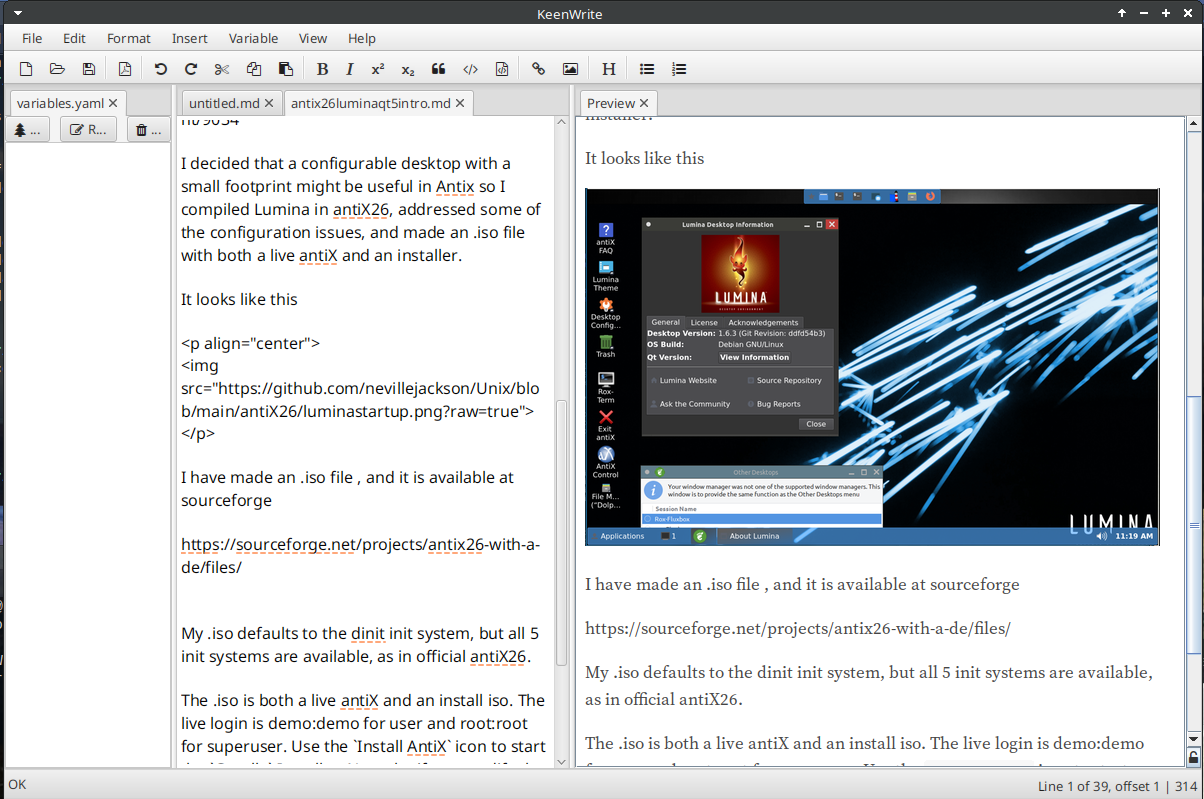
by MarkDown editor - I’d like a side-by-side so I can see the WYSIWYG format on one side, and plain text with MarkDown on the other…
Yeah - I know VSCode can do this - but that’s kinda overkill
Note : I could websearch the above, and I have - but I’d like personal opinions from members here…
It comes for Linux as a static binary. You just drop it in a bin directory.
Have not tried the Win version . For Mac it looks like there are some fiddles.
That is exactly what it does
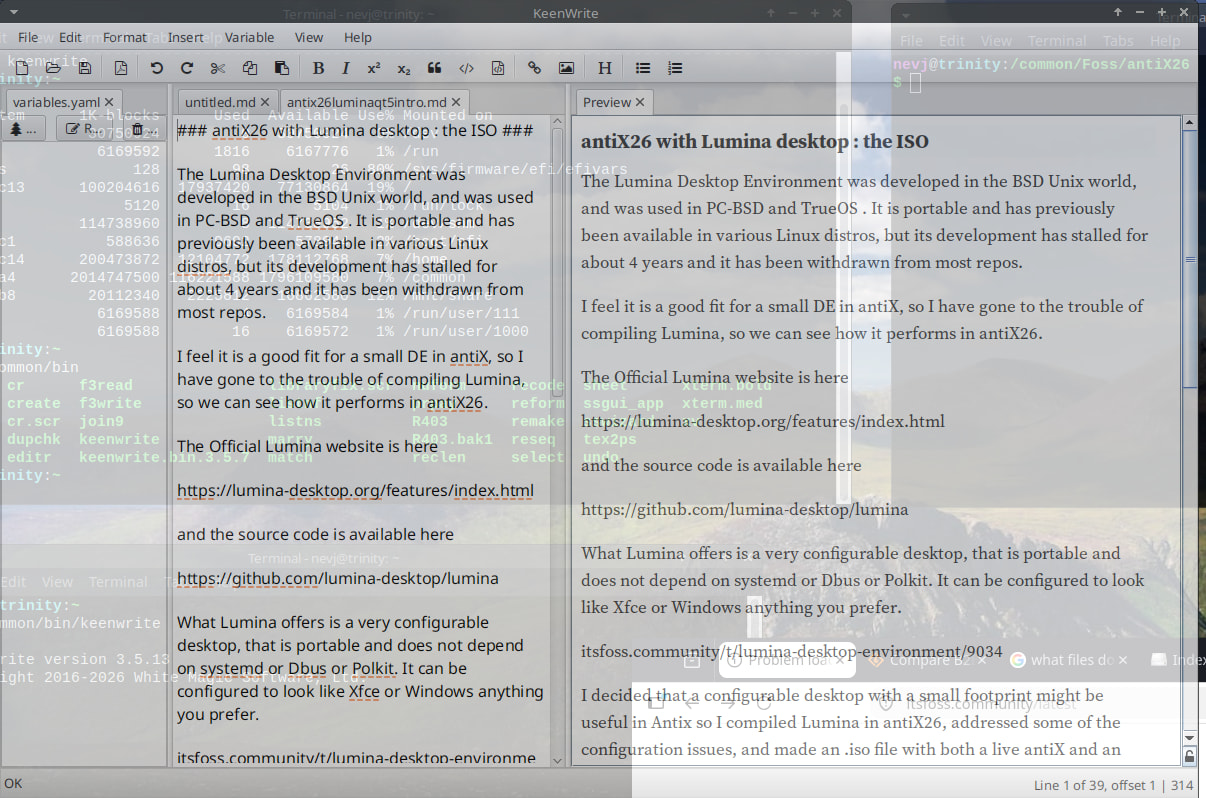
I use keenwrite for making forum posts. It was recommended to me by @Rosika.
Github can display .md files, but it is not an editor. The Github version of markdown is slightly different from the original.
I found out you can run VS-Code as a portable app - direct from Microsoft! Are they more reasonable than Apple and Google? I suspect they probably are…
Running a portable “exe” is basically “side loading”… Google don’t want you to install from an APK, Apple don’t want you do whatever “that is” on their Mobile O/S…
Apple still bascially give you “root” access to your MacBook MacOS system… For how much longer? I love having UNIX running on a RISC processor with a half decent shell underlying it… Are Apple going to kill that?
Anyway - never figured out how to get VS-Code as a portable app to show my *.md file as a MarkDown document… Too Hard Basket… I was ablee to double click the exe binary and run it… But trying to get it to let me edit, and WYSIWYG an *.md text file? Too Hard Basket…
I know I can display it in a terminal - i.e. “bat $textfile.md” and it will show it as markdown…
I may have to resort to drafting a post on this forum - just to get my MD document sorted… BTW I love editing and displaying MarkDown on this forum and other DisCourse forums…
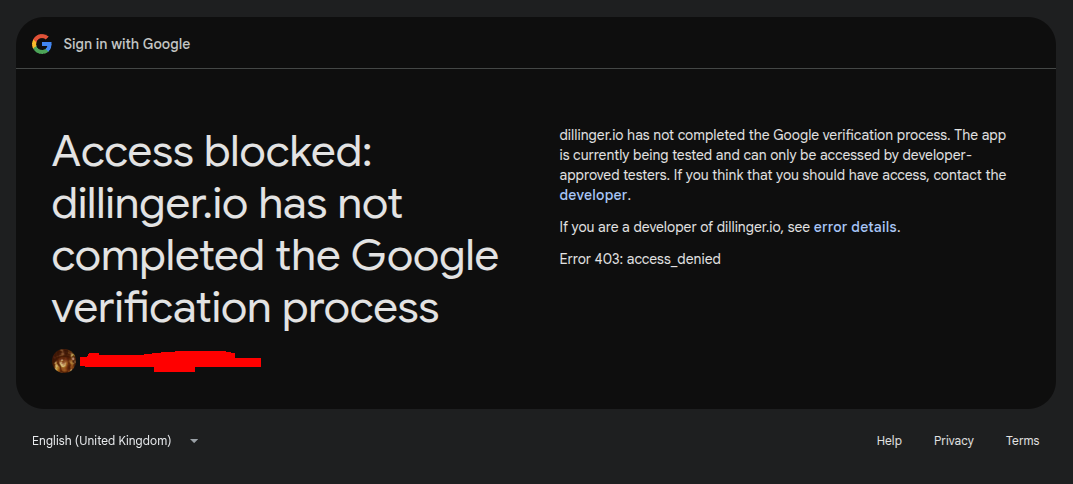
I’ve been using Dillinger all morning - it’s great - it imported my .md file (created in Notepad++ on Windows [remote RDP session]) and I figured most of it out…
But - I’ve been using the online version - I’ve no idea how to resume my editing session on another computer - as it says the Google Drive option isn’t available to me - but the “marketing” says :
I tried to use OneDrive so I could connect to the Microsoft environment for this customer - but it defaults to my freebie Outlook microsoft account and doesn’t offer me a choice…
Yes, but you would normally keep the .md file.
I use keenwrite to make .md’s for itsfoss … there is no .pdf involved there … I just make a .md text file. Keenwrite shows me how the .md will look when formatted.
That is all I want.
Keenwrite has lots of other features … but you dont have to use them. It is a fine .md viewer/editor.
The other good .md viewer/editor is remarkable.
Last time I looked its .deb file had some bugs and I had to find a third party fix.
I think I still have the fix.
I did once find a .md viewer/editor that had a vi mode. I forget its name. Can search if you are interested. It was a touch primitive compared to keenwrite and remarkable.
I have absolutely nothing against Dillinger. I was successfully using it in the past.
But nowadays I do all of my markdown tasks with Obsidian. I organize my world into separate vaults, sync them via WebDAV with my server, and also include my mobiles (phone and tablet).
The one and only con is that Obsidian Desktop is an Electron app.
Obsidian is free and proprietary. There is some confusion about its Open Source status … apparently you can examine the source code only from within the app and it is presented in an obfuscated form that is of little use to anyone..
It does not have a a free software licence.
So it has about the same status as Android. The attraction seems to be it is multi-platform.