I built a Linux planner because I kept getting my time estimates wrong

Hi everyone, I’m Karthik. I’ve been building Personal Planner, an offline planner for Linux, and wanted to share it here.

The reason behind it is pretty ordinary: I’d plan 30 minutes for something, spend an hour on it, then make tomorrow’s schedule as if that hadn’t happened.

I wanted to keep that information somewhere I’d actually look at it again.

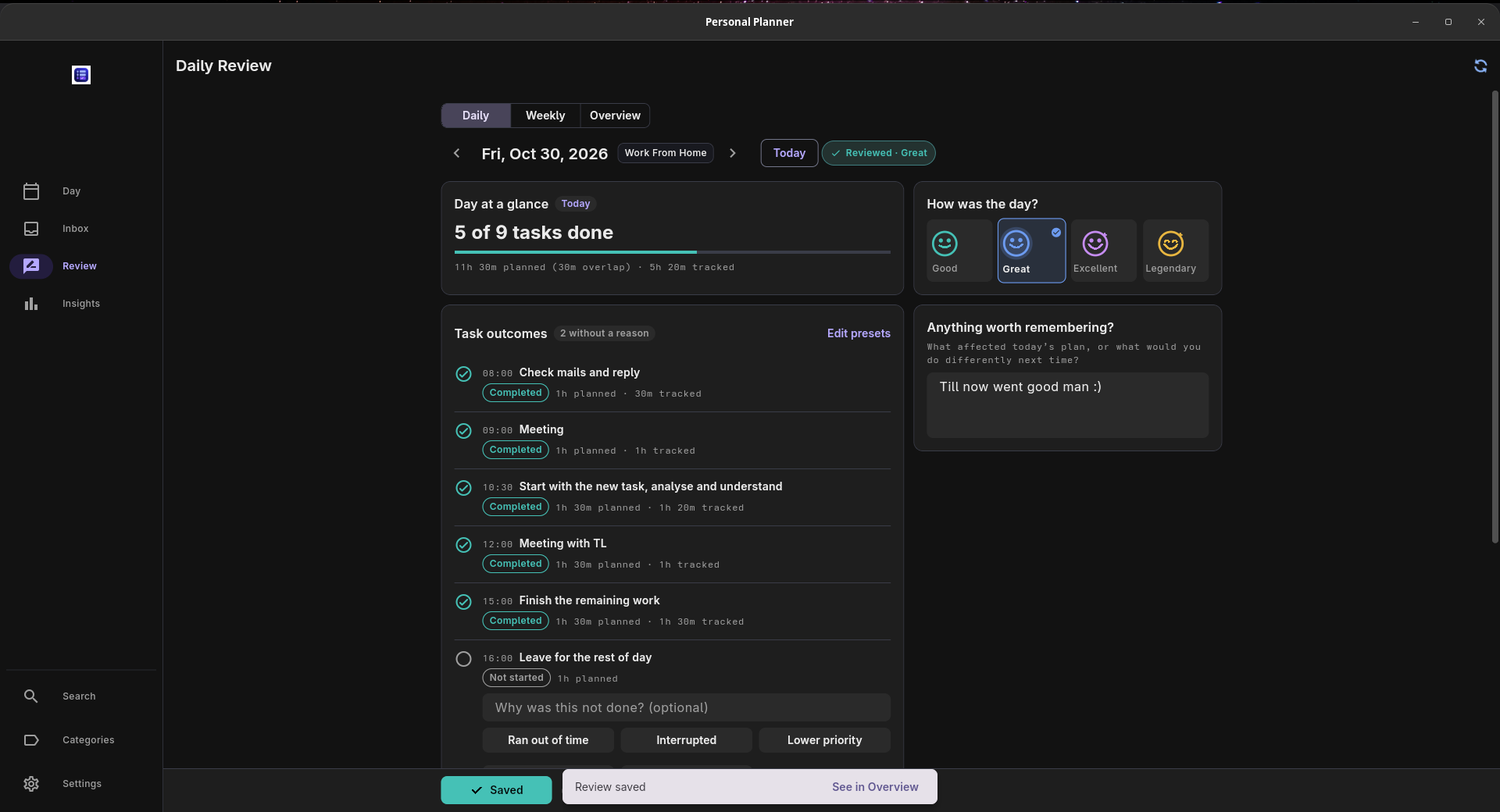
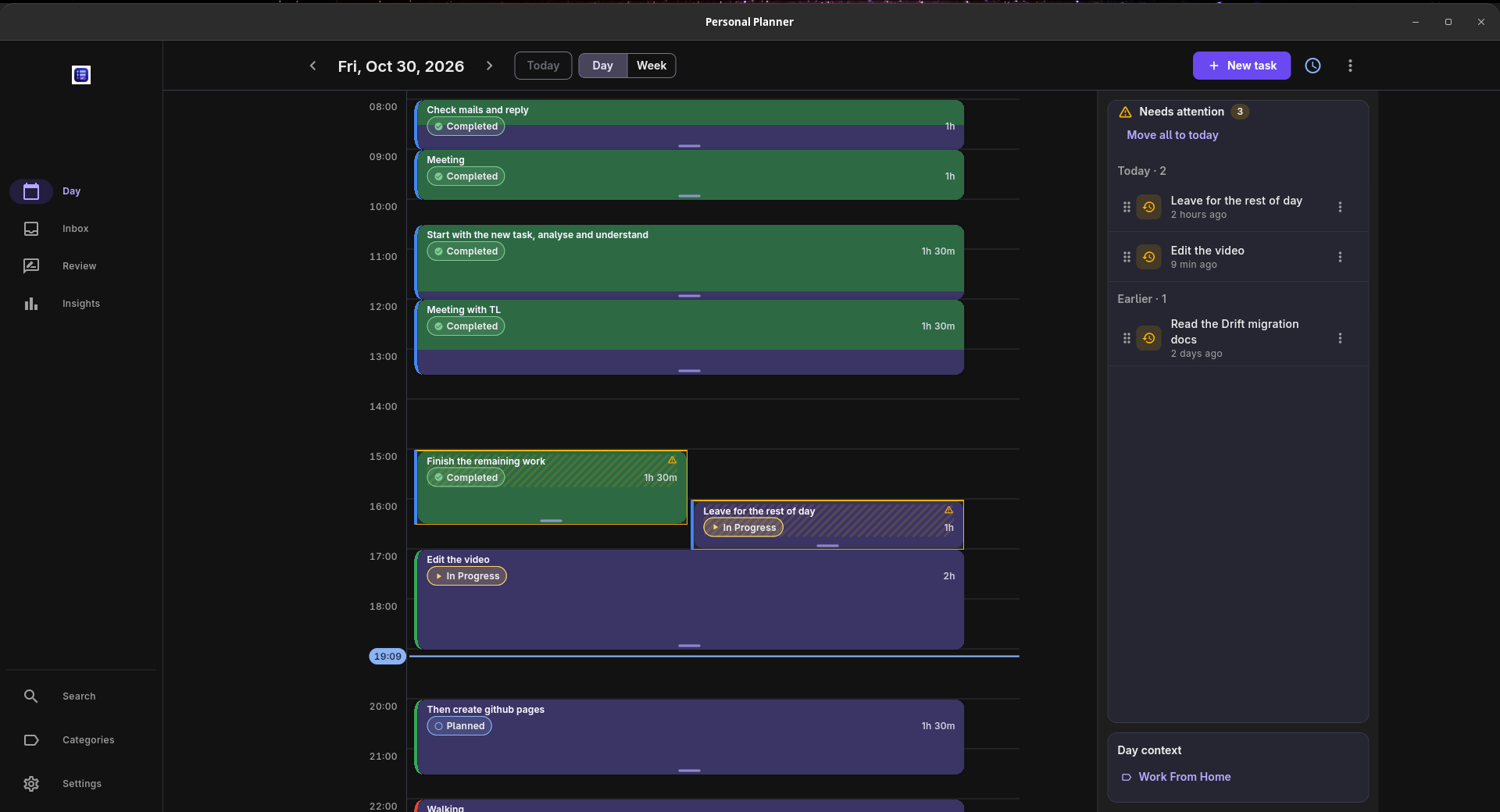
In Personal Planner, you give tasks a place on a daily timeline and start a timer while working. When you review the day, you can see the time you planned alongside the time you spent, with space to write your own notes.

That last part matters to me. “This task needs more time” and “I got interrupted three times” lead to different decisions tomorrow, even if the numbers look similar.

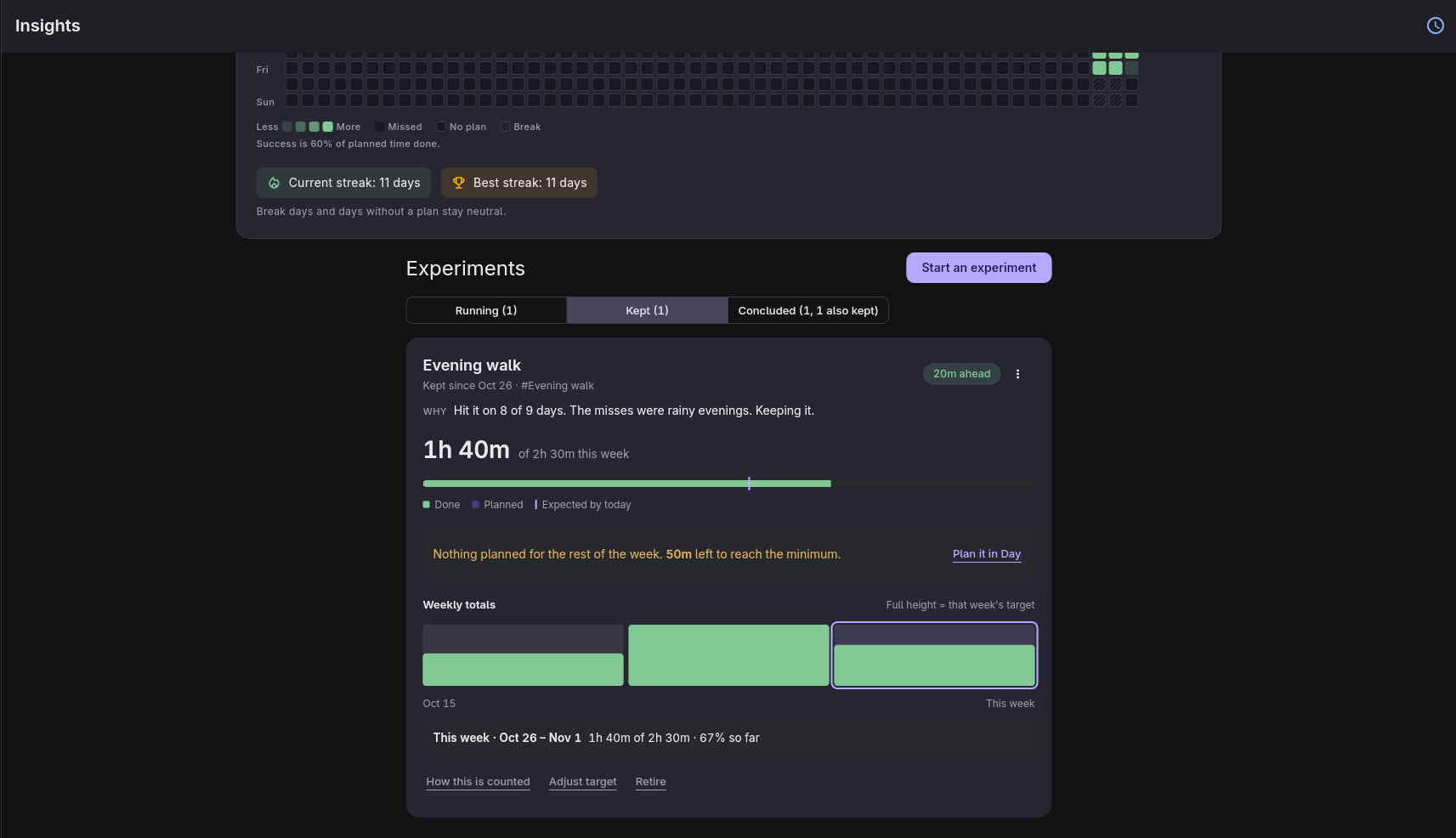
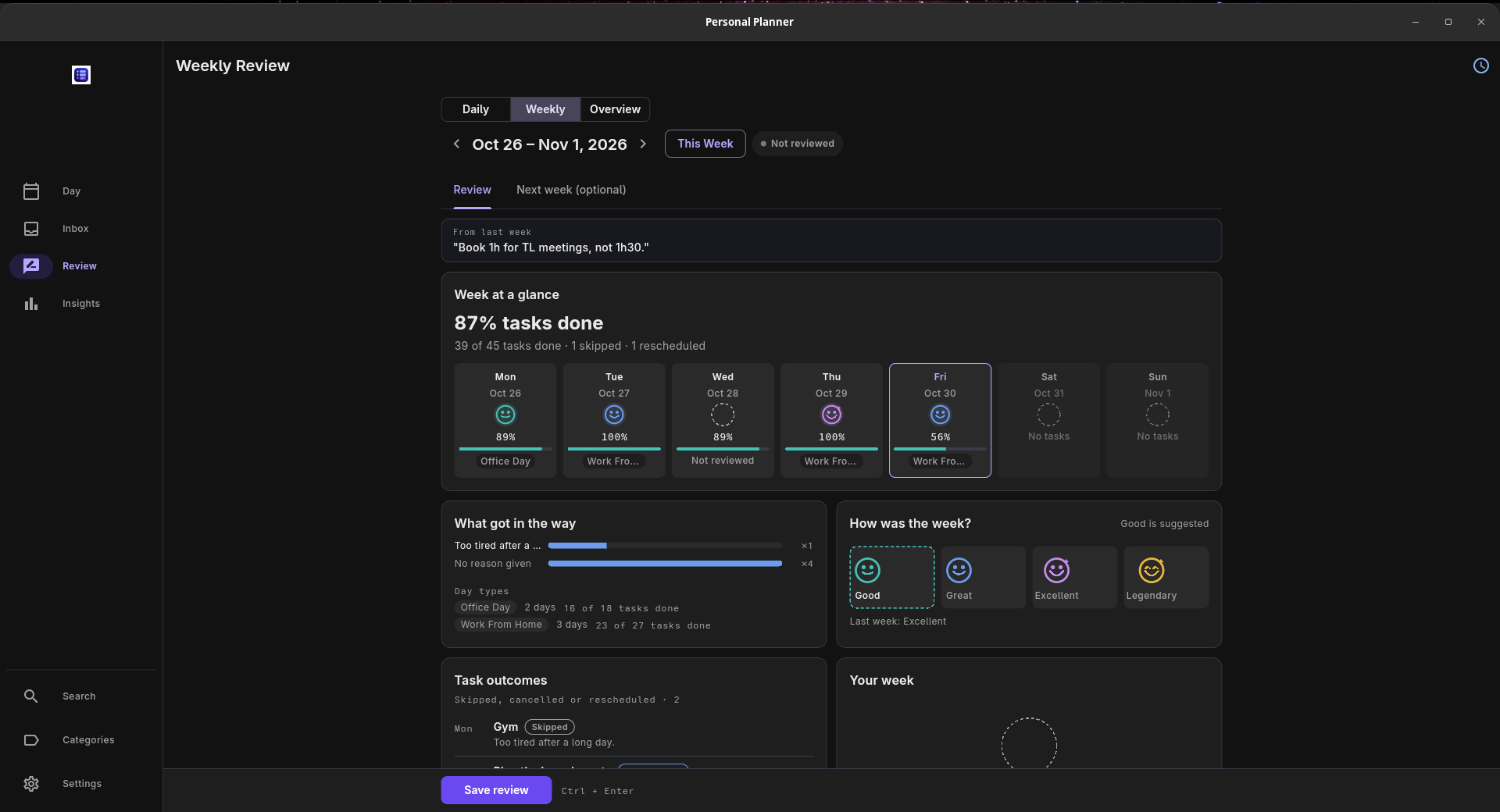
There are daily and weekly reviews, an inbox for unscheduled tasks, recurring tasks and templates. There’s also an Experiments feature for trying a routine over a set period and looking back at how it went.

A few details for anyone interested:

  • Built with Flutter, using Drift/SQLite for local storage.

  • Works offline without an account.

  • Free and open source under the MIT licence.

  • Optional sync through your own Supabase project, with setup required.

  • Linux download available as an x64 tar.gz archive. Windows, macOS and Android builds are available too.

I use it every day, and this is my first independently released app.

The website has screenshots, a 48-second demo, interactive examples and downloads:
https://karthikshabari.github.io/PersonalPlanner/

Source code:
https://github.com/Karthikshabari/PersonalPlanner

I’d appreciate feedback on the Linux installation and the planning/review workflow. If you already track your time, what helps you turn that record into a more realistic plan?
Can I ask you to declare the extent to which AI has been used in building this project

(post deleted by author)

I could say around 50-55% all the boilerplate and repetitive code I gave to AI :slight_smile: and building the features was quite fun but very time consuming

OK, it can stay because it is not 100%. … You have made some intelligent human input in overseeing it.

Thank you.
We try to keep this forum a place for communication between human beings.

Okay thanks mate : ), btw have you tried the app and also how do you prefer to plan handwritten or using any digital apps?

No , I dont use planners . I am oldfashioned enough to use paper. Some other users here may be interested.
I do like to encourage opensource coders… especially small projects with a clearly defined single task.

That’s great!! Sure I also feel this will be useful for other as well

Seems to be a clean, practical design. Nevertheless, a subsection of this forum is retired and used to paper planners. Best of luck.

Thanks for your word:) If any of your friends or family need it kindly share with them thank you as well thanks for your support as well

I have a Phd at procrastination. :slight_smile: This thing seems to be exactly what the doctor ordered. Is it made such that it minimizes to the system tray? Does it have a nice ‘ding’-sound when a timer is finished?

EDIT: Could you provide a .deb or flatpak (in the latter case… PLEASE distribute it via flathub). I hate to clutter my /home folder with extra-cutables. In the case of .deb, could you put it on launchpad?

Oh you can definitely come out of it some of my friends are also on the same path, and I don’t have any sound but you will get a notification and also right now I have just tarball sure will try it to add in flatpak as well, all the best man :slight_smile:

You know this . They belong in /usr/local , not in your home directory.
If you unpack a tarball in /usr/local/src most likely its content will include a script that will install to /usr/local/bin … so they will be in your PATH.
There is some security warning about putting your home directory in your PATH … I cant remember what the issue was?

Oh is it so is there any security issues ?