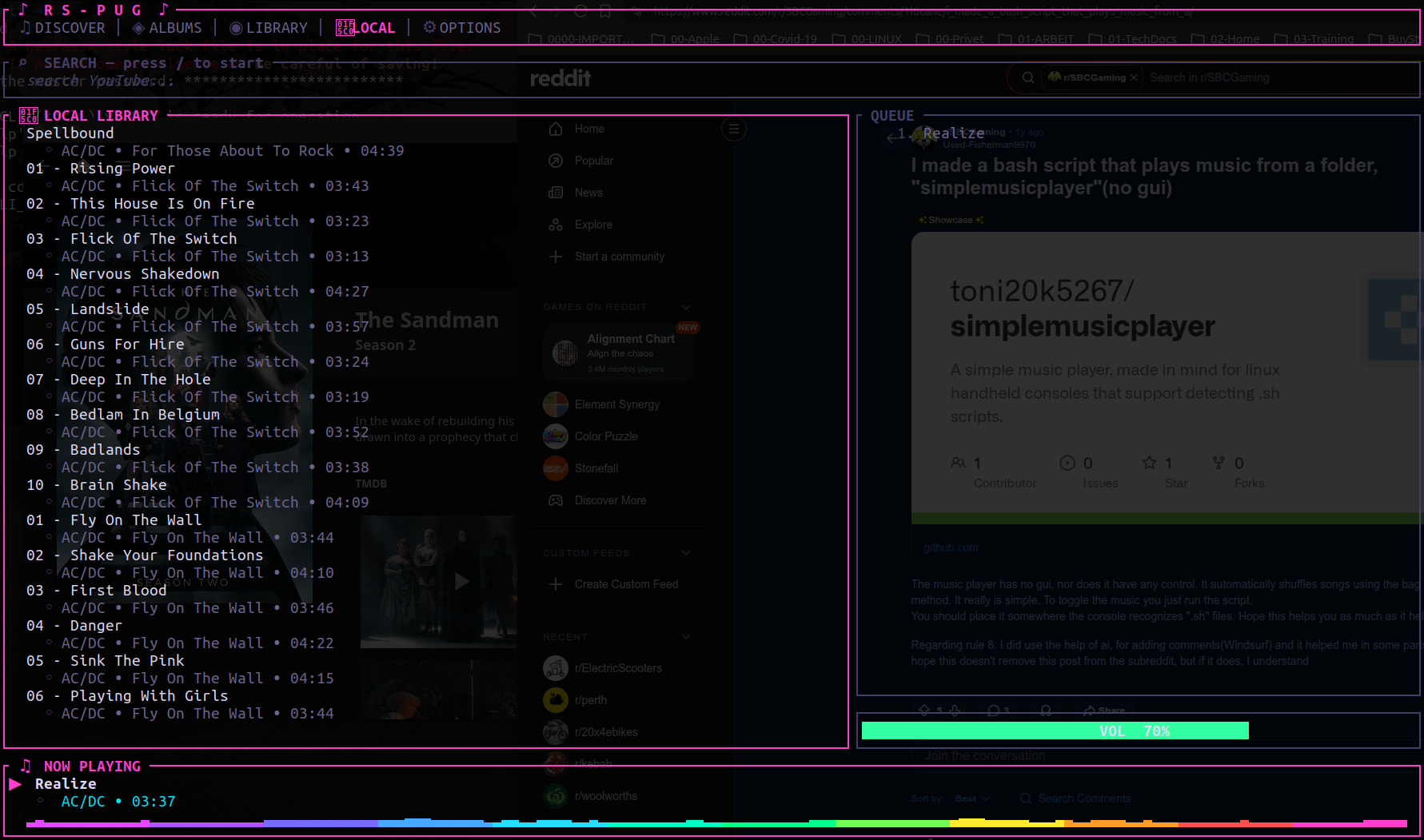
I made a cool and unique music player!

Hey everyone,

I wanted to share a project I’ve been working on: rs-pug. I’m a big fan of the terminal workflow, so I built a music player that feels like Neovim instead of a typical heavy GUI app.

It’s written in Rust and uses mpv + ytdlp.

Why i made it:

you can search YouTube and queue tracks directly in the terminal, no browser, no ads

It handles my local library and YouTube playlists in one place.

It has a reactive visualizer, a 10-band EQ, and custom themes (JSON).

I added a Lua plugin system so you can script your own behavior.

It’s lightweight and keyboard-driven. If you live in the terminal and want to ditch the browser for music, give it a spin!

github: https://github.com/JustRoccat/rs-pug

If you’re on Arch, you can find it in the AUR as rs-pug-git

I’d love to hear your feedback or see what kind of Lua plugins you can come up with. Happy listening!

Hi and welcome to our site

Normally we do not accept any form of promotional material, but as yours project as far as I can tell is free and could be of interest to some of our users and members, I will let it pass

Good luck with your project

Thanks Paul, appreciate it!

Yes, this is a harmless one person one program effort.

I’ve previously used the terminal to play music - mpg123 I think - and some other console / tty apps… There was one I used on both Linux and MacOS but can’t remember the name - the issue with running it on MacOs - I had to load (and keep reloading) a daemon called “jackd”… So I gave up and went back to Sayonara and stopped playing music on Mac…

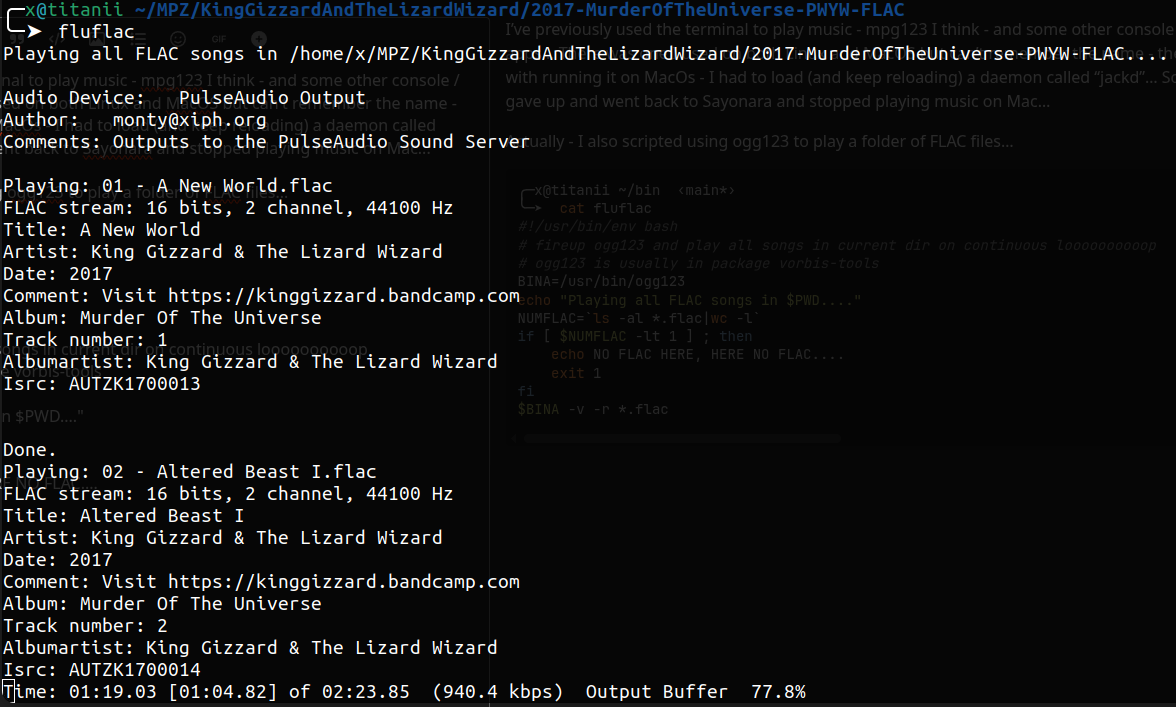
Actually - I also scripted using ogg123 to play a folder of FLAC files…

╭─x@titanii ~/bin  ‹main*› 
╰─➤  cat fluflac                                                                                                                                                                   2 ↵
#!/usr/bin/env bash
# fireup ogg123 and play all songs in current dir on continuous loooooooooop
# ogg123 is usually in package vorbis-tools
BINA=/usr/bin/ogg123
echo "Playing all FLAC songs in $PWD...."
NUMFLAC=`ls -al *.flac|wc -l`
if [ $NUMFLAC -lt 1 ] ; then
	echo NO FLAC HERE, HERE NO FLAC....
	exit 1
fi
$BINA -v -r *.flac

I’ve also used moc / mocp and cmus…

And I just tried ffplay - didn’t realise ffmpeg had it’s own player… Quite neat… Hmmm - ffplay seems to stop about 2/3 into a FLAC file… so I might give that a miss… and it’s a bit annoying that it pops up album art outside of the terminal… Don’t need that…

I’m going to take a look at your app… but I don’t have Rust / Cargo installed ATM…

Ok - done and built it … looks nice… figured out how to search / play something from youtube and it worked (King Gizzard and the Lizard Wizard)… But I couldn’t figure out how to make it play a folder of music files… I keep ALL my music in
/Artist/YYYY-AlbumTitle-{FLAC/MP} structure… I don’t do playlists… I pretty much just listen to albums…

Giving moc/mocp another tryout…


Note : I read some of the doco for rs-pug - and it says local music library in :

~/.config/rs-pug/music-local - so I renamed that empty dir to .mzik-lokul, and made music-local as a symlink to my music collection on my NAS :

╭─x@titanii /mnt  
╰─➤  cd ~/.config/rs-pug
╭─x@titanii ~/.config/rs-pug  
╰─➤  ln -s /mnt/BARGEARSE/MPZ music-local
╭─x@titanii ~/.config/rs-pug  
╰─➤  ls -al                              
total 16952
drwxrwxr-x  6 x x     4096 May  7 10:56 .
drwx------ 66 x x     4096 May  7 10:44 ..
-rw-rw-r--  1 x x      332 May  7 10:57 config.toml
drwxrwxr-x  2 x x     4096 May  7 10:28 eqpresets
-rw-rw-r--  1 x x       39 May  7 10:29 import_playlist.json
-rw-rw-r--  1 x x       36 May  7 11:47 last_scanned_dirs.json
-rw-rw-r--  1 x x 17310691 May  7 11:47 local_library.json
lrwxrwxrwx  1 x x       18 May  7 10:32 music-local -> /mnt/BARGEARSE/MPZ
drwxrwxr-x  2 x x     4096 May  7 10:28 .mzik-lokul
-rw-rw-r--  1 x x        2 May  7 10:34 playlists.json
drwxrwxr-x  2 x x     4096 May  7 10:28 plugins
-rw-rw-r--  1 x x      240 May  7 10:30 recently_played.json
drwxrwxr-x  2 x x     4096 May  7 10:28 themes

But when I hit tab 4 in the rs-pug UI it doesn’t find any local files…

I’m not about to start learning json to write playlists :smiley: - if that’s what it takes - I’ll give it a miss… Nice effort anyway :smiley:


ok - I came back to it - this time - it found a bunch of music files via symlink music-local in ~/.config/rs-pug/

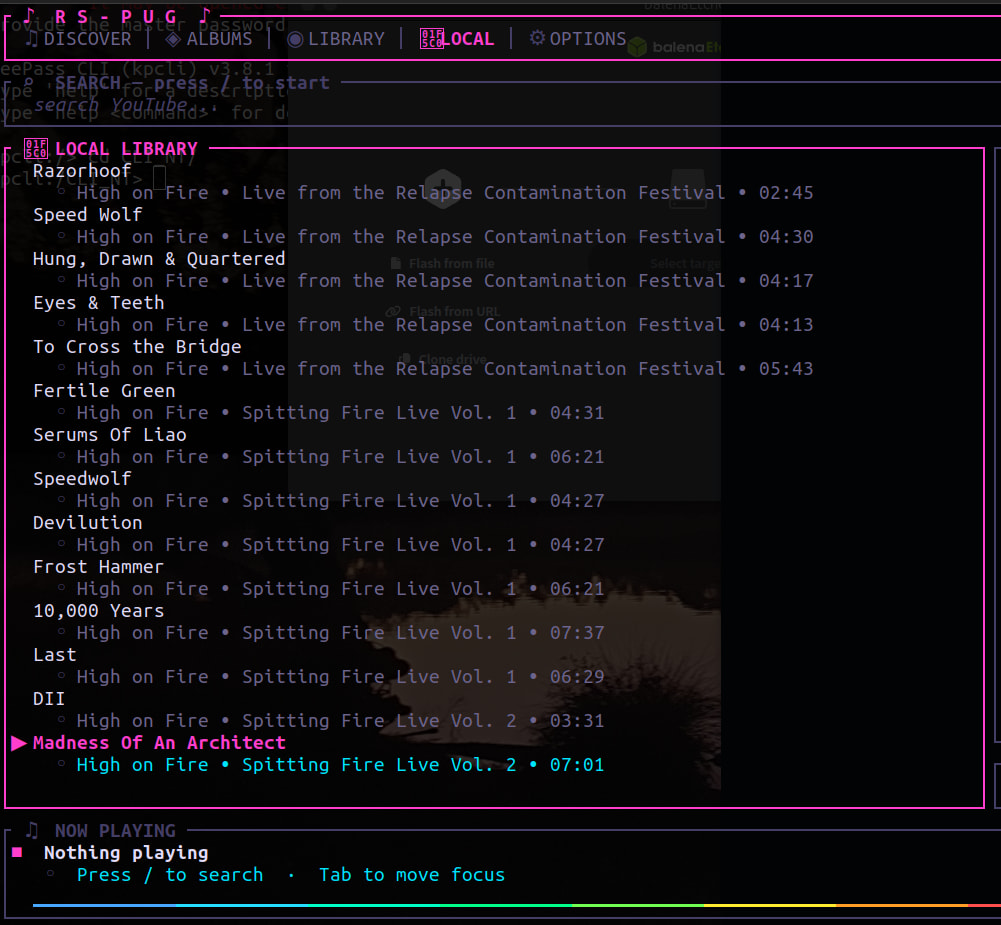
But - there’s over 1 TB of music files in there 97% organised into “Artist/Album” folders… But it seems to be sorting my “library” by Artist, Song :


And I’ve NO IDEA why “High on Fire” (artist) comes before 1000Mods… or artist Ulver comes before Brian Jonestown Massacre…

Reckon I’ll keep using Sayonara - it’s minimal and it has the best damn TAG editor of any music player I’ve ever used…
Hi Wojtek @coldbrxthe,
Welcome to the forum
The two images you have on GitHub are not accessible

Jorge

hey, thanks for the feedback!

Just to clarify: you don’t need to learn JSON. You can create playlists and add songs directly in the app using the context menu (press c). I’ll make sure to make this more clear in the docs.

As for the sorting issues and the 1TB library performance/symlinks — thanks for pointing that out! I’ll look into it and work on a fix in my free time. Thanks!

Hi jorge!

i didn’t notice, will fix this when im back from work, thanks

Hi Wojtek @coldbrxthe,
You’re welcome.

I like TUI and I’m using the terminal more and more, and when I read your post announcing your project, I had the feeling I’d seen it somewhere before, and it really does look like this:

reddit

Personally, I wish we had more open-source developers here on the forum.

Thank you for sharing your project here.

Jorge

okay i fixed some things, i added better sorting and migrated jsons for example playlists to sqllite. symlinks should be good and i added lazy loading in case of many music files

and i fixed the images

We like developers who have something to contribute to the forum discussions and who will listen to our input.
We dont like developers who just want free advertising.

Great effort…

Still a few issues for me (I did a “git pull --ff-only” then a new “cargo build”) … Should I report them here or on github (hmmm - I have used my login there for years!)… Or you can choose to ignore my issues - as it seems to work for you… and I probably won’t use your app… But I’m happy to test it for you… :smiley:

Maybe I should see what it’s like on arm64 (Pi5 running Ubuntu 24.04)

Note : somehow it’s picking songs from my libary - but I’ve NO IDEA how I’m selecting them - cause there’s nothing to indicate what’s “picked” from the “LOCAL LIBRARY” pane on the left…

It’s not something I need - happy with Sayonara… and when I play music on Youtube - I usually go straight there via browser tab…

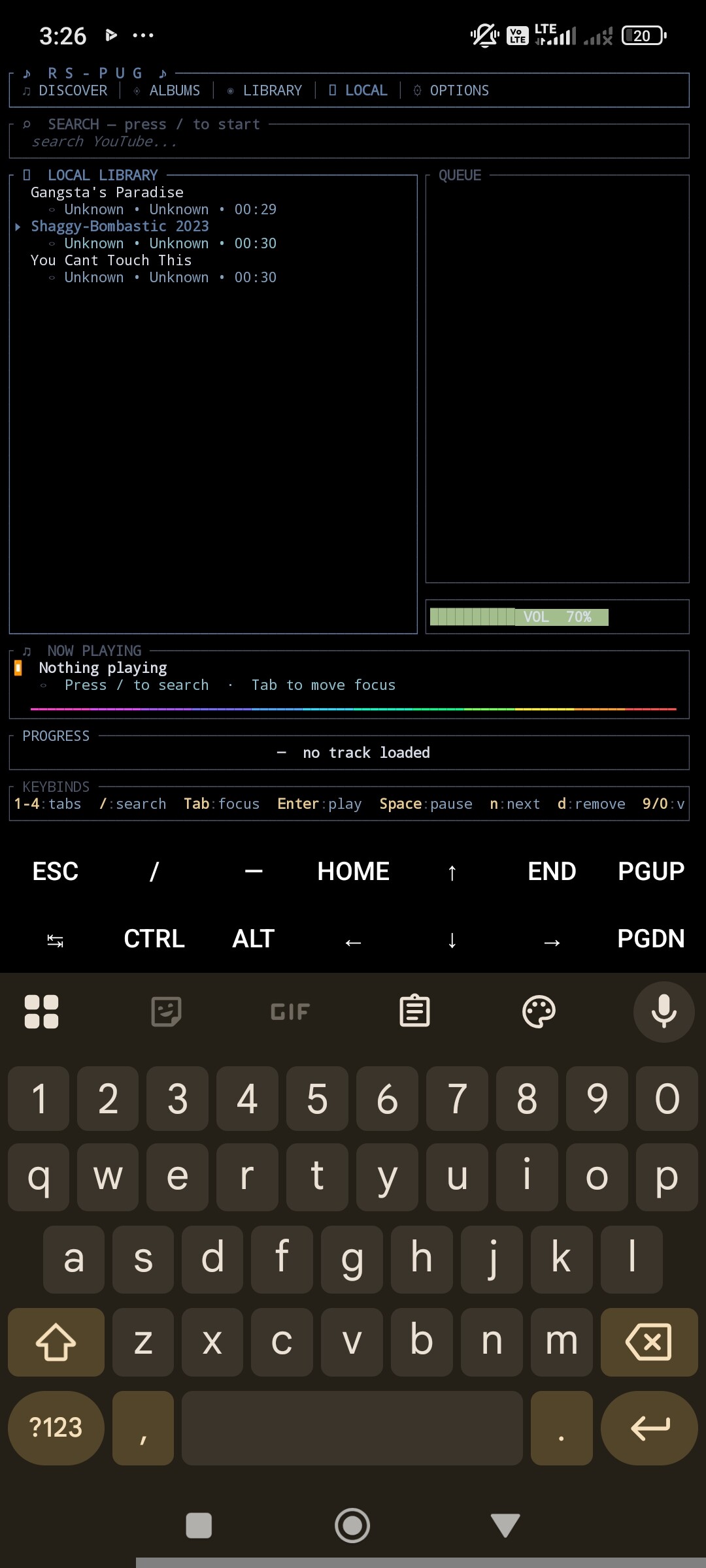
so, i managed to run this on termux in arch proot env

Tried it on my Pi5 running Ubuntu 24.04…

arm64/aarch compile / build took a bit longer than x86_64 - but not massively longer…

But it tried to open the 1 TB /mnt/BARGEARSE/MPZ folder and kinda “hung” or didn’t seem to respond, except it did respond to “q” for quit…

Does that folder have a huge number of files?
Tty something small

Hi Neville,
And I completely agree with you, that’s why I said that, personally, I’d like to see more open-source developers on the forum.

Posting just to promote a project? No, thanks.

Jorge