Well, I think I found the issue and it could be a bug of the Linux Mint install program.
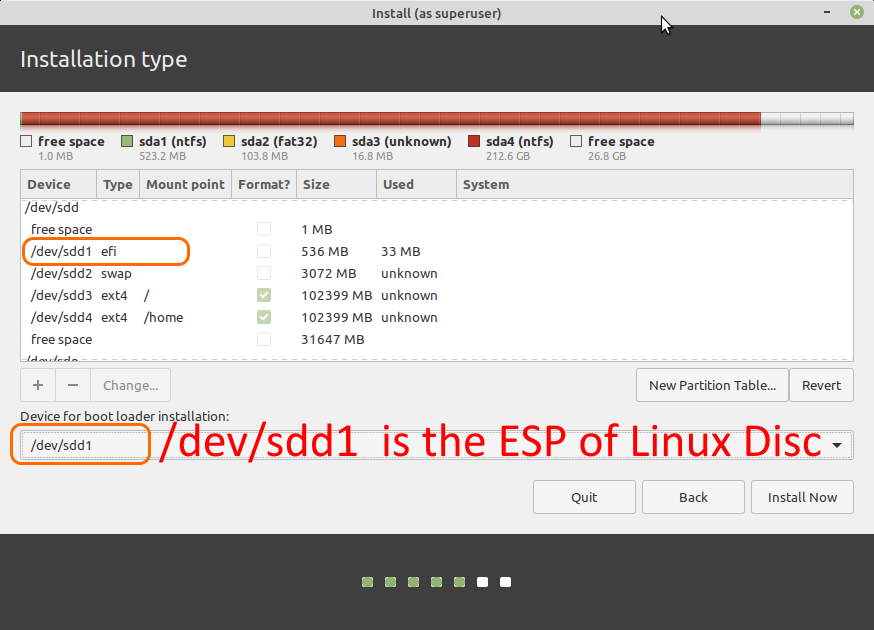
My Linux disc is the /dev/sdd and have 4 partitions where /dev/sdd1 is the ESP.
I choose /dev/sdd1 as device for boot installation as you can see in the picture below:
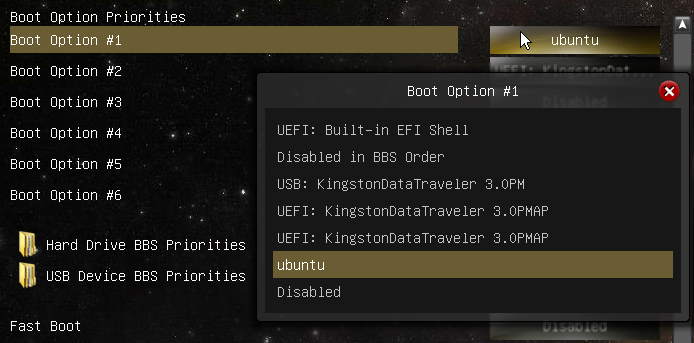
After finished the installation, I reboot the PC and checked UEFI and only had ubuntu option:
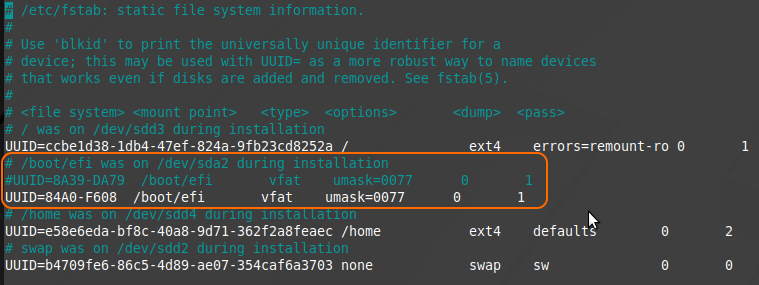
I noticed that the Linux Mint install program didn’t use my selection for boot loader installation and didn’t mount the ESP of the Linux disc but mounted ESP of WIN10 disc:

I changed fstab to mount the correct ESP
NOTE: I think this is the problem. Please read the commented line added during installation:
# /boot/efi was on /dev/sda2 during installation
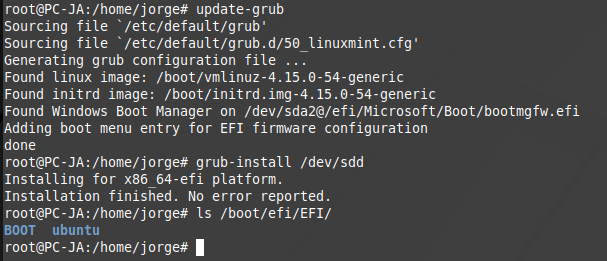
After umount /dev/sda2 and mount /dev/sdd1 I realized that there were no files or directories on ESP Linux disc, so I ran the following commands:
update-grub
grub-install /dev/sdd
And now I already have the correct directories on ESP Linux disc:
After another reboot, I now have 2 ubuntu entries in boot options because ESP WIN disc has an ubuntu directory:
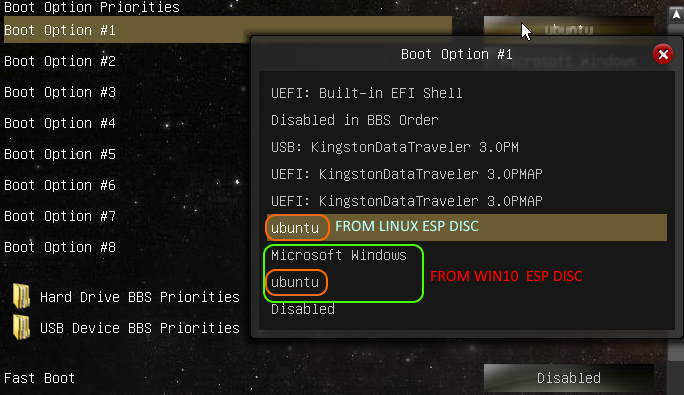

I deleted ubuntu directory from ESP WIN10 disc and now I only have one ubuntu in UEFI boot options:
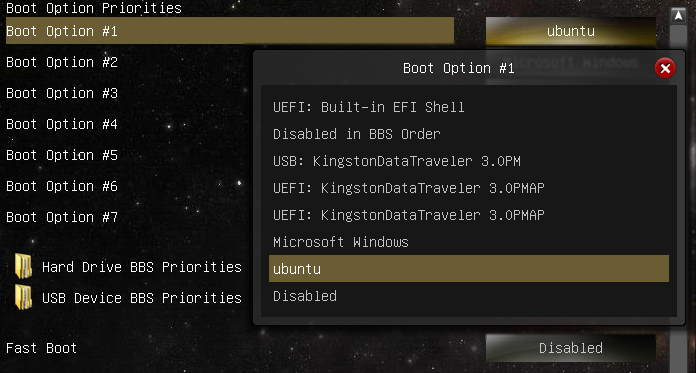
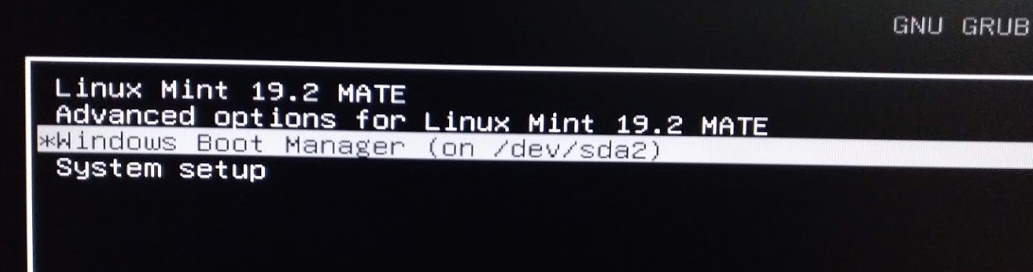
I always had the grub menu after this last Linux installation and when I first ran Windows through grub, WIN10 worked normally and after rebooting to access UEFI I noticed that the Microsoft Windows option changed its name to Windows Boot Manager
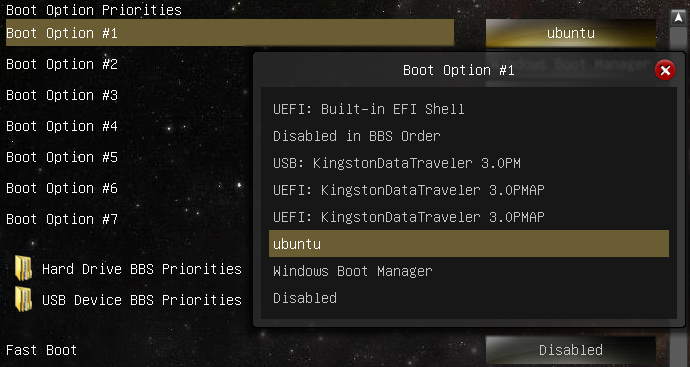
Now, the grub, Linux and WIN10 works has expected:
After these changes, I have both ESP with their directories and files:

I would like to thank all the participants in this thread for their help and motivation in solving this problem.
Thank you very much!
Jorge