Keyboards - got a new one

This is a sort of “review” :

After some 10+ years (probably longer) using Lenovo ThinkPad keyboards (USB and Bluetooth) with TrackPoint - I finally decided to try something else…

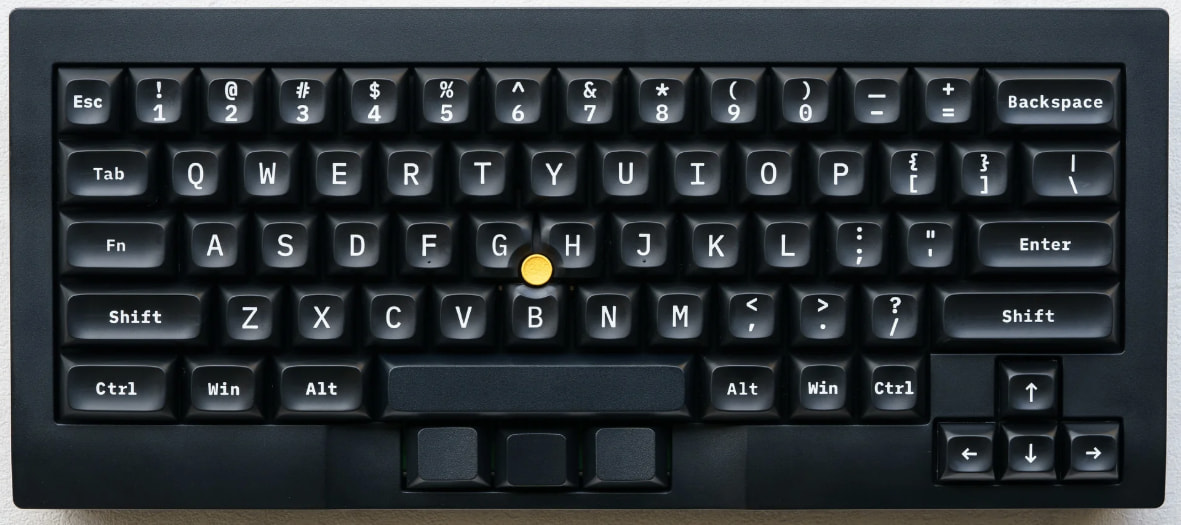
Got a TEX Shura :

It was also by way of a birthday present to myself (I turned 64 on Good Friday).

It’s more like the original IBM ThinkPad keyboard (I have one of those too - i.e. USB thinkpad keyboard with more mechanical keys - but it’s a bit wonky and the trackpoint imprecise)…

“Original” (2nd gen, 1st gen had a small touchpad too) ThinkPad USB keyboard :
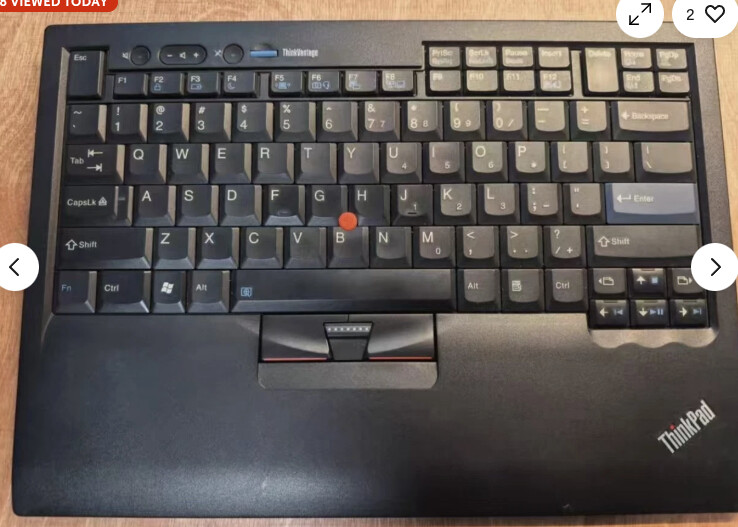
Reason being there’s something a bit wrong with my Lenovo ThinkPad Keyboard II (it’s USB and bluetooth and USB dongle) trackpoint sensor - and I kinda miss mechanical keyboards… I do have 2 other spare “mini” mechanical keyboards - but - they DON’T have a trackpoint!

I love the trackpoint - and most especially the middle mouse button under it… i.e. middle button paste in X! (and MacOS terminal!). And there’s also middle button scroll (move trackpoint while holding down middle-button - acts like a mouse wheel).

Several things I kinda dislike about it :

It’s about 2.5 cm (i.e. 1") higher than the Lenovo one… May not sound like a lot - but I already noticed this morning after an hour - my shoulders aching (and my chair doesn’t lift any higher)
I have to use Fn key to get tilde “~” (actually Fn+Shift+Esc) and same for Del (Fn+Backspace) and Fn+Left (arrow) for “Home” and Fn+Right (arrow) for “End”… I hardly ever use PgUp / Down so that doesn’t bother me… I guess I can train my brain / muscle memory to learn the new combos - I already do finger gymnastics on MacOS (whoever reckoned it was easier to use than Windows was just plain wrong) like getting a screenshot (Shift+CMD+4 to grab a region, Shift+CMD+5).

I may look at getting an under desk keyboard and mouse tray to lower it…

Note : despite all of the above I do use a 3 button mouse alongside the keyboard with trackpoint - I use both - it’s just way quicker to slightly move the cursor with the trackpoint and middle button paste while I’m typing…

Discourse tried to remind me there’s already a topic about a new keyboard - it’s 5 years old - and it’s about a whizzbang RGB keyboard - I’d LOATHE all those bells and whistles!

I just want functionality - not aesthetics - although I must say I’m please with the look of it… And the key-caps are so easy to replace - unlike the modern ThinkPad keys - which are nealy IMPOSSIBLE to re-attach if they come off (which has happened to me in the past).

Anyway - time will tell - given I do about 75% of my WFH job typing into NIX terminals (not just Linux - also Solaris UNIX) having a good keyboard is important…
5 Likes

Update…

Boy is this TeX Shura 65% is a royal PITA!

Typing tilde “~” requires finger contortion : Fn+Shift+Esc!

I use f–king tilde all the f–king time! I mean ALL THE TIME! Doh - buy in haste, repent at leisure… Fn is appropriate - I want to yell Shift F–ken Esc!

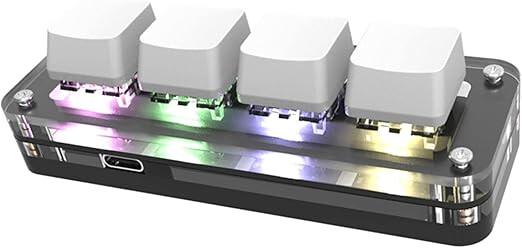
I have a little 4 button keyboard that I setup to do Meta (e.g. “Win” or “Cmd”) on key 1, “C” on key 2, and “V” on key 3 (to use on a Mac for copy and paste) - but never programmed the 4th button for anything…

I’d like to reprogram it to do tilde (maybe the unused 4th key?) - but can’t find the software I originally used to program it… Doh! I may even have used MS Windows originally when I had a Windows laptop around 2022…

The product is still listed at Amazon - but it makes no mention of the software required to reprogram the pezzo di merda…

I also bought 2 x 2 button USB keypads for Mac, Button 1 does CMD+C button 2 does CMD+V (copy, paste) - I was able to program / flash it using some software from Sayo (manufacturer) on Linux and that worked… These work well - I have one hooked up to each Mac I use for work…

I just can’t remember how I programmed the 4 button device… Doh!

Why the f–k this TeX company thought to eliminate the “` / ~” in favour of ESC I’ll never understand…

And I use ESC all the time (vi anyone?) so I don’t want to re-map the key permanently! Doh!

I just want ONE BUTTON that will type “` / ~” whenever I want it - without having to use F----n function key!

Even a Mac keyboard has the backtick and tilde button!


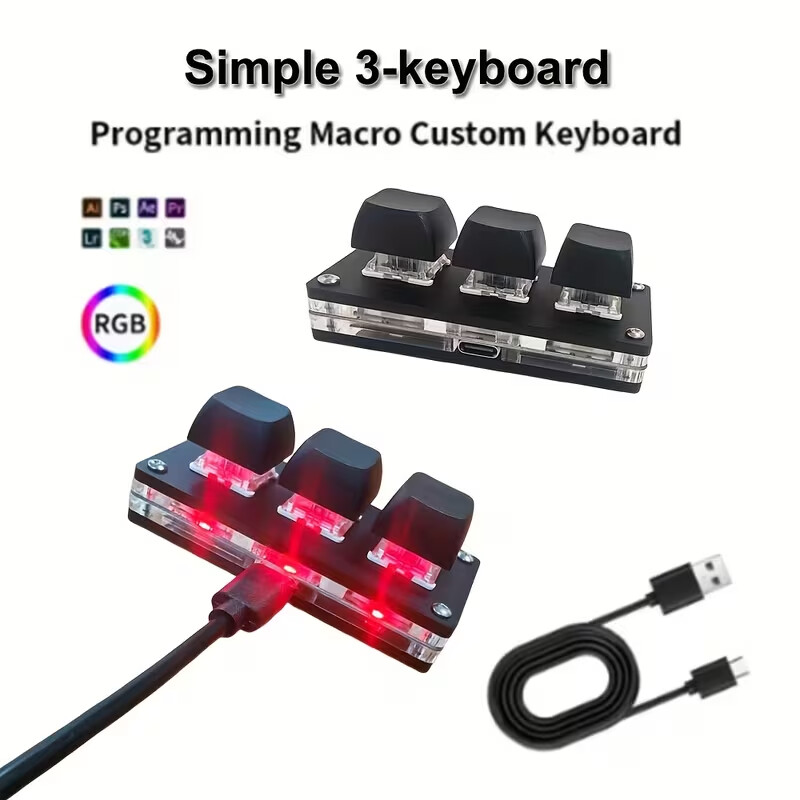
Just bought a 3 button keypad from Temu - let’s see how I go…
I might program Button 1 to backtick/tilde, button 2 to home, button 3 to end (which are Fn+LeftArrow, Fn+RightArrow, respectively - on the Tex Shura - fairly easy).
It’ll probably take a week to get here - maybe by then I’ll have rewuired my muscle memory to Fn+Shift+Esc to get tilde…


At least their shop page for the product explains how to program it - unlike the chinglish text on the Amazon product page…

1 Like

I’ve got a leopold keyboard. I use it with a US international layout with dead keys and compose key under alt-gr. Works like a charm.

1 Like

This one has just plain old “Alt” either side of the spacebar…

I don’t really know what “compose” and Alt-Gr are anyway…

I’m slowly getting the hang of it - but missing the actual backtick/tilde key…

Trouble is - I’m usually working through 2 nested layers of Windows (Citrix then RDP to a jumphost, to access UNIX hosts) - and sometimes Shift+Fn+Esc does tilde, sometimes I have to make sure it’s Fn+Shift+Esc…

I don’t mind having to use 2 keys to get tilde, but 3 takes a bit of practise…

Either 3 key combo works well enough when typing natively into a terminal on my Linux desktop… Or even replying here in Brave on Linux…

And to complicate the nested Citrix Win11 VDI → RDP (win svr 2016) → MobaXterm scenario - it’s often typed via Synergy…

Ubuntu Desktop with Synergy server with TeX Shura keyboard
Shared via Synergy KVM to either of my MacBooks
Then MacBook → Citrix → RDP → MobaXterm → Linux server via SSH

I can use Citrix on my Linux machine too - but I was running it on my work MacBook 'cause I thought I was going to have to share my screen via Teams (turns out didn’t need to)…


Microsoft stopped doing a Teams client for Linux and tell everyone “use it in a web browser” - but that doesn’t support screen sharing…
Just found an unofficial Teams client for Linux - and the Git page states it supports screen sharing…
I might check it out…


Installed the snap… Seems to work… Can’t really tell if ScreenSharing will work until I try it…

We tried that in our association meeting last month and it was really bad echo echo echo…. Abandoned in the end. And we were using the paid version and several on windows were the culprits.

The Linux version scored best for me but as you say it was not the Microsoft version and not in the browser

I can see a tilde key on upper left ?
Is that the old Lenovo?

1 Like

Can you use ASCII character

Alt 126 should give it

Or run a word processor insert the tidle then copy paste into where you need it

Not easy

1 Like

Yeah - the one with Tilde next to “1” is the Lenovo… The new keyboard “Esc” doubles as backtick/tilde with the Fn key…

That’s even more keystrokes! :smiley: :smiley: :smiley: : are you havin’ a laugh mate? :laughing: :grinning_face:

I get that when online users are using their laptop speakers and microphone - their speakers are pumping out the conversation and the microphone picks that up - it’s pretty much and “ID” 10T error :smiley: … They need to use a headset! I’m one of the few Mac users I work with (possibly the ONLY) - everyone else’s on Windows… I don’t use the Mac speaker or Mic - I always hook up a headset… I might have a go on Teams on Linux on Tuesday… Got an all day tech bridge scheduled… And try out my Shokz OpenRun 2 "bone conducting headset - works perfectly on Linux - but - it can’t do “both stereo and mono mic headset” at the same time like it can on Android - haven’t tried it on Mac…
Wost thing about tech bridges - I can’t listen to music! I work MUCH MUCH better when I’ve got some decent tunes cranked up in my ear!

2 Likes

Imagine the muscles in your hand and :backhand_index_pointing_right: fingers

I took my “hyper” scooter (electric) for a blast today - scary - and fun…

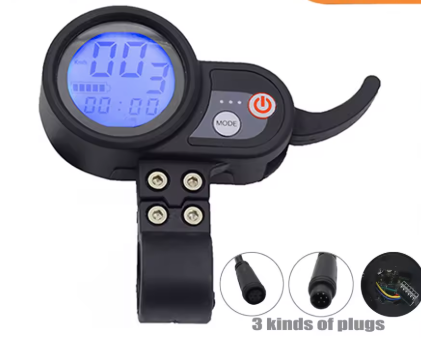
But three hours later I got cramp in my thumb and wrist from hanging on tight (for dear life several times under max throttle) and using my index finger on the throttle…

But it was fun - and - there was some beer involved :smiley:

Not 100% sure what the scooter specs are - something like dual 1600 watt motors - and switchable between dual and single motor - the torque when accelerating with both motors engaged is phenomenal - and a lot of fun, but not to be engaged in lightly :smiley:

Needless to say : kiddies don’t do this at home - no animals were harmed and none of these shenanigans were undertaken on public thorougfares…

I do prefer the predictability of both my Harley Davidson, and my “pedal assist” only e-bike…

2 Likes

Our quad bike has a thumb lever instead of a twist grip for the throttle. It is an absolute pain for my arthritic thumb.
I am seriously considering getting a twist grip from a wrecked bike, but a round tuit comes into the equation.

2 Likes

Twist throttle is not really ideal on a stand-up scooter… However I hate the trigger throttle :

My other scooter, a Segway, has a thumb throttle - press down with thumb - much easer to use than a trigger…

1 Like