I think you may talking about the “favourites” (translated back from hungarian) panel on the left of the menu?
You can switch it off completely.
If you want to remove just the “lock” button, you will need to edit a file, as this button is hardcoded to show up always.
Edit /usr/share/cinnamon/applets/menu@cinnamon.org/applet.js (you need root rights) with a simple text editor -I used mcedit- and remove the “lock screen” part.*
I highlighted this for you:
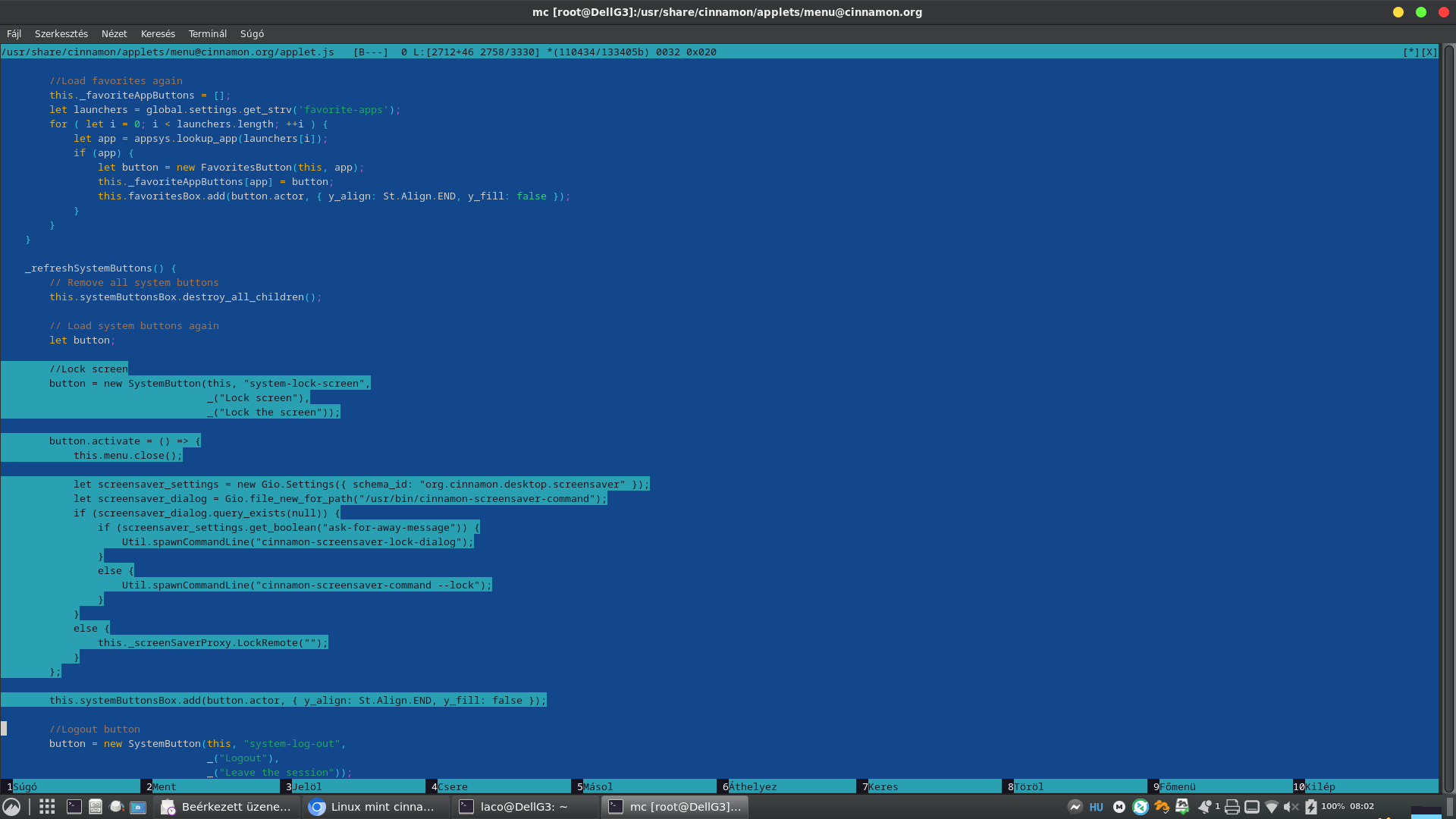
Logout, and login back again, and check if the lock screen button vanished:
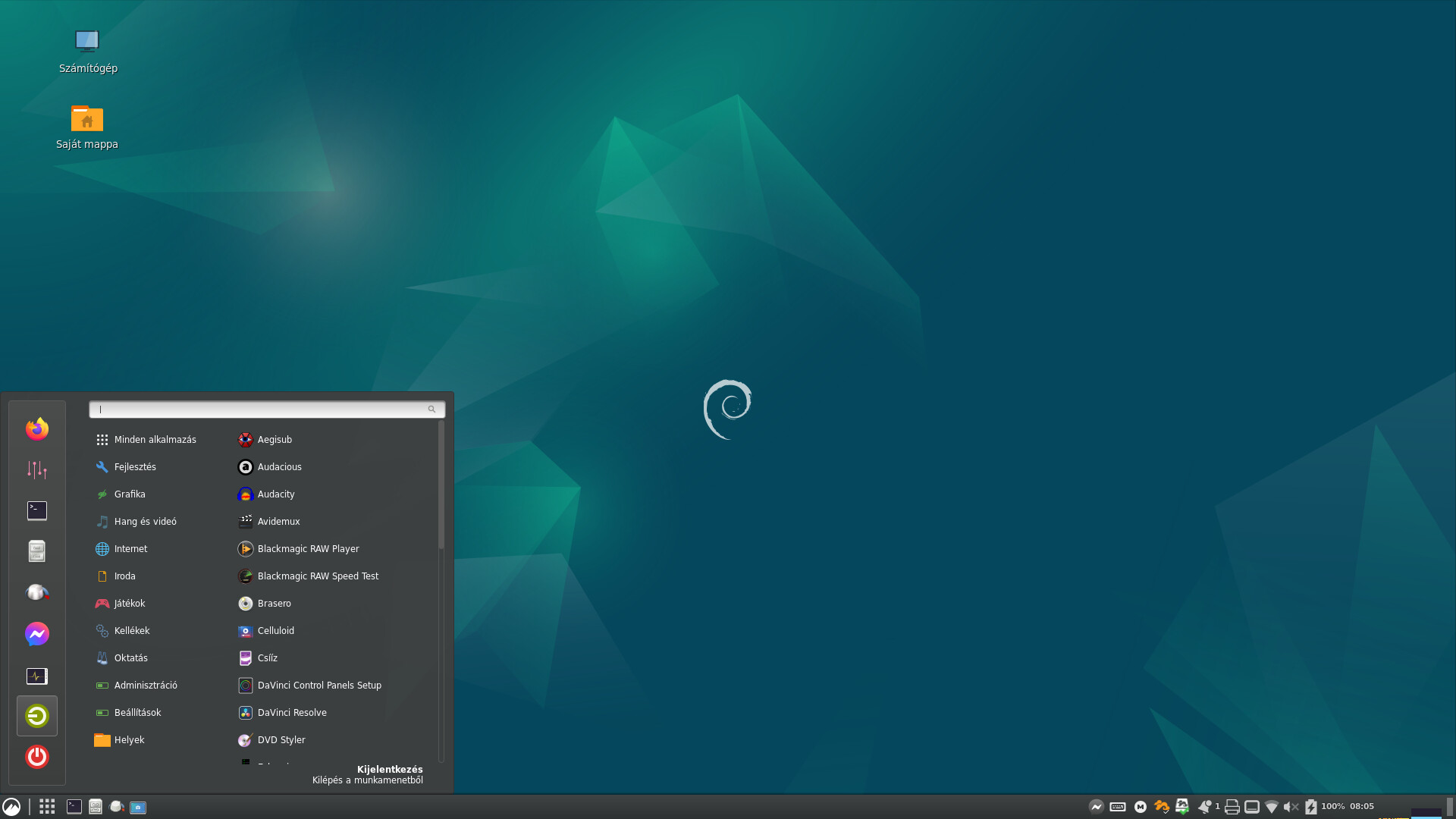
This worked here on Debian 12, hopefully will work for you too. 
*: probably it is a good idea to create a backup before editing - just in case, to have the original file…