Hello! First post here 
 I come to you in search for help…
I am trying to use my USB microphone on Linux Mint 22, but even though the mic gets recognized, it does not create any input.
I’m at the end of my wits here… Any help is appreciated!
Hello! First post here I come to you in search for help…
I am trying to use my USB microphone on Linux Mint 22, but even though the mic gets recognized, it does not create any input.
I’m at the end of my wits here… Any help is appreciated!
Hi @neocitrus ,
You are probably having trouble with PulseAudio Volume Control. I find it very confusing to setup. I an not an audio expert so I cant diagnose … I just want to point you in that direction.
If it is more complicated than that , there are people here who know linux audio.
Regards
Neville
I haven’t had microphone problems on Ubuntu (similar to Mint), but I’ve had speaker issues. For me, I used alsamixer at the command line to adjust which speakers were default and what the volume levels were and things returned to normal.
Maybe the microphone is the same for you. If you are on a laptop there may be a built-in microphone in addition to the USB one. You may have choose the correct one.
I guess you didn’t say what software you were using. Are you trying to talk online with something or record something?
Hi and welcome
Please can you give further details what you are using so we can advise further.
What are your using to register your recording, how do you know the mic is working
More you can tell us they better we can help you
Paul
Thank you!
Oh, right! Apologies, this is my first time using a forum 
I am using Linux Mint Cinnamon 22.3. I have tried using both alsamixer (in which case it shows the mic at full volume and not muted), pavucontrol (in this case the mic shows up but doesn’t display a input bar…) and I’ve also tried checking with PipeWire, but I’m not quite sure on how to use it 
As per the recording… I would like to use OBS since that way I can record the screen for my assignments and hopefully stream games at some point, but even there the input is not recognized.
Sometimes in pavucontrol, I need to unlock things. Check that.
It seems the usb device is being. detected, so you do not have worry about usb plug & play issues. It may , however need a driver module, or the problem may be further on in the sound system config.
Probably not the issue, but I would double check-
In pavucontrol- go to configuration tab and make sure the profile for the usb mic looks correct & also make sure the “show volume meters” is checked (at the bottom)
I do believe it might be a driver issue, yes! I’m not quite sure where to look, though
As per what @JoelA said, both the profile and the volume meter setting are set up properly 
The command lsmod will list all the drivers you have loaded
but
it is almost impossible to recognise their names… you need some prior knowledge of driver names… use the internet to find the linux driver name for your microphone.
Then use ‘lsmod’ to check if it is loaded into the kernel.
modprobe commandmodprobe can not find the driver in your system, you will have to install it from some package. Finding the package name can be difficult … use the internet againAnother possibility is that the plug and play daemon udevd has rules for devices, and the rules may be wrong for your device. It does see the device, but there still may be a rule problem.
From what I’ve read it seems like the problem lies within the brand  It doesn’t have compatibility with Linux, unfortunately…
I’m now wondering if an XLR (was that the name?) mic might work… I’ve had a bunch of hardware to make a mic lying around but haven’t had the time or reason to do it… Maybe it’s finally time?
I have a USB microphone. The Logitech Yeti Orb. I’ll do some testing on Ubuntu and see how it works for me. What software do you plan to use? I could test the same maybe.
XLR is a type of connection normally rather than a make with 3 pins.
Usually usb mics just plug and go no special driver needed. Logitec in my experianceno problems
I want to use both OBS and Discord if possible!
And @callpaul.eu , that’s good to know! I was planning on making my own mic from an old rotary phone, which would then be turned into an XLR mic since it would need phantom power. That’s the main reason I’m asking 
Very easy to do 2 wires to a jack plug no power needed just need to note which is microphone connection on the 3 parts of the jack plug.
Have done something similar but the quality is very poor. Better buying a make such as logitec for cheap connection. If you want studio quality then you can invest more such as Sure who make excellent quality products.
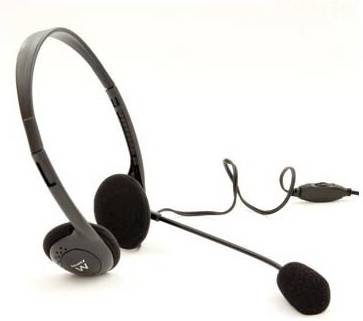
I currently use a headset with boom mic and speakers combined but its for conferences calls not really great to record.
Yes I do know about the quality of the mic, that’s why I’m going to get another one that I have now checked and it does work with Linux! Thanks everyone for the help, I will mark this as solved now