Hi, I have a MX 25 problem that I believe might be unique to my laptop PC.
I wanted to install MX 25 on my laptop as a guest OS. I downloaded the .iso and created a boot USB. MX changed the install process. MX now includes both a systemd and a sysvinit version of MX on the .iso.
I boot the MX USB and get a screen asking me which MX version do I want to install. It does not matter which option I choose b/c I get the same error. It seems to come from MX, but I am not sure. Secure boot is off.
Fatal error; USB not found, press ‘r’ to reboot, ‘p’ to power off.
I also tried using VenToy, but that did not help. If someone has the time, maybe you could try booting MX 25 from a USB.
A lot of questions, that’s for sure. Reminds me of the shotgun approach.
Let’s see Yes,no,no,no,yes,no,no
But I did put on a clean pair of socks today.
Just joking with you.
Updated
Paul, I am marked your reply as the solution b/c you mention Ventoy twice. I d/l the latest copy of Ventoy and recreated the Ventoy USB. Copied MX 25 to it and now MX 25 boots correctly. I also created MX 25 live USB again and again it failed to load properly. But I only need one way that works.
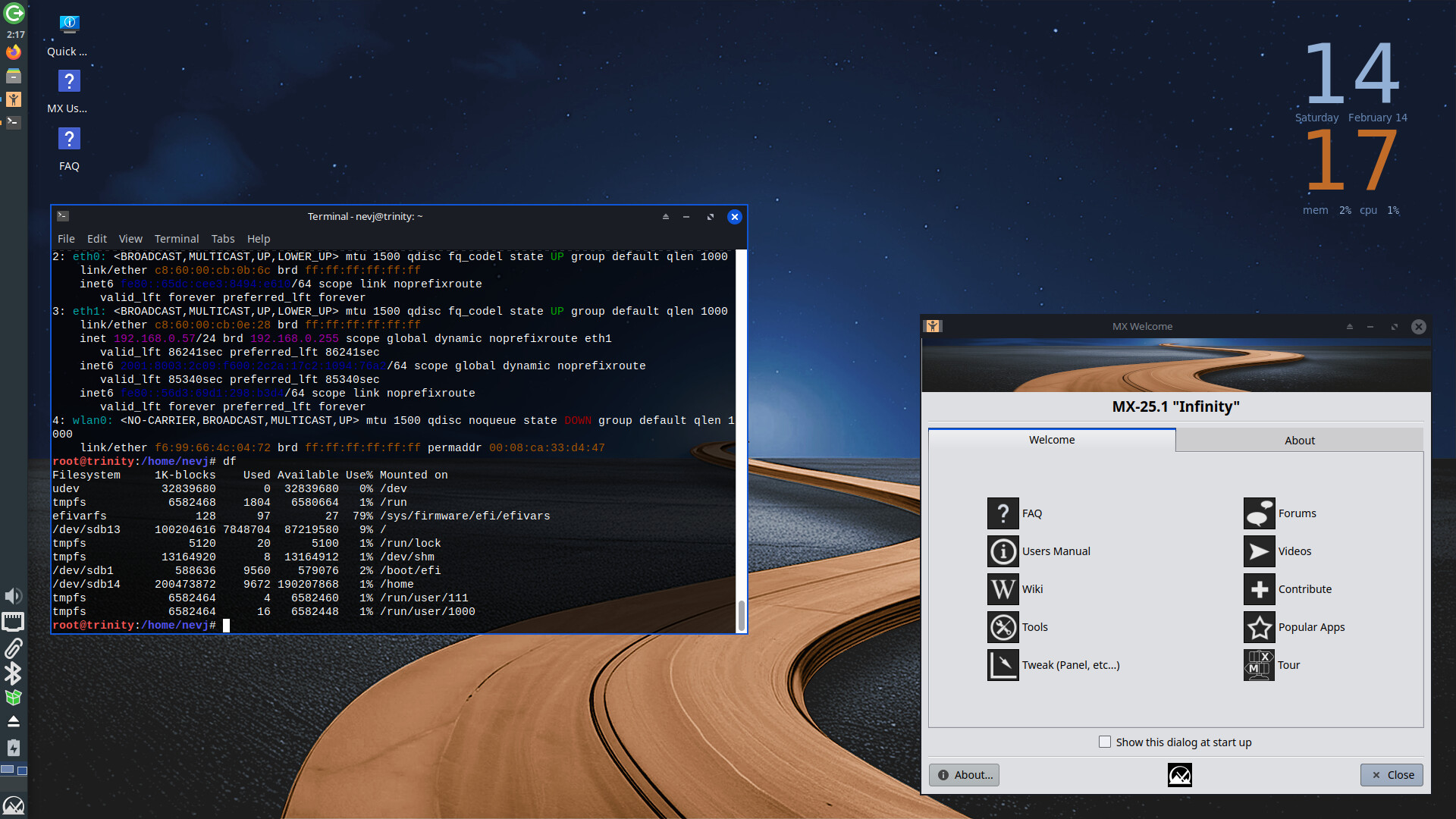
I did the install of MX25.1_Xfce_x64.iso downloaded today
When I started the Calamares installer there was a message … something about USB… but it flashed past it and started Calamares.
No problems with the install. I chose sysVinit. I made
/ on sdb13
/home on sdb14
/boot/efi on sdb1 preserved
I let it install grub on the EFI partiton
Then booted… I got a grub menu with everything there except NetBSD… it needs a 40_custom file that is not there yet.
When I booted from grub , I got another flash message about Failed to open \EFI\MX Not found … .but it passed over it and booted OK.
Here it is
Lots to do … no local net, no printers, no apps, lousy background… I will run it alongside MX23 until I get it properly configured… maybe 6 months.
I looked in dmesg and the logs and could find nothing about USB.
So there is something strange to do with USB, but my machine passed over it. The first message about USB was definitely Calamares. The one after reboot is MX or grub .
It boots slower than a lame tortoise? I think that is it trying to detect my hotplug disks… it needs a boot parameter intel_iommu=off
So, Howard… I think you should be looking at your machine… maybe some bios setting, or a hardware issue with the flash drive or the usb port or the cable.
Well, I tried to install MX25 today, but it did not go too good. I also selected the sysVinit option. The install started okay and was up to about 80% finished. I walked away for a few minutes and came back to a black screen and the Thinkpad laptop not responding.
The only thing I could think of was holding the power bottom down to force a power off of the laptop. A search for black screen on install of MX25 did not show up on the web.
I am almost positive the hardware is okay. I am away from home right now and use this laptop daily. LM 22 and Windows run fine, over the past week, I have upgraded LM, run backups w/Clonezilla, restores w/Clonezizlla, browse the internet, ran backups of my data files to external HDD, re-init the USB with new VenToy, booted ventoy, booted MX form ventoy. All w/o a hiccup of any kind.
It would surprise me if it was hardware failure, not that I haven’t been surprised before.
But you might be right about a hardware issue. Maybe my Thinkpad E14 hardware not compatible with MX25 installer. Something at the end of the install of MX25?
what is at the end of the install is making the initramfs and then writing grub. Did you mount the efi partition? Has it run out of space in EFI? Have you got the bios set to uefi ( ie not legacy). Is there enough space in /
I had it for about 2 1/2 years now. Not sure when it was introduced.
Grest News
I run update grub form my LM OS but did not notice MX25 being found.
I run a new Clonezilla of LM 22. and shut down the PC.
When I booted the PC MX25 showed up in the grub menu!
And it loaded. But I could not get pass the log in screen. I thought I read the default PW was ‘demo’ or ‘root’. Or maybe the install did not complete 100% b/c I did not enter a new logon ID or new PW. for MX25.
So you did not write grub. You used LM’s grub
Sounds like you did not progress Calamares to the timezone and login settings.
When it gets to about 80% , it is waiting for your input, and you have to press ‘next’ even thought it looks as if it has not finished. Then you get more screens about timezone and passwords and where to put grub. … Confusing … it tricked me at first.
So try again and keep hitting next
Calamares is good, but not perfect.
You are right, no timezone, no login setting. When I came back to the PC only a black screen. Maybe it timed out waiting for a reply? I was not gone that long. I wonder why the black screen and no response.
So, I believe you are suggesting doing the install again and stay with the PC during the entire install. Well, it can’t hurt. I will let you know tomorrow how it went. Thanks for you help.
When you boot to the iso with mx25 do you get a live screen like you do with mint on install ?
If you can get to the mx25 control panel can you change the screen saver or similar to never shutdown down on mains or battery power ?
Then try to install again
Why mx25 ? What does it offer different to mint if that runs fine?
Identical. MX has less hand holding than Mint. It provides lots of helpful utilities but it does not push them the way Mint does with eg Timeshift. You have to discover them.
I always think end user and why they use it, thats where we are all different.
Learning experiance against practical application.
Its years since I had a dual boot and then only for a short time to see if it worked. Now I just want to switch on and use the application rather than spend hours trying to fix it. But my needs now are very limited out of choice.
When I wanted that I ran Debian, and before that Freebsd.
I went for years programming in Debian, without even an upgrade.
Then I changed and wanted to see other distros. It started with wanting to find if another distro would run my programs faster. Void did, so I added Void.
Then Debian failed me with a new graphics card, so I moved to MXahs.
Then I got interested in init systems… Devuan, Artix, antiX,…
Somewhere in there Daniel persuaded me to try Gentoo… I like it because I could build anything with portage.
So , you are in a different phase to me. I still want one OS that just works, and that is MX for now.
Multiboot is a trivial extra issue. There are advantages… like if one OS fails it is easy to move to another.