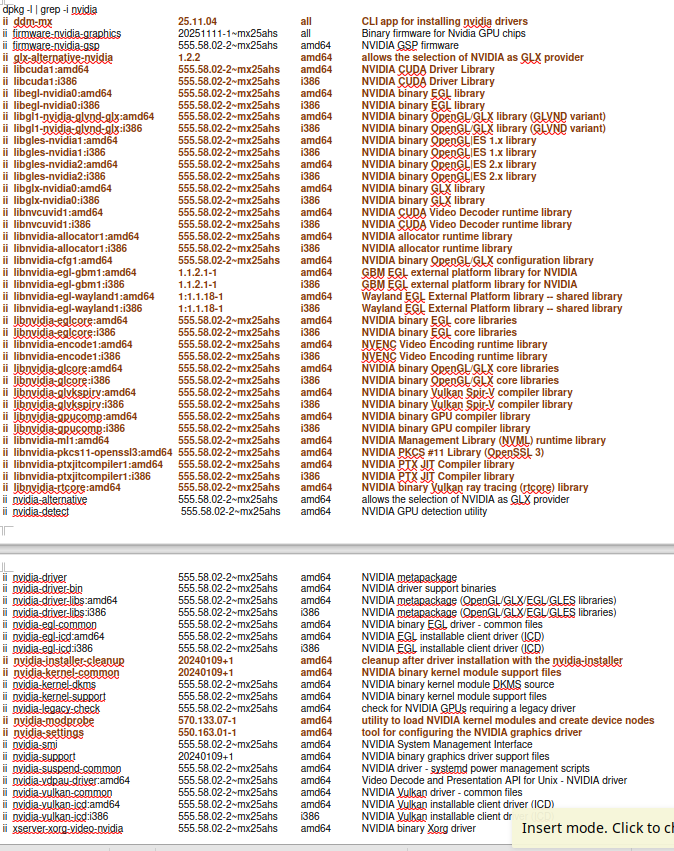
So I have gathered the info between CLI and the MX package installer and there are some listed in one that are not in the other. I understand that some are listed generally in MX package installer but include like files listed in terminal.
I tried to do the hold multiple files with the given command below but something is wrong in part of it:
So I am still having to go through each package in MX manager and see what is included just in case some of those red ones above are provided with them.
I think you can forget the libxxx packages … they should all be dependencies.
" To view the dependency tree of a package in Debian or Ubuntu, you can use the command apt-rdepends package_name, which will show you all the dependencies and their dependencies recursively. This helps you understand how packages are interconnected.
"
also apt show pkgname lists dependencies
I checked … apt does not automatically hold versions of dependencies, if a package version is held… because the new versions of dependencies may be required by other packages.
I would let the dependencies update … because the held package version will probably work with new versions of the dependencies and this will be safer for other packages that may require them.
Dependencies that are specifically nvidia may need to be held because they may be part of the problem … other packages should not require them.
This is messy. Your accountant skills may be needed.
I noticed that Fedora would divert Nvidia drivers to Nouveau. I have MX on a machine with an old GTX 750, that runs fine. I mostly have problems with any Arch based distros, installed something else over Manjaro, and Cachyos and others fail to finish install. I am using decades old hardware though that all ran Windows 10 Pro. I have to admit, Zorin, Mint, even Debian look good. But MX does have that great set of tools. Some distros pick up wifi better than others, and I did have to buy an Atheros generic adapter for that. Belkin a no go. If there was a therapy session, when my turn, I’d say: “Yes, I’m a Distro Hopper.”
Instead of looking at everything, try to set down some of the features you must have.
For me it is rolling release and non-systemd… but for you it will be something else.
That will limit the field and you will be more likely to adopt what you test.
I did mess up a desktop with Mint changing desktop from XCFE to Plasma, task bar all weird, got another PC with it no problems; you’re right it installs great.
So I wanted to update on the original issue in this thread.
I did not get time to complete my list of upgrades before more upgrades appeared. So this time I checked the new ones and I believe the new NVIDIA fixed the issues from last upgrade to 580.
Upgraded, rebooted, and this time got to login screen.
So to summarize, NVIDIA driver upgrade caused the failure to load Lightdm.
Rollback via Timeshift to NVIDIA 550 snapshot which worked.
Same updates immediately appeared which included the new 580 driver.
Held off a week
Additional upgrades appeared for NVIDIA 580.xxx which was newer than the one that caused the failure to login screen.
Completed all updates, rebooted, and MX successfully went to login.