@Daniel_Phillips ,
Can you tell me what is in /etc/polkit-1/rules.d in your Alpine install?
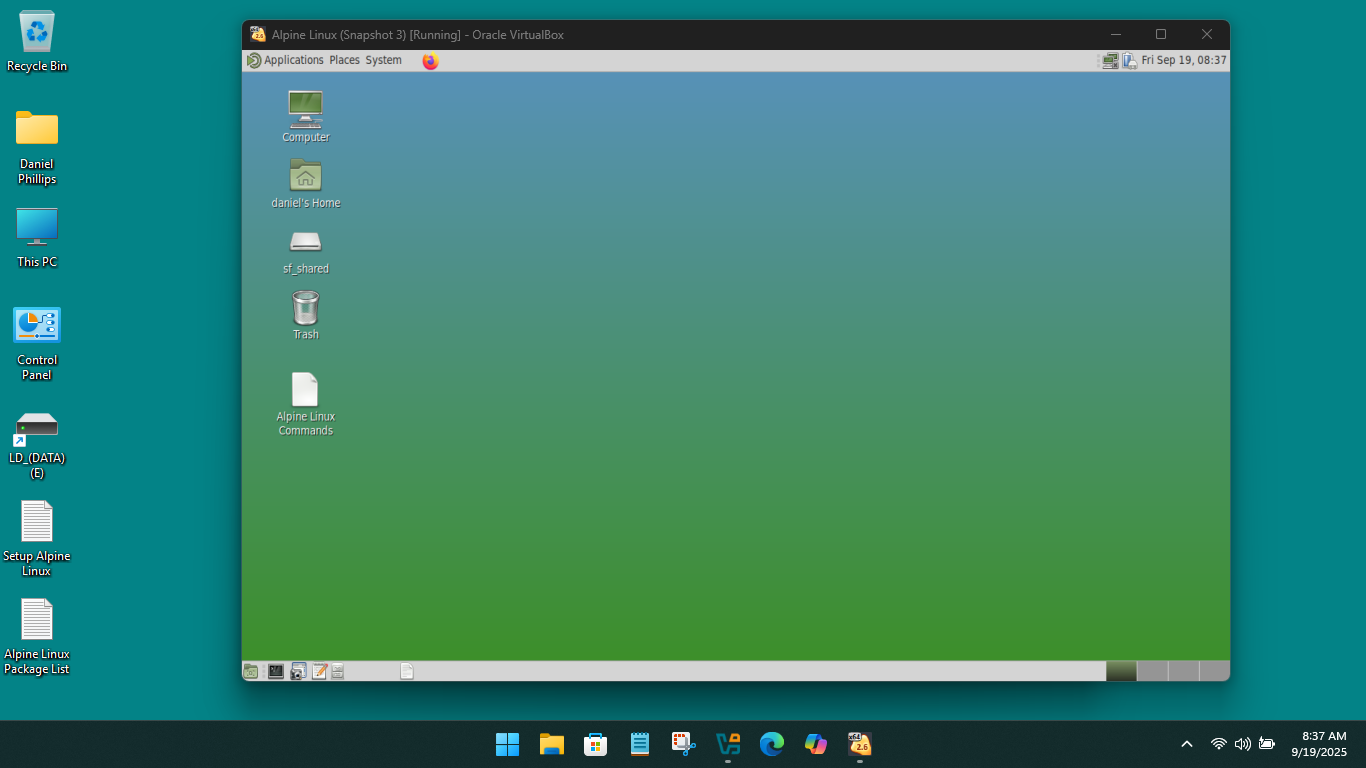
I will have a look-see!!!
Maybe install Mate and try if it works. Then it’s a Xfce bug
- apk del xfce4
- apk add mate-desktop
- reboot
It still does not work.
So not an Xfce bug.
I think I will shelve this… I am wasting peoples time ( and mine)
Thank you everyone.
Their is no “/etc/polkit-1/rules.d” in my Alpine VM, which does not surprise me!!! I think you should be asking as to why “busybox” does not execute the commands you are in need of!!!
Yes, mine had none to start with too
Yours is a VM… that means you cant test if it will mount a partition.
Yes, that is a possible cause of trouble.
What login manager do you have? Mine is lightdm.
With VirtualBox I mostly just save and set snapshots!!! I am using lxdm!!!
I might try that. It is possible the DM is mucking up something, although when I disabled it and used startx I still had the problem.
I investigated busybox.
The suspicion was that the mount command is a setuid command.
I read that busybox has to be set up specially to deal with setuid commands… so I checked
There are two busybox’s in /bin
/bin $ ls -l b*
---s--x--x    1 root     root         14224 Aug  6 02:40 bbsuid
-rwxr-xr-x    1 root     root        808712 Aug  6 02:40 busybox
The ‘busybox’ executable is pointed to buy all the normal commands, eg
/bin $ ls -l c*
lrwxrwxrwx    1 root     root            12 Sep  9 21:02 cat -> /bin/busybox
lrwxrwxrwx    1 root     root            12 Sep  9 21:02 chattr -> /bin/busybox
lrwxrwxrwx    1 root     root            12 Sep  9 21:02 chgrp -> /bin/busybox
lrwxrwxrwx    1 root     root            12 Sep  9 21:02 chmod -> /bin/busybox
lrwxrwxrwx    1 root     root            12 Sep  9 21:02 chown -> /bin/busybox
lrwxrwxrwx    1 root     root            12 Sep  9 21:02 cp -> /bin/busybox
....
but the bbsuid executable is pointed to only by these commands
lrwxrwxrwx    1 root     root            11 Sep 22 20:47 mount -> /bin/bbsuid
lrwxrwxrwx    1 root     root            11 Sep 22 20:47 su -> /bin/bbsuid
lrwxrwxrwx    1 root     root            11 Sep 22 20:47 umount -> /bin/bbsuid
So it looks to me as if busybox is configured correctly to enable mount, su, and umount to work.
I checked
-
suworks
~ $ udisksctl mount -b /dev/sdb10 /mnt
==== AUTHENTICATING FOR org.freedesktop.udisks2.filesystem-mount-system ====
Authentication is required to mount Samsung SSD 870 QVO 4TB (/dev/sdb10)
Authenticating as: Neville Jackson (nevj)
Password:
==== AUTHENTICATION COMPLETE ====
Mounted /dev/sdb10 at /run/media/nevj/DebianHome
~ $ sudo mount /dev/sdb10 /mnt
[sudo] password for nevj:
~ $
So all authentication works at the CLI.
That means polkit is working, and udisks2 is working
but
Neither Thunar nor gnome-disks work in Xfce, and
gnome-disks does not work in Mate
Therefore it is not an Xfce problem ( Mate fails too)
The only thing left is an X11 problem.
I checked … xauth is installed
Out of ideas again.
Dbus, polkit and elogind running? OpenRC needs them with DE I think. How about adding this to your /etc/profile
export XAUTHORITY=/home/username/.Xauthority
It should allow root access to your X session. I’m not using Xorg any more so please check if it’s safe before trying.
Yes.
~ $ echo $XAUTHORITY
/home/nevj/.Xauthority
I’m sorry I’m out of ideas 
Switch to Wayland?
I know there’s been a lot of traffic here (not all of which I’ve read), but I just have to ask, fundamentally: Why Alpine?
My understanding of Alpine as a project is that it’s… well, it’s self-described as “a security-oriented, lightweight Linux distribution based on musl libc and busybox.” While it HAS desktop application packages, it’s not generally a desktop distribution and would probably be about my last choice to use as a desktop system. Everything is tuned for the opposite of that:
- minimal default packages installed
- lightweight, functionality-limited tools like
busyboxby default
(Busybox is a poor imitation of coreutils, with crippled versions of even basic tools likecp(no sparse file support! — same forfallocatewhich is missing the-dflag) andman(noman -korman -Ksearches, noman -lto format local sources…) Busybox really is the pits, if you’re trying to use the system’s shell as a Real Interactive Linux Command-Line Environment™ and not just a scripting host.) rootas the only user by default (makes sense as Alpine is tuned for containers, among other things, but exactly the opposite of every desktop distro where you only create a regular user and rely exclusively onsudofor root actions)
I mean, their documentation technically tells you how to get a graphical environment on it, but in the very next breath discourages you from doing that!
Most people will often want something more than just a raw tty. This section describes how to get a supported graphical interface, as well as some additional notes (for example, how to use a different type of GUI).
[NOTE]
You should not follow this if your system is intended to be used as a server, gateway, or similar device - those do not and should not require graphical interfaces. You can see the section acf if you absolutely require something more visual.
Obviously, it completely depends on your goals and your expectations, and I can’t decide those for you. (I have no right to do so, anyway.) But using Alpine as a general-purpose desktop OS sounds like a recipe for constant struggle against the system itself at every turn.
(P.S> I have NO IDEA what “see the section acf” means, it’s just like that in the manual and it’s not any clearer there. There’s no link or anything, just that nonsense phrase.  )
)
That is indeed what I found.
There are lots of distros with minimal install iso’s , and I have always found it easy to turn a minimal install into a usable desktop … but not Alpine.
Alpine does have a desktop .iso … I should have started with that. Even that would still be a pain… Alpine is one of those distros that wants the whole disk to itself. It has a custom disk install procedure, but it did not work for me.
I prefer to start with a minimal install, because full installs contain lots of apps that I do not use, and I still have to install things like R and Latex that never come included in any distro.
" “ACF” in the context of “section acf alpine” refers to the Alpine Linux Configuration Framework (ACF), a system for building web-based configuration applications for Alpine Linux, using a combination of Lua for logic and “lua server pages” (LSPs) for HTML. It allows for the management of user and storage configurations, network settings, and more, all through a web interface,"
I never would have guessed
If anyone wants to try Alpjne as a desktop, follow this