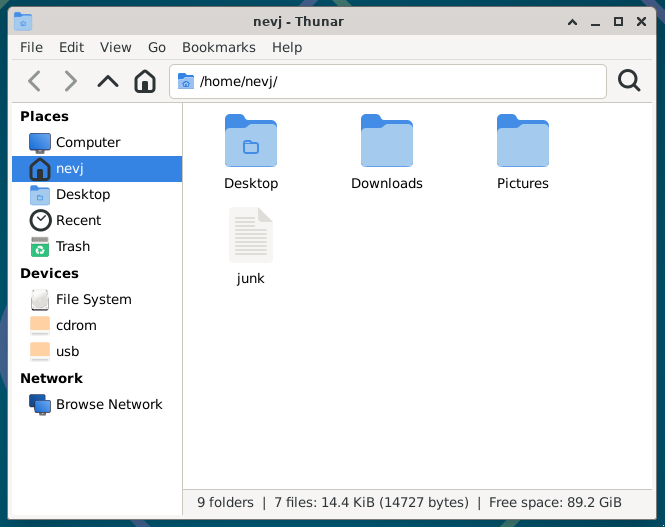
I have setup Alpine Linux as a hard install .
I have the Xfce DE running in Alpine
My machine has 4 disks with multiple partitions , seen here using lsblk in Alpine
~ $ lsblk
NAME    MAJ:MIN RM   SIZE RO TYPE MOUNTPOINTS
sda       8:0    0   1.8T  0 disk
├─sda1    8:1    0 186.1G  0 part
├─sda2    8:2    0 292.1G  0 part
├─sda3    8:3    0 195.3G  0 part
├─sda4    8:4    0   1.1T  0 part
├─sda5    8:5    0  1007K  0 part
├─sda6    8:6    0   512M  0 part
├─sda7    8:7    0   9.8G  0 part
└─sda8    8:8    0  19.5G  0 part
sdb       8:16   0   3.6T  0 disk
├─sdb1    8:17   0   576M  0 part
├─sdb2    8:18   0     2M  0 part
├─sdb3    8:19   0  97.7G  0 part
├─sdb4    8:20   0 195.3G  0 part
├─sdb5    8:21   0 439.5G  0 part
├─sdb6    8:22   0 390.6G  0 part
├─sdb7    8:23   0  97.7G  0 part
├─sdb8    8:24   0 195.3G  0 part
├─sdb9    8:25   0 195.3G  0 part
├─sdb10   8:26   0  68.4G  0 part
├─sdb11   8:27   0 488.3G  0 part
└─sdb12   8:28   0  97.7G  0 part
sdc       8:32   0 931.5G  0 disk
├─sdc1    8:33   0   512M  0 part
├─sdc2    8:34   0     1M  0 part
├─sdc3    8:35   0 195.3G  0 part
└─sdc4    8:36   0 735.7G  0 part
sdd       8:48   0   3.6T  0 disk
├─sdd1    8:49   0   512M  0 part /boot/efi
├─sdd2    8:50   0     4M  0 part
├─sdd3    8:51   0   293G  0 part [SWAP]
├─sdd4    8:52   0   1.9T  0 part
├─sdd5    8:53   0   293G  0 part
├─sdd6    8:54   0   293G  0 part
└─sdd7    8:55   0  97.7G  0 part /
sde       8:64   1     0B  0 disk
sdf       8:80   1     0B  0 disk
sdg       8:96   1     0B  0 disk
sdh       8:112  1     0B  0 disk
sr0      11:0    1  1024M  0 rom
~ $
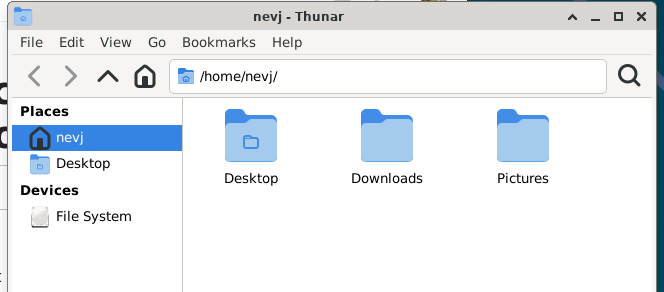
But Thunar only sees the root filesystem… no other devices?
There seem to be no options in Thunar preferences to deal with this.
Normally in other distros, Thunar sees all ext4 partitions on all 4 disks, but not EFI partitions or swap partitions, and not UFS partitions.
Does anyone know where this Thunar behaviour is set and how to alter it?
No I have not even looked there. I have whatever the default is. .
I must check. You said Alpine was strange. i seem to be able to install anything I want, like lsblk, and Xfce, and firefox.
I heve done apt-update and apt-upgrade… it is up to date.
I have seen this Thunar behaviour before in other Distros… but it is temporary, a reboot fixes it. In Alpine a reboot does not help.
I have done some searching… it looks like I need gvfs. Dont ask me why
Yes , apk seems quite an easy package manager to use.
From reading, it seems what I need to install is gvfs… will check tomorrow.
Also there is a preference setting in Thunar called ‘Volume Management’ which may be involved. I have no idea what a ‘Volume’ is?
Thunar relies on GVFS to handle mounting and displaying external devices like USB drives, additional partitions, and network shares.
On many Linux distributions, GVFS is installed by default with XFCE, but Alpine Linux is minimal by design, so it often omits packages like GVFS unless explicitly installed.
Credit a right click > Ask Copilot with that answer.
It uses a set of libraries and daemons that implement the GIO API, allowing applications to access files without needing to know the underlying details of each storage system. "
I guess I I have to install some of those gvfs-xxxx packages… but which?
Some stuff I read suggested gvfs-backends… but Alpine does not have that?
I guessed gvfs-fuse… that made no difference
I found this
"
Thunar doesn’t show internal disk partitions in its side panel by default, unlike external drives, but they are accessible. To view them, you can manually mount the partition via the terminal or by navigating through the filesystem in Thunar to the /media or /mnt directory. For persistent access, you can create an entry in /etc/fstab to automatically mount the partition, making it appear in the file manager."
So every distro I have ever tried fixes this stupid default, but Alpine stays with the default.
I dont have any /etc/fstab entries for internal disk partitions in other distros? There must be a better way?
I found this in FreeBSD forum
"
As far as I remember Xfce’s file manager, Thunar lists all drives that are a) mountable by GVfs as your user, or b) mountable as your user via a fstab entry (and c) by optional installed and actived plugins); But if your user needs something like sudo it won’t be listed (afair - where should the info come from that there’s something mountable…)."
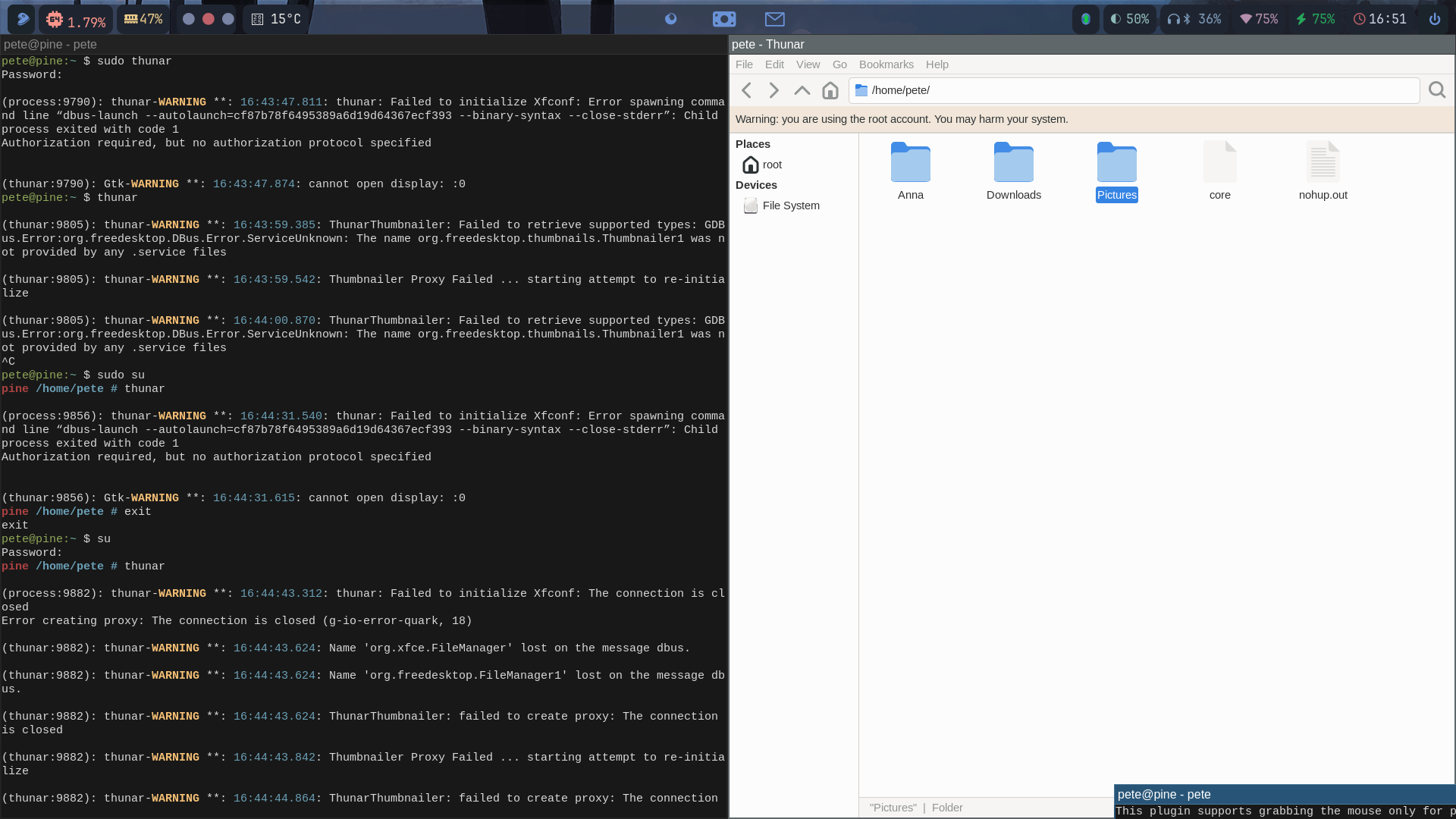
I tried running Thunar as root… no difference. I give up.
gvfs is in ‘community’ repo too.
How come I can install all this comunity stuff without enabling the community repo?
I was wondering if you´re supposed to do that because running GUI applications as root in Linux distros is generally discouraged, right
It’s generally advised not to run GUI applications as root in Linux due to security risks and potential system instability.
Instead, use tools like pkexec or sudoedit for tasks that require elevated privileges.
Some further information by duckduckgo´s Search Assist:
Running GUI Applications as Root in Linux
General Recommendation
It is generally advised not to run GUI applications as root in Linux. This practice poses significant security risks. Running applications with elevated privileges can expose your system to vulnerabilities, as these applications may execute untrusted code.
Security Implications
Unverified Code: GUI applications often run millions of lines of code that have not been audited for security when executed as root.
File Permissions: Running applications as root can create files in your home directory that are owned by root, leading to access issues for your regular user account.
Alternatives to Running as Root
Instead of running GUI applications as root, consider these safer alternatives:
Use pkexec: This command allows you to run applications with elevated privileges while maintaining a safer environment.
Edit Files with sudoedit: This command lets you edit files as root without running the entire application as root.
Use Environment Preservation: If you must run an application as root, use sudo -E to preserve the user environment, but this should be done cautiously.
Conclusion
Avoid running GUI applications as root whenever possible. Instead, use tools designed for privilege escalation that minimize security risks.
Perhaps I misunderstood what you actually did.
You may have actually used pkexec to launch thunar. That would be perfectly alright then.
Sorry for my bringing it up here.
I became root and typed thunar… it brought up a Thunar window owned by root.
The rest of the DE was owned by nevj… only the Thunar process was owned by root.
I do understand that running X11 as root is not a good idea.
I did it to test if my problem was a permissions issue… it was not.
This command switches the current user to the root user, requiring the root password, I guess.
Since you mentioned that this worked, it indicates that you had the root password. However, using su to switch to root and then running GUI applications is not recommended due to the security risks involved.
The warning message
Warning: you are using the root account. You may harm your system
you received when running thunar as root is a clear indication of the potential dangers of operating in a root environment.
It may be regarded as a reminder that actions taken while logged in as root can have significant consequences.
Using pkexec thunar is the recommended way of running thunar with elevated privileges.
If I remember correctly formerly there was the command gksudo available for achieving those tasks, but that one isn´t available anymore.
Hi Rosika,
I use su … that gives me a root shell.
I do it all the time… never use sudo.
Some distros ban su … then you have to do sudo su
Old habits die hard… sudo is a modern thing. Some replace it with doas
I have never tried doas su
That is because of X11. It is probably OK in Wayland.
I dont normally use GUI apps as root… I do use CLI a lot as root.
When people use something like a GUI package manager, they are using setuid root anyway, so that breaks the rules.
I see. But using su to switch to root and then running GUI applications is generally not recommended due to the security risks involved.
See also @ihasama ´s screenshot.
My personal suggestion would be to use pkexec for running GUI´s if you need elevated privileges.
Just my take on it. No offence!
 Why GVFS Matters Here