Easy peasy : Shotwell…
I use it as my default image opener and manager and previewer… I can do some rudimentary stuff like Rotate (in 90 degree clockwise increments), Crop, Straighten (interactively), Red-eye, Adjust (e.g. contrast), or “Enhance” - don’t really know what that last one does - I never use it.
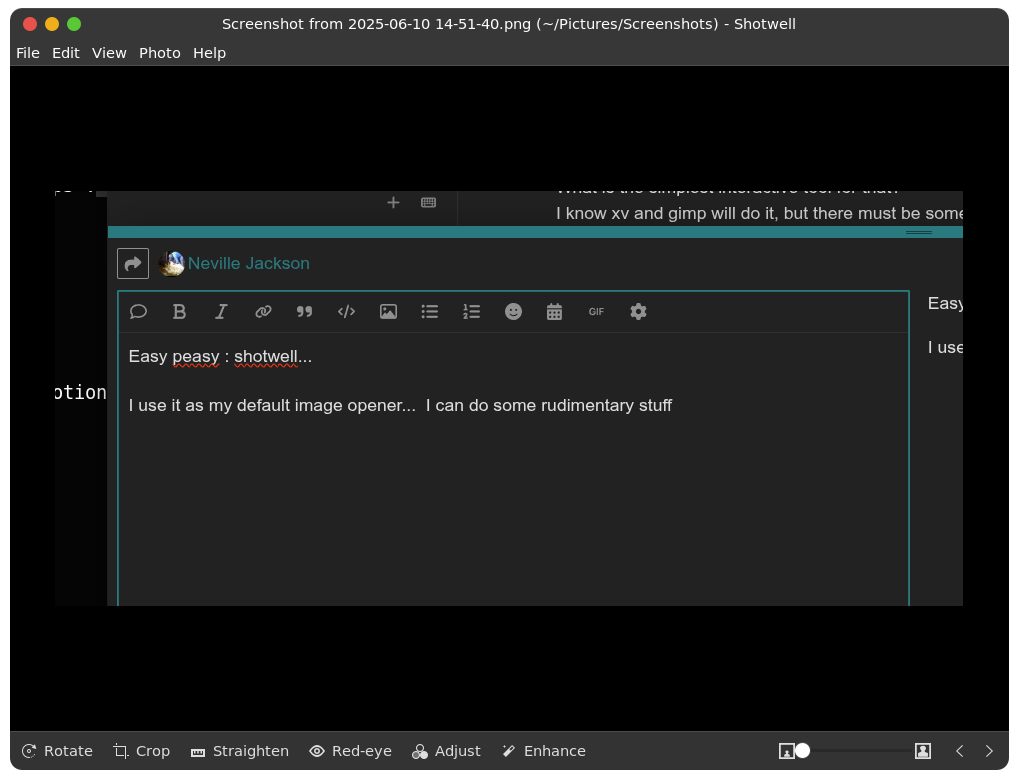
e.g. I can (if I’m patient) open up the first image in my camera folder, wait for a bit - then “Next Photo” for the next one in the default sort order in that folder…
I seem to remember @Abishek (or one of his colleagues) did an ItsFoss tutorial about how to use shotwell to make a slideshow of a folder of images…
One issue I do have with Shotwell - on my system (Gnome 42), because my dual monitors are sort of laid out like this
     ---------
    |         |
    |         |
     ---------
 ---------
|         |
|         |
 ---------
The Crop dialog box opens UNDERNEATH the bottom screen’s status bar like thus :
 - i.e. on the left is the Cancel and Crop button - but you can’t read them - need to grab it and move it down (or remember that the right button is “Crop”)

and when you close the image preview window - it will ask you if you want to save it… If I’m doing multiple edits - e.g. crop, then rotate, I usually Crop, save (and close), then roate, save (and close). Its very quick…