Hi does anyone now of an easy and good software to make pictures smaller in size then the original.
I’ve used ImageMagick at the command line. You install ImageMagick, then the command is convert. You can resize or convert from one format to another like jpeg to gif.
This works quite well; while it is a conversion tool, it can be used to compress images.
GIMP will easily resize an image.
Ok i will look in to them and see. Many thanks everyone 
I guess you are asking about file size rather than chopping an image to get a smaller part of it ?
A lot depends on the file format of the original (gif, jpg, pict, etc)
Most image tool software offers the option to simply select file save as the choose a reduced dimension on file format
Yes i need to make a screenshot of my desktop smaller in size to be able to upload it to a forum. its in Png format
I do mine on line using a free converter. You go to a web site, unload, click reduce then download the result
I just google search
png file size reducer free online
I opened the screenshot in Gwen view and could easily do it there ,first i tried in gimp but that was to complicated . And i changed the file format to Jpeg that helped to
I agree. I have not put much effort into Gimp, but it isn’t easy to grasp. It can do so much.
I use imagemagick for stuff like this…
There’s not just convert - there’s “mogrify” - it will modify an image “in place”…
e.g. :
mogrify -resize 50% large-image.png
GIMP’s overkill for something like this - and I detest how it insists on using it’s builtin file type “*.xcf” - NO I DON’T want to save an XCF - why can’t you just to PNG (which also supports layers) or even TIFF?
At one time a few years ago - I was considering a comic strip with pixelated graphics…
I’d create an object in InkScape, then export that to PNG - then run mogrify on it twice - one to reduce - then again to increase - to create pixelated graphics…
       │ File: piggzel8.bash
───────┼────────────────────────────────────────────────────────────────────────────────────────────────────────────────────────────────────────────────────────────────────────────────────────────────────────────────────
   1   │ #!/usr/bin/env  bash
   2   │ <<'COMMENTATO'
   3   │   pixelate a image into "pixel art"...
   4   │   will do either 5, 7 or 10 % reducto then 1000% grobow - will expect two arguments - but NO MORE ARGUING! we're gunna assume PNG in and PNG out (but input shouldn't matter, output will always be PNG - actually
       │ input other than PNG might break it)...
   5   │   Like DIS mofo :
   6   │            convert -scale 5% -scale 1000% thalidomide-robot-face.png thalidomide-robot-face-out.png
   7   │   Version 3 - added 4th option to do 20% if too much pixelization
   8   │ COMMENTATO
   9   │ # Global Variables :
  10   │ PROG=$(basename "$0")
  11   │ IMAGIO="$1"
  12   │ SIZIO=$2
  13   │ TRIMD=$(basename "$IMAGIO" .png)
  14   │ BING="/usr/bin/convert"
  15   │ # set -vx
  16   │ if [ "$#" -ne 2 ] ; then
  17   │         echo "Need TWO arguments:"
  18   │     echo "     e.g.  $PROG \"imagefile.png\" (1,2,3 or 4)"
  19   │     echo ""
  20   │     echo "     e.g.     $PROG factunt.png 1"
  21   │     echo "                 will downsize \"factunt\" to  5% before grobowing up to 1000%"
  22   │     echo "     e.g.     $PROG factunt.png 2"
  23   │     echo "                 will downsize \"factunt\" to  7% before grobowing up to 1000%"
  24   │     echo "     e.g.     $PROG factunt.png 3"
  25   │     echo "                 will downsize \"factunt\" to 10% before grobowing up to 1000%"
  26   │     echo "     e.g.     $PROG factunt.png 4"
  27   │     echo "                 will downsize \"factunt\" to 20% before grobowing up to 1000%"
  28   │         exit 1
  29   │ fi
  30   │ if [ ! -f "$IMAGIO" ] ; then
  31   │     echo "$IMAGIO doesn't exist - be more specific ya moron!"
  32   │     exit 1
  33   │ fi
  34   │
  35   │ if [ $SIZIO -lt 1 ]  || [ $SIZIO -gt 4 ] ; then
  36   │     echo "1 = 5%, 2 = 7%, 3 = 10%, 4 = 20% - THERE ARE NO OTHER >>ACCEPTABLE<< VALUES "
  37   │     exit 1
  38   │ fi
  39   │
  40   │ case $SIZIO in
  41   │     1)
  42   │         REDUCTO="5"
  43   │         GROWBO="1000"
  44   │     ;;
  45   │     2)
  46   │         # because sometimes 5% is too much, but 10% is not enough
  47   │         REDUCTO="7"
  48   │         GROWBO="1000"
  49   │     ;;
  50   │     3)
  51   │         REDUCTO="10"
  52   │         GROWBO="1000"
  53   │     ;;
  54   │     4)
  55   │         REDUCTO="20"
  56   │         GROWBO="1000"
  57   │     ;;
  58   │     # anything else situation probably redundant - but not really...
  59   │     *)
  60   │         echo "not a number between 1 and 3 moron!"
  61   │         exit 1
  62   │     ;;
  63   │ esac
  64   │ $BING -scale $REDUCTO% -scale "$GROWBO"% "$IMAGIO" "$TRIMD"-out-"$SIZIO".png
  65   │ echo "iffenya rundis again - will overrite previous output..."
───────┴───────────────────────────────────────────────────────────────────────────────────────────────────────────────────────────────────────────────────────────────────────
I was also trying to figure out how to write multi-line comments… Sorry - there’s some crude language (masked a little bit)…
e.g.
before :
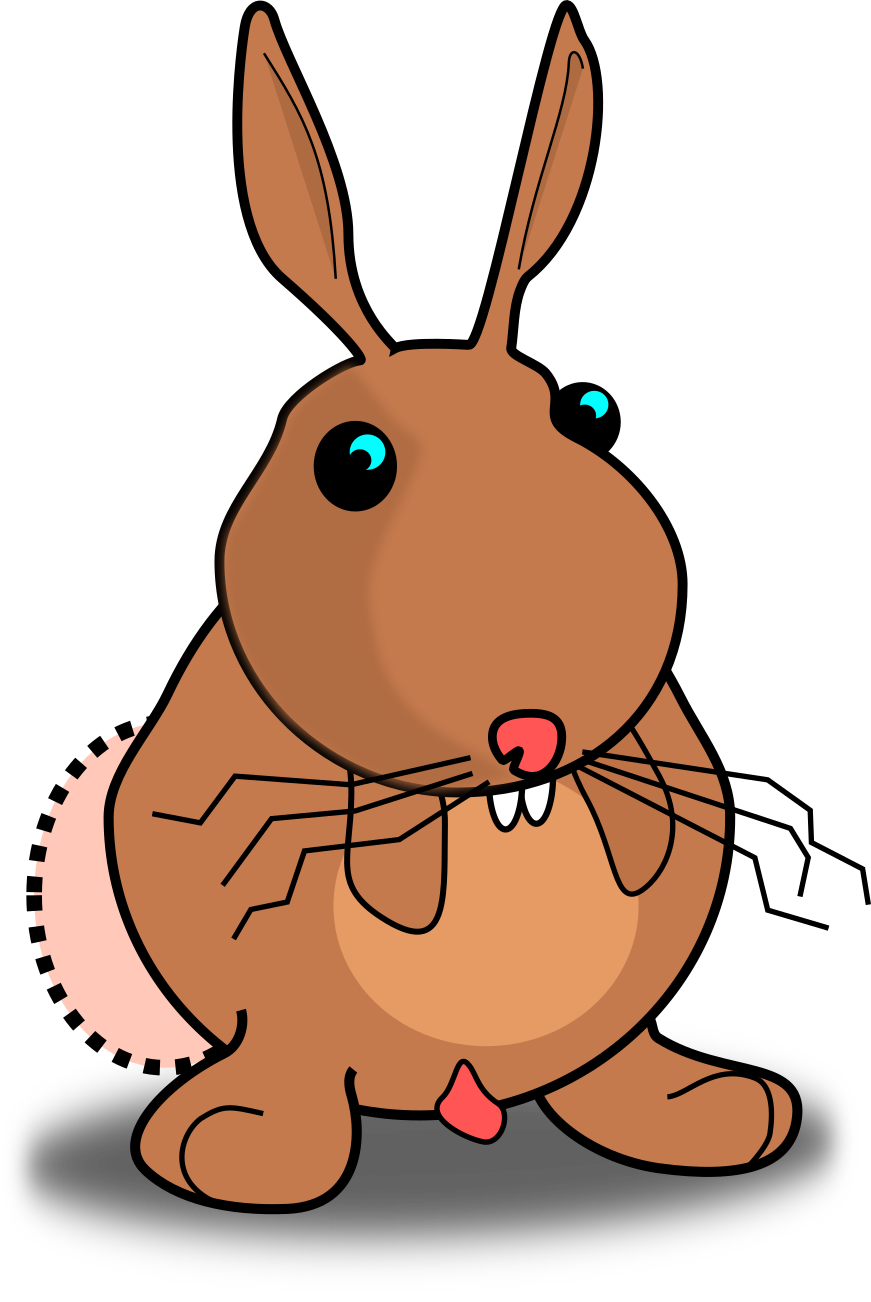
and after :
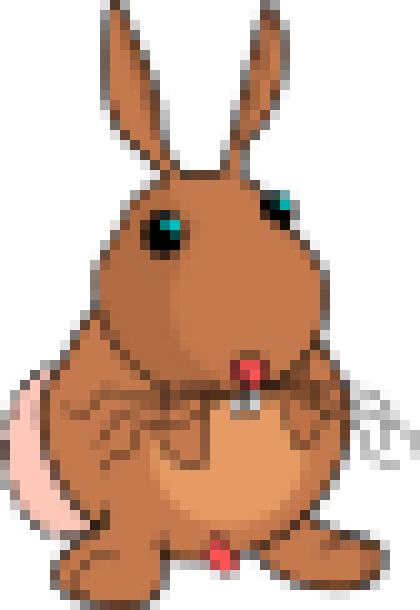
I’ve never found GIMP to be hard to use.
I dont use it enough to comment, but there is a step by step guide on their web site