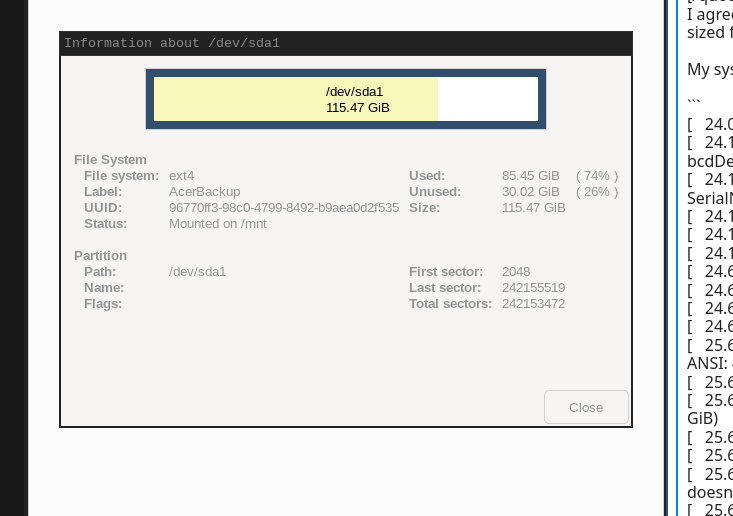
Now I’m using my laptop’s original SSD with USB3 cable from the same USB3 port of my laptop. I had one partition (EXT4) empty so I use that partition. I choose to rsync my Downloads folder which is 9.6G:
du -sh /home/pete/Downloads/
9.6G	/home/pete/Downloads/
I added --progress and --stats to my command:
gentoo ~ # rsync --progress --stats -avxHAXS /home/pete/Downloads/ /mnt/
And here’s the stats:
       4,796 100%    4.82kB/s    0:00:00 (xfr#2415, to-chk=0/2518)

Number of files: 2,518 (reg: 2,415, dir: 103)
Number of created files: 2,517 (reg: 2,415, dir: 102)
Number of deleted files: 0
Number of regular files transferred: 2,415
Total file size: 10,238,969,764 bytes
Total transferred file size: 10,238,969,764 bytes
Literal data: 10,238,969,764 bytes
Matched data: 0 bytes
File list size: 0
File list generation time: 0.001 seconds
File list transfer time: 0.000 seconds
Total bytes sent: 10,241,635,295
Total bytes received: 46,484

sent 10,241,635,295 bytes  received 46,484 bytes  49,596,521.93 bytes/sec
total size is 10,238,969,764  speedup is 1.00
gentoo ~ #
It took only few minutes to rsync 10 Gb. However, when I check dmesg I see a lot of warnings:
[  957.806085] usb 1-1: new high-speed USB device number 7 using xhci_hcd
[  957.936878] usb 1-1: New USB device found, idVendor=152d, idProduct=a583, bcdDevice= 2.14
[  957.936897] usb 1-1: New USB device strings: Mfr=1, Product=2, SerialNumber=3
[  957.936905] usb 1-1: Product: External
[  957.936911] usb 1-1: Manufacturer: JMicron
[  957.936916] usb 1-1: SerialNumber: DD56419883914
[  957.960947] scsi host2: uas
[  957.972206] scsi 2:0:0:0: Direct-Access     JMicron  Tech             0214 PQ: 0 ANSI: 6
[  957.975971] sd 2:0:0:0: Attached scsi generic sg0 type 0
[  960.132218] sd 2:0:0:0: [sda] 500118192 512-byte logical blocks: (256 GB/238 GiB)
[  960.132233] sd 2:0:0:0: [sda] 4096-byte physical blocks
[  960.132477] sd 2:0:0:0: [sda] Write Protect is off
[  960.132488] sd 2:0:0:0: [sda] Mode Sense: 6b 00 00 08
[  960.133059] sd 2:0:0:0: [sda] Write cache: enabled, read cache: enabled, doesn't support DPO or FUA
[  960.133302] sd 2:0:0:0: [sda] Preferred minimum I/O size 4096 bytes
[  960.133316] sd 2:0:0:0: [sda] Optimal transfer size 33553920 bytes not a multiple of preferred minimum block size (4096 bytes)
[  960.199805]  sda: sda1 sda2 sda4 sda5
[  960.200890] sd 2:0:0:0: [sda] Attached SCSI disk
[  961.259434] pcieport 0000:00:1d.0: AER: Multiple Correctable error message received from 0000:01:00.0
[  961.259470] ath10k_pci 0000:01:00.0: PCIe Bus Error: severity=Correctable, type=Physical Layer, (Receiver ID)
[  961.259478] ath10k_pci 0000:01:00.0:   device [168c:0042] error status/mask=00000081/00006000
[  961.259488] ath10k_pci 0000:01:00.0:    [ 0] RxErr                  (First)
[  961.259495] ath10k_pci 0000:01:00.0:    [ 7] BadDLLP
[  968.683832] pcieport 0000:00:1d.0: AER: Multiple Correctable error message received from 0000:01:00.0
[  968.683860] ath10k_pci 0000:01:00.0: PCIe Bus Error: severity=Correctable, type=Physical Layer, (Receiver ID)
[  968.683869] ath10k_pci 0000:01:00.0:   device [168c:0042] error status/mask=00000081/00006000
[  968.683879] ath10k_pci 0000:01:00.0:    [ 0] RxErr                  (First)
[  968.683886] ath10k_pci 0000:01:00.0:    [ 7] BadDLLP
[  970.629726] pcieport 0000:00:1d.0: AER: Correctable error message received from 0000:01:00.0
[  970.629756] ath10k_pci 0000:01:00.0: PCIe Bus Error: severity=Correctable, type=Physical Layer, (Receiver ID)
[  970.629766] ath10k_pci 0000:01:00.0:   device [168c:0042] error status/mask=00000001/00006000
[  970.629778] ath10k_pci 0000:01:00.0:    [ 0] RxErr                  (First)
[  971.040859] pcieport 0000:00:1d.0: AER: Multiple Correctable error message received from 0000:01:00.0
[  971.040893] ath10k_pci 0000:01:00.0: PCIe Bus Error: severity=Correctable, type=Physical Layer, (Receiver ID)
[  971.040903] ath10k_pci 0000:01:00.0:   device [168c:0042] error status/mask=00000081/00006000
[  971.040915] ath10k_pci 0000:01:00.0:    [ 0] RxErr                  (First)
[  971.040923] ath10k_pci 0000:01:00.0:    [ 7] BadDLLP
[  971.346519] pcieport 0000:00:1d.0: AER: Multiple Correctable error message received from 0000:01:00.0
[  971.346550] ath10k_pci 0000:01:00.0: PCIe Bus Error: severity=Correctable, type=Physical Layer, (Receiver ID)

----

[ 1312.841748] NMI watchdog: Enabled. Permanently consumes one hw-PMU counter.
[ 1313.132152] ata1: SATA link down (SStatus 4 SControl 300)
[ 1313.225512] r8169 0000:02:00.0 enp2s0: Link is Down
[ 1313.455660] ata2: SATA link down (SStatus 4 SControl 300)
[ 1313.682164] ACPI BIOS Error (bug): Could not resolve symbol [\_SB.PCI0.LPCB.EC0._Q37.POWS], AE_NOT_FOUND (20240827/psargs-332)
[ 1313.682173] ACPI Error: Aborting method \_SB.PCI0.LPCB.EC0._Q37 due to previous error (AE_NOT_FOUND) (20240827/psparse-529)
[ 1313.905280] EXT4-fs (sda5): re-mounted 6926e412-9714-4963-94b9-1dd367b830b5.
[ 1313.975301] ACPI BIOS Error (bug): Could not resolve symbol [\_SB.PCI0.LPCB.EC0._Q37.POWS], AE_NOT_FOUND (20240827/psargs-332)
[ 1313.975316] ACPI Error: Aborting method \_SB.PCI0.LPCB.EC0._Q37 due to previous error (AE_NOT_FOUND) (20240827/psparse-529)
[ 1339.340599] pcieport 0000:00:1d.0: AER: Multiple Correctable error message received from 0000:01:00.0
[ 1339.340611] pcieport 0000:00:1d.0: PCIe Bus Error: severity=Correctable, type=Data Link Layer, (Transmitter ID)
[ 1339.340614] pcieport 0000:00:1d.0:   device [8086:9db0] error status/mask=00001000/00002000
[ 1339.340617] pcieport 0000:00:1d.0:    [12] Timeout
[ 1339.340621] ath10k_pci 0000:01:00.0: PCIe Bus Error: severity=Correctable, type=Physical Layer, (Transmitter ID)
[ 1339.340623] ath10k_pci 0000:01:00.0:   device [168c:0042] error status/mask=000010c1/00006000
[ 1339.340625] ath10k_pci 0000:01:00.0:    [ 0] RxErr                  (First)
[ 1339.340627] ath10k_pci 0000:01:00.0:    [ 6] BadTLP
[ 1339.340628] ath10k_pci 0000:01:00.0:    [ 7] BadDLLP
[ 1339.340630] ath10k_pci 0000:01:00.0:    [12] Timeout
[ 1339.340631] ath10k_pci 0000:01:00.0: AER:   Error of this Agent is reported first
[ 1341.688629] pcieport 0000:00:1d.0: AER: Multiple Correctable error message received from 0000:01:00.0
[ 1341.688665] pcieport 0000:00:1d.0: PCIe Bus Error: severity=Correctable, type=Data Link Layer, (Transmitter ID)
[ 1341.688676] pcieport 0000:00:1d.0:   device [8086:9db0] error status/mask=00001000/00002000
[ 1341.688689] pcieport 0000:00:1d.0:    [12] Timeout
[ 1341.688709] ath10k_pci 0000:01:00.0: PCIe Bus Error: severity=Correctable, type=Data Link Layer, (Receiver ID)
[ 1341.688719] ath10k_pci 0000:01:00.0:   device [168c:0042] error status/mask=000000c0/00006000
[ 1341.688731] ath10k_pci 0000:01:00.0:    [ 6] BadTLP
[ 1341.688740] ath10k_pci 0000:01:00.0:    [ 7] BadDLLP
[ 1341.688748] ath10k_pci 0000:01:00.0: AER:   Error of this Agent is reported first
[ 1342.945633] pcieport 0000:00:1d.0: AER: Multiple Correctable error message received from 0000:01:00.0
[ 1342.945675] ath10k_pci 0000:01:00.0: PCIe Bus Error: severity=Correctable, type=Physical Layer, (Receiver ID)
[ 1342.945689] ath10k_pci 0000:01:00.0:   device [168c:0042] error status/mask=00000081/00006000
[ 1342.945705] ath10k_pci 0000:01:00.0:    [ 0] RxErr                  (First)
[ 1342.945718] ath10k_pci 0000:01:00.0:    [ 7] BadDLLP
[ 1347.408039] NMI watchdog: Enabled. Permanently consumes one hw-PMU counter.
[ 1347.451859] EXT4-fs (sda5): re-mounted 6926e412-9714-4963-94b9-1dd367b830b5.
[ 1347.698493] ata1: SATA link down (SStatus 4 SControl 300)
[ 1347.791924] r8169 0000:02:00.0 enp2s0: Link is Down
[ 1348.021153] ata2: SATA link down (SStatus 4 SControl 300)
[ 1348.241968] ACPI BIOS Error (bug): Could not resolve symbol [\_SB.PCI0.LPCB.EC0._Q37.POWS], AE_NOT_FOUND (20240827/psargs-332)
[ 1348.241977] ACPI Error: Aborting method \_SB.PCI0.LPCB.EC0._Q37 due to previous error (AE_NOT_FOUND) (20240827/psparse-529)
[ 1350.474993] EXT4-fs (sda5): re-mounted 6926e412-9714-4963-94b9-1dd367b830b5.
[ 1351.282124] ACPI BIOS Error (bug): Could not resolve symbol [\_SB.PCI0.LPCB.EC0._Q37.POWS], AE_NOT_FOUND (20240827/psargs-332)
[ 1351.282163] ACPI Error: Aborting method \_SB.PCI0.LPCB.EC0._Q37 due to previous error (AE_NOT_FOUND) (20240827/psparse-529)
[ 1369.579216] pcieport 0000:00:1d.0: AER: Multiple Correctable error message received from 0000:01:00.0
[ 1369.579250] ath10k_pci 0000:01:00.0: PCIe Bus Error: severity=Correctable, type=Physical Layer, (Receiver ID)
[ 1369.579260] ath10k_pci 0000:01:00.0:   device [168c:0042] error status/mask=00000081/00006000
[ 1369.579271] ath10k_pci 0000:01:00.0:    [ 0] RxErr                  (First)
[ 1369.579280] ath10k_pci 0000:01:00.0:    [ 7] BadDLLP
[ 1402.347057] pcieport 0000:00:1d.0: AER: Multiple Correctable error message received from 0000:01:00.0
[ 1402.347091] ath10k_pci 0000:01:00.0: PCIe Bus Error: severity=Correctable, type=Data Link Layer, (Receiver ID)
[ 1402.347102] ath10k_pci 0000:01:00.0:   device [168c:0042] error status/mask=00000080/00006000
[ 1402.347113] ath10k_pci 0000:01:00.0:    [ 7] BadDLLP
[ 1411.767980] pcieport 0000:00:1d.0: AER: Multiple Correctable error message received from 0000:01:00.0
[ 1411.768013] ath10k_pci 0000:01:00.0: PCIe Bus Error: severity=Correctable, type=Data Link Layer, (Receiver ID)
[ 1411.768023] ath10k_pci 0000:01:00.0:   device [168c:0042] error status/mask=00000080/00006000
[ 1411.768034] ath10k_pci 0000:01:00.0:    [ 7] BadDLLP
[ 1413.858556] NMI watchdog: Enabled. Permanently consumes one hw-PMU counter.
[ 1413.907830] EXT4-fs (sda5): re-mounted 6926e412-9714-4963-94b9-1dd367b830b5.
[ 1414.147871] ata1: SATA link down (SStatus 4 SControl 300)
[ 1414.241237] r8169 0000:02:00.0 enp2s0: Link is Down
[ 1414.467852] ata2: SATA link down (SStatus 4 SControl 300)
[ 1414.667900] ACPI BIOS Error (bug): Could not resolve symbol [\_SB.PCI0.LPCB.EC0._Q37.POWS], AE_NOT_FOUND (20240827/psargs-332)
[ 1414.667909] ACPI Error: Aborting method \_SB.PCI0.LPCB.EC0._Q37 due to previous error (AE_NOT_FOUND) (20240827/psparse-529)
[ 1414.917711] EXT4-fs (sda5): re-mounted 6926e412-9714-4963-94b9-1dd367b830b5.
[ 1414.987739] ACPI BIOS Error (bug): Could not resolve symbol [\_SB.PCI0.LPCB.EC0._Q37.POWS], AE_NOT_FOUND (20240827/psargs-332)
[ 1414.987750] ACPI Error: Aborting method \_SB.PCI0.LPCB.EC0._Q37 due to previous error (AE_NOT_FOUND) (20240827/psparse-529)
[ 1417.348892] NMI watchdog: Enabled. Permanently consumes one hw-PMU counter.
[ 1417.404396] EXT4-fs (sda5): re-mounted 6926e412-9714-4963-94b9-1dd367b830b5.
[ 1417.637828] ata1: SATA link down (SStatus 4 SControl 300)
[ 1417.961160] ata2: SATA link down (SStatus 4 SControl 300)
[ 1418.187846] ACPI BIOS Error (bug): Could not resolve symbol [\_SB.PCI0.LPCB.EC0._Q37.POWS], AE_NOT_FOUND (20240827/psargs-332)
[ 1418.187856] ACPI Error: Aborting method \_SB.PCI0.LPCB.EC0._Q37 due to previous error (AE_NOT_FOUND) (20240827/psparse-529)
EDIT: Asked duck.ai about these dmesg errors:
The logs you’ve shared indicate several issues with your system, primarily related to connectivity and hardware errors. Here’s a breakdown of the key messages:
Key Issues Identified
| Log Entry |
Description |
| NMI watchdog: Enabled. Permanently consumes one hw-PMU counter. |
This indicates a watchdog function is active, monitoring system performance. It may not necessarily indicate a problem but may interfere with system performance tracking. |
| SATA link down (SStatus 4 SControl 300) |
The system is unable to establish a connection with the specified SATA device, suggesting potential issues with the drive or its cable. |
| Link is Down |
Network interface (enp2s0) is unable to establish a connection, which might be due to hardware issues or configuration problems. |
| ACPI BIOS Error (bug): Could not resolve symbol |
ACPI errors indicate issues with the Advanced Configuration and Power Interface, typically related to BIOS. It may require a BIOS update or further investigation on the BIOS settings. |
| PCIe Bus Error: severity=Correctable |
This indicates that the PCI Express bus has encountered a correctable error. It is important to monitor these, as they can lead to hardware malfunctions if persistent. |
Suggested Steps to Address Issues
1. Check SATA Connections
- Ensure that the SATA cables are properly connected to both the drives and the motherboard.
- Test the drives in a different system if possible to rule out hardware failure.
2. Investigate Network Interface
- Verify the physical connections for your network hardware.
- Try resetting the network interface or updating its drivers.
3. ACPI BIOS Errors
- Consider updating your BIOS to the latest version provided by your motherboard manufacturer. This could resolve compatibility and configuration issues.
- Check BIOS settings related to power management and ACPI support.
4. Handling PCIe Bus Errors
- Monitor for repeat occurrences of the PCIe bus errors. If it continues, check for driver updates for affected devices, particularly the
ath10k_pci network card.
- If errors persist, consider reseating the PCIe cards or testing with alternate hardware.
5. System Log Review
- Continue to monitor system logs for any new errors or patterns. This can provide insight into whether these issues are transient or indicative of larger problems.
It’s essential to address these issues, especially regarding SATA and PCIe connectivity, as they may affect system stability and performance. If you have further questions or need more specific guidance on any of these steps, feel free to ask!
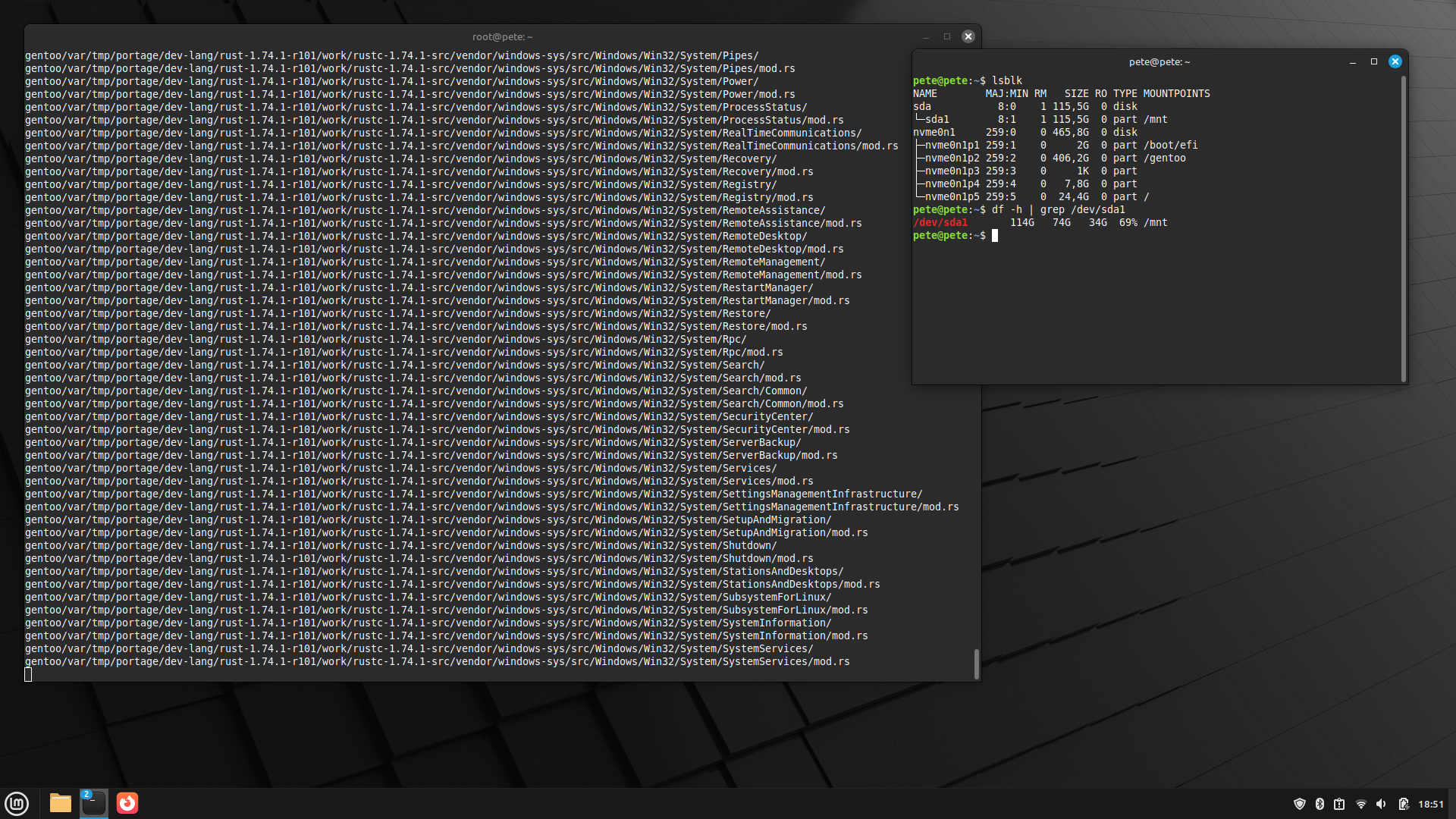


 But yes, you’re right! I learned that on Gentoo the package manager leaves all unfinished builds to a directory and since it’s an old laptop there was appr 20gigs of .tar files. One thing with Gentoo is that you need to make cleaning and I hadn’t checked if there’s something else to clean than just use a program called eclean. My laptop would need a proper cleaning, for an example there’s Sway, Hyprland and Cinnamon and I only use Sway. Then there’s some virtual machine things I could uninstall and I’ve also learned some Python with it so there’s environment for coding also.