In two different laptops with Ubuntu Desktop 24.04.3 LTS x86_64 and having each one the following kernels
6.14.0-33-generic
6.14.0-37-generic
is installed VirtualBox 7 as 7.1.14
Suddenly for each VM (being servers), when any of them is start it is quickly aborted at startup and is shown an error message through a Dialog Window located at the right as follows:
VM Name: xxx Server xxx

VT-x is being used by another hypervisor (VERR_VMX_IN_VMX_ROOT_MODE).
VirtualBox can't operate in VMX root mode. Please disable the KVM kernel extension, recompile your kernel and reboot (VERR_VMX_IN_VMX_ROOT_MODE).
Result Code:
NS_ERROR_FAILURE (0x80004005)
Component:
ConsoleWrap
Interface:
IConsole {6ac83d89-6ee7-4e33-8ae6-b257b2e81be8}
In the past each VM worked fine and it seems that in some point after to execute the sudo apt update and sudo apt upgrade commands something changed internally maing VB to fail now. It happens even if the laptop is reboot.
I think I had this issue too. I had been using Gnome Boxes and decided I’d switch to VirtualBox. I couldn’t run them at the same time though. After I removed Gnome Boxes it worked for me.
Moving from Debian 12 to 13 I faced the same problem.
My readings told me it’s because the newer kernel loads and inits kvm module by default, whereas the previous version did not. This makes impossible for Virtualbox to init virtualization on its own, so the sulotion is either to disable kvm initialization in GRUB adding a kernel parameter ( kvm.enable_virt_at_load=0 ) , or blacklist kvm module via /etc/modprobe.d/something.conf.
I choosed the latter, this what how it looks now on my computers:
I have not noticed any problem with virt-manager and I have it in Void Linux which would have a newer kernel than Debian.
I think a more desirable solution would be to let the new kernel have its way, and modify virtualbox instead. The problem lies with virtualbox not keeping up with linux kernel changes.
I am going to apply your suggestions soon as I can and write a reply to each one of yours comments
About AI: in other post created by me of this network some guy post three long comments from IA. And other member indicated to him if he tested it. These 4 comments are already deleted.
My point is: I had the experience about Java AspectJ many times where I got errors about the AI results. Now, because a OS is more crucial for configurations and is critical avoid crash the OS itself: Therefore I create here any post because I prefer always a human experience.
And Yes: I use few AI only for Programming (and only as a reference), not for configuration of the OS itself.
The virt-manager uses KVM behind the scenes, which uses the recently boot-time activated virtualization “driver”. So it’s obvoius it won’t have problems
On the other hand Virtualbox uses its own solution, which is incompatible with KVM.
I doubt Oracle will do that.
But yes, it would be nice to have it work that way.
I used Virtualbox for a long time, recently tried Quemu/KVM and virt-manager.
Both work well for me on my desktop -not at the same time though.
With KVM I see a slightly better performance of the guest.
But Virtualbox makes it possible to run VM’s on my laptop with bridged network through the wifi, which is just awfully painful to achieve with KVM/Virt-manager.
So I decided to keep Virtualbox.
I got it working - then I messed with the wrong ethernet device and it stopped working…
Then I replaced one USB3 ethernet dongle with another - and followed some tutorial somewhere (maybe on here even?) and got it working and NEVER EVER touching it again! (Famous Last Words!). i.e. I didn’t want to share my onboard ethernet NIC with qemu / kvm - prefer to have a dedicated device for my bridge…
I think I had this issue too. I had been using Gnome Boxes and decided I’d switch to VirtualBox. I couldn’t run them at the same time though. After I removed Gnome Boxes it worked for me.
As I see, it seems an internal conflicts between software. I remember this mostly in Windows years ago thanks for the .dll files
Daniel
Blacklist KVM add blacklist kvm_intel and blacl kvm to /etc/modprobe.d/blacklist.conf
That kind of solution was suggested in other network, the other solution is about GRUB. I am going to create other post to know what approach should be used and why
László
Moving from Debian 12 to 13 I faced the same problem.
My readings told me it’s because the newer kernel loads and inits kvm module by default, whereas the previous version did not.
Yes, it seems the Kernel update is root of the situation. Wondered why that approach was taken, I meant load that module by default
This makes impossible for Virtualbox to init virtualization on its own
Now is clear the following part of the complete message:
VT-x is being used by another hypervisor (VERR_VMX_IN_VMX_ROOT_MODE)
so the sulotion is either to disable kvm initialization in GRUB adding a kernel parameter ( kvm.enable_virt_at_load=0 ) , or blacklist kvm module via /etc/modprobe.d/something.conf.
Yes, as I said there are two options
I choosed the latter
Can you tell me why? What is better than the former?
I want avoid crush the OS by a mistake, because it is a direct installation I need be careful with this
Adding that, and rebooting made Virtualbox working flawlessly.
Huge thanks for that confirmation
As for version, I have now Virtualbox 7.2, is there a reason you are still trying 7.1?
Thanks to this situation I did do realize about 7.2.
I installed VB 7.1 without the .deb approach. Therefore it was installed by the repository approach of Oracle/VirtualBox itself instead. It because for 7.1x with a .deb file rises a party of hell dependencies (It did not happen for 6.1.x series) so I changed the approach. It seems the 7.1.x had reached its own top (so it seems there are no more new releases).
In other machine I use in peace VB 6.1.x yet
Neville
I have not noticed any problem with virt-manager and I have it in Void Linux which would have a newer kernel than Debian.
I remember that other tool than VB
I think a more desirable solution would be to let the new kernel have its way, and modify virtualbox instead. The problem lies with virtualbox not keeping up with linux kernel changes.
Well has sense the secondary software must adapt to the principal software. I think is a kind of common conflict for some software after an upgrade
JoeIA
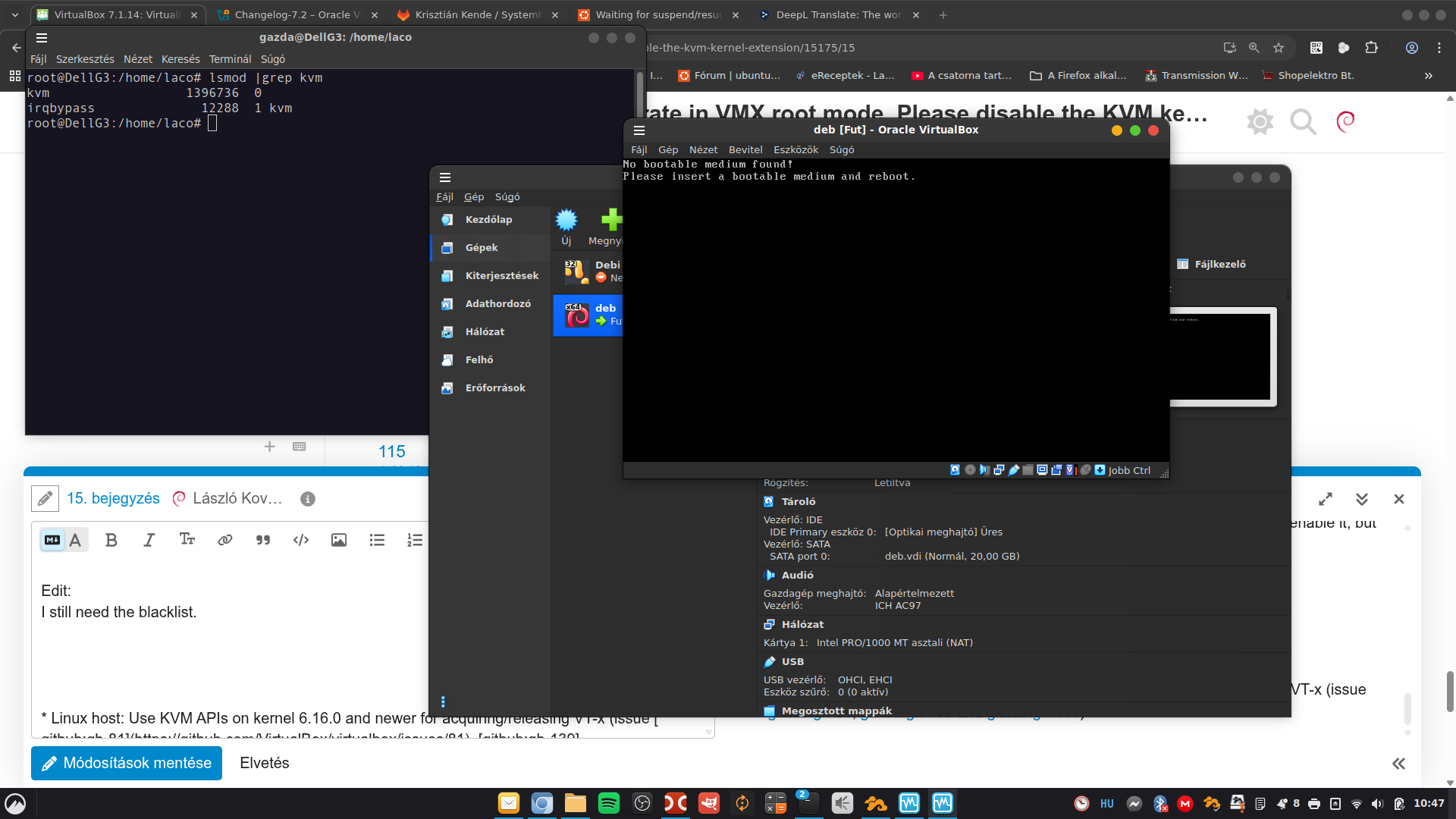
What is your output for? lsmod | grep kvm
I am going to keep that info in standby if none of the two possible solutions work
The virt-manager uses KVM behind the scenes, which uses the recently boot-time activated virtualization “driver”. So it’s obvoius it won’t have problems
Has a lot of sense
On the other hand Virtualbox uses its own solution, which is incompatible with KVM.
Clear now …
I doubt Oracle will do that.
It depends if that refactoring is a big problem to apply
But yes, it would be nice to have it work that way.
Yes
I used Virtualbox for a long time, recently tried Quemu/KVM and virt-manager.
Both work well for me on my desktop -not at the same time though.
Sounds great
With KVM I see a slightly better performance of the guest.
I am aware through readings and some posts that the 2 other tools are faster than VB
But Virtualbox makes it possible to run VM’s on my laptop with bridged network through the wifi, which is just awfully painful to achieve with KVM/Virt-manager.
So I decided to keep Virtualbox.
In the past I only ran into the problem if I tried to run VirtualBox at the same time as Qemu/KVM. I never had to unload modules or blacklist. (However I was running a system76 Pop kernel that might have been modified to work with Virtualbox -both from their repository) I did come across the change log of VirtualBox 7.2.2 -LINK- that mentioned this -fixed or added -Linux host: Use KVM APIs on kernel 6.16.0 and newer for acquiring/releasing VT-x
I’m currently running Ubuntu 22.04 the 6.16 kernel & VirtualBox 7.2.2 with no problems
In the past I only ran into the problem if I tried to run VirtualBox at the same time as Qemu/KVM
Has sense that
I never had to unload modules or blacklist
Neither do I
I did come across the change log of VirtualBox 7.2.2 -LINK- that mentioned this -fixed or added -Linux host: Use KVM APIs on kernel 6.16.0 and newer for acquiring/releasing VT-x
Big thanks for that link
I’m currently running Ubuntu 22.04 the 6.16 kernel & VirtualBox 7.2.2 with no problems
It would be a third solution, move from 7.1.x to 7.2.x
This was also linked in the VirtualBox 7.2.2 change log as one of the issues fixed. I thought I would add it here. Seems to be an on again off again problem dealing with kernel versions and VirtualBox versions. I found the information in this issue thread helpful and informative.
It needs some basic configuration in the beginning, but after that it’s the best system restore utility - I think.
Whenever I do some thinkering on any of my systems which I find risky, and the result may be a severely damaged system, I take systemback.sh, and create a restore point. It then saves the current state of the system into a preconfigured directory.
If my thinkering ends up really the worst possible case, I run systemback.sh -r, reboot, and all my changes are undone.
This includes kernel updates, any configurations, package installs, whatever…
Even the log files…
In case the system gets completely unbootable, it’s possible to recover:
-Install a new clean system, and add systemback.sh and its dependencies to it.
-Configure systemback the exact same way as it was before, so it will find the restore points
-Run systemback restore, it will warn, that the restore point was created on a different system: ignore it, run the restore
-Do not reboot, as the resulting restored system now contains fstab from the previous install, so it may have a different UUID for the root partition, EFI partition, etc. Carefully check these… Edit them as necessary.
-Reboot
-The previous system will be up and running.
I did this procedure very few times, but ran systemback to restore countless times, and it saved my @ss. Even on my VPS, which is physically inaccessible for me of course
So if you are afraid, something may go wrong with a thinkering, prepare to restore the system as a whole. You may like Timeshift better, I don’t say systemback.sh is the only one option, but I can wholeheartedly recommend it.
This was a mistake of me. My experience was gathered still on Debian 12, where I could fire up both Vbox and Virtman they just could not run VM’s simaultaneously - eg. either VBox or Virtman could launch a guest, once one was working the other could not launch any VM.
On Deb13 after blacklisting kvm_intel Virtmanager doesn’t work at all. I’d need to reenable it, but then Vbox would not run any VM, so I apologize.
I’ll check if undo my blacklisting of kvm, VBox still works?
The post from @JoelA suggests me it should. I’ll report it later.
Edit:
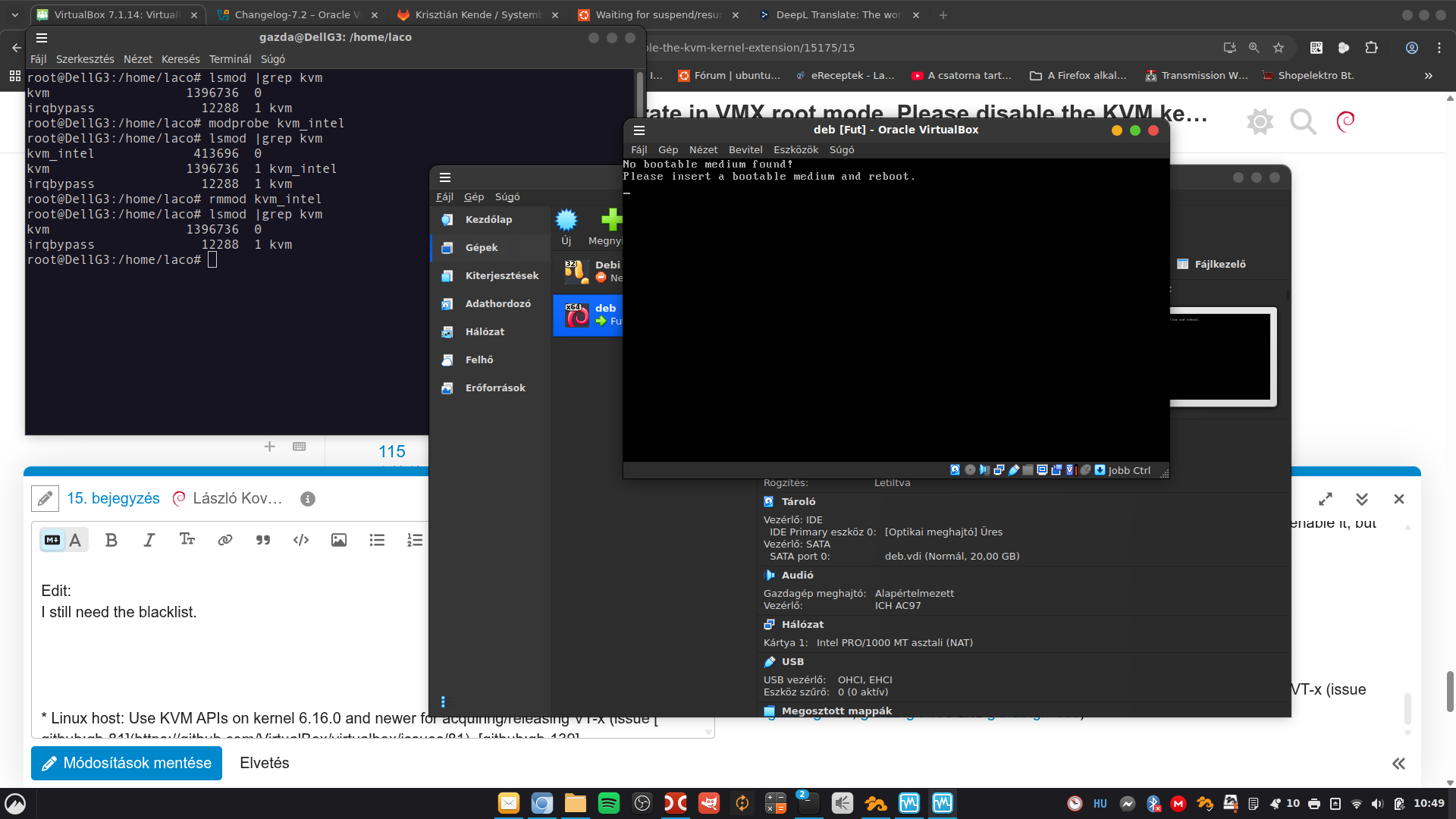
I still need the blacklist.
Note, kvm_intel is not loaded, so VM starts as it should:
Long ago the original project was written in C, and it had even a GUI.
But Krisztián dropped it, and reimagined the thing, it is now just a -not so- simple shellscript.
Doesn’t have a GUI, it can work basically anywhere regardless of architecture, number of diaplays, headless, etc., however requires some skills, as it is a script. I use this on all of my systems, be it a laptop with GUI, a VPS in the cloud, or the headless home server running on Debian arm64.
Someone forked his original project, and continued to use the same name, that creates some confusion, which is which. They are now completely different things.
I suggest to create a VM, install a Debian based Linux on to it, add systemback.sh and its dependencies. Create a resotore point, then do some irreversible damage to that system.
And try to restore…
The Issue 81 post I linked to (Sept 17) a maintainer states - The fix currently only addresses Intel hosts and targeted kernels 6.16.0+. A new fix for Intel hosts has been applied, will be available in the next maintenance release which fixes it for kernels 6.12.0+ as well. At the time they were still working on AMD. Current VirtualBox might work as far back as kernel 6.12.0
So Debian users wait for the next maintenance release, or just have that module blacklisted.
I’m fine anyway with the current situation too, as it works now so.