I wonder is it possible to make that sort of mistake with a gui?
I cant even envisage how you would do what you intended with a gui?
2 Likes
I’ve seen “System Administrators” use X-Tree for windows to drag and drop a folder of multiple user data to another location on a Netware server - in the middle of a meeting… And someone from the helpdesk interrupts the meeting “department blah blah [it was big hospital] have just lost all their files…” - and we look at Mr Xtree - and point the finger at him - and he denies it - and I mention how he just dragged and dropped something in his X-Tree for Windows screen!
The whole “copy or move” thing is a major issue… i.e. copy something from one location to another? Or are you moving it? FFS - they’re just folders - how are users supposed to know if they’re remote filesystems or local?
Brilliant thing about Netware - was “salvage” - it was amazing… I miss Netware sometimes…
Gimme the CLI anyday - I know exactly what I’m doing… and when I realise I’ve broken something - I know exactly what I did… Try doing a post-mortem on a clickety-click-click file operation!
Even way back, whether ordinary Windows, windows fileshares, or Netware mounted drives - I’d mostly use “xcopy”… Wait till the copy’s finished - verify - then if it was supposed to be a “move” - delete the source…
I’m a bit fed up of “cp” - so I use rsync - but I hate having to remember the “-av” switch - so I have an alias called “rink” that does “rsync -av”… so I can just “rink $SOURCE $DESTINATION” Anyway - rsync is mostly bulletproof - I swear by it… it’s not quite as fast as UNIX pipes (e.g. tar something to a pipe, then untar it elsewhere - in the same single command) - but it’s more reliable (and resume-able)…
4 Likes
That is a major point . Tbere is no script or history or even scrollback on a gui..
I agree. cp assumes the machine works perfectly. rsync checks.
I have rsynced whole OS’s across my local net from machine to machine. No issues.
3 Likes
When there’s any doubt at all, replace rm with ls first. That will show you what the actual target is.
4 Likes
Have not taken that quiz, but I already know that I am in the slow group.
I use a macro pad (programmed with Python) for common terminal actions, like “sudo apt update”, and many passwords.
I am starting to use the waveterm terminal for a dashboard, mostly in Linux VM’s but will use for main when they get a little further along. Tried warp, but they seem $$ driven and mostly AI.
2 Likes
Same, minimal monk, but some questions had 2 choices for me, and like @daniel.m.tripp & @nevj I chose the closest.
Example, I use nix-env, but only on one OS, so did not choose that mode of install, just sudo apt install or flatpak install 
I do mean to learn Neovim one day 
Sheila
5 Likes
Hi, my friends,
I apologize profusely for my complete ignorance on this subject, but I have searched extensively for Minimal Monk or Purist and cannot find it.
As I am curious, could you guide me and tell me where I can find and read more about this terminal?
By the way, and sorry for going off topic: I love Yakuake, which I use on my laptop, but on my PC I have LM22 and I don’t want to install all the KDE libraries just to have Yakuake.
Do you know of any identical terminals that are not for KDE?
Thank you.
Jorge
2 Likes
@Tech_JA :
Hi Jorge, 
No idea about Minimal Monk. I couldn´t find anything either.
But for:
… I got this reply from duckduckgo´s Search Assist:
Guake is a great alternative to Yakuake that offers a similar drop-down terminal experience without requiring KDE. It is lightweight and works well with GTK-based desktop environments like GNOME and XFCE
Alternatives to Yakuake for Non-KDE Environments
If you’re looking for a drop-down terminal emulator similar to Yakuake but want to avoid KDE dependencies, several options are available.
Popular Alternatives
Terminal Emulator Description Key Features Guake A GTK-based drop-down terminal inspired by Yakuake. - Lightweight- Customizable themes- Hotkey support (F12 to toggle) Tilda A drop-down terminal that is simple and lightweight. - Configurable keybindings- Supports multiple tabs- Minimal dependencies xfce4-terminal The default terminal for XFCE, which can be configured for drop-down mode. - Integrated with XFCE- Lightweight- Can be launched in drop-down mode with a shortcut Installation Tips
- Guake: Available in most Linux distributions’ repositories. Install using your package manager (e.g.,
sudo apt install guake).- Tilda: Also found in standard repositories. Install with
sudo apt install tilda.- xfce4-terminal: If you are using XFCE, it may already be installed. You can enable drop-down mode by launching it with specific flags or setting a keyboard shortcut.
These alternatives provide similar functionality to Yakuake without requiring a full KDE environment, making them suitable for users of other desktop environments like GNOME or XFCE.
I hope there´s some help in it. 
Many greetings from Rosika 
3 Likes
They are fun terms Abishek or someone came up with to refer to how someone uses the terminal. Some people love using the terminal while others avoid it at all costs. Some people use just the basics, and some people customize it and practically live there.
I have always used whatever terminal emulator comes with a distro, but others are available. Many stick with bash, as a shell, but fish, zsh, and others are available.
3 Likes
I also did not know thanks for asking
1 Like
Thanks for the info
1 Like
Hi Rosika,
Thanks for suggesting alternatives to Yakuake.
I had already found Tilda, but since development has stopped, I didn’t even get to test it.
With your suggestion of Guake, with a version updated 3 weeks ago, although it took more than 2 years to come out, LM22 itself has this version to install.
I’ve already installed it and am testing it, and it’s very similar to Yakuake.
Many thanks
Jorge
3 Likes
Hi pdecker,
Many thanks.
I’m so basic! 
I got tired of searching the internet for this “terminal.” 
Jorge
3 Likes
@Tech_JA _
Hi Jorge,
thanks for your kind feedback. 
I´m glad you could get something useful out of the recommendations.
Good luck with testing Guake. I hope it meets your expectations.
Many greetings from Rosika
P.S.:
Further information for XFCE users:
On my Linux Lite system I have the xfce4-terminal at my disposal as per default.
I´ve never bothered getting acquainted with the drop-down mode but according to Search Assist it can be activated.
I found some further information about it here:
3 Likes
Ctrl-Alt-T works as well as anything.
4 Likes
Hi Rosika,
Can you or someone else explain why a dropdown terminal has some advantage. ?
I did have some distro with it configured once, but it seemed no better that clicking the terminal button.
Regards
Neville
3 Likes
I also purist terminal user.
1 Like
Hi Neville,
I can give you my opinion:
- The terminal is always open and accessible
- It is not visible, it only becomes visible when you press F12, and pressing F12 again makes it disappear
- When I’m working in the terminal and, for example, I want to access the browser or another program, I just press F12 and the terminal overlaps the open programs.
In my opinion, it’s a simpler method for me, and I’ve gotten used to working this way.
I know that the “conventional” terminal is also accessible at any time, but, for me, it’s just another “lost” window on the desktop.
In short, these are work methods/habits that each person has due to the programs they use.
The best way to understand this is to install, for example, Guake and test it.
I truly believe it must be one of those programs that we either like or see no use for.
Jorge
2 Likes
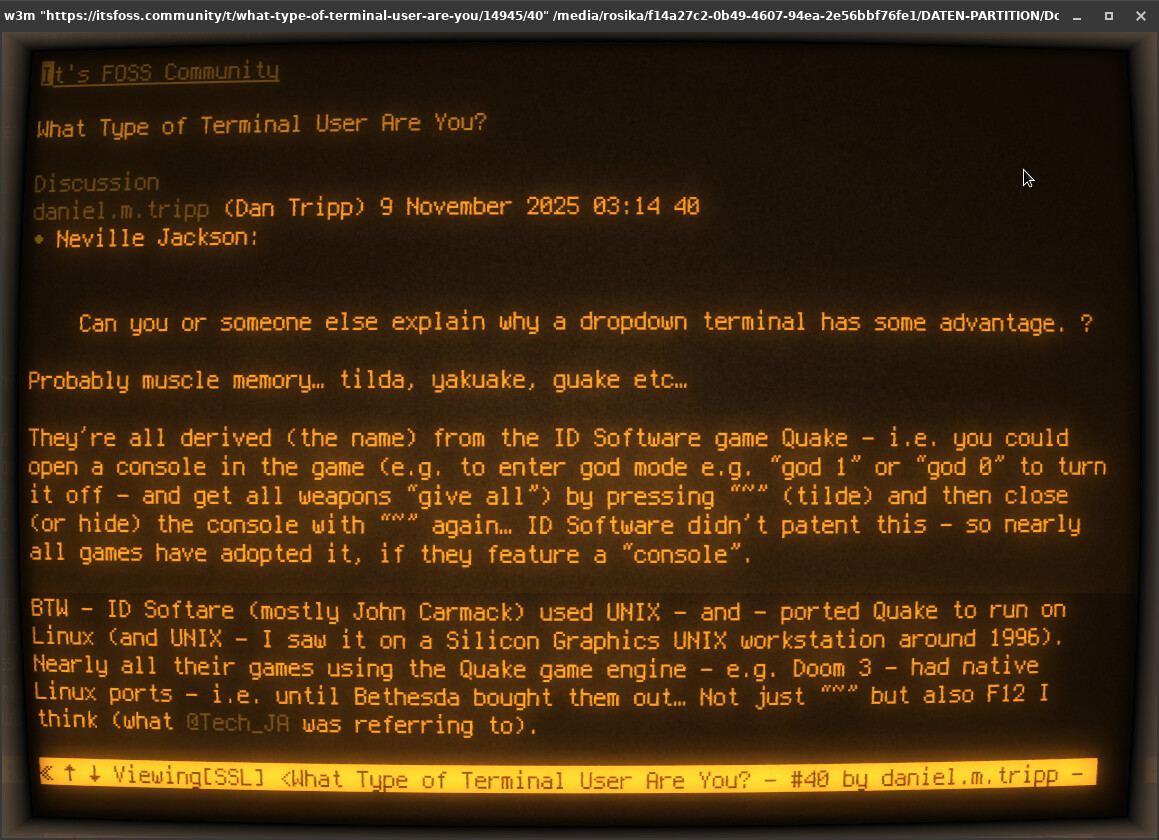
Probably muscle memory… tilda, yakuake, guake etc…
They’re all derived (the name) from the ID Software game Quake - i.e. you could open a console in the game (e.g. to enter god mode e.g. “god 1” or “god 0” to turn it off - and get all weapons “give all”) by pressing “~” (tilde) and then close (or hide) the console with “~” again… ID Software didn’t patent this - so nearly all games have adopted it, if they feature a “console”.
BTW - ID Softare (mostly John Carmack) used UNIX - and - ported Quake to run on Linux (and UNIX - I saw it on a Silicon Graphics UNIX workstation around 1996). Nearly all their games using the Quake game engine - e.g. Doom 3 - had native Linux ports - i.e. until Bethesda bought them out… Not just “~” but also F12 I think (what @Tech_JA was referring to).
Same here… does everything I need (Gnome Terminal) - and I spend a fair ol’ whack of time in a terminal and shell… I usually have 4 or 5 terminal windows running at any given time - some with multiple tabs… I also have a couple of terminal windows open using “Cool Retro Term” on my other monitor that has my IP camera feeds and ABC New stream :

5 Likes
Hi again,
@nevj :
Actually I never heard of the term “dropdown” in reference to a terminal before.
But @Tech_JA has done a great job explaining the matter.
Did you have a look at the xfce docs?
I think they explain it pretty well there.
But to be honest, I´ve never dealt with it myself. 
Hi Dan,
funny you should mention Cool Retro Term. It was just yesterday that I used it as well, after quite a while
Many greetings to all from Rosika
3 Likes