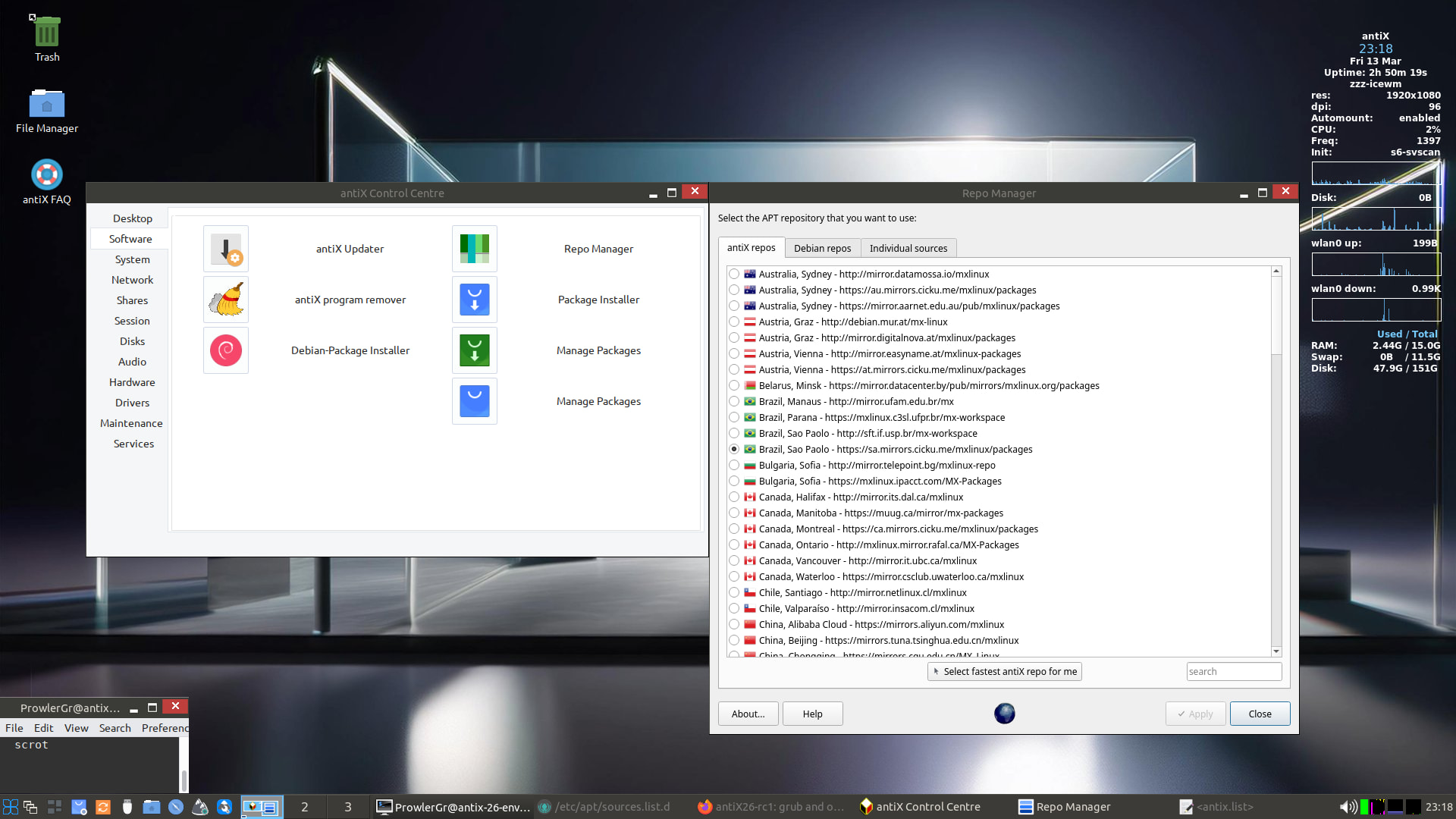
antiX26-rc1: grub and other issues

I have a hard install of antiX-26-rc1_x64-full.iso.
It boots very slowly.
It needs the kernel cmdline parameter intel_iommu=off
I edit /etc/default grub as follows

# If you change this file or any /etc/default/grub.d/*.cfg file,
# run 'update-grub' afterwards to update /boot/grub/grub.cfg.
# For full documentation of the options in these files, see:
#   info -f grub -n 'Simple configuration'

GRUB_DEFAULT=0
GRUB_TIMEOUT=5
GRUB_DISTRIBUTOR=`( . /etc/os-release && echo ${NAME} )`
GRUB_CMDLINE_LINUX_DEFAULT="quiet selinux=0"
GRUB_CMLINE_LINUX="intel_iommu=off"
....

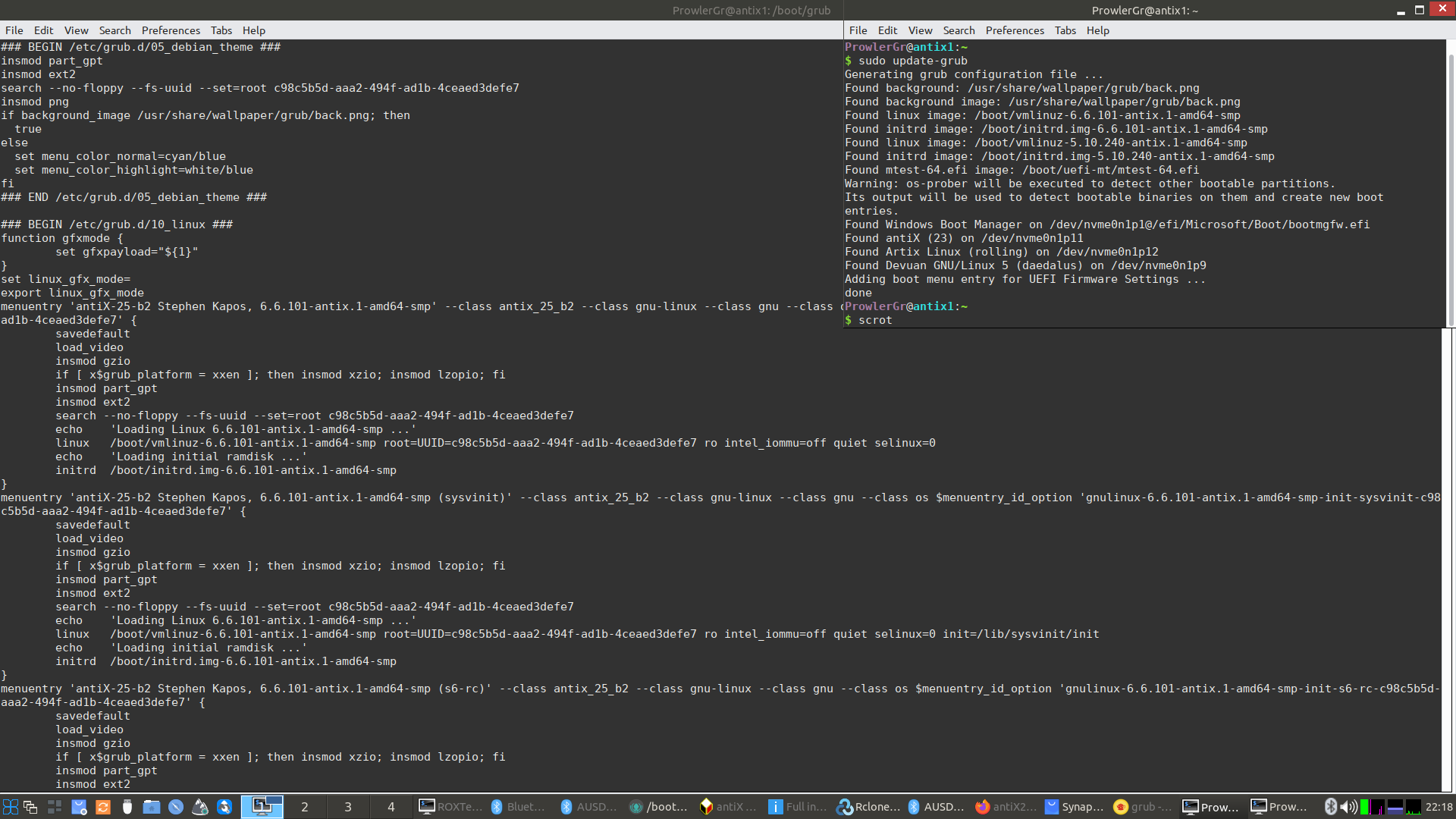
Then I do update-grub in antiX

root@trinity:/boot/grub# update-grub
Generating grub configuration file ...
Found background: /usr/share/wallpaper/grub/back.png
Found linux image: /boot/vmlinuz-6.6.119-antix.1-amd64-smp
Found initrd image: /boot/initrd.img-6.6.119-antix.1-amd64-smp
Found linux image: /boot/vmlinuz-5.10.240-antix.1-amd64-smp
Found initrd image: /boot/initrd.img-5.10.240-antix.1-amd64-smp
Warning: os-prober will be executed to detect other bootable partitions.
Its output will be used to detect bootable binaries on them and create new boot entries.
qFound Void Linux on /dev/sda1
Found MX 25.1 Infinity (25.1) on /dev/sdb13
Found MX 23.6 Libretto (23.6) on /dev/sdb3
Found Void Linux on /dev/sdb5
Found Devuan GNU/Linux 5 (daedalus) on /dev/sdb7
Found Artix Linux (rolling) on /dev/sdc6
Adding boot menu entry for UEFI Firmware Settings ...
done

Then I check /boot/grub/grub.cfg in antiX

menuentry 'antiX-26 Stephen Kapos, 6.6.119-antix.1-amd64-smp' --class antix_26 --class gnu-linux --class gnu --class os $menuentry_id_option 'gnulinux-6.6.119-antix.1-amd64-smp-advanced-937413ff-d124-49e2-ae13-857ea12a668d' {
        savedefault
        load_video
        insmod gzio
        if [ x$grub_platform = xxen ]; then insmod xzio; insmod lzopio; fi
        insmod part_gpt
        insmod ext2
        set root='hd2,gpt5'
        if [ x$feature_platform_search_hint = xy ]; then
          search --no-floppy --fs-uuid --set=root --hint-bios=hd2,gpt5 --hint-efi=hd2,gpt5 --hint-baremetal=ahci2,gpt5  937413ff-d124-49e2-ae13-857ea12a668d
        else
          search --no-floppy --fs-uuid --set=root 937413ff-d124-49e2-ae13-857ea12a668d
        fi
        echo    'Loading Linux 6.6.119-antix.1-amd64-smp ...'
        linux   /boot/vmlinuz-6.6.119-antix.1-amd64-smp root=UUID=937413ff-d124-49e2-ae13-857ea12a668d ro  quiet selinux=0
        echo    'Loading initial ramdisk ...'
        initrd  /boot/initrd.img-6.6.119-antix.1-amd64-smp
}

There is the menuentry for the antiXdinit default
It does not contain the option intel_iommu=off
Neither do any of the other antiX entries.

I check the date on the grub.cfg file

root@trinity:/boot/grub# ls -l grub.cfg
-rw------- 1 root root 78582 Mar  9 21:19 grub.cfg

That is 5 minutes ago … ie the grub.cfg file was written by update-grub, but it did not include the intel_iommu=off parameter.

I suspect that the grub mods to incorporate init diversity may have interfered with the incorporation of user cmdline options.

Maybe @ProwlerGr can explain or correct me?
2 Likes

@nevj I have just tested this & can’t replicate the problem (intel_iommu=off gets generated properly on my grub entries)

2 Likes

That is because you did not replicate my spelling mistake

GRUB_CMLINE_LINUX="intel_iommu=off"

It would be better with CMDLINE

How embarassing.
Sorry to bother you.
Thanks for quick reply … I guess this is the sort of thing you are fishing for.
I am giving it a good workout.

“It is the true nature of mankind to learn from mistakes, not from example”
Fred Hoyle

5 Likes

With intel_iommu=off properly added to the command line, antiX26 boots in 14 secs from grub menu to login line, and 2 sec from login to zzz-icewm window manager.
That is with dinit and from an HDD. In a VM it boots in about 10 secs.
Dinit is fast.

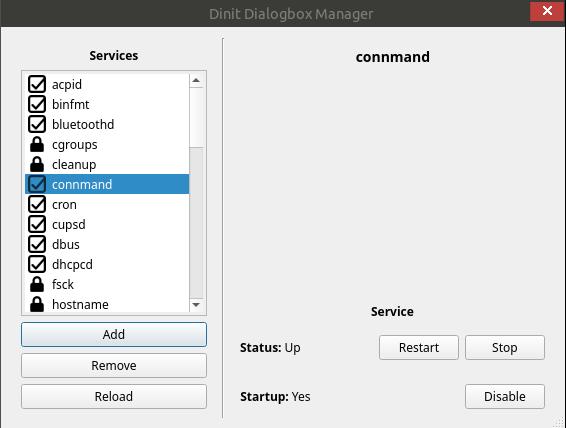
I notice that we now have under Service in the Control Centre , the ability to choose dinit startup services in a gui.
There is no Conky ? The menu toggle does not work?
I can start it at the CLI as root

root@trinity:/home/nevj# conky
Conky: desktop window (c000a2) is subwindow of root window (3a0)
Conky: window type - desktop
Conky: drawing to created window (0x1600001)
Conky: drawing to single buffer

The Applications Menu seems to be empty or inaccessible?

It seems to be using a lot of ram

root@trinity:/home/nevj# free -m
               total        used        free      shared  buff/cache   available
Mem:           64282        1798       62331          20         769       62484

Conky says 1.2GiB

One of our forum members is interested in its ram usage. That seems a bit large for a raw install doing nothing.

It need TERM=gnome-256color in ROXTerm

I added some lines to /etc/fstab to mount swap partitions and my data partition. Reboot fails with

dinit: Service mount-all command failed with exit code 64

What I put into fstab was copied from MX , where it works fine.
Maybe dinit has special requirements for /etc/fstab?.. but I had no trouble in Artix/dinit.
It seems to not like mounting 2 swap partitions.

2 Likes

I can’t replicate that behaviour either (on a fresh install). A few users in the antiX forum reported issues when retaining the /home directory from an older install. eg https://www.antixforum.com/forums/topic/conky-disappeared/

2 Likes

You should not need to manually edit the fstab to get your swap activated (I’ve never needed to)

If it fails for you maybe edit the service definition (/etc/dinit.d/swap) & substitute the dependency to mount-all to root-rw

type = scripted
command = /sbin/swapon -a
stop-command = /sbin/swapoff -a
depends-on = udevd
depends-on = root-rw
waits-for = udev-settle

3 Likes

I should be reading the antiX forum.
I will try a few things, maybe even a fresh install.
I did not preserve an old home directory.

Yes it seems like a dinit issue. It will only mount one swap partition at boot.
I can mount both with swapon after boot…
Dimit is the newest init system … we can expect a few minor issues.

Have you deliberately disabled the applications menu?

1 Like

No, there is a known issue with the installer on rc1 when selecting a different language (rather than leaving default settings).

This will be resolved on the next release.

To fix after installation you can just run

ln -sf /usr/share/desktop-menu/.icewm/menu-applications ~/.icewm/menu-applications

More about it

https://www.antixforum.com/forums/topic/antix-26-rc1-available/page/3/#post-195306

https://forum.mxlinux.org/viewtopic.php?t=87718&start=10

3 Likes

That fixes it

Before I changed the link it was

lrwxrwxrwx 1 nevj nevj    49 Jan  5 08:14 menu-applications -> ../../../../desktop-menu/.icewm/menu-applications

Now it is

lrwxrwxrwx 1 nevj nevj    48 Mar 11 18:55 menu-applications -> /usr/share/desktop-menu/.icewm/menu-applications

That is definitely a different place
Thanks, now I can access applications… eg Screenshot

You must define the swap partition when you install.
I dont… I do it afterwards by editing fstab. Some installers muck it up by not using uuid’s. Some reformat it and change the UUID.

I will try the dinit.d mod . It s not a big issue for me… I dont really need 2 huge swap spaces in antiX… I only need that when running large models in R which I usually do in Void. Most users would only have one swap partiton, or none at all and use swapfile.

I changed /etc/dinit.d/swap

nevj@trinity:/etc/dinit.d
$ cat swap
type = scripted
command = /sbin/swapon -a
stop-command = /sbin/swapoff -a
depends-on = udevd
depends-on = root-rw
waits-for = udev-settle

I set2 swap partitions in fstab and booted
Now , it does not fail to boot, but I still only get one swap partiton

$ swapon
NAME      TYPE      SIZE USED PRIO
/dev/sdd3 partition 293G   0B   -2
nevj@trinity:~
$ cat /etc/fstab
# Pluggable devices are handled by uDev, they are not in fstab
UUID=937413ff-d124-49e2-ae13-857ea12a668d / ext4 noatime 1 1
UUID=E4AE-524C /boot/efi vfat noatime,dmask=0002,fmask=0113 0 0
#Swap partition on 4Tb HDD :
UUID=396d565a-a962-4a76-8d69-d36b28f13949 none swap sw 0 0
#Swap partition on 2TB HDD
UUID=23785d73-fcac-40f2-bcd6-e2a77432bdf7 none swap sw 0 0
# common partition - filesystem shared by several os's
# 2Tb HDD
UUID=77cc1e80-1d2b-4139-b391-b1873de9cfed /common ext4 rw 0 2
# 4Tb HDD
UUID=7b735092-4202-453a-bd29-de07590816fa /common ext4 rw 0 2

/dev/sdd3 is the second swap partiton listed in fstab and is on the same disk as antiX26. The other one /dev/sda3 is on a different disk.

I can add it with swapon

root@trinity:/home/nevj# swapon -a
swapon: cannot find the device for UUID=23785d73-fcac-40f2-bcd6-e2a77432bdf7
root@trinity:/home/nevj# swapon /dev/sda3
root@trinity:/home/nevj# swapon
NAME      TYPE        SIZE USED PRIO
/dev/sdd3 partition   293G   0B   -2
/dev/sda3 partition 195.3G   0B   -3

Swapon -a does not work… but swapon /dev/sda3 does ?

Maybe something strange in my fstab?
Dont waste time on it

Well there is something weird in /etc/fstab
When I check with blkid the only swap partition uuid that is correct is the 396....
So… erase them all and start again

So the new /etc/fstab is

# Pluggable devices are handled by uDev, they are not in fstab
UUID=937413ff-d124-49e2-ae13-857ea12a668d / ext4 noatime 1 1
UUID=E4AE-524C /boot/efi vfat noatime,dmask=0002,fmask=0113 0 0

#Swap partition on 4Tb HDD :
UUID=396d565a-a962-4a76-8d69-d36b28f13949 none swap sw 0 0
#Swap partition on 2TB HDD
#UUID=23785d73-fcac-40f2-bcd6-e2a77432bdf7 none swap sw 0 0
UUID=add7b156-7d68-4cc7-be9b-e34978bca563 none swap sw 0 0

# common partition - filesystem shared by several os's
# 2Tb HDD
#UUID=77cc1e80-1d2b-4139-b391-b1873de9cfed /common ext4 rw 0 2
# 4Tb HDD
UUID=7b735092-4202-453a-bd29-de07590816fa /common ext4 rw 0 2

I changed the UUID of the swap partition on the 2Tb HDD.
Now when I boot both swap spaces are active

$ swapon
NAME      TYPE        SIZE USED PRIO
/dev/sdd3 partition   293G   0B   -2
/dev/sda3 partition 195.3G   0B   -3

So what changed the UUID of /dev/sda3?
I suspect the antiX installer changed it. … but I cant prove it.
I nominated to make / and /boot/efi partitions only.
Maybe it went automatically looking for a swap space and found /dev/sda3 … I know that if I tell the installer about a swap space it changes its UUID because it reformats it. I tried to avoid that by not telling it about swap spaces. Looks like it did it anyway.

Consequences.
Now I have to go and change the UUID of /dev/sda3 in all my other multiboot distros. I only have 7 at the moment.

Afterthought: It may not have been the antiX install that changed my swap uuid. I recently did a Peppermint and a Void/musl install and one of those may have done it. It is difficult to trace.

So far … 2 of my mistakes, one of yours.

2 Likes

Networking in antiX

antiX uses connman in place of NetworkManager.
connman is supposed to be particularly good at setting up Wifi links , for example in a laptop that moves around hotspots.
I have a desktop with 2 ethernet cards… one is dhcp to the modem and internet, the other is static local net to other computer and printers.

Connman is not, in my experience , good at configuring 2 ethernet NIC’s.
So what I do is take the static NIC out of connman’s control and set it up manually in /etc/network interfaces.

When I boot the default antiX install, it brings up eth1 as the dhcp link to the modem… that is OK
but
it brings up eth0 with ne of those 169.x.x.x IP numbers … that means it tried to brin up the link with DHCP and failed … because my local net does not have dhcp… it uses the /etc/hosts file.

So I first blackist eth0 in connman

vi /etc/connman/main.conf
add the line
NetworkInterfaceBlacklist  = eth0

Then I copy /etc/network interfaces from MX

# interfaces(5) file used by ifup(8) and ifdown(8)
# Include files from /etc/network/interfaces.d:
source /etc/network/interfaces.d/*

# The loopback network interface
auto lo
iface lo inet loopback

# The primary network interface

#auto eth1
#iface eth1 inet dhcp

auto eth0
iface eth0 inet static
    address 192.168.32.6
    netmask 255.255.255.0

That defines the static link

Then I fix the /etc/hosts file

127.0.0.1	localhost
127.0.0.1    trinity


# The following lines are desirable for IPv6 capable hosts
::1		localhost ip6-localhost ip6-loopback
fe00::0		ip6-localnet
ff00::0		ip6-mcastprefix
ff02::1		ip6-allnodes
ff02::2		ip6-allrouters

192.168.32.5		joseph.colrose.com.au	joseph
192.168.32.6		trinity.colrose.com.au	trinity
192.168.32.7		mary.colrose.com.au	mary


# BEGIN (below) - IPs added by antiX Advert Blocker #
# These kinds of sites are blocked : 
0.0.0.0 0.0.0.0 0.0.0.0.creative.hpyrdr.com 0.0.0.0.hpyrdr.com 0003.pages.net.br 000free.us 000.gaysexe.free.fr 000tristanprod.free.fr 002pb.com 004q.info
0.0.0.0 005.free-counter.co.uk 0062155.xyz 006.free-counter.co.uk 006.freecounters.co.uk 00790fca.sibforms.com 007angels.com 007.free-counter.co.uk 008.free-counter.co.uk 008.free-counters.co.uk
lots of lines blocking sites

Those lines 192.168.x.x are IP’s on the local net.
antiX uses the hosts for site blocking

Now reboot and I get

$ ip a
1: lo: <LOOPBACK,UP,LOWER_UP> mtu 65536 qdisc noqueue state UNKNOWN group default qlen 1000
    link/loopback 00:00:00:00:00:00 brd 00:00:00:00:00:00
    inet 127.0.0.1/8 scope host lo
       valid_lft forever preferred_lft forever
    inet6 ::1/128 scope host proto kernel_lo 
       valid_lft forever preferred_lft forever
2: eth0: <BROADCAST,MULTICAST,UP,LOWER_UP> mtu 1500 qdisc fq_codel state UP group default qlen 1000
    link/ether c8:60:00:cb:0b:6c brd ff:ff:ff:ff:ff:ff
    inet 192.168.32.6/24 brd 192.168.32.255 scope global eth0
       valid_lft forever preferred_lft forever
    inet 169.254.225.121/16 brd 169.254.255.255 scope global noprefixroute eth0
       valid_lft forever preferred_lft forever
    inet6 fe80::ca60:ff:fecb:b6c/64 scope link proto kernel_ll 
       valid_lft forever preferred_lft forever
3: eth1: <BROADCAST,MULTICAST,UP,LOWER_UP> mtu 1500 qdisc fq_codel state UP group default qlen 1000
    link/ether c8:60:00:cb:0e:28 brd ff:ff:ff:ff:ff:ff
    inet 192.168.0.56/24 brd 192.168.0.255 scope global eth1
       valid_lft forever preferred_lft forever
    inet 192.168.0.58/24 brd 192.168.0.255 scope global secondary dynamic noprefixroute eth1
       valid_lft 85454sec preferred_lft 74654sec
    inet6 2001:8003:2c09:f600:868c:e417:faf6:701a/64 scope global temporary dynamic 
       valid_lft 59433sec preferred_lft 59433sec
    inet6 2001:8003:2c09:f600:de01:aa66:703c:4c1b/64 scope global dynamic mngtmpaddr noprefixroute 
       valid_lft 59433sec preferred_lft 59433sec
    inet6 fe80::2057:5ebe:cb23:74d3/64 scope link 
       valid_lft forever preferred_lft forever
4: wlan0: <NO-CARRIER,BROADCAST,MULTICAST,UP> mtu 1500 qdisc noqueue state DOWN group default qlen 1000
    link/ether 00:08:ca:33:d4:47 brd ff:ff:ff:ff:ff:ff

So now eth0 has an address and I can ping printers and my other computer.
I dont bother with wlan0

That is enough for me to function.
Connman has a daemon

$ ps ax | grep connman
 1992 ?        Ss     0:00 /usr/sbin/connmand -n --nobacktrace --nodnsproxy

so it is like NetworkManager.
dinit can control the daemon

root@trinity:/home/nevj# dinitctl status connmand
Service: connmand
    State: STARTED
    Activation: start due to dependent(s)
    Process ID: 1992

or you can use the GUI

antiX was one of the first distros to offer a GUI control for services. It has them for all 5 init systems.

I have no experience configuring Wifi with connman , but it is supposed to be excellent in that sphere.
antiX default install comes up with sshd running. So it can be an ssh server, as well as a client.

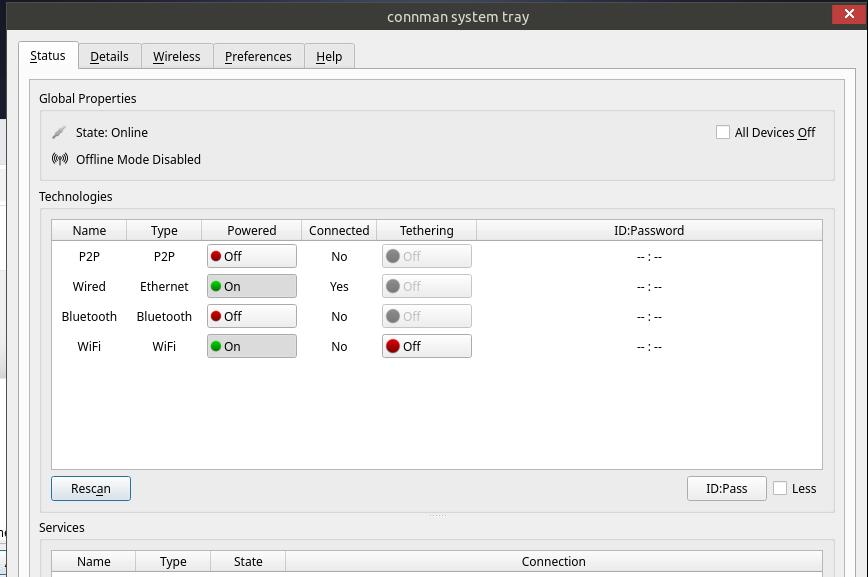
There is a connman GUI Wifi connection manager available in the Control Centre

I cut off the Services bit… there are prvate details.
There are more details under Details, Wireless, Preferences , etc.

I see no issues with the networking side of antiX26-rc1.

2 Likes

Managing the grub antiX init entries

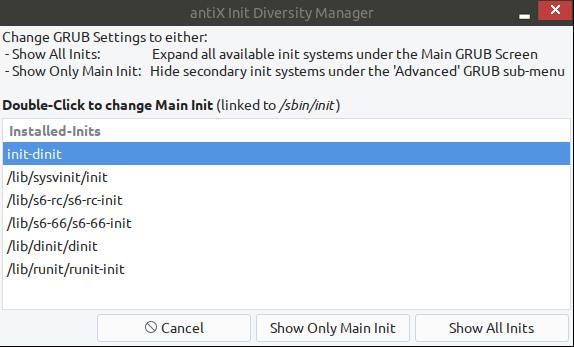
antiX has a menu in the Control Center which allows you to graphically vary what the grub menu shows

The default is for the choice of init system to only be shown under Advanced grub submenu, and for the main menu to show only antiX with its default init system.

You can also vary what the default init system is,.

In a multi-boot system, if you used this menu and antiX was not the distro controlling grub, you would need to afterwards go to the grub controlling distro and do update-grub there.
In a computer with antiX alone, and antiX controlling grub, it would work automatically.

This is really a very sophisticated configuration. The amount of work which must have gone into this is impressive.

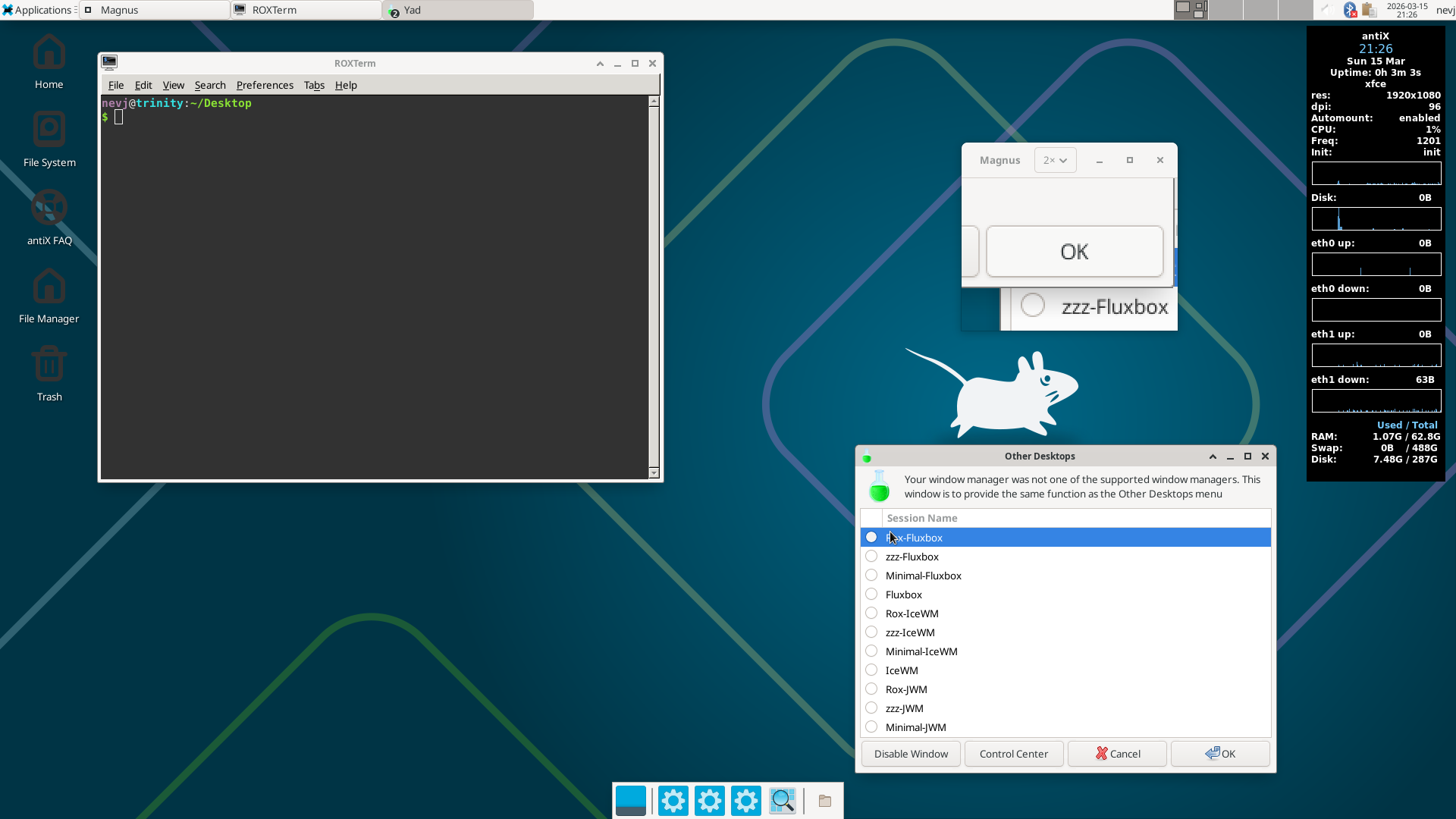
When you add to this, the ability to switch dynamically between Window Managers without even logging out, you can see that the antiX team are really one of the most innovative groups of linux developers.

2 Likes