Yes. But I cant do it in the GUI, and sometimes daemons run as a particular user…
I may need nevj to be in some group … eg disks or storage
Open a terminal and type whoami !!
Yes, I get nevj.
But the terminal is not the only process running.
I know that, now type ls -ld /home/nevj, you should see something like this daniel@gentbox ~ $ ls -ld /home/daniel
drwxr-xr-x 15 daniel daniel 4096 Apr 10 07:48 /home/daniel !!
~ $ ls -ld ~
drwx------. 6 u0_a295 u0_a295 3452 Mar 31 21:51 /data/data/com.termux/files/home
That was in Termux. … will do in antiX tomorrow.
This is root!!
daniel@gentbox ~ $ ls -ld ~
drwxr-xr-x 15 daniel daniel 4096 Apr 10 07:48 /home/daniel This is what I get!!
I also get:
drwxr-xr-x 50 pete pete 4096 Apr 10 18:47 /home/pete
Now in antiX I get
nevj@trinity:~
$ ls -ld ~
drwx------ 37 nevj nevj 4096 Apr 11 20:20 /home/nevj
The permissions are different, but nevj owns it.
Why are you asking?
I dont understand … antiX runs with nevj login.
From what I can gather lxpolkit, is a root login, do you have a display-manager that will log you in as user nevj ?
That section in reply no 54 is out of date. That is for PolicyKit package. The ne polkit package uses javascript rule files
Here is what I should have done
cd /etc/polkit-1/rules.d
vi 10-enable-mount.rules
add the following lines
polkit.addRule(function(action, subject) {
    if (action.id == "org.freedesktop.udisks2.filesystem-mount-system" &&
 subject.isInGroup("storage")) {
        return polkit.Result.YES;
}});
exit and save
groupadd storage
usermod -aG storage nevj
reboot
Now , when I click on a filesystem in Thunar ( as nevj) it mounts the partition without bringing up an authentication popup window.
Why?
Because the rule says anyone in the ‘storage’ group can mount files, and I put nevj in the storage group.
So now , lxpolkit is unnecessary … I can get there with polkit plus a rule.
Summary:
There are 2 ways of getting Thunar in antiX to mount internal partitions
- Use lxpolkit and get an authorization popup
- Use a polkit rule allowing mounts by anyone in a given group
In both cases, Thunar needs gvfs and udisks2, in order to detect internal filesystems.
None of this allows a user to mount an internal filesystem using a mount statement
but
one can use udevil
$  udevil mount /dev/sdb14
Mounted /dev/sdb14 at /media/nevj/homeMX
and it works whether or not one has a polkit rule.
Finally, in my antiX/XFce there are icons for each filesytem
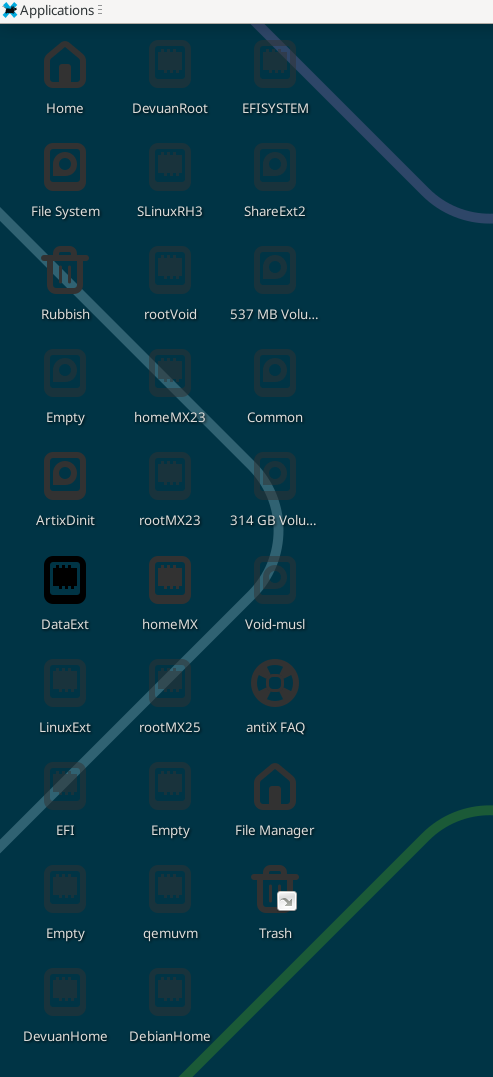
and they work the same as Thunar … when you doubleclick an icon it brings up thunar with that filesystem mounted.
Why am I so interested in mounting internal partitions… well I have 38 of them and I often need to consult some file in another Linux distro… I need a convenient mount … using sudo with mount will work but one has to remember partition devicenames. Thunar shows the partition name … that makes it easy provided I setup meaningful partition names with gparted.
That is all fine, but are you using starx ?
What is ‘starx’ ? I dont understand
I seem to have solved the mounting as nevj issue … I had the polkit rule wrong. … see reply no 71
Typo I meant startx!!
No, not directly anyway.
In antiX the slimski Login Manager allows choice of DE or WM so I start xfce ( or IceWM sometimes) with slimski.
Slimski is antiX’s version of slim.
AntiX is clever .. I can switch between DE’s dynamically … while it is running … without even logging out … and preserves any open windows.
How is that? It is like it just slides a new DE in underneath your work windows.
I admire antiX… even thought it took me some time to get Xfce up to scratch . The WM’s … eg IceWM work fine out of the box.
I have antix26-rc1 … I need to either upgrade or reinstall to get antiX26 official release.
You need a clean install with antiX26!!
I think so. Tried a dist upgrade. It did nothing.
I do not believe there is an upgrade path for antX26-rc1 !!
Agree. I need a fresh install.
What I started doing with antiX26-rc1 is as follows.
AntiX comes as default configured in its own special moderately minimal way for a target of older hardware.
I wanted to see if it could be reconfigured to act as a daily work distro in more capable modern hardware.
So I did a hard install and started using it with R and Latex. I fiddled with ntpd and I installed Xfce ( although I am fairly happy with IceWM) .
There are a few things yet to conquer … eg I used
$ xfce4-settings-manager

(xfce4-settings-manager:3577): Gtk-WARNING **: 20:29:47.494: Could not load a pixbuf from icon theme.
This may indicate that pixbuf loaders or the mime database could not be found.
and used the GUI to setup session saving
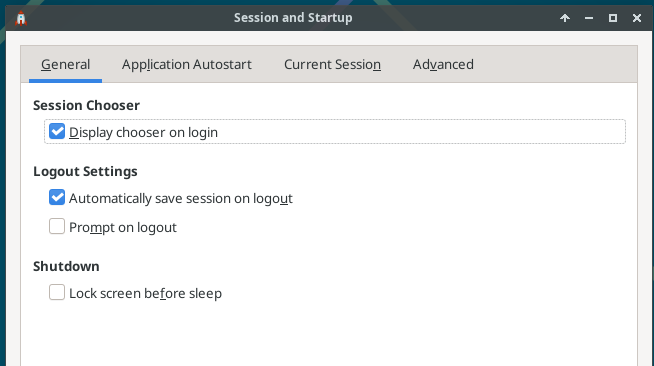
but nothing happens … it does not save Xfce sessions.
I need to debug that. Any ideas?
Then, when I have debugged all the hitches, I think I do a fresh hard install of antiX26 and redo all the setup … this time with prior knowledge.
I may have the solution
Go to Session and Startup → Saved Sessions
and delete the Default session.
Reboot and it saves current session and offers it in a popup after login.
It is a known Xfce4 issue.
Not quite solved … at a second reboot, it offers the original saved session , not its state at issueing reboot. ?? It is not writing the new session at logout. ?
That might be because I do sudo reboot … there is no GUI logout for Xfce in the menus.?