I tried to access distrowatch tonight . I get
FORBIDDEN
You don't have permission to access this resource
Has anyone else experienced this?
I tried to access distrowatch tonight . I get
FORBIDDEN
You don't have permission to access this resource
Has anyone else experienced this?
Hi Neville, 
I just tried to access the site using waterfox:
firejail --private=/media/rosika/f14a27c2-0b49-4607-94ea-2e56bbf76fe1/DATEN-PARTITION/Dokumente/work6 waterfox .
The page loaded in a jiffy and it worked fine.
Hmm, I wonder what´s going on there?
Cheers from Rosika 
I tried again, same messags.
I am using a Samsung Android tablet with its native browser.
It used to work?
I moved to my old Samsung Android tablet and Waterfox browser.
I can access distrowatch from there.
I think it might be a geolocation issue … my new tablet boots with a default location in Bahrain … they may be blocking access to American sites from the Middle East because of the war.?
Hi Neville,
I just asked AI about it and it suggested:
- IP Address Restrictions
- Server Configuration
- Browser Issues: Sometimes, the browser settings or extensions can interfere with access.
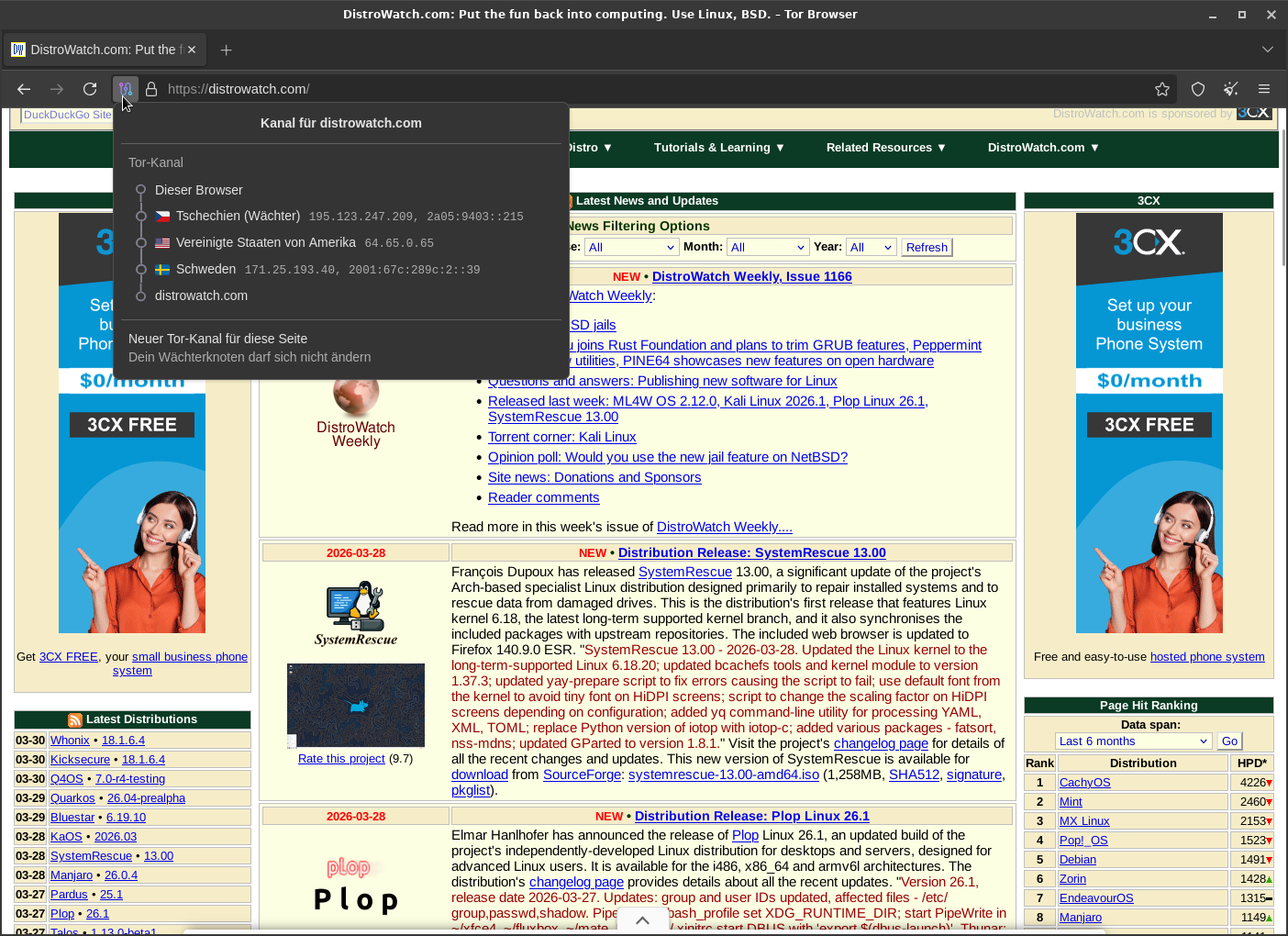
In cases like this I might try using the Tor Browser.
Let´s see:
firejail --private=/media/rosika/f14a27c2-0b49-4607-94ea-2e56bbf76fe1/DATEN-PARTITION/Dokumente/Ergänzungen_zu_Programmen/für_tor/tor-browser_neu2/versuchkgw/tor-browser_de ./start-tor-browser.desktop
… entering distrowatch.com:
It works. Exit node is in Sweden.
You might want to give it a try, Neville?
It almost seems that way.
Many greetings from Rosika
Hi Rosika,
Thank you for testing this issue
It is not geolocation … I tried the ddg browser in the new tablet… that works ??
It has to be some quirk of the Samsung browser
Regards
Neville
Hi Neville,
thanks for your feedback.
So we can rule out geolocation as an issue. That´s good.
I guess that would be the most likely explanation then.
I just asked AI what it thinks about it:
DistroWatch returning a “403 Forbidden” error specifically on the Samsung browser often indicates that DistroWatch’s security firewall is blocking the browser’s signature, or that Samsung’s built-in anti-tracking/ad-blocking features are acting too aggressively
Sorry, that´s not much help.
Cheers from Rosika
I am using a samsung tablet and phone with the défaut browser both access without problems
I wonder about your localisation ?
Why not auz as your défaut
Have you tried chrome as that is also installed by défaut on your tablet
Do you have a vpn set ?
Set your local to where you live and try again
Open your device’s Settings app.
Tap Security and Location. Location. If you don’t find “Security and Location,” tap Location.
Tap Mode.
Select a mode: High accuracy: Use GPS, Wi-Fi, mobile networks, and sensors to get the most accurate location.
I purchased this a9+ tablet cheap on ebay. It is an international configured model.
When I first started it I had to accept one of a very small range of locations… and there is no way to reset it in the Setup menu.
I dont think location is the current issue, because ddg browser works. I think it may be the browser signature, as @Rosika 's ai response suggested.
There is no VPN.
I cant see anywhere to set a location to .au.
If you go to google maps and ask for directions to somewhere (not important where) does it ask current location ? That should change your device settings
I did that. It found the directions from my home to the nearby shopping centre.
So google Maps knows my home location.
Then I went to Samsung browser and accessed distrowatch … it is still forbidden
Not a location problem … may be a browser problem?
I can not find any way to change the user-agent in Samsung Internet browser.
In have tried unblocking things… no difference.
Solution is to use ddg browser.
Just curious. Did you try Chrome to access the website?
ChatGPT suggested that as a possible solution for this problem and my access denial problem. I don’t use Chrome, so I went with the Firefox solution.
Chrome and ddg are OK
The ‘Forbidden’ problem is only in Samsung Internet Browser on my new tablet and phone … they are both Android 16.
On my old tablet (Andoid 7) all browsers can access distrowatch.
It seems like your User Agent type of problem, but there is no way to change User Agent in Samsung Browser. It does not seem to be permissions or blocking.
So Chrome is working fine on both devices? If not, try downloading Chrome form the play store.
I never use the Samsung browser on my phone… not on my old S9+ and not on my current S23 Ultra… I use Brave… and I’ve used Chrome in the past…
Having said that - I have used the Samsung browser in the past on the S9+ when I was using DeX (i.e. hooked up to a monitor and running in “Desktop Mode”) as the Samsung browser was the only one that was DeX “Aware”…
And having said all of the above - I hardly ever browse sites on my phone anyway…
I just tried to load distrowatch on “Samsung Internet” on my Galaxy S23 Ultra - it’s running Android 16 - and : “Forbidden” for me too…
Works everywhere else however (in Brave on Android, Safari on Mac, Chrome on Windows [via AVD] and Brave on Linux)…
The only “Samsung” software I ever use on Android is DeX - the rest is mostly rubbish… Most of the other browsers, like Chrome and Brave now work well in Desktop Mode…
Uninstall then reinstall but from play store not samsung galaxy store 6es they are different
At last, someone can reproduce the problem. I must be a particular new version of Samsung browser
yes, so is ddg.
But mine works and is latest version
Run update on your system
It is up to date.
android 16
samsung internet 29.0.1.12