I’ve been wanting to try the new PopOS, so I’ll include a gaming test. Proton-db is one I haven’t tried yet–it shows some promise.
4 Likes
Good on you Bill. I think we just need to get you over a hurdle.
2 Likes
Irony?
One of my curved QHD monitors just carked itself this morning when I powered it on… Connected via HDMI to my personal MBP…
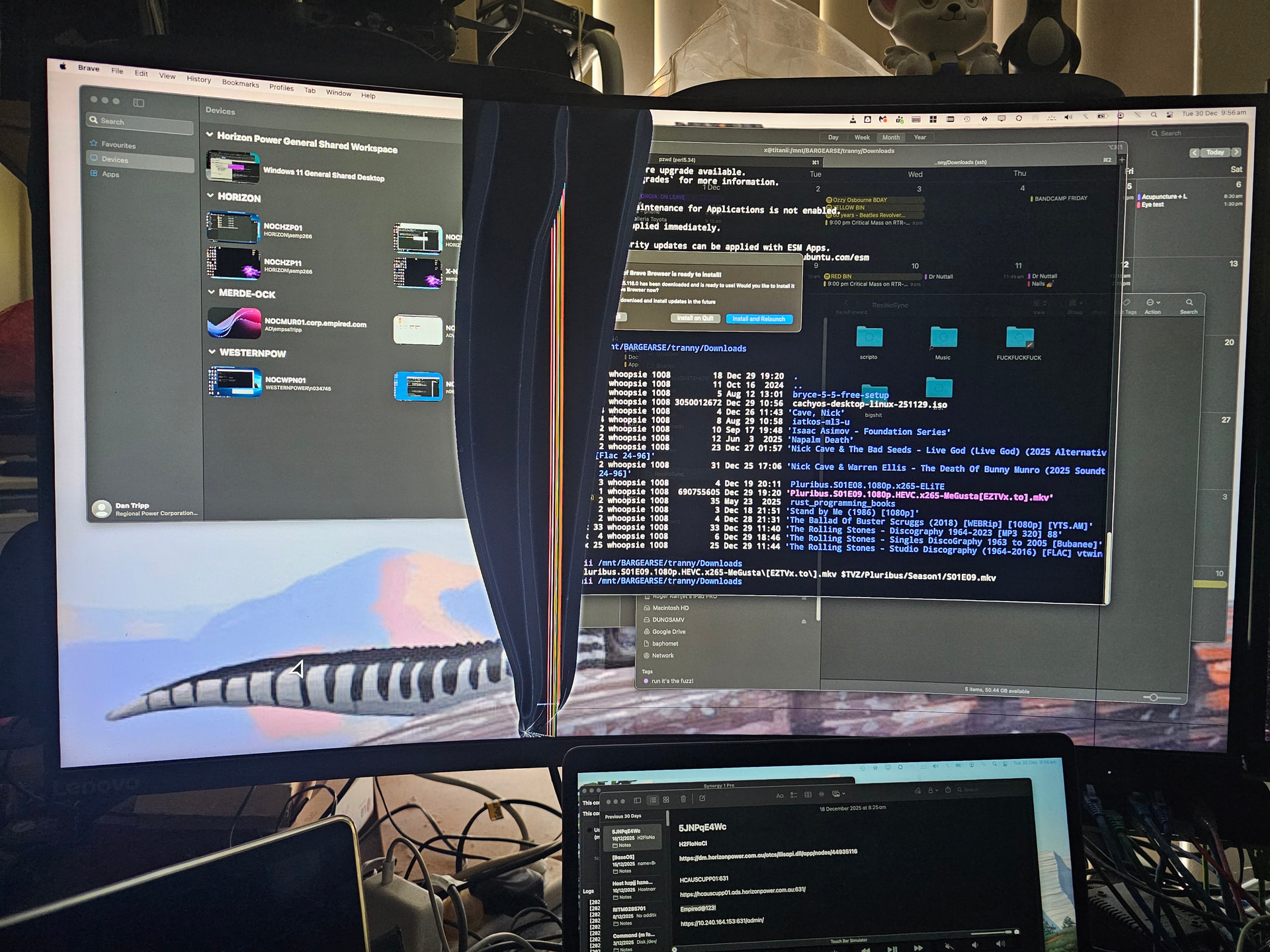
3 and a half years old… Warranty was 3 years… Lenovo brand… No signs of similar on my other identical Lenovo 31.5" curved gaming monitor… same age…
But - my 5 and a half year old Lenovo flat QHD monitor is still going… But I remembered something that wasn’t working on it - the HDMI input… Tried to move it to my Mac - and no signal then remembered - HDMI input was cactus on it some time ago…
So I now have a 27" flat screen FHD on that Mac - and - it’s horrible… Gimme back my QHD and curvature! I think I’m going to have to shell out for a new monitor… 27" FHD just doesn’t cut it…
I decided to drop Pop!_OS (was running 22.04) - as I didn’t want to risk things not working if Pop!_OS 24.04 “Cosmic” forced me to use Wayland - and - other things I’m used to in Gnome 4 (Pop!_OS 24.04 “Cosmic” implements its own WM / DM display server - on Wayland) - I think it supports GTK 2,3,4 - but I’m not prepared to risk that - and I NEED Synergy KVM for work i.e. to drive the keyboard and mouse on both my MacBooks I use for work - I only have room for a ThinkPad keyboard and a mouse on my desk…
No major complaints about Pop!_OS 22.04… But I wanted stuff from Ubuntu 24.04…
3 Likes
Sorry about your monitor. Can you explain ?
Why is QHD better than FHD?
Do you need a better graphics card to get any benefit from QHD?
Kogan has a 27in QHD monitor for $199 in the boxing day sale.
I dont think it is curved?
2 Likes
Sorry to read this.
Are you sure it cracked at the moment you turned it on?
Is it possible that it was cracked already just unnoticeable until switched off?
I’d suspect a naughty kid or cat having done something inappropriate to the monitor, and then keep silent about it.
My second guess is some material fatigue, maybe the screen was assembled wrongly in the factory, had some tension and it was able to survive it so far…
I doubt this would have been covered by warranty anyway…
2560 * 1440 versus 1920 * 1080. Approximately 66% more pixels (screen area).
4 Likes
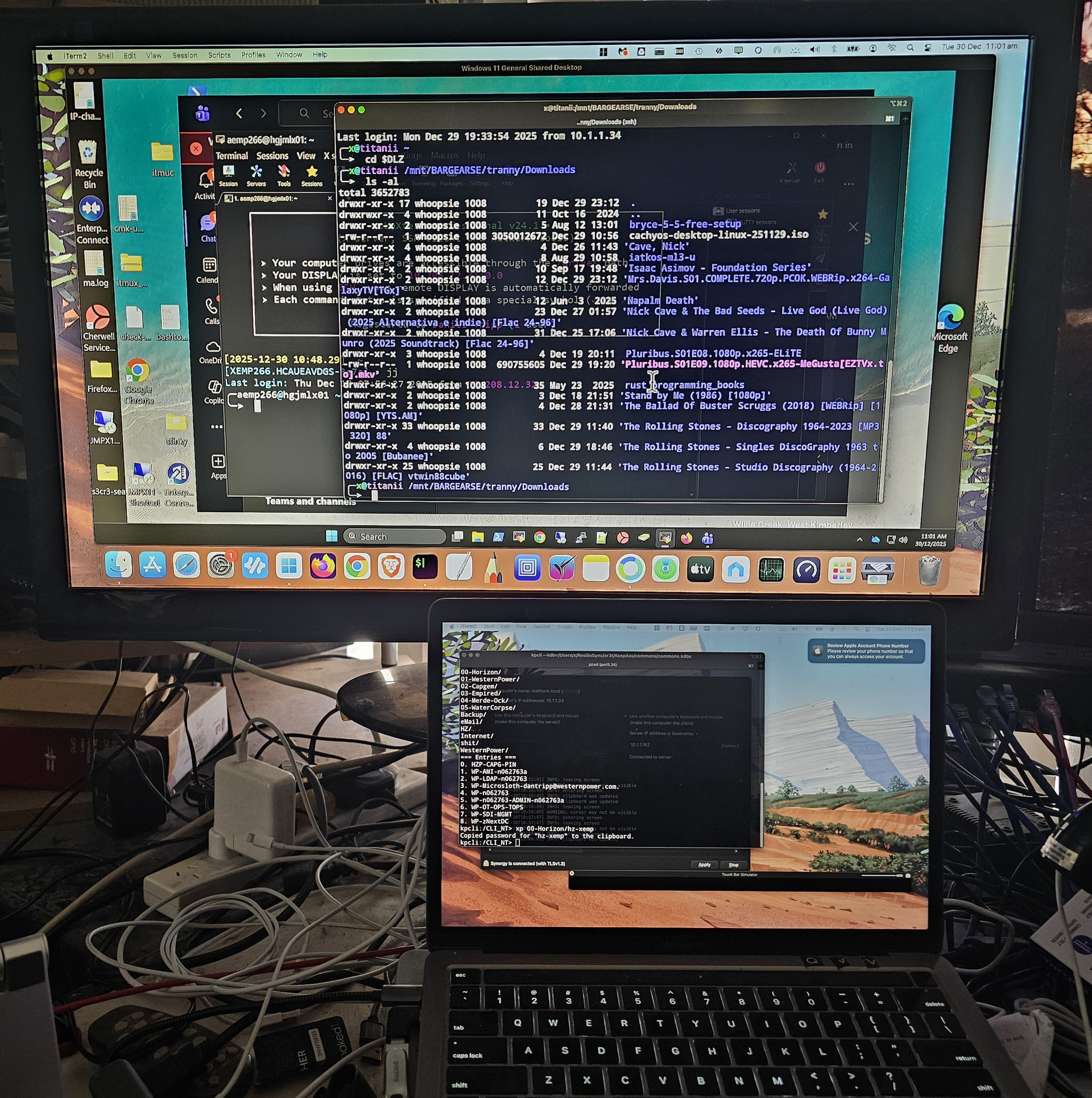
Take a look at the two screenshots - the one showing the ugly broken bit in the middle on QHD - and further down 27" FHD…
That terminal window (iTerm2) on QHD takes about 1/4 screen, on FHD - it’s over 1/3… i.e. 32" QHD have a lot more real estate to have applications running…
My AMD Radeon XT6600 is quite adequate to drive QHD resolution (it’s driving 2 QHD monitors) - and the MacOS M1 thunderbolt port (via dongle to HDMI) is also perfectly able to drive QHD hi res mode - and in all cases - support the native Hz rate of each monitor…
Note also - the failed monitor started doing odd things just after warranty - there was a thin blue vertical line on the left side… But not always… Sometimes it wouldn’t be there… It was a tolerable artifact - maybe 1 or 2 pixels wide…
2 Likes
I’ve seen too many things that seem to fail just out of warranty. I doubt there is a clock in the device. It’s more likely they have a very good idea of how long their products are “engineered” to last.
4 Likes
There is a term for it: planned obsolescence.
2 Likes
My RX6400 does up to 2560 x 1440… so that should be able to drive QHD
I need to look at that… probably more important than curvature
1 Like
Bizarrely - I have another Lenovo 32" QHD monitor - non-gaming and flat - that’s 5 years old - only issue is the HDMI input no longer works…
I also have a 2 x 27" FHD AOC brand monitors - one of them I bought in 2011 and still works! I think I’ll get an AOC (32" curved high hz rate for gaming) to replace the dead 32" curved monitor
Yeah… I’ve had stuff fail almost immediately after a 12 month warranty expired… There’s a fascinating documentary I saw a few years back, about HP’s “planned obsolescence” - and actually explicitly planned and designed and engineered to stop working after a certain page count is hit. Then when some hacker figured out how to bypass that - they tried to sue him - but he won. And they visited placed like former East Germany, and there’s 50 year old refrigerators and 20 year old light bulbs surviving because the soviets didn’t have marketing “engineers”.
I agree, in your use case - I’d suggest flat, or high Hz rate “gaming”, would be unimportant - however - I reckon your eyes will thank you if you opt for QHD… My eyes actually “hurt” looking at that 27" FHD monitor - the fonts are blocky and hard to see… almost “pixelated” VS what I’m used to with a 32" QHD monitor… If the 27" monitor I’m using on one of my Macs was QHD - it would be lot easier on my eyes…
I just ordered an AOC curved gaming monitor… pretty good price too… considerably cheaper than the 3 I bought in 2022…
3 Likes
You have sold me on that. 27in probably large enough.
Still debating curved
What is UHD?
2 Likes
Dunno - maybe 4K? QHD is 2K (2560 x 1440)…
Just looked it up - UHD can be either 4K or 8K… I think 4K is 3840 x 2160
I’m perfectly happy with 2K / QHD… Maybe if I had like a 40" monitor with 16:9 aspect ratio - I’d like 4K… I don’t like ultrawide - cause I find them too limiting in the vertical pixel range - to get anything in Ultrawide at least 15" high would cost thousands of dollars…
A 27" 16:9 monitor is about 13.5" high and about 23.5" wide… that’s the viewable area…
The other thing I don’t like about either of my 27" FHD monitors - the bezel width… Probably doesn’t matter with a single monitor setup… The 27" monitor I hooked up to my Mac has a 1" wide bezel - the other monitor I use occasionally (mostly for a Pi5 display) the size bezel is 1.5" and the bottom part (which has speakers) is about 6"
Samsung actually have some “tech” it’s a strip of LED display that you put over the bezels on Samsung monitors - and it forms a continuous display across multiple monitors (i.e. over the side bezels) - obviously it would need drivers, and obviously probably only available on MS Windows… So pointless - but - interesting…
5 Likes
I talked a little about my curved screen experience in Finally hooked up my 34" UWQHD monitor! . I’m still enjoying the curved screen as it ‘feels’ more immersive. I know that’s a very subjective metric but I now prefer a curved screen  .
.
I’m still getting used to laying windows out at this resolution (3440*1440). Splitting the screen between two apps still leaves a lot of dead space in each app. Splitting it evenly between four windows is better but feels a little cramped for the I’m window actively being worked in. KDE’s tiling manager has been helping me figure it. Lately, a three way split of 25/50/25 has fit the bill lately but I’m still working out kinks.
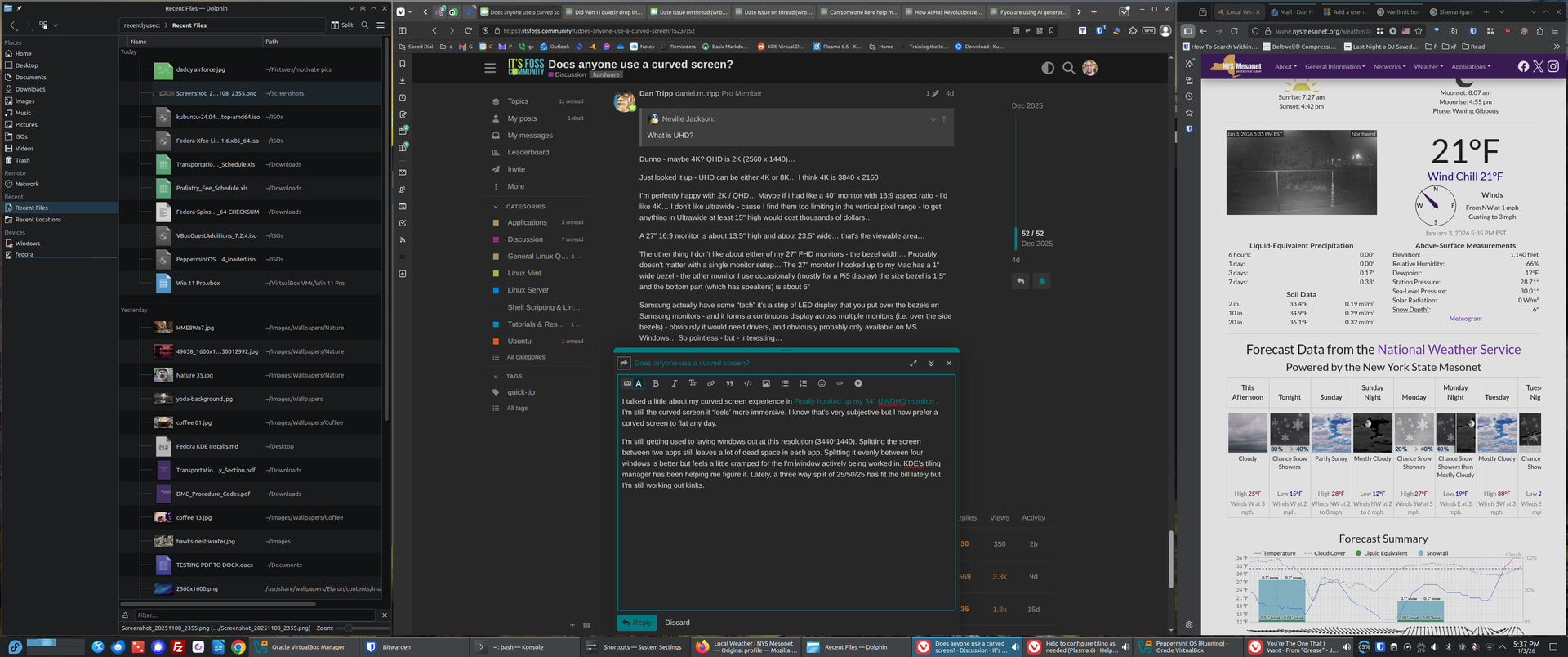
My desktop has to 27” FHD (1920*1080) monitors. My primary monitor is curved. The secondary screen is regular. I definitely prefer the curved.
3 Likes
I can see that you can easily get 3 windows across at this resolution.
I would be happy with 2, as long as one of them could be large like a browser.
2 Likes
50/50 split leaves too much empty space in each window for my liking. I’ll use 50/25/25 if I’m writing a document in LO Writer and referencing two different websites or docs.
Vivaldi, my favorite browser has the option to stack and tile tables. I stacked all of It’s FOSS’s tabs into one tab then tiled them with a maximized browser window to get this layout.
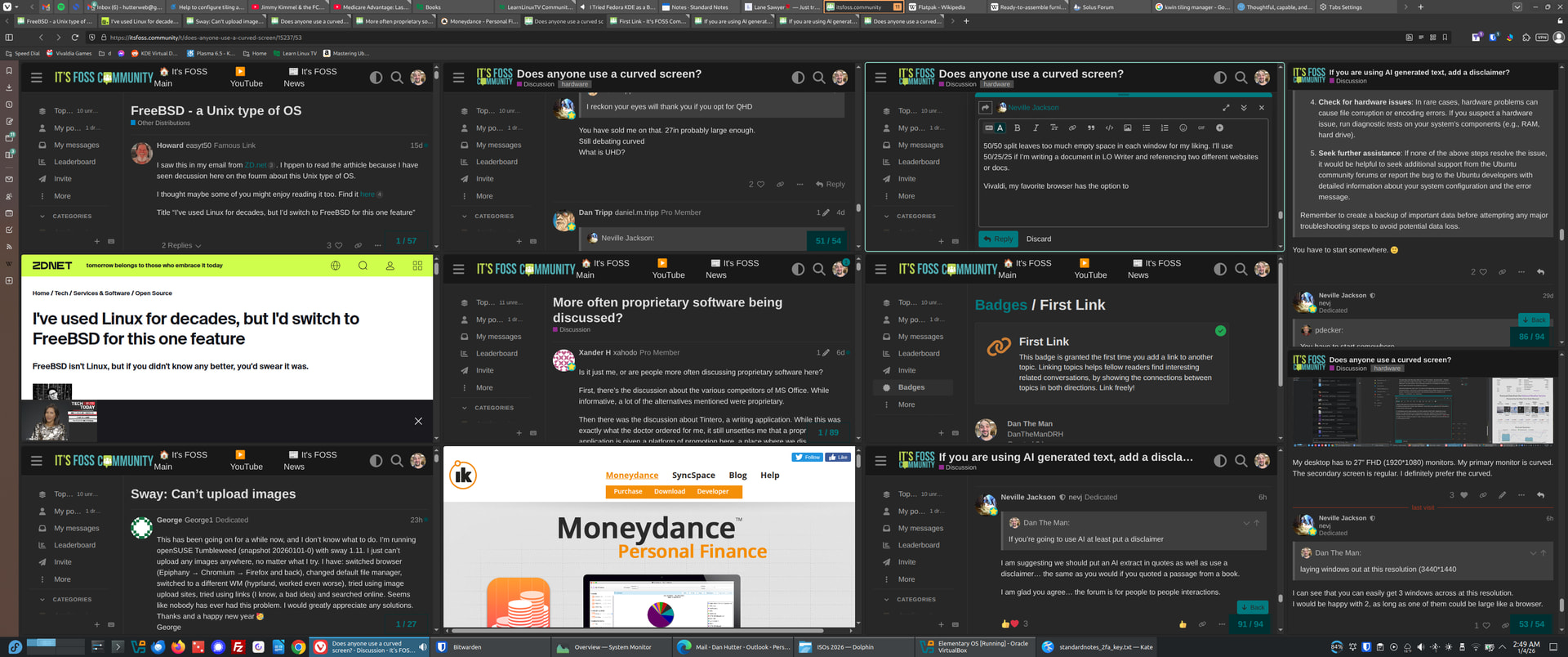
I’m still working out how to best utilize the high resolution but I love this layout.
2 Likes
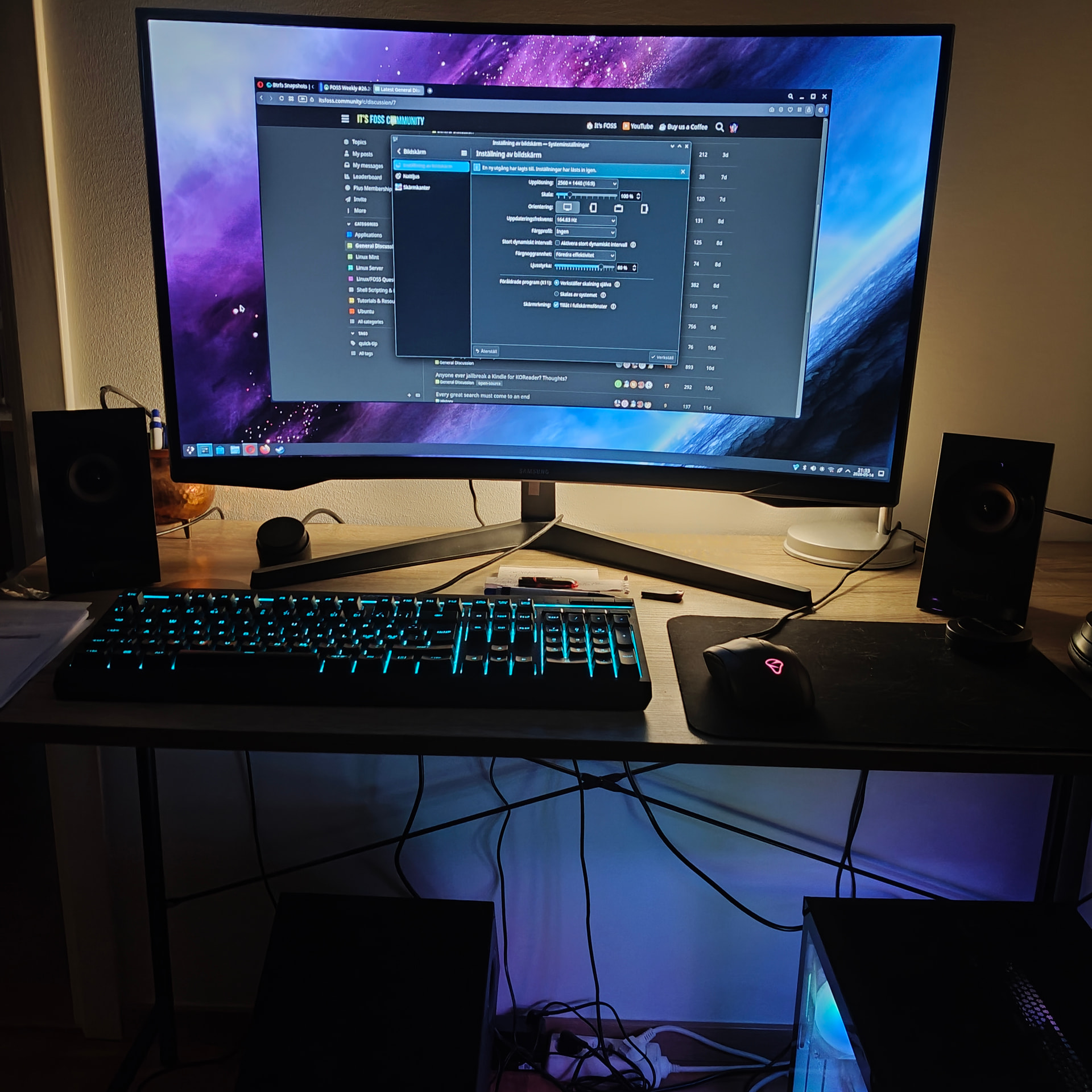
I have not used a curved screen.
What speakers do you have?
1 Like
Its Logitech but dont remember wich model and i got a subwofer on the floor also,the speaker system is 2-3 years old but its great sound in it.
2 Likes
what curved QHD Monitors?!! man be grateful because my monitor is an LG 20M37H manufactured in may 2015 and sucks cuz it uses TN panels which gives me potato quality display
1 Like
Mine is a 24in Asus purchased in about 2011 .. … it is OK because I am not into games or videos … but I am considering an upgrade.
What are TN panels?
2 Likes