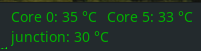
The question first: What is the maximum acceptable CPU temperature?
My desktop is rather small, cigar-box-sized; it only has a small fan built-in.
After upgrading my desktop to LMDE7, the temperature rises during video streaming significantly higher than before. The speed control of the fan accelerates, and the temperature can rise slightly above 80°. Is this critical?
Edit: looked closer at specifications, and it tells the allowed maximum temperature is 72° for the i5 4570T.
This is for the case though, not the inner core.
My i7 8700 heats up to 82° regularly during my renders (heavy load, CPU usage 95..100% on ALL cores). That’s hot, but not critical. Before I applied a more adequate cooler, it went up to 100° and started throttling (reducing clock speed to decrease power dissipation).
AFAIK 105° is the temperature that is dangerous, causes damage.
I suspect, before LMDE7 your video streaming whatever could use some HW decoding/encoding, thus lower CPU usage, lower temperatures.
I’d check what the difference is, maybe you need a proper VA driver, or the like. Maybe you just miss a package and need to install it, maybe there’s a more complex thing behind the scenes.
Just a side note to this: I moved to Debian 13, and noticed, intel Quicksync doesn’t work as it did before, because the thing moved to libvpl, which doesn’t support 8th gen GPUs. So I “borrowed” libmfx1 from Bookworm, and repacked ffmpeg binaries for my own purposes, so I can continue to use h264_qsv and h265_qsv on my 8th gen CPU even on Trixie. Because QSV so lightning fast, I did not want to loose that feature.
I do not plan to change anything here. The box was bought as refurbished. I hope that it doesn’t blow up soon, as I don’t use video streaming very regularly.
Previously when doing ffmpeg re-samples when running Pop!_OS 22.04 and ffmpeg 6.x - it would get up close to 100C…
Now I’m on Ubuntu 24.04 - and ffmpeg 7 - a big multi-thread ffmpeg re-sample it jumps to around 75C…
I thought I’d fixed my horrible rattle when gaming (and it used to happen sometimes on Pop!_OS when running ffmpeg) - but - had a warm day last week and was playing a game - and the horrible rattle happened again so I had to kill the game…
I’ve replaced the CPU fan…
I think it must be the GPU causing the noise, or maybe the PSU fan… Dunno… Next thing I’m going to try and put some rubber dampers where the GPU is screwed into the backplane on my mini tower case…
I think you might look at a bit of a refurbish to try and upgrade the fans and maybe the heatsink.
Is it a good big airy case with case fans as well as CPU fan?
It will help it not to get too hot if you are starting lower.
On the other hand, that is quite good for a big compute intensive job
I found this
" Modern Intel Core i7 processors can sometimes idle at lower temperatures (around 30∘C) than some Ryzen CPUs, which may idle in the
35−50∘C range. However, idle temperature is less critical than load temperature, and both are heavily influenced by the specific CPU model"
As mentioned above - I’ve replaced the CPU fan and heatsink recently…
My Pi5 (arm64) idles about 60C… A Pi4 about 45 C… Both have heatsink and fan…
My Pi3 - with not even a heatsink - seems to run fine around 58C… All it does is receive free-to-air TV via TV-card and allow http streaming of the feed… I think I might have a spare tiny heatink somewhere I can stick on it…
This video from the 90’s shows that intel CPUs that time survived even a sudden removal of the heatsink, and it demonstrates how throttling works.
When the CPU gets too hot, the clock speed gets reduced, and that stabilizes temperature, so the CPU won’t burn; on the other hand computing performance drops too at the same time.
This is how it works in intel since historical times.
AMD behaved different that time, I believe nowadays they do the throttling too.
So I wouldn’t worry too much for the CPU temp, except that it causes performance drop, so if it was my setup I’d investigate more, how to avoid it…
I think a proper conclusion is that all CPU work with smoke, and if that smoke comes out of them, they work no longer. So it’s best to avoid the smoke to come out.
Oh well. Starting sway and mine rises up to 110 degrees Celcius. But when compiling gcc on Gentoo, it gets to 50C. So I guess it is maybe a fact of background processes.
Yesterday I monitored the CPU during video streaming. With all 4 cores running at 25…30%, the temperature rose to 83°. I fear the moment when the cores go up to 100%…
Currently, looking for better ambient temperature flow seems to be the key.
From multiple sources: 85°C is the safe upper limit. Above that level the computer will throttle down. 95°C and above can damage the CPU and is regarded as an emergency.
One of the articles suggested that brief excursions to excess temperature were not immediately harmful. At that point the CPU should already be throttling down and should get back into a safe range in a short time.
Nothing I use a computer for places a heavy demand on the CPU so my machines stay below 50°C.