@nevj the VPN is for my entire home network and I could have installed it on individual machines, but since I have so many and limit is 5, I chose to install on the router itself, meaning all traffic on my home network is protected by the VPN (computers, smart tvs, etc.).
I do not use Proton’s VPN as I had already been using ExpressVPN for a few years before they offered one. Protonmail using a bridge is only on a computer wanting to use a desktop app (like Thunderbird) for their secure email and that does not have a VPN involved. Without the bridge, you have to use the web browser for email & calendar as they do not offer a desktop app.
Now I do have a dashboard in a browser tab where I control the on/off switch of the VPN on the router and all the settings we might need to see & use.
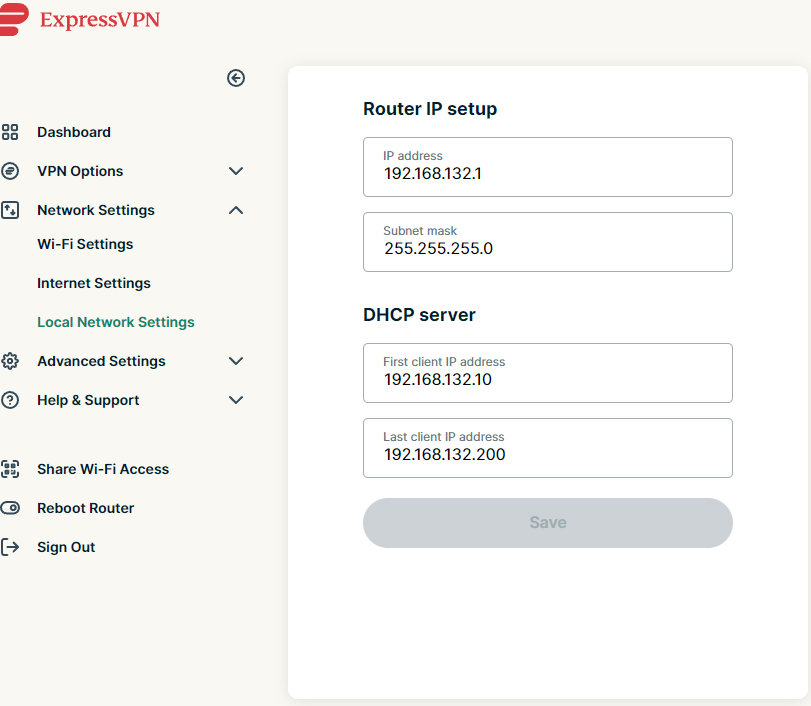
This is the local network settings displayed. Since I know nothing about network routing, I do not know how this compares to what we saw in ip route in terminal on LM or if there are other commands in terminal we can use to compare.
Hope this explains the setup a bit more.
Sheila