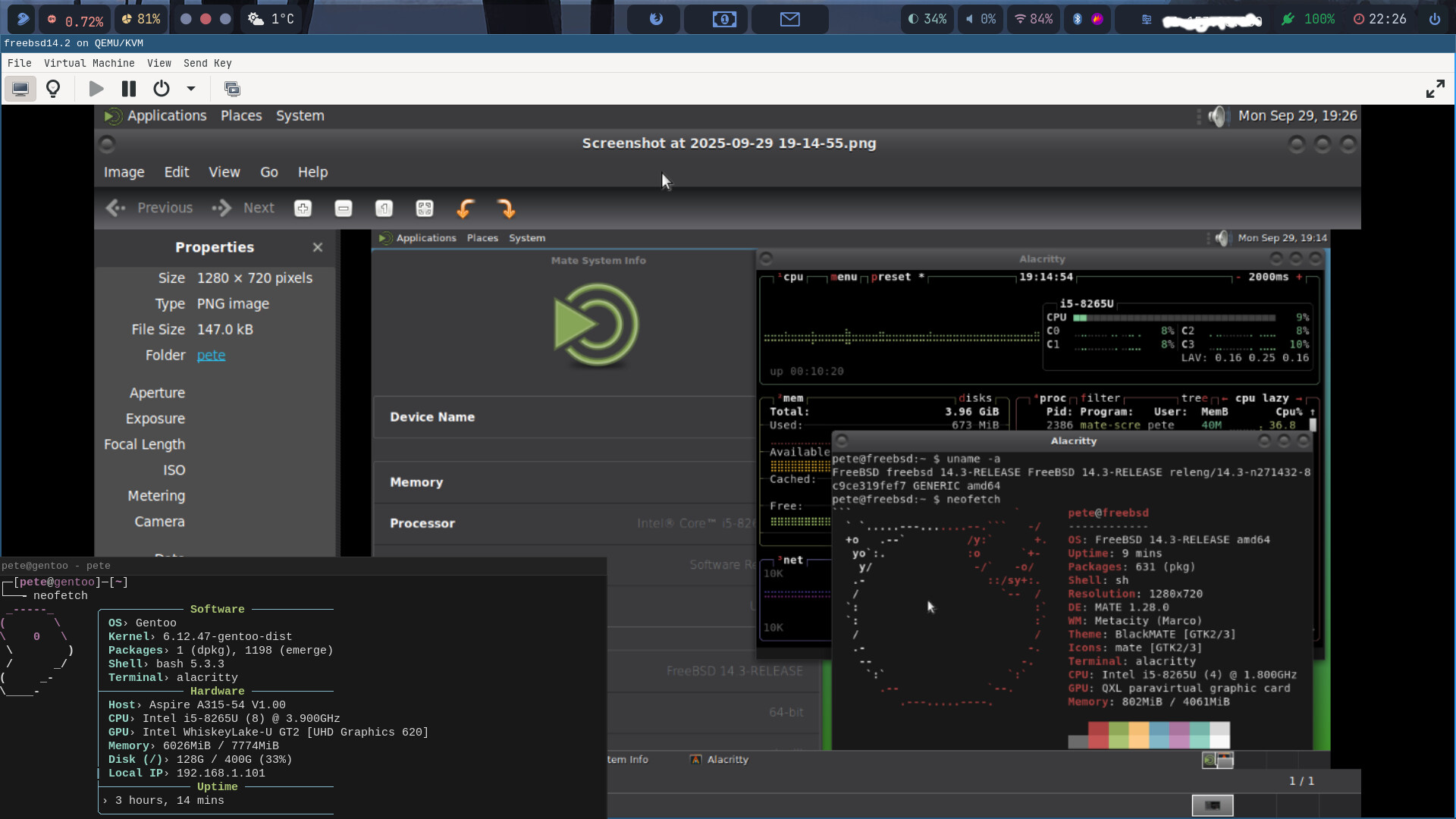
my laptop with i5-8th gen with 8GiB RAM is a bit hot at the moment but the FreeBSD inside Qemu is happily idling running Mate on Xorg. Couldn’t get Sway+Wayland running yet. I haven’t tried a BSD system for a while, maybe 10 years since. It’s a bit strange to find out some commands are not the same but nice to learn more about BSD. Now I need some tips what to learn/try/anything with BSD. I will try ports next, used only pkg install till now. I do have a normal user with sudo privileges atm.
screenshot: full screen BSD with my host’s neofetch info on bottom left corner
They do say not to mix ports and pkg … use one or the other.
I havd mixed them and did not see any ill effect. I am mixing them at the moment in NetBSD. Ports are like portage, but they setuo a whole directory of port templates in your machine.
Things that are different to Linux
the base system is in / and /usr. All added packages are in /usr/local. Complete separation
base system upgrades can be rolled back or forward any number of steps. Software for base system upgrades is separate from the package system software.
package updates/upgrades with pkg or ports are completely separate from system upgrades
the filesystem support does not include ext3 or ext4. You cant just mount one of your linux filesystems to a bsd hard install. I use a shared ext2 partition to move files to and from linux
there are linux commands you will not find in bsd… eg lsblk
in a VM, bsd does not have spice-vdagent… so you cant copy/paste between bsd and the host. NSF mounts should work between host and guest.
I enjoy BSD. It makes you think whether Linux does things the best way.
Good on you for having a go at bsd.
Yeah , get the overall grasp of what bsd is.
This may become important… BSD does not have either musl of glibc libraries, it has its own BSD C libraries… so if you are programming watch out… library calls will get you.
Not there yet and maybe not even going to that direction.. I’m just playing with it at the moment. Haven’t got the screen resolution fixed yet. It’s only VGA at the moment.
I have that issue in NetBSD. In my case it does not yet have the firmware for my graphics card. Waiting for next release is all I can do.
You can not import Linux firmware into BSD, they are different.
Check what firmware your card needs, then look at what your BSD has installed. It may simply be not loaded, or it may be like my case.
My AMD card RX6400 was released in 2017… so it is 6-7 years old and Netbsd still does not have its firmware (Nav24) . It has the driver (amdgpu) but it only has up to Nav14 firmware. Even Debian has caught up with my card… only took Debian about 4 years.
my card is Intel integrated UHD 620. I noticed that the VM boots in BIOS mode and according to the freeBSD docs it uses VESA module. Maybe I need to find a way to boot in UEFI?
It may do the same as BIOS.
I think your Intel graphics have a better chance of having drivers and firmware thzn my addon card.
" The Intel UHD 620 is a mobile integrated graphics solution launched in 2017,"
Same age as mine.
This last link was a dead PC, but the cli examples are interesting
Are you on Wayland or X11?
" Steps to Configure Intel UHD 620 in FreeBSD:
Install the Driver: Use your system’s package manager to install the appropriate graphics driver, such as graphics/drm-510-kmod.
Load the i915 Module: Add i915 to your kld_list in /etc/rc.conf to load it at boot.
Configure User Permissions: Ensure the user account that will be using the graphics is part of the video group.
Set Graphics Resolution (if needed): If your terminal display is too small, you may need to modify the loader.conf to set the desired screen resolution for the bootloader.
Reboot: After making these changes, reboot your system for the new settings and drivers to take effect."
from google AI
I have a Dell Latitude with one of the FreeBSD variants installed - works fine - Intel GPU… Running MATE at 1366x768 (the max res this laptop supports).
Haven’t really used it for ages though… But it worked - no issues with GPU or display…
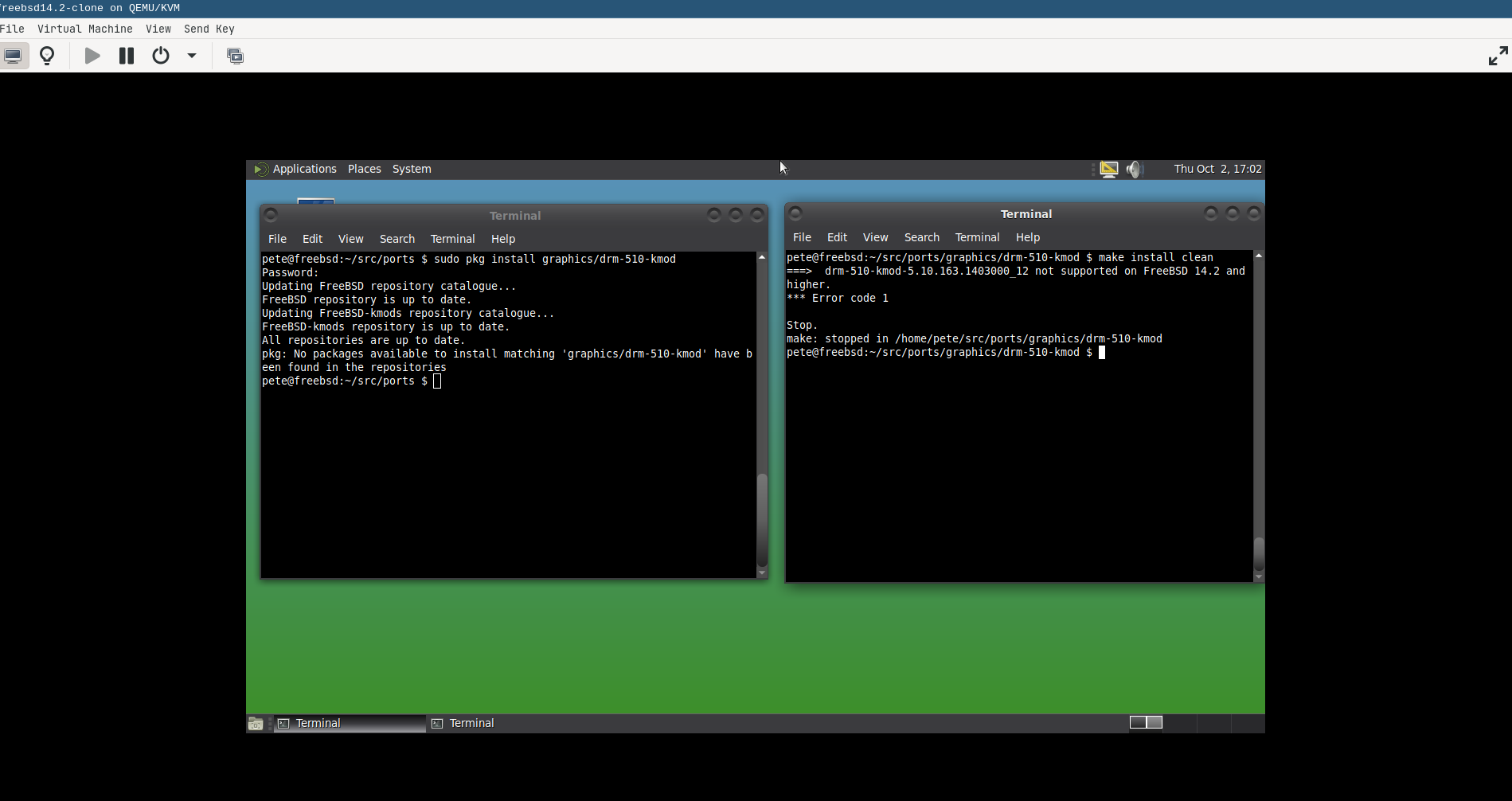
Thanks! I’m on Xorg. I tried to install graphics/drm-510-kmod. See the pic. I tried with pkg install and with ports. It seems it’s not available for the FreeBSD 14.3.
Try make on its own, then if it works make install, then make clean
I think this is BSD make, not gmake.
If the template is there in the ports directory, it should make it.?
If they have really abandoned it, then there must be another newer method replacing it? Those links must all be out of date… How do we find what the new replacement method is? Try the Freebsd Handbook… hopefully it is up to date.
I’ll give a go today but this is quite the same experience with BSD I had appr. ten years ago. Hardware issues. Frustrating. I understand that the newest hardware is not usable but five years old Intel..
Hang on, your freeBSD is inside qemu. I forgot that.
It should not have any hardware issues… qemu should provide a very standard environment. The host should deal with the graphics driver.
I have Freebsd inside virt-manager… it never had a hardware issue.
Sorry, can you tell us what your host is, and how you are using qemu?
QEMU emulator version 9.2.3
Copyright (c) 2003-2024 Fabrice Bellard and the QEMU Project developers
I downloaded FreeBSD-14.3-RELEASE-amd64 qcow2 file and opened it from Qemu.
I tested to build all of the drm-XX-kmods there’s in /usr/ports/graphics (one at a time, reboot, no change, make deinstall, next one) but no luck. The drm-510-kmod is for older FreeBSD versions and won’t build, others did build but still only VGA. There’s drm-515-kmod, drm-61-kmod, drm-66-kmod, drm-kmod and drm-latest-kmod (which didn’t build).
OK , my fears are confirmed. We went off on a wrong track… sorry.
Forget about configuring graphics in Freebsd… that is irrelevant in a VM, it does not drive the qemu display window, qemu drives it.
So why do you get a VGA display window?
Well first, are you using the qemu CLI, or virsh, or virt-manager?
There are ways to fix it.
Also using the downloaded qcow2 file may set some qemu parameters… not sure.
I always start with an iso file.
Ok. I use Qemu from GUI and have Wayland with Sway. I did try to open the qcow2 file from cli (qemu-system-x86_64 something something FreeBSD_something.qcow2). Can’t remember the full command but it had 4Mb ram, 4 cores etc.. only VGA no matter how it’s booted.