You cant install spice-vdagent in Freebsd… it does not have it in the repo.
That means you cant copy/paste between host and guest, but it should not affect resolution.
changing Video to virtio didn’t help. I also downloaded .iso and can’t get Xorg to work. Screen is black after login and typing > startx
or if I use greeter I don’t see the login screen.
/var/log/Xorg.0.log says that it is using Intel driver but gives
(EE) No devices detected.
(EE) Fatal server error:
(EE) no screens found
I also installed wayland + Sway and get the errors
[wlr] Found 0 GPUs, cannot create backend
[wlr] Failed to open any DRM device
[sway/server] unable to create backend
seatd seems to work.
I give another shot to this later but maybe not this weekend.. Now 
I will look back at my notes from when I installed FreeBSD in virt-manager. There may be some trick, but I cant recall any huge problem.
So you can login at console. Is the console output text low resolution?
If not , your virt-manager settings are OK, and low resolution is just an Xorg issue.
I will look at my virt-manager Display settings … Xorg is not seeing the virtual
display device
@ihasama ,
@Rosika and I did this together some time ago
Look at the section “Preparing virt-manager to support X11”
There are some Hardware settings required in virt-manager for X11.
I am not sure these will help with resolution… Neither @Rosika nor I had a problem with resolution.
but
Putting the user in the video group might help., and there are extra packages utouch-kmod and xf86-input-evdev required.
Also see the next section on installing Xfce
I had a quick look at my FreeBSD in vier-manager. In Xfce the display is 1280 x 720… that is more than VGA.
My video setting is XQL.
My Display is set to Spice Server.
Regards
Neville
Thank you again! I’ll try these next time I have time. The issue with the resolution is only with FreeBSD. Any Linux in wm gives 1920x1080 which is the maximum with the laptop. I can get 1280x720 (with FreeBSD) but then the screen is not full shown.
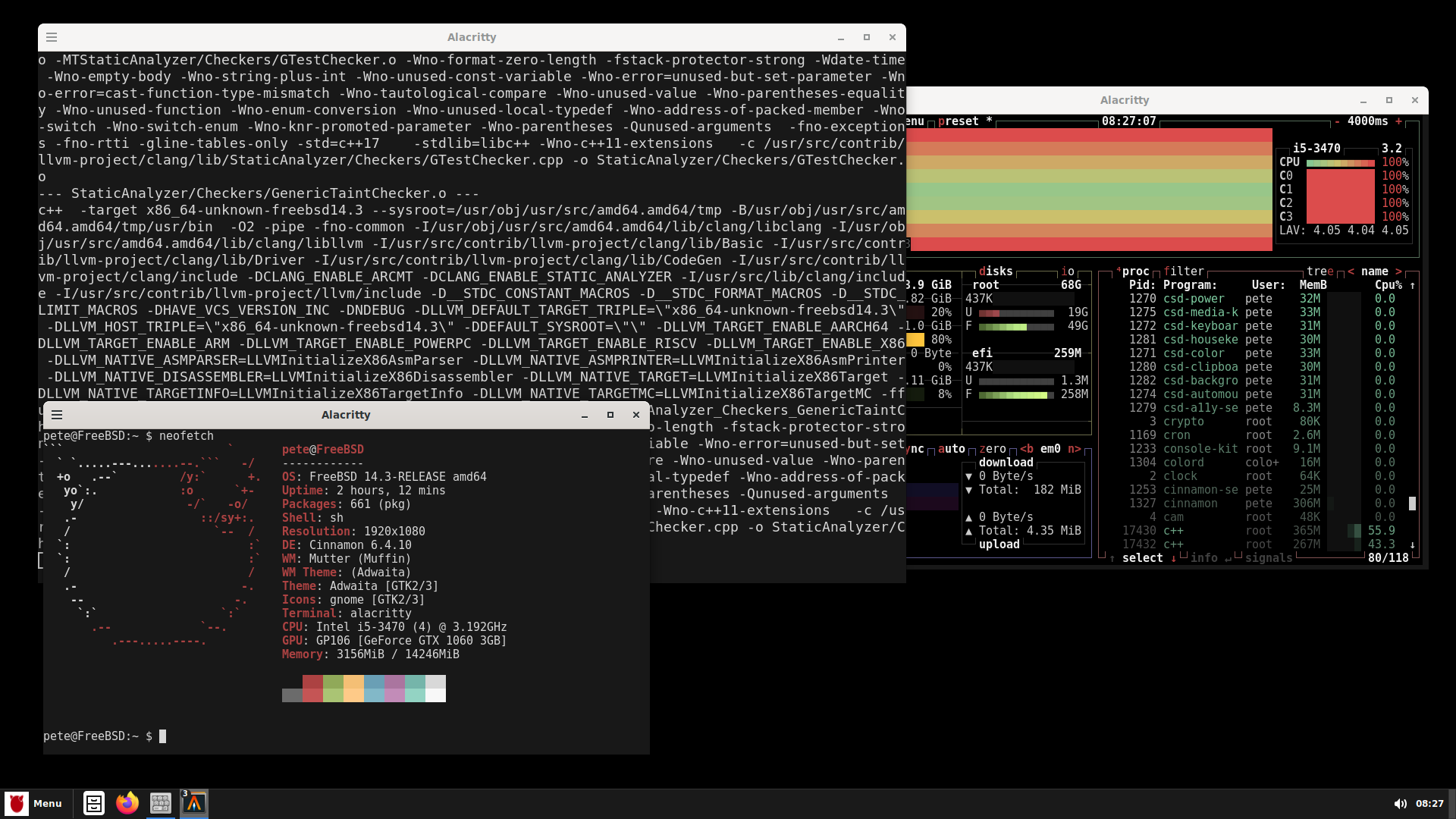
I couldn’t get FreeBSD (or the other BSDs) working properly inside Qemu. So I installed it to my HTPC’s SSD. I have X11 working and installing the Cinnamon desktop at the moment. It takes a while (LOL) because I use ports. There’s big packages to build. The difference with Portage is that you need to manually enable / disable what the package is building. So I need to monitor the build or otherwise it just waits for your input if you would like to build the docs or not with every package Cinnamon has as an dependency. Gentoo’s way is so much easier. I think we can close this thread and I’ll post a new one when my FreeBSD on hardware is working
What filesystem type are you using? I use FFS in Netbsd. ( its called UFS in Linux)
The ffs/ufs. Only one SSD partition for BSD
I add this as a note for dual boot issues I had with FreeBSD:
To get the FreeBSD booting from grub I needed to add a custom file to my Gentoo’s boot/grub.
cat /boot/grub/custom.cfg
menuentry "FreeBSD14.3" {
	set root='(hd6,2)'
	chainloader /boot/loader_4th.efi
}
The issues I needed to solve:
- Needed to find the correct disk&partition for grub. When I use lsblk I get /dev/sdb2 is the partition where my FreeBSD is but when I was on grub the same partition is named hd6,2.
- FreeBSD’s loader.efi is not working with my system so I needed to change the loader.efi to loader_4th.efi.
After I made the custom.cfg file to my Gentoo’s /boot/grub I ran grub-mkconfg -o /boot/grub/grub.cfg and the custom.cfg entry is now shown there:
### BEGIN /etc/grub.d/41_custom ###
if [ -f  ${config_directory}/custom.cfg ]; then
  source ${config_directory}/custom.cfg
elif [ -z "${config_directory}" -a -f  $prefix/custom.cfg ]; then
  source $prefix/custom.cfg
fi
### END /etc/grub.d/41_custom ###
NetBSD has its own loader, so one can in theory chainload it… but I never succeeded.
I found that grub could detect and boot NetBSD directly, so I could avoid chainloading.
I am sure Freebsd can boot directly with grub too.
Did you try this
    menuentry "FreeBSD OS Name" {
            insmod ufs2
            set root=(hdX,Y)  # Replace with your actual partition, e.g., (hd0,gpt2)
            kfreebsd /boot/loader  # Path to the FreeBSD boot loader
        }
in 40_custom?
That hd6,2 will change if you do anything with your partitions.
Yes and only got black screen without anything else.
/boot/loader is not working but /boot/loader_4th.efi works. I didn’t try without chainloading after I got it working.
With Netbsd, I can boot the kernel directly, without using its loader.
I checked for Freebsd… found this
menuentry "FreeBSD" --class freebsd --class bsd --class os {
 insmod ufs2
 insmod bsd
 set root=(hd0,1)
 kfreebsd /boot/kernel/kernel
 kfreebsd_loadenv /boot/device.hints
 set kFreeBSD.vfs.root.mountfrom=ufs:/dev/ada0s1a
 set kFreeBSD.vfs.root.mountfrom.options=rw
 set kFreeBSD.hw.psm.synaptics_support=1
}
That is more complicated than it was in Netbsd.
Thanks! Good to have options. I’ll stick with my current setup because it works.
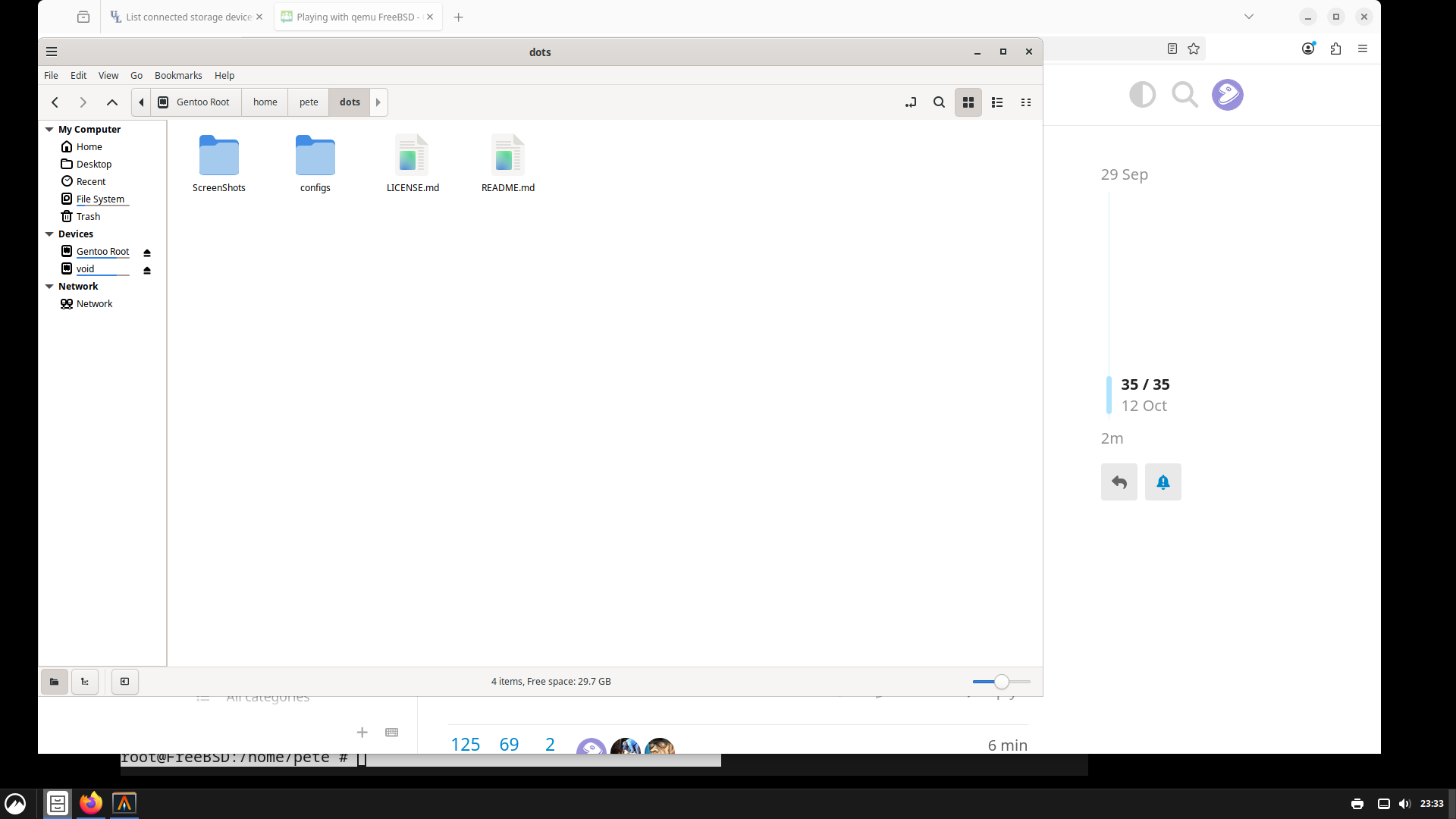
I just found out that lsblk is available for FreeBSD and it “sees” my ext4 partitions:
root@FreeBSD:/home/pete # pkg install lsblk
Updating FreeBSD repository catalogue...
FreeBSD repository is up to date.
Updating FreeBSD-kmods repository catalogue...
FreeBSD-kmods repository is up to date.
All repositories are up to date.
The following 1 package(s) will be affected (of 0 checked):

New packages to be INSTALLED:
	lsblk: 4.0 [FreeBSD]

Number of packages to be installed: 1

7 KiB to be downloaded.

Proceed with this action? [y/N]: y
[1/1] Fetching lsblk-4.0.pkg: 100%    7 KiB   7.1kB/s    00:01
Checking integrity... done (0 conflicting)
[1/1] Installing lsblk-4.0...
[1/1] Extracting lsblk-4.0: 100%
root@FreeBSD:/home/pete # lsblk
DEVICE         MAJ:MIN SIZE TYPE                                    LABEL MOUNT
ada0             0:123 233G GPT                                         - -
  ada0p1         0:125 1.0G efi                  gpt/EFI System Partition -
  ada0p2         0:127  12G linux-data                           gpt/Swap -
  ada0p4         0:131 157G linux-data                     gpt/linux-data /media/Gentoo_Root
  ada0p3         0:129  63G linux-data                     gpt/linux-data /media/void
  <FREE>         -:-   168K -                                           - -
ada1             0:151 238G GPT                                         - -
  ada1p1         0:161 260M efi                                   gpt/efi /boot/efi
  ada1p2         0:163 238G freebsd-ufs                   gpt/freebsd-ufs /
  <FREE>         -:-   486M -                                           - -
md99             2:56  4.0G freebsd-swap                                - SWAP
root@FreeBSD:/home/pete #
and I can access my Gentoo / Void files from Nemo also:
Yes, you can mount them as ext2fs in NetBSD, as long as they are not larger than the ext2 partition size limit. You might be able to read, but dont try writing… it could screw your filesystem. I would mount them ‘ro’.
There is also FUSE mounts … dont know if I trust that either.
I am working on a solution to this.