I’m seeing strange behavior with Firefox (snap) on a default Ubuntu 26.04 install. Spell check keeps trying to force me to use British spellings (-our vs -or, etc). I never noticed this before on Ubuntu. Admittedly I’ve only switched back to Firefox recently. Also of note this doesn’t happen on Fedora.
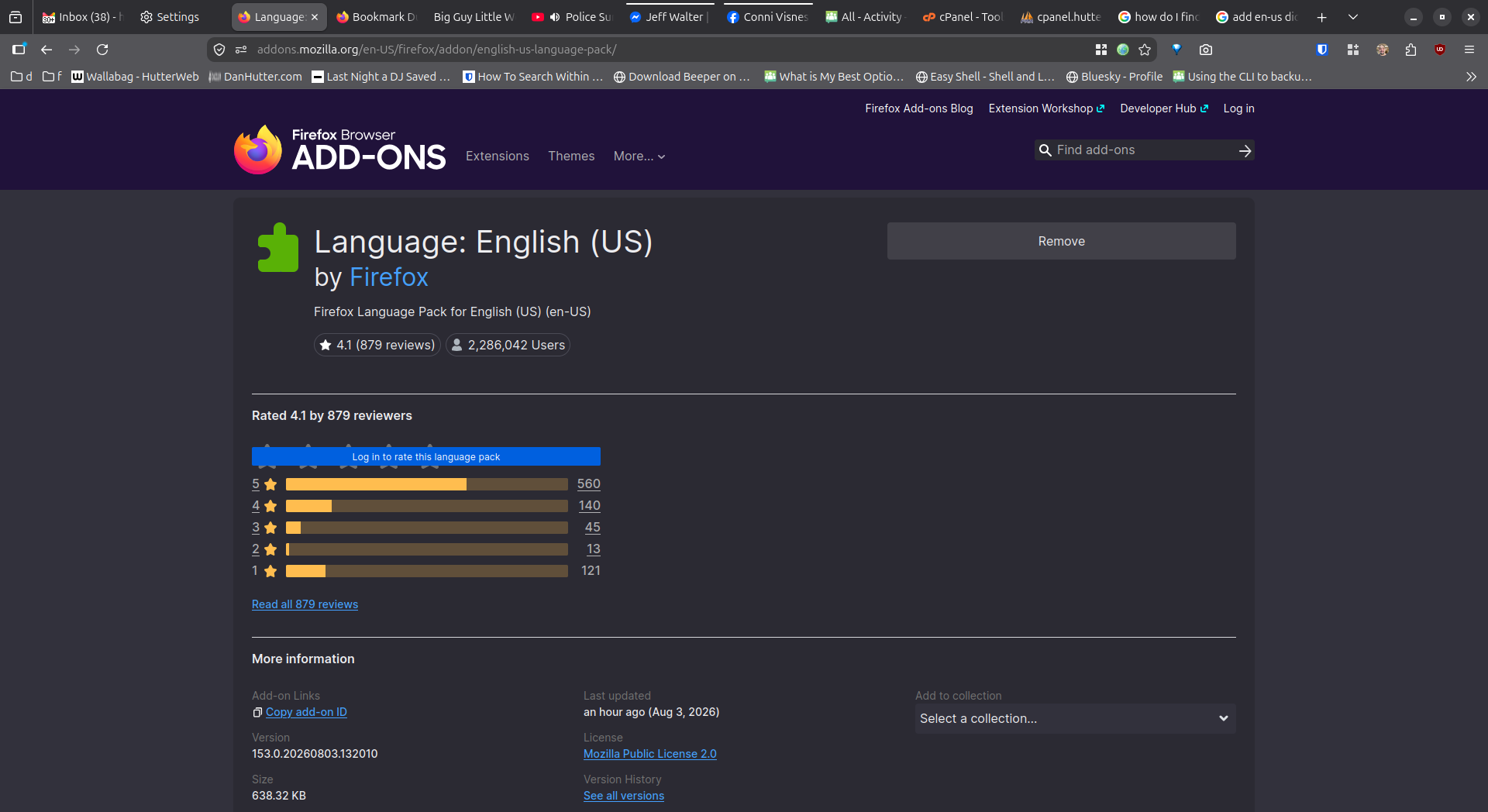
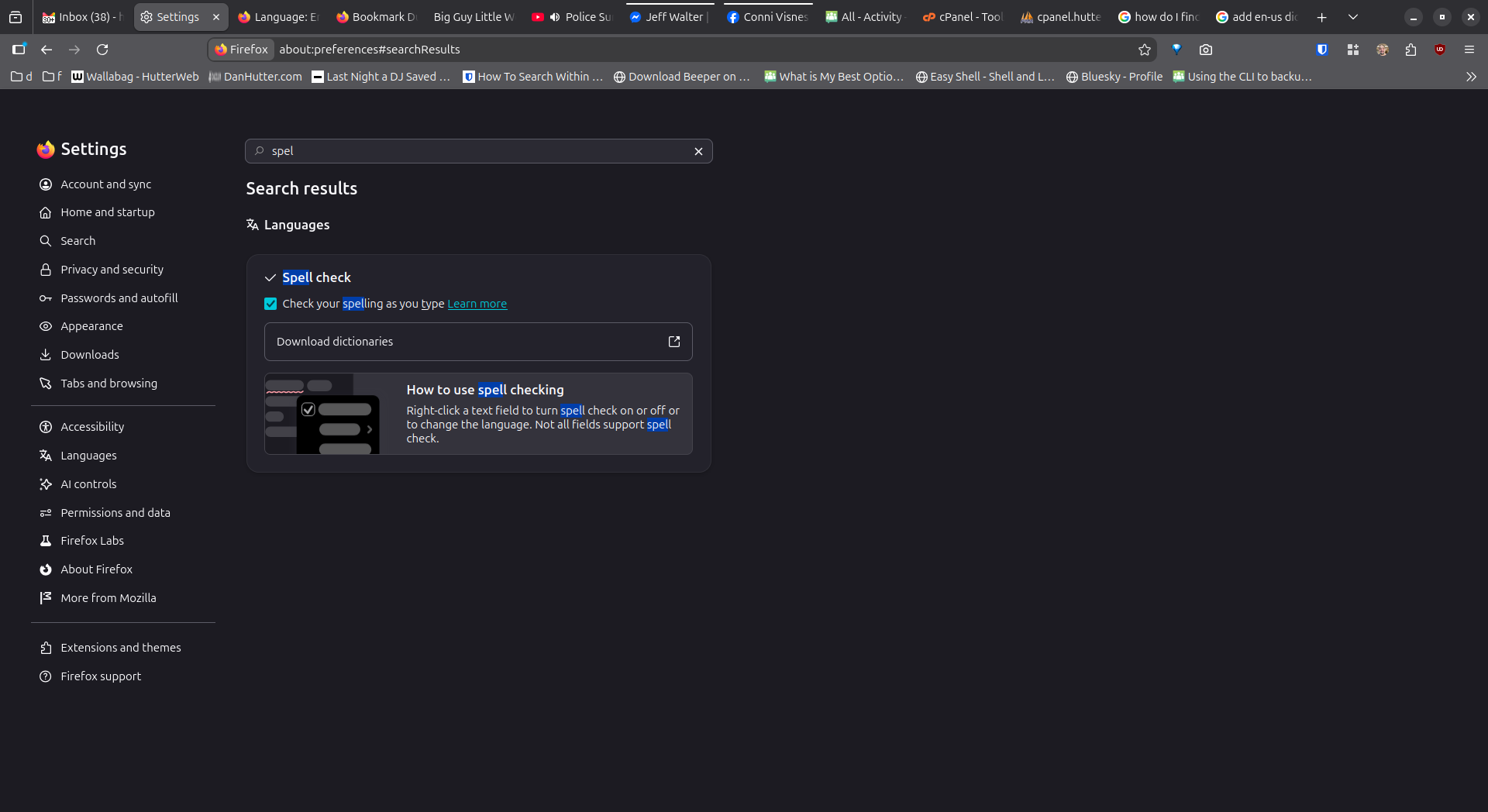
I did a little investigating thinking maybe Snap needed a separate dictionary package or something but Firefox tells me the EN-US dictionary is installed. I see no options to select EN-US over EN-GB, etc.
I also looked at the source of an It’s Foss community page knowing Abhishek uses British English thinking perhaps there was a language directive in the header. No dice.
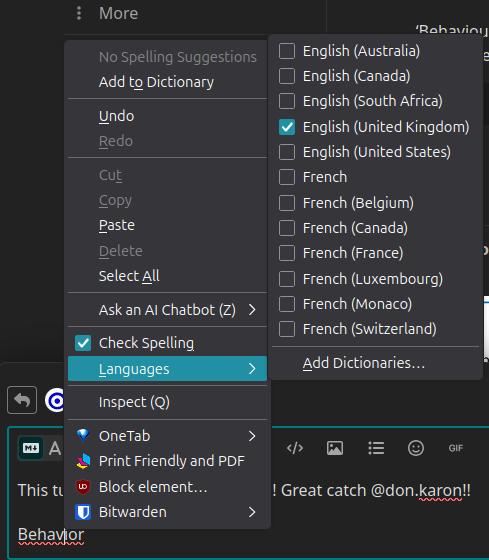
I’'ve attached a couple screenshots. The last being Firefox telling me I spelt ‘behavior’ wrong at the beginning of this post.
Somebody tell them folks at Mozilla that we dumped you Brits 250 years ago. We fought a whole war so I can drop the ‘u’ from a few words! They should have a little damn respect. I kid, I kid - I know there’s a few EN-GB members here.
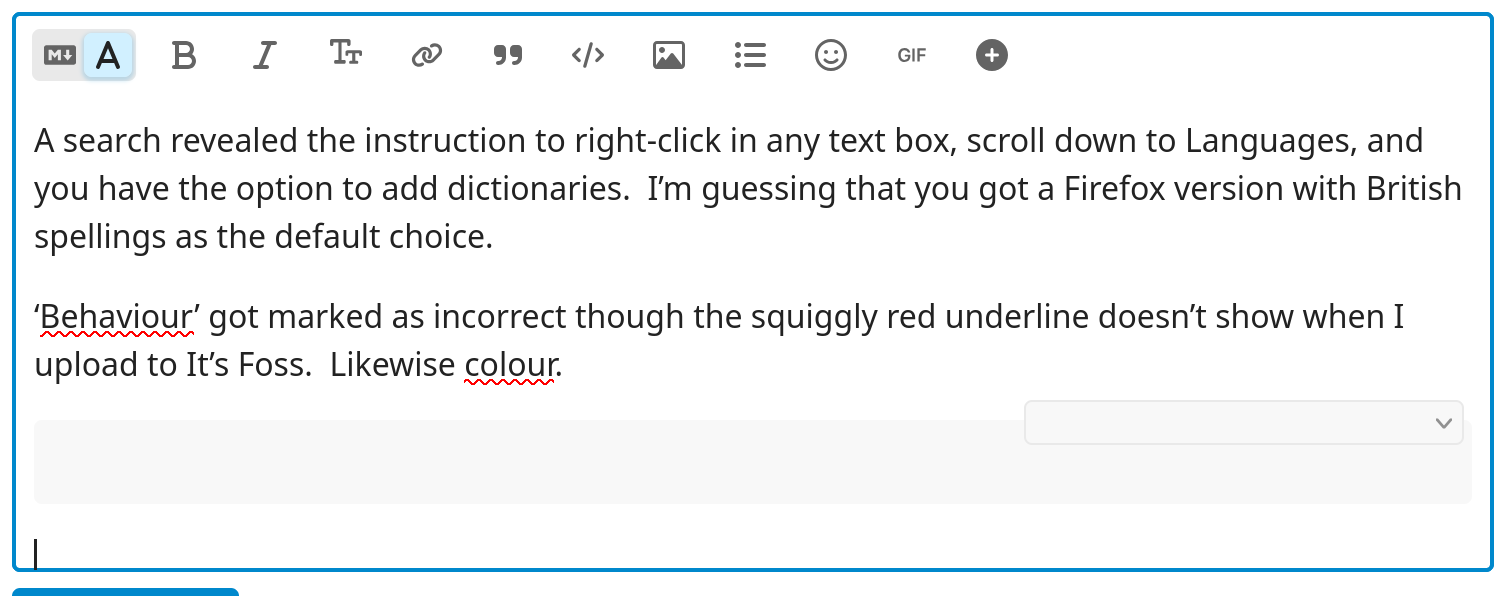
A search revealed the instruction to right-click in any text box, scroll down to Languages, and you have the option to add dictionaries. I’m guessing that you got a Firefox version with British spellings as the default choice.
‘Behaviour’ got marked in my Firefox as incorrect though the squiggly red underline doesn’t show when I upload this note to It’s Foss. Likewise colour.
That is the clue.
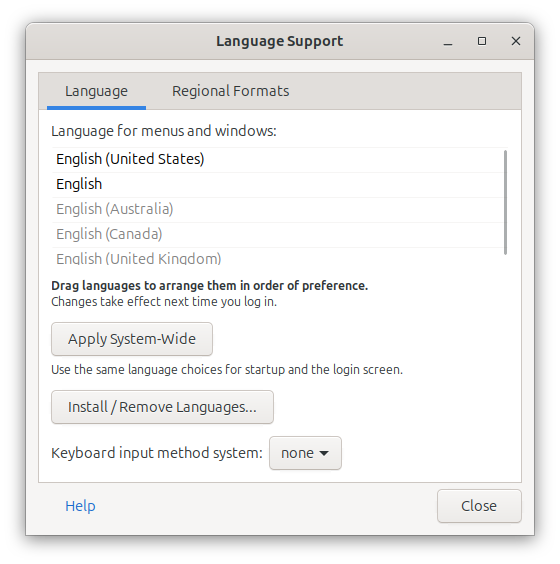
I thought firefox would inherit the locale and language settings from your Linux?
Maybe the snap container is isolating firefox from your system settings?
Fedora probably does not use snap.
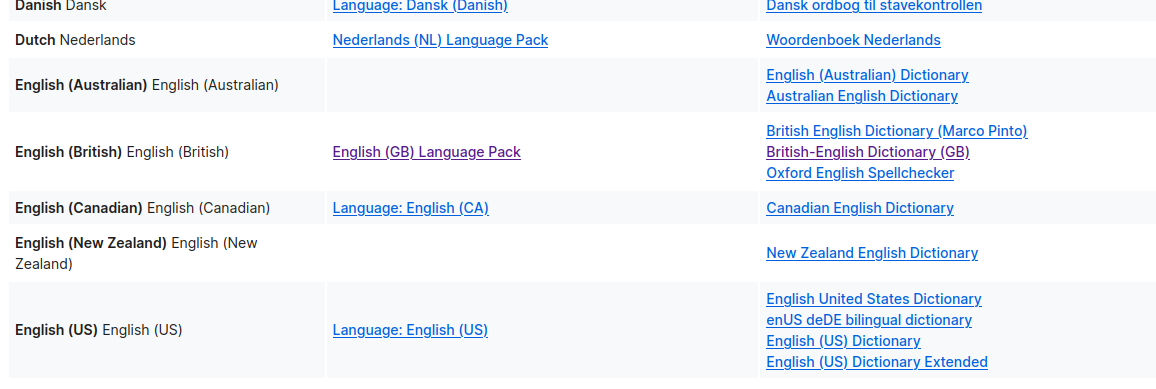
I had the same problem in reverse. The quirk for me was that having the UK language pack wasn’t enough to change the default - which is weird as when I right-clicked change spell check language, it took me to the UK language pack page. I needed to specifically download a GB dictionary as well from this page on the right hand column.
I don’t know how I missed such a simple setting. Well to to be fair it was a submenu. Silly me expecting language options to in the app’s settings. Seems like this is a fairly esoteric problem. Google wasn’t much help at all. May this thread bring in a few Googlers before Gemini rips it off.
I read this
" Firefox has its own language settings because it runs across many different operating systems. It uses its own system so it works the same way on Linux, Windows, and macOS. This lets users pick a language inside the app even if the main Linux system uses a different language"
I agree. As a nerd who follows software development a little I get the logic behind it but at the very least it should inherit from the operating system’s locale by default.
 I kid, I kid - I know there’s a few EN-GB members here.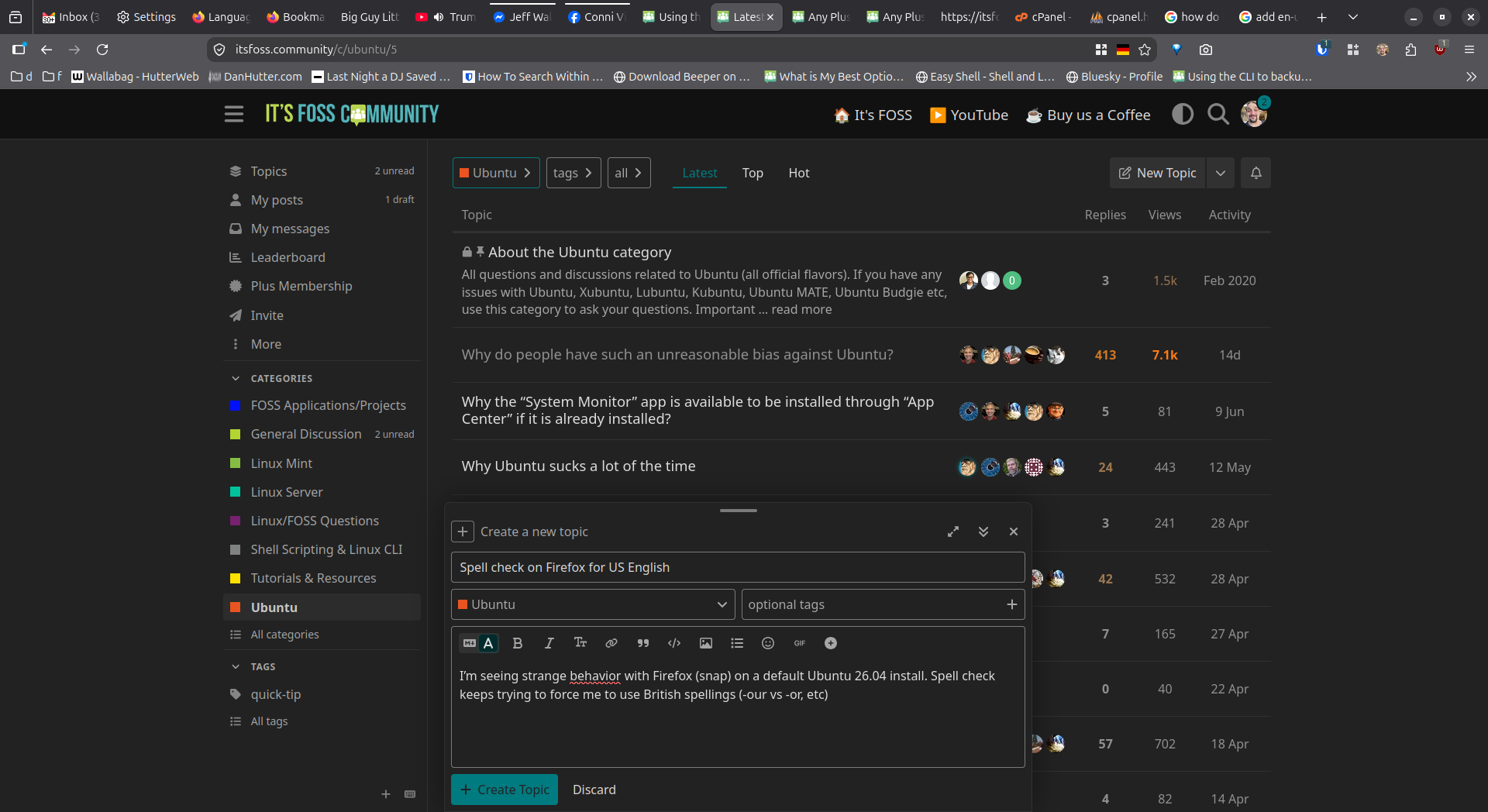
 Silly me expecting language options to in the app’s settings. Seems like this is a fairly esoteric problem. Google wasn’t much help at all. May this thread bring in a few Googlers before Gemini rips it off.