Well we are all different… I have the opposite.
BTW … what Focus setting do people use?
I prefer Focus Follows Mouse.
Are theŕe any Click to Focus addicts?
Well we are all different… I have the opposite.
BTW … what Focus setting do people use?
I prefer Focus Follows Mouse.
Are theŕe any Click to Focus addicts?
It’s been a work in progress.
You mean the Pantheon DE.?
I have to admit I have never seen or used it.
I read that Elementary has a strange funding model , that puts a price on everything, but allows you to pay any amount, including zero.
Elementary is systemd. That tells me its developers are lazy.
I would like to try Pantheon in antiX. … I asked and they told me it is systemd dependent … so that rules it out.
Yes, it’s i3 style for Wayland. I used earlier Hyprland but it is a moving target and don’t need any eye candy.
I prefer Wayland because it’s easier to build a Wayland system than Xorg. I don’t have any other opinions about X vs Wayland. Both work
That’s the default in MX. I tried the other one, hard to tell the difference. Following a link from an email, it either creates a new instance of the browser in the same workspace or takes me to the browser workspace. MX handles workspaces in a screwy manner, so it’s tough to tell the difference.
There’s another setting in Workspace Tweaks: Honor standard ICCCM focus hints. Default is ON, so I turned it off. Have no idea what it means.
I prefer that as well. No need to click before I start typing. I feel that’s a real quality of life improvement.
I think it matters most to people who jump around between terminal windows in the same workspace.
You seem to be using workspaces as a focus mechanism? I guess it is , and it requires a click unless you move the mouse offf edge of screen.
elementary (the branding is lower case “e”) is Ubuntu LTS based - like Pop!_OS and few other distros… So they use whatever Ubuntu does… I think Pop!_OS / System76 go a step further - they don’t even use grub, they use SystemD-boot…
Note : it was once possible to easily run Pantheon on O/S other than elementary… I think it’s trickier these days…
I wanted to run elementary on one of my Pi4 or Pi5 ARM SBCs - but while they do an arm64 build - it needs UEFI - and the Pi doesn’t do UEFI…
Maybe you could use Tow-boot to boot grub? I used it with my Pinebook Pro.
Yeah, cant be bothered configuring anything else.
antiX has quite a small team, so do Devuan, but they manage to extract systemd from Debian
There is a lot of inertia in established distros.
I agree about dark mode. I generally read this forum on my tablet, and screen shots with dark mode are generally unreadable. Text with colours like blue, green or red disappear on a black background. Looking at a screen is better (for me) if it’s like reading a book (white paper with black text, not the opposite.
I think it depends on your environment.
I find black text on white paper OK in a bright room, but at night I prefer the reverse.
If you use dark mode setting inside discourse (instead of setting it globally) it does not affect screen shots, and it has some intelligence about what text colours to use on a dark background.
On my Android tablet there are settings which automatically soften the colours at night… like redshift for screens in Linux.
That’s how I have It’ Foss set - dark mode… And my screenshots come out just fine…
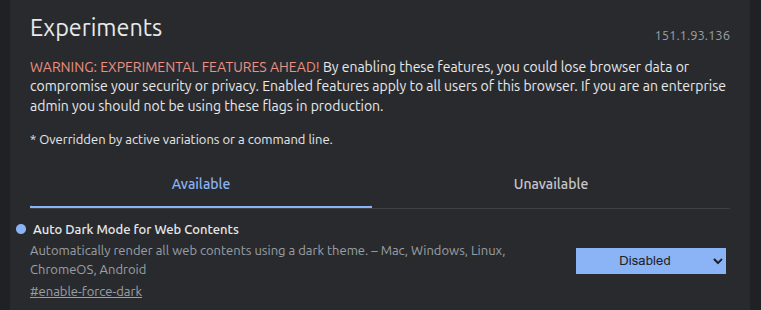
I did try to have Brave use dark mode everywhere (brave://flags)- but it was unsatisfactory :
I have WikiPedia set to dark mode (I have a login and it’s in my profile).
As for reading - I read e-books - day or night - white text on black / dark background… I mostly read e-books in Google Play Books on my iPad mini - but - also on my Android phone…
Debian, dark mode, Mate, background stolen from Windows. Use Waveterm as a dashboard (starting to look like it is abandoned). Run quite a few VM’s, both 'nix and Windows. I also like to play.
I’m not just old school I’m also old. My first Linux was Slackware using CGA text only. My first GUI was Windows 2. I’ve seen a lot of changes and I’ve seen a lot of the tweaks I made become part of the distributions.
I configured dark mode way back before it was called that. BTW, many people don’t realize you can increase your contrast in dark mode, but not so much that those web sites that still use a white background burn your eyeballs out.
I worked for Xerox who invented the mouse, the GUI, the first laser printer, the first PC, and the first WYSIWYG wordprocessor. Unfortunately the wordprocessor background was chosen to be white, like paper, which set the trend. Let’s face it Xerox made most of its money selling paper.
I like KDE Plasma, it’s very configurable and stable and is rare in that you can use a 3D theme (Kvantum).
Actual desktop … just a clock and an app launcher (Latte) at the bottom that auto-hides. Latte has the ability to delay popup whereas the one in the O/S does not and becomes annoying.
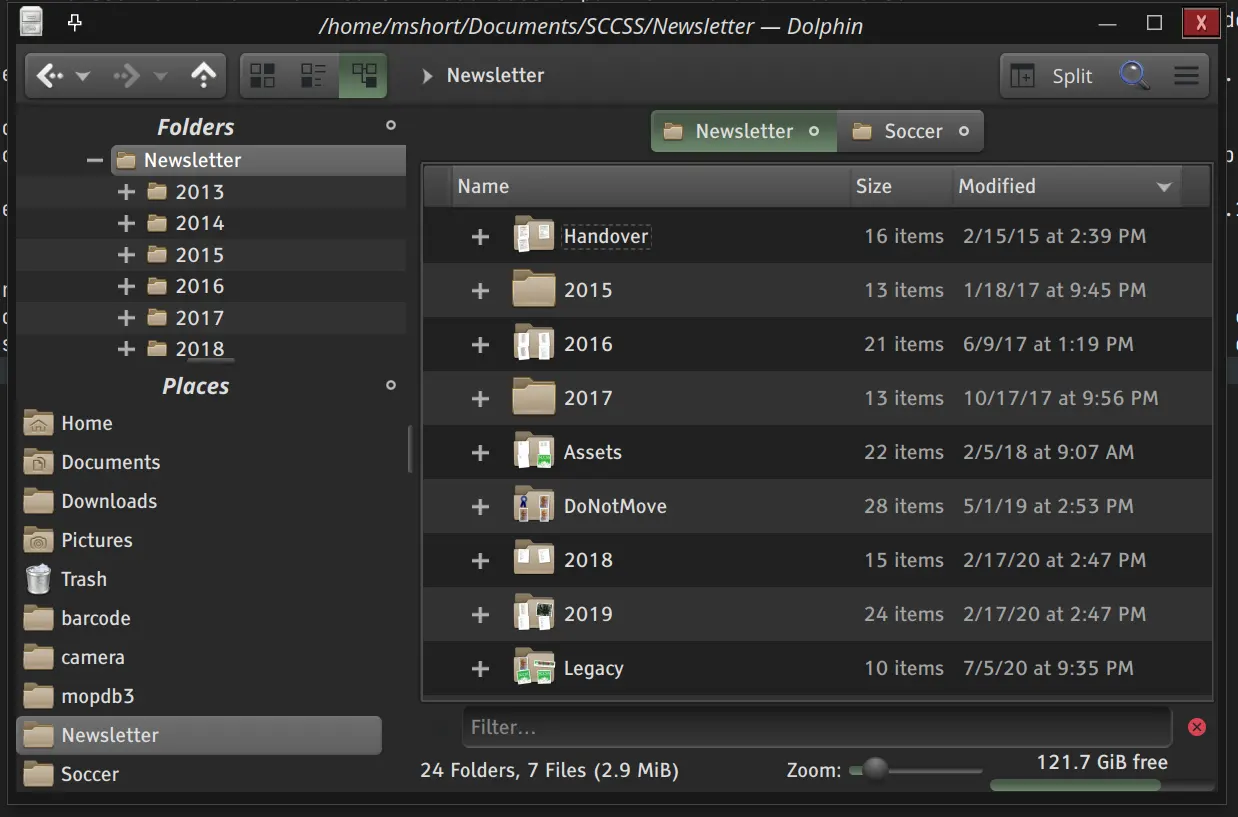
App themes … dark 3D with green highlights.
Ahhhh 3D … in my opinion the worst thing to happen to Linux is “flat” themes. Microsoft produced a style guide even before 3.1 where the concept was, if it is raised you can click it, if it is sunken you can type in it, otherwise it is just info.
Much faster than wasting time hunting around to see if something is clickable as you do with flat themes.
Colors are personal, I like green highlights, but it depends on your eye color. My eyes are blue so I am blue sensitive.
My system fonts are serif. Back in the 80’s screen resolution was poor and the serifs didn’t display well, those days are well gone but we seem to be stuck in the past.
A while back I did experiments with co-workers that proved that serif fonts were faster to read compared to sans-serif (what I call “stick” fonts which were originally designed only for headings).
I do tend to leave a lot of windows and tabs open, software has got better at sleeping those that are not active.
I also sleep my system after 11 minutes. I like that when I get up in the morning, at the crack of Noon, I can see what I was doing the night before and then close what I don’t need.
I am a huge fan of Linux and truly appreciate all the effort so many folks have made to make it the wonder it is.
Hi Mike, welcome to the forum!
I’m sorry your post was so long that I don’t have a clue how to respond. It’s just me. Happy to have a new member here who has a long background on Linux!
Please keep posting! We have a nice bunch of FOSSers here. Welcome again
Hi Old Timer @mshort and Welcome to this forum. You will find you are not only old timer here. Several of the active forum member are in their 60’s and 70’s and I believe even a couple members in their 80’s.
My first home PC was the Atari 400 way back in the 1980’s.
Yes very welcome to this great forum and its always nice to hear that some likes and use KDE Plasma. Just like i do 
Hi Mike,
It is nice to hear from an experienced old-timer.
Because I turn my computer off, I use session saving (in Xfce) to get the same effect as you get with ‘sleep’.
When I return and boot, all my work windows are restored. It helps me keep track of where I was at.
I dont have your commercial experience, but I have been in computing a long time ( back to the days of Fortran on mainframes). It seems to me that most of the important developments in the user interface … like mouse, graphic screens, and window systems came into computing from outside , not from the main computer manufacturers.
Do you have any thoughts on how the user interface might develop in future? How would we fare with AI and speech instead of typing? Are there any mouse alternatives?
Welcome, Mike. I began with paper tape and Fortran in the 60s. I happily threw out Windows when I retired and have been distro-hopping with small format machines ever since. However, I can’t bear a dark screen or serif fonts.
Neville’s question about user interface improvements is interesting. I’d like voice commands but I can’t see how it would work without a mouse. We’d be interested in your ideas–they’ll always be welcome!