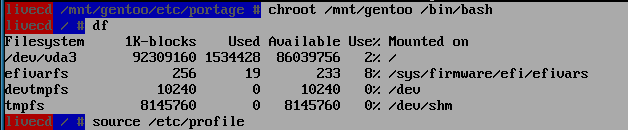
Your process seems to be ok except use /mnt/gentoo and /mnt/gentoo/efi, no boot/efi.
Other issue, you mentioned you couldn’t install the linux-firmware earlier. You need to either accept_license= * in make.conf or accept them for that package only (I think package_accept_keywords is the place, I accept all in make.conf).
If I may suggest: start with binaries. You’ll get the system running faster and if you wish you can then disable binaries and build the system again with emerge --emptytree @world. (I am on mobile phone, didn’t check if the emerge emptytree is correctly but you get the point). Get it to boot and then do what you want!
I did that but missed putting it in my writeup.
I write that log line by line as I do the install. … that is one of the weaknesses of the install process … there is no log. … Maybe I could script it.?
Good question . The default BIOS boot would do.
I suppose I usually use EFI because it is the modern way
When I do y nedt Gento hard install it will be EFI … so I may as well learn how.
VM’s are great because I can save and turn the machine off , but the lack of copy/paste slows me up. … I must have typed the 150 character wget statement 10 times.
Maybe I could setup host filesystem access in the VM and copy the stage file from the host.
Yes, and with your amount of ram you could just use a one ext4 partition mounted at /mnt/gentoo !! I do believe you have the grub-install wrong, and to fix this you will have to remount everthing and chroot back in!!
Thanks, I will fix my file.
I may as well stay with the efi boot now.
My stage3 fiie is tiny … 256 M . … it only takes half an hour to compile it with -j8
It might help!! You do not have to set "ACCEPT_KEYWORDS=“amd64” portage will default to this!! I know @ihasama likes binary packages but I find very little gain in using binary packages, and you will get a cleaner build if you just compile from source!!
I had GRUB_PLATFORMS=“efi-64 pc”
So I dont need ‘pc’ in there … thanks
It is taking longer this time … about 90 mins so far … that means it is working … it is up to using 13Gb of ram … I gave it 16Gb … fingers crossed.
What do you mean by a cleaner build?
Is mixing binary and compiled packages untidy?