Still no definitive answer why mic not working on Zoom in Cinnamon?

Hi Bruno,

WOW! I am just a Linux user. I only started using Linux “yesterday” :worried:


Let’s see your screenshots…

image

Using the command arecord -l, you can verify that your camera is sound card 1.

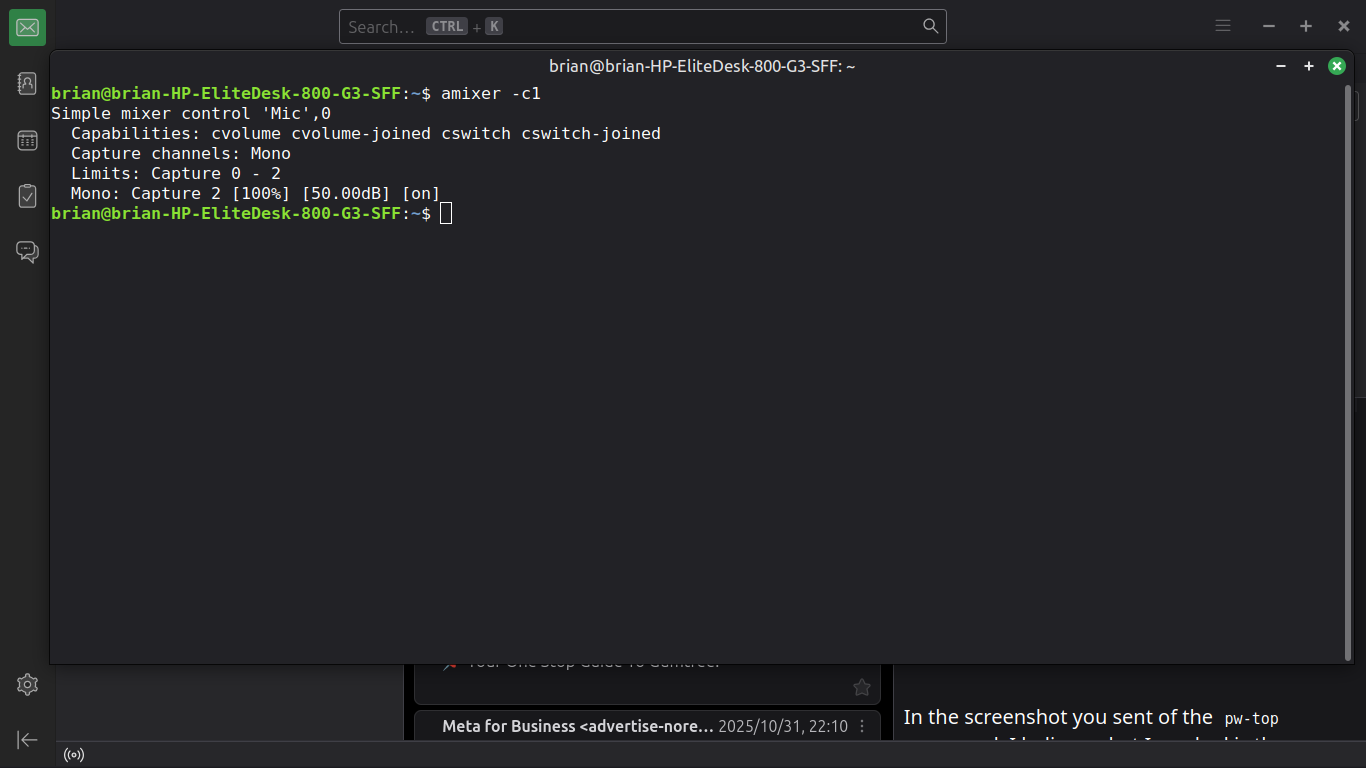
Please run the following command and post the screenshot here (I’m trying to cross-check the information):

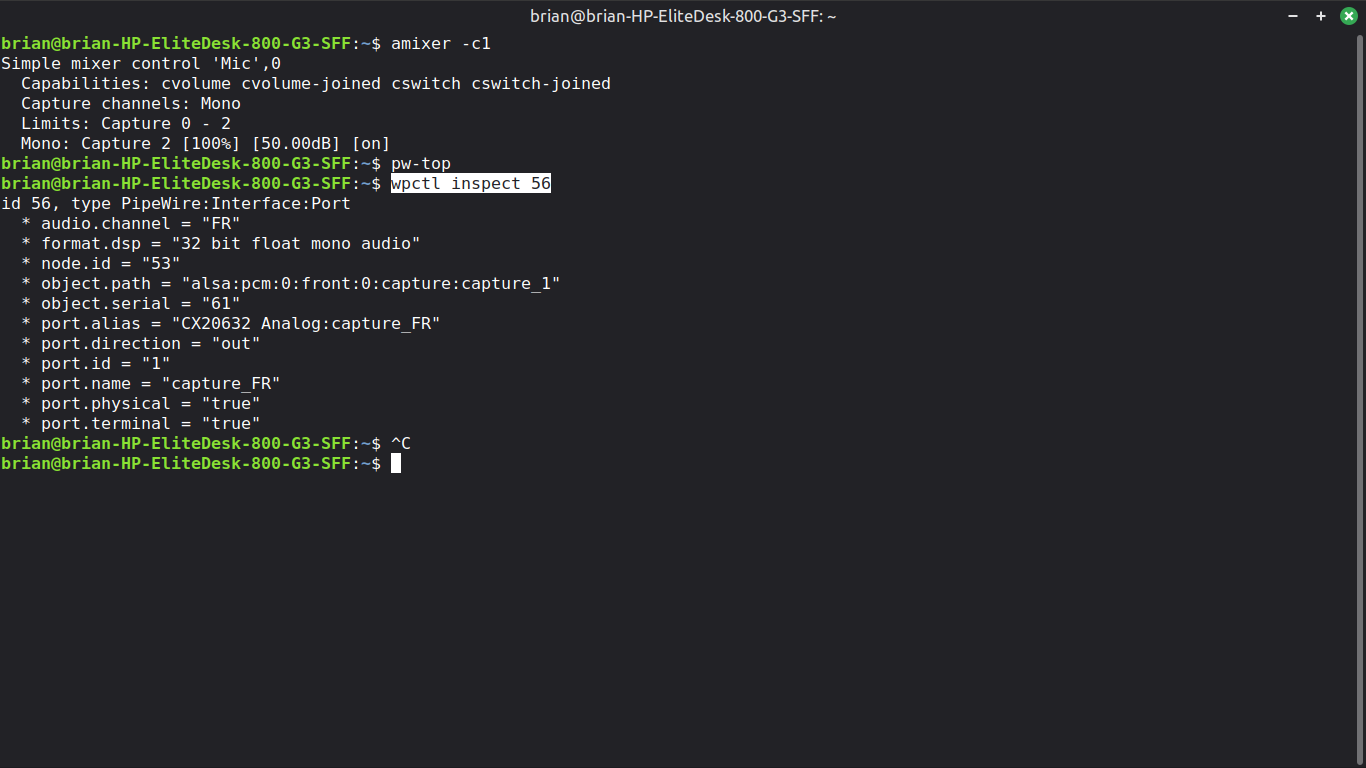
amixer -c1


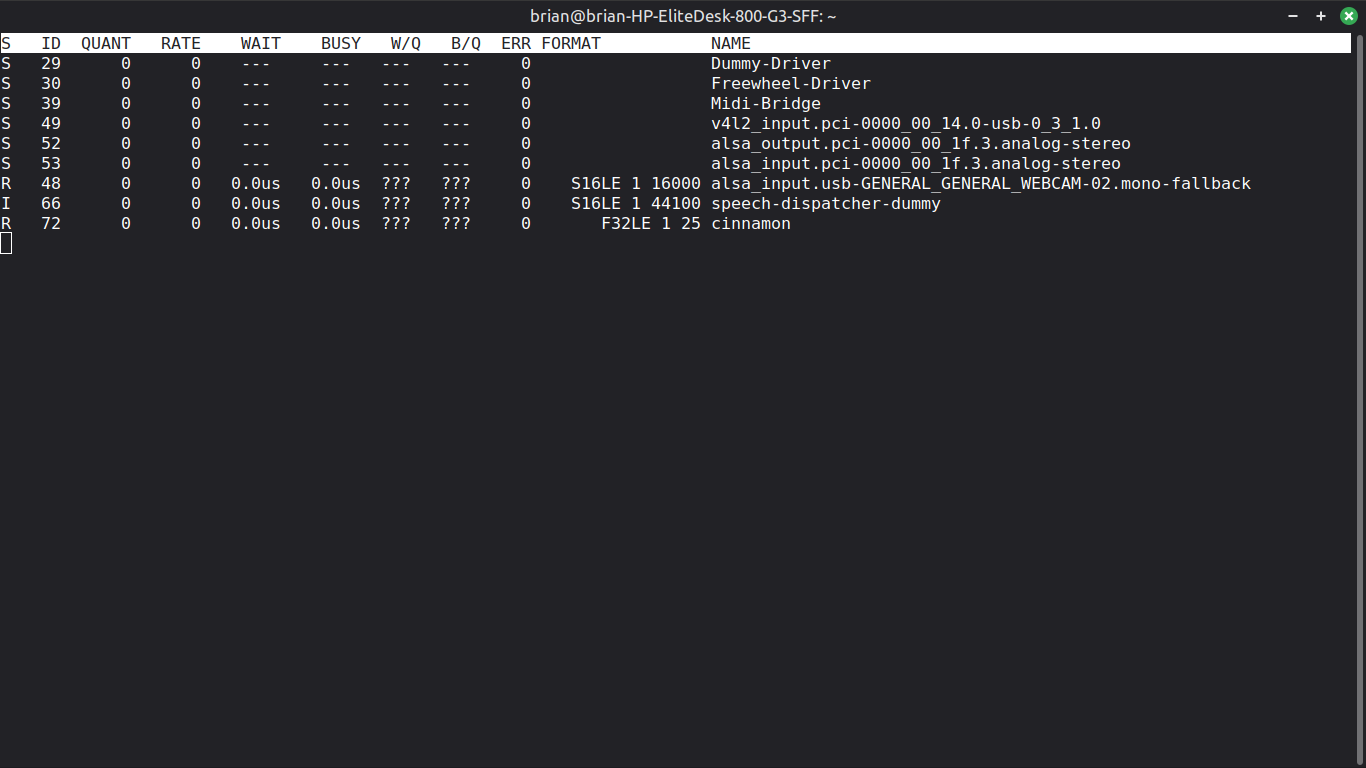
In the screenshot you sent of the pw-top command, I believe what I marked is the camera’s audio source:

image

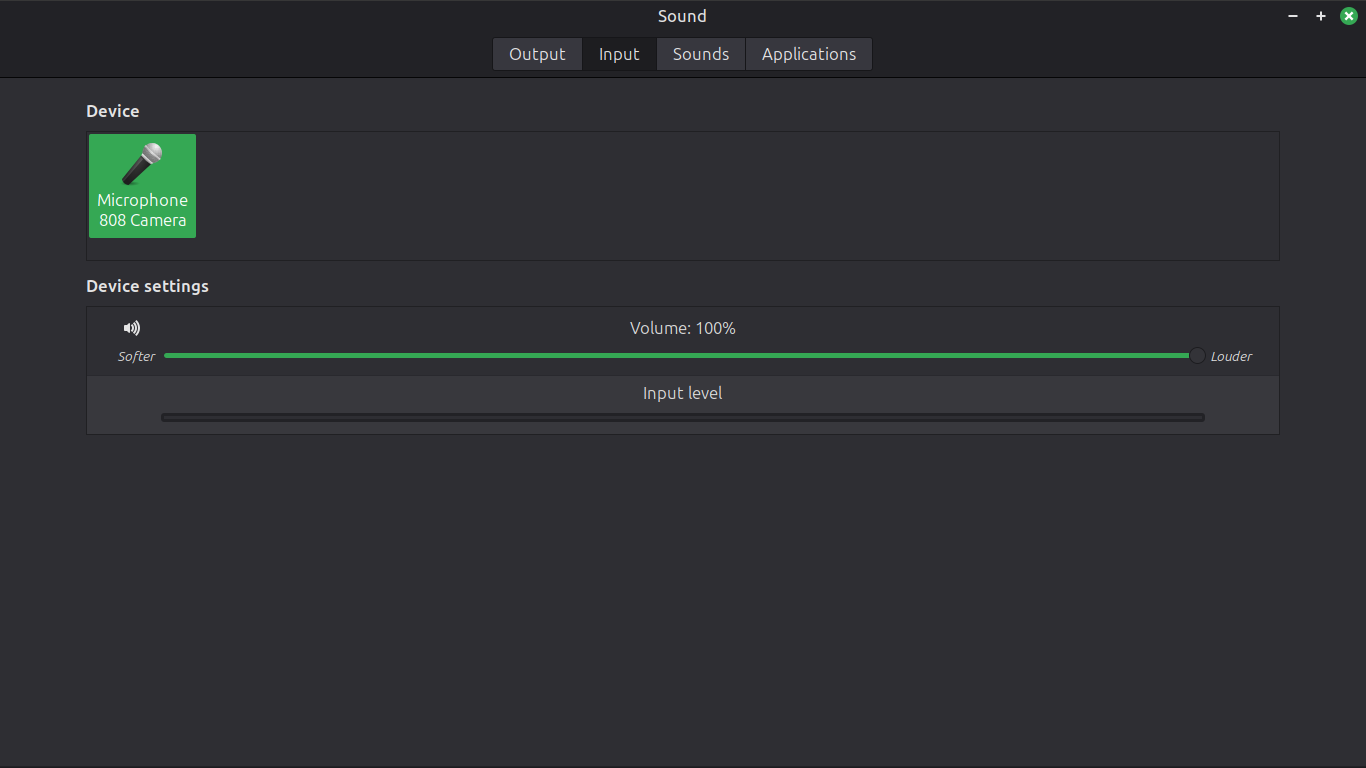
I ask you to do a test: open the terminal window wider like last screenshot of pw-top, run the pw-top command, click on the Speaker icon on the panel on the right side, next to the Clock, choose Sound Settings, the Input button, and select your camera’s microphone.
You should see in the terminal window you have open running pw-top that the camera’s audio source now has statistics (QUANT, RATE, etc.) and post a screenshot of pw-top with these statistics here.

To give you an example of what I am asking for, this is an example of my pw-top with Sound Settings open:
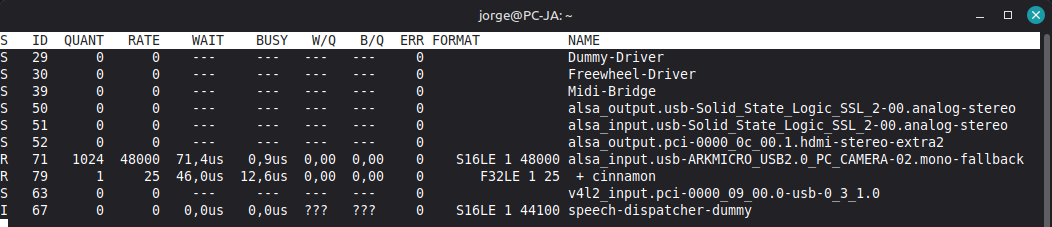

In the screenshot of the wpctl status command you ran, you can see that Audio Source 56 is your camera and has the volume set to 1.00 (100%):

image

and for default configured node names, you can see your camera:

image

(here, I have some doubts, but they are only because I don’t know more about the subject, but I will study it.)


From what I can see, PipeWire is recognizing your camera, and have volume control.

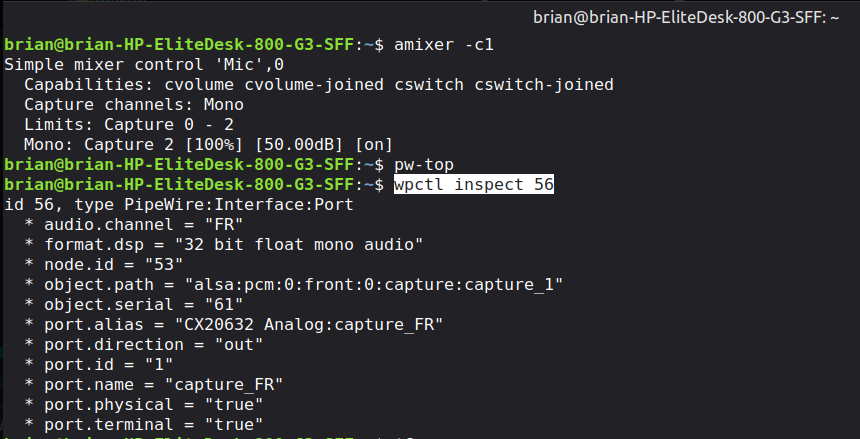
Please run another test by executing the following command:


wpctl inspect 56

Note: the number 56 is your audio source (camera).

Let’s see the detailed information about the audio source (camera).
Post here the screenshot, thanks.

We will continue after you send the screenshots.

Just in case, close your browser and all programs that can control the camera, and check again if you have audio from the camera in the Sound Settings input (click on the Speaker icon…).

Thank you for your patience.

Jorge
Showing input level 100%, but no response to voice input

Bruno,
Thanks for the screenshots.

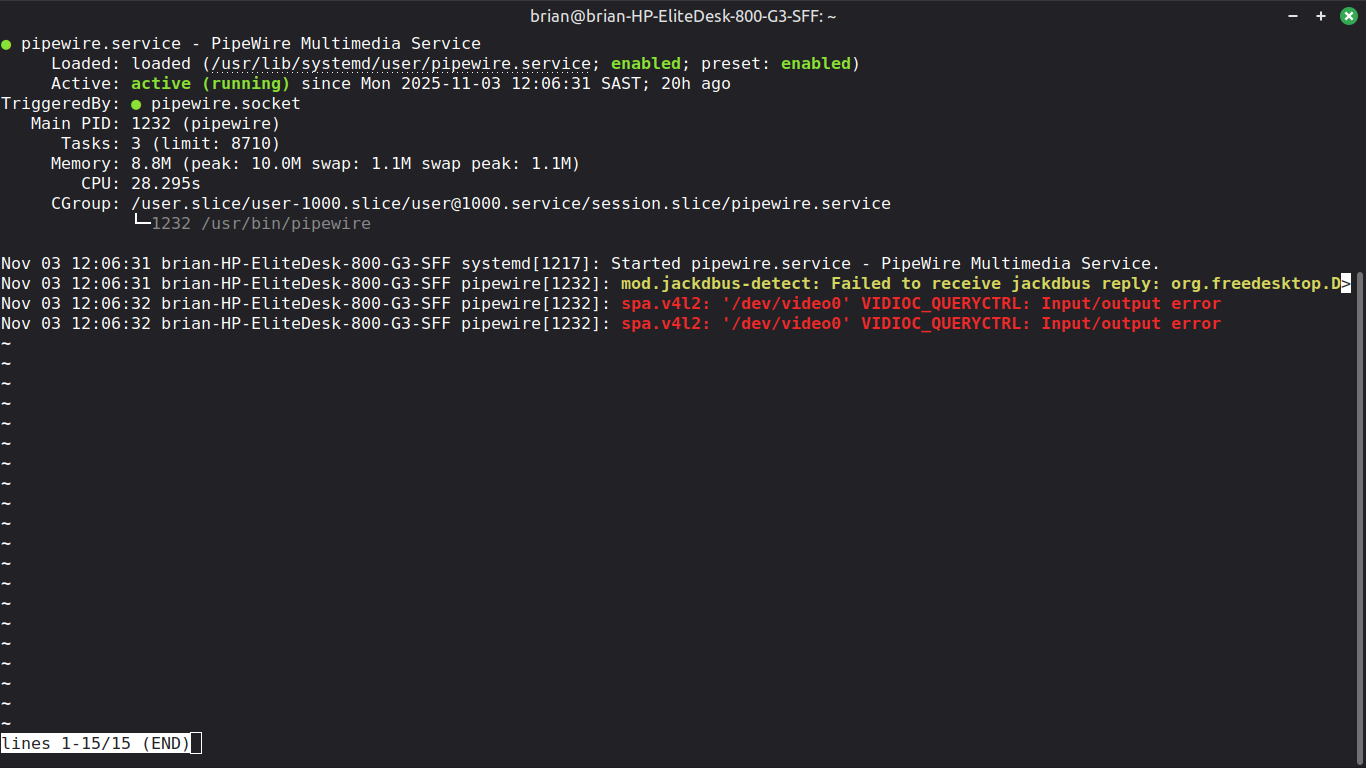
Can you post the result of the systemctl status --user pipewire.service command?
Thanks

Jorge

Bruno,
image

I believe these settings are not correct for the webcam, because they seem to me to be for the PC microphone input (I may be wrong).

Can you run the wpctl status command again, see what the camera’s audio source number is, and run the wpctl inspect ID command, replacing the ID with the camera’s audio source number?

Let me know if the ID is really 56.

Tell me if in the result of wpctl inspect ID number you still have alsa:pcm:0:front:0:capture:capture_1 on the fifth line.

Please post the result of wpctl inspect 33 here, thank you.

Jorge

wpctl inspect 48
id 48, type PipeWire:Interface:Node
    alsa.card = "1"
    alsa.card_name = "GENERAL WEBCAM"
    alsa.class = "generic"
    alsa.components = "USB1b3f:2002"
    alsa.device = "0"
    alsa.driver_name = "snd_usb_audio"
    alsa.id = "WEBCAM"
    alsa.long_card_name = "GENERAL GENERAL WEBCAM at usb-0000:00:14.0-3, high speed"
    alsa.mixer_name = "USB Mixer"
    alsa.name = "USB Audio"
    alsa.resolution_bits = "16"
    alsa.subclass = "generic-mix"
    alsa.subdevice = "0"
    alsa.subdevice_name = "subdevice #0"
    api.alsa.card.longname = "GENERAL GENERAL WEBCAM at usb-0000:00:14.0-3, high speed"
    api.alsa.card.name = "GENERAL WEBCAM"
    api.alsa.path = "hw:1"
    api.alsa.pcm.card = "1"
    api.alsa.pcm.stream = "capture"
    audio.adapt.follower = ""
    audio.channels = "1"
    audio.position = "MONO"
    card.profile.device = "1"
  * client.id = "35"
    clock.quantum-limit = "8192"
    device.api = "alsa"
    device.class = "sound"
  * device.id = "33"
    device.profile.description = "Mono"
    device.profile.name = "mono-fallback"
    device.routes = "1"
  * factory.id = "18"
    factory.mode = "split"
    factory.name = "api.alsa.pcm.source"
    library.name = "audioconvert/libspa-audioconvert"
  * media.class = "Audio/Source"
  * node.description = "808 Camera Mono"
    node.driver = "true"
  * node.name = "alsa_input.usb-GENERAL_GENERAL_WEBCAM-02.mono-fallback"
  * node.nick = "GENERAL WEBCAM"
    node.pause-on-idle = "false"
  * object.path = "alsa:pcm:1:hw:1:capture"
  * object.serial = "55"
  * priority.driver = "2000"
  * priority.session = "2000"

brian@brian-HP-EliteDesk-800-G3-SFF:~$ wpctl inspect 33
id 33, type PipeWire:Interface:Device
    alsa.card = "1"
    alsa.card_name = "GENERAL WEBCAM"
    alsa.components = "USB1b3f:2002"
    alsa.driver_name = "snd_usb_audio"
    alsa.id = "WEBCAM"
    alsa.long_card_name = "GENERAL GENERAL WEBCAM at usb-0000:00:14.0-3, high speed"
    alsa.mixer_name = "USB Mixer"
    api.acp.auto-port = "false"
    api.acp.auto-profile = "false"
    api.alsa.card = "1"
    api.alsa.card.longname = "GENERAL GENERAL WEBCAM at usb-0000:00:14.0-3, high speed"
    api.alsa.card.name = "GENERAL WEBCAM"
    api.alsa.path = "hw:1"
    api.alsa.use-acp = "true"
    api.dbus.ReserveDevice1 = "Audio1"
  * client.id = "35"
  * device.api = "alsa"
    device.bus = "usb"
    device.bus-id = "usb-GENERAL_GENERAL_WEBCAM-02"
    device.bus-path = "pci-0000:00:14.0-usb-0:3:1.2"
  * device.description = "808 Camera"
    device.enum.api = "udev"
    device.form-factor = "webcam"
    device.icon-name = "camera-web-analog-usb"
  * device.name = "alsa_card.usb-GENERAL_GENERAL_WEBCAM-02"
  * device.nick = "GENERAL WEBCAM"
    device.plugged.usec = "11294730"
    device.product.id = "0x2002"
    device.product.name = "808 Camera"
    device.serial = "GENERAL_GENERAL_WEBCAM"
    device.string = "1"
    device.subsystem = "sound"
    device.sysfs.path = "/devices/pci0000:00/0000:00:14.0/usb1/1-3/1-3:1.2/sound/card1"
    device.vendor.id = "0x1b3f"
    device.vendor.name = "Generalplus Technology Inc."
  * factory.id = "14"
  * media.class = "Audio/Device"
    object.path = "alsa:pcm:1"
  * object.serial = "54"

Tell me if in the result of wpctl inspect ID number you still have alsa:pcm:0:front:0:capture:capture_1 on the fifth line.

I don’t see this on the fifth line. I have sent result

Thank you for all the hard work and research you are doing.

Bruno

Bruno,
Try to install pipewire-v4l2 and v4l-utils with sudo apt install pipewire-v4l2 v4l-utils command (I believe you don’t have them installed).


after install reboot pipewire.service with systemctl --user restart pipewire.service command


and check again systemctl status --user pipewire.service to see if you still have these errors:

image

Run v4l2-ctl --list-devices command a post the result.

Thanks

Jorge

brian@brian-HP-EliteDesk-800-G3-SFF:~$ systemctl status --user pipewire.service
● pipewire.service - PipeWire Multimedia Service
     Loaded: loaded (/usr/lib/systemd/user/pipewire.service; enabled; preset: enabled)
     Active: active (running) since Mon 2025-11-03 12:06:31 SAST; 21h ago
TriggeredBy: ● pipewire.socket
   Main PID: 1232 (pipewire)
      Tasks: 3 (limit: 8710)
     Memory: 8.8M (peak: 10.0M swap: 1.1M swap peak: 1.1M)
        CPU: 28.301s
     CGroup: /user.slice/user-1000.slice/user@1000.service/session.slice/pipewire.service
             └─1232 /usr/bin/pipewire

Nov 03 12:06:31 brian-HP-EliteDesk-800-G3-SFF systemd[1217]: Started pipewire.service - PipeW>
Nov 03 12:06:31 brian-HP-EliteDesk-800-G3-SFF pipewire[1232]: mod.jackdbus-detect: Failed to >
Nov 03 12:06:32 brian-HP-EliteDesk-800-G3-SFF pipewire[1232]: spa.v4l2: '/dev/video0' VIDIOC_>

brian@brian-HP-EliteDesk-800-G3-SFF:~$ v4l2-ctl --list-devices
GENERAL WEBCAM: GENERAL WEBCAM (usb-0000:00:14.0-3):
	/dev/video0
	/dev/video1
	/dev/media0

Bruno,
Do you have audio?
(I think it’s still giving the same error. I’ll have to look into it.)
Don’t worry about the jackdbus error, I know how to fix it. I had it too. First, let’s try to get sound from the camera.

I don’t know if you’re using the LTS kernel. Can you check if you are? If so, can you switch to LTS?

Jorge

6.8.0-87-generic

brian@brian-HP-EliteDesk-800-G3-SFF:~$ hostnamectl
 Static hostname: brian-HP-EliteDesk-800-G3-SFF
       Icon name: computer-desktop
         Chassis: desktop 🖥️
      Machine ID: dc865b1cd6cf4273afc653dc938d159b
         Boot ID: 298aeeccd6314616b913f83f1f2ac773
Operating System: Linux Mint 22.2                 
          Kernel: Linux 6.8.0-87-generic
    Architecture: x86-64
 Hardware Vendor: HP
  Hardware Model: HP EliteDesk 800 G3 SFF
Firmware Version: P01 Ver. 02.50
   Firmware Date: Wed 2024-07-17
    Firmware Age: 1y 3month 2w 4d

Bruno,
the last screenshot:
image
Can you tell me what the rest of the text says (until the end of the line)?

Jorge


Bruno,
thanks for the screenshot.

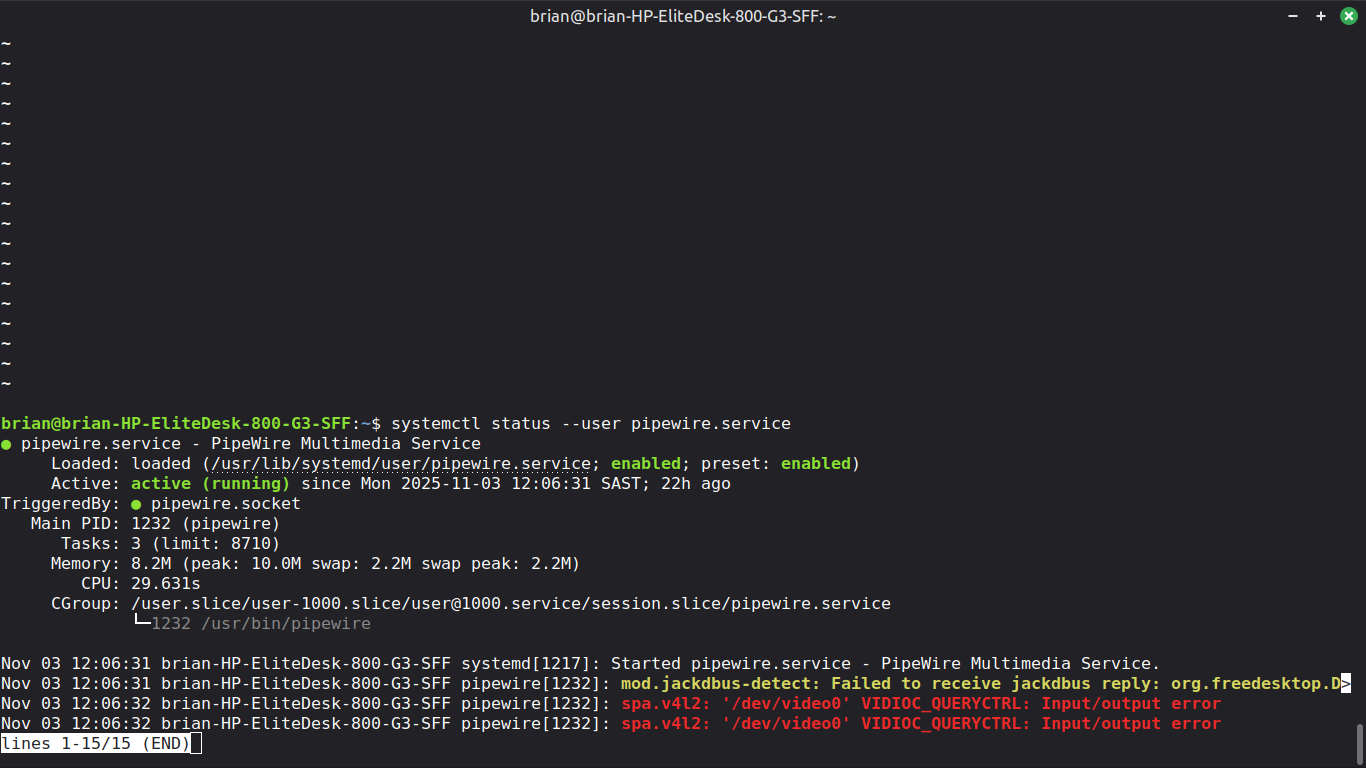
I can see from your screenshot that you haven’t restarted the pipewire service for 22 hours:

image

Two hours ago, I asked you to reboot, but, due to my mistake, I wrote the command incorrectly. I will correct it in the post and now ask you to restart the service with the following command (I apologize for the error):

systemctl --user restart pipewire.service

After restarting the service, run the command systemctl status --user pipewire.service again and see if you still get the errors you sent in the last screenshot:

image


Honestly, I’m already beyond my limits and what I know about PipeWire. From what I know, it seems to be working, but I’m looking for incompatibilities, which is what I’ve found people complaining about for that camera.


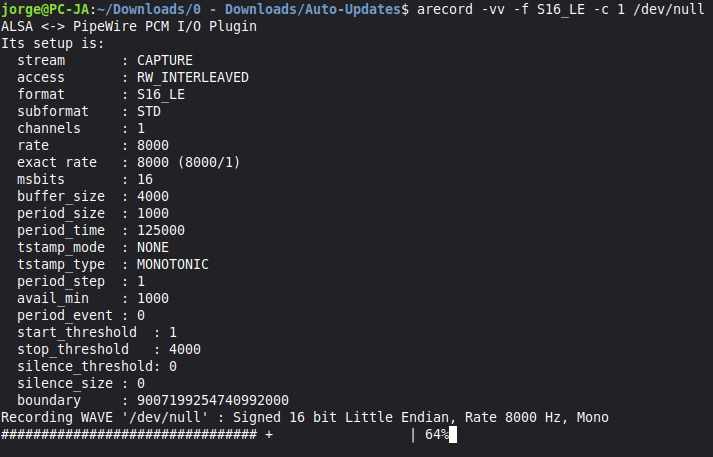
Let’s test if you have audio through ALSA and if it’s not just a problem with the DE.

Run the following command and in the bar below, which acts as a VU meter, see if it moves when you speak to the camera (please send a screenshot):

arecord -vv -f S16_LE -c 1 /dev/null

it’s like this:

Jorge

still shows same errors in pipewire service

no signal showing in arecord